
- Category Developer tools
- Developer InstallAware Software
- Available on PC
- OS Windows 10 version 0.0 or higher
- languages English, English (Afghanistan), English (Åland Islands), English (Albania), English (Algeria), English (American Samoa), English (Andorra), English (Angola), English (Anguilla), English (Antarctica), English (Antigua and Barbuda), English (Armenia), English (Aruba), English (Australia and New Zealand), English (Australia), English (Azerbaijan), English (Bahamas), English (Bangladesh), English (Barbados), English (Belarus), English (Belize), English (Benin), English (Bermuda), English (Bhutan), English (Bolivia), English (Bonaire, Saint Eustatius and Saba), English (Bosnia and Herzegovina), English (Botswana), English (Bouvet Island), English (British Indian Ocean Territory), English (British Virgin Islands), English (Brunei), English (Bulgaria), English (Burkina Faso), English (Burundi), English (Cambodia), English (Cameroon), English (Canada), English (Cape Verde), English (Caribbean), English (Cayman Islands), English (Central African Republic), English (Chad), English (Christmas Island), English (Cocos (Keeling) Islands), English (Comoros), English (Congo (DRC)), English (Congo), English (Cook Islands), English (Côte d'Ivoire), English (Croatia), English (Curaçao), en-cz, English (Djibouti), English (Dominica), English (Dominican Republic), English (Eastern Africa), English (Equatorial Guinea), English (Eritrea), English (Estonia), English (Ethiopia), English (Falkland Islands), English (Faroe Islands), English (Fiji), English (French Guiana), English (French Polynesia), English (French Southern and Antarctic Lands), English (Gabon), English (Gambia), English (Georgia), English (Germany), English (Ghana), English (Gibraltar), en-gr, English (Greenland), English (Guadeloupe), English (Guam), English (Guernsey), English (Guinea-Bissau), English (Guinea), English (Guyana), English (Haiti), English (Heard Island and McDonald Islands), English (Honduras), English (Hong Kong SAR), en-hu, English (Iceland), English (India), English (Indonesia), English (Iraq), English (Ireland), English (Isle of Man), English (Israel), English (Jamaica), English (Jersey), English (Jordan), English (Kazakhstan), English (Kenya), English (Kiribati), English (Kyrgyzstan), English (Laos), English (Latvia), English (Lesotho), English (Liberia), English (Libya), English (Lithuania), English (Macao SAR), English (Macedonia, FYRO), English (Madagascar), English (Malawi), English (Malaysia), English (Maldives), English (Mali), English (Malta), English (Marshall Islands), English (Martinique), English (Mauritius), English (Mayotte), English (Micronesia), English (Moldova), English (Monaco), English (Mongolia), English (Montserrat), English (Mozambique), English (Myanmar), English (Namibia), English (Nauru), English (Nepal), English (Netherlands Antilles (Former)), English (Netherlands), English (New Caledonia), English (New Zealand), English (Nicaragua), English (Niger), English (Nigeria), English (Niue), English (Norfolk Island), English (Northern America), English (Northern Mariana Islands), English (Oman), English (Pakistan), English (Palau), English (Palestinian Authority), English (Papua New Guinea), English (Philippines), English (Pitcairn Islands), English (Puerto Rico), English (Qatar), English (Reunion), English (Romania), English (Rwanda), English (Saint Barthélemy), English (St Helena, Ascension, Tristan da Cunha), English (Saint Kitts and Nevis), English (Saint Lucia), English (Saint Martin (French Part)), English (Saint Pierre and Miquelon), English (Saint Vincent and the Grenadines), English (Samoa), English (San Marino), English (São Tomé and Príncipe), en-sa, English (Senegal), English (Seychelles), English (Sierra Leone), English (Singapore), English (Sint Maarten), English (Slovakia), English (Slovenia), English (Solomon Islands), English (Somalia), English (South Africa), English (South Georgia and the South Sandwich Islands), English (Southern Africa), English (Sri Lanka), English (Sudan), English (Suriname), English (Svalbard and Jan Mayen), English (Swaziland), English (Tajikistan), English (Tanzania), English (Thailand), English (Timor-Leste), English (Togo), English (Tokelau), English (Tonga), English (Trinidad and Tobago), English (Turkey), English (Turkmenistan), English (Turks and Caicos Islands), English (Tuvalu), English (U.S. Minor Outlying Islands), English (U.S. Virgin Islands), English (Uganda), en-ae, English (United Kingdom), English (United States), English (Uzbekistan), English (Vanuatu), English (Holy See (Vatican City)), English (Vietnam), English (Wallis and Futuna), English (Western Africa), English (Zambia), English (Zimbabwe)
Streamlining Installer Development with InstallAware Studio for Windows
InstallAware Studio for Windows stands out as a potent tool for software developers aiming to craft reliable and professional installers with ease, blending robust features with an intuitive interface.
About the Developer and Core Features
Developer Profile
Developed and published by InstallAware Software Corporation, this application embodies years of expertise in simplifying distributed software deployment through innovative solutions.
Key Highlights
- User-Friendly Installer Creation: Enables the design of sophisticated installers with minimal scripting, reducing development time.
- Advanced Customization Options: Offers extensive options for branding, custom dialogs, and scripting to tailor the installer experience.
- Robust Deployment Capabilities: Supports multiple deployment formats, including MSI and EXE, along with cloud and network installation features.
- Efficient Repackaging & Updates: Facilitates easy repackaging of existing applications and streamlined updates for end-users.
Target Audience
Primarily aimed at software developers, IT professionals, and organizations seeking reliable deployment solutions, especially those who appreciate a balance between power and ease of use.
Vivacious Journey into Installer Crafting
Imagine a tool that transforms the often daunting task of installer creation into an engaging, almost artistic process—this is where InstallAware Studio shines. Whether you're a seasoned developer or a newcomer, you'll find yourself drawn into a world where complex setups are simplified into a series of logical, enjoyable steps, much like assembling a custom puzzle that fits perfectly every time.
Deep Dive into Core Functionalities
Intuitive Interface and Workflow
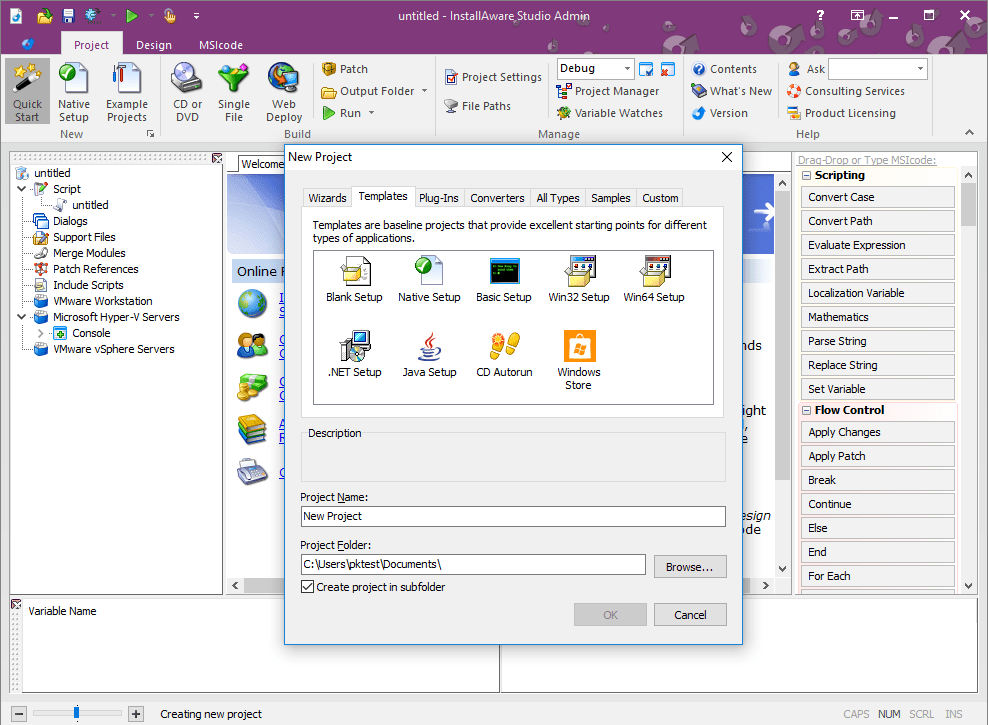
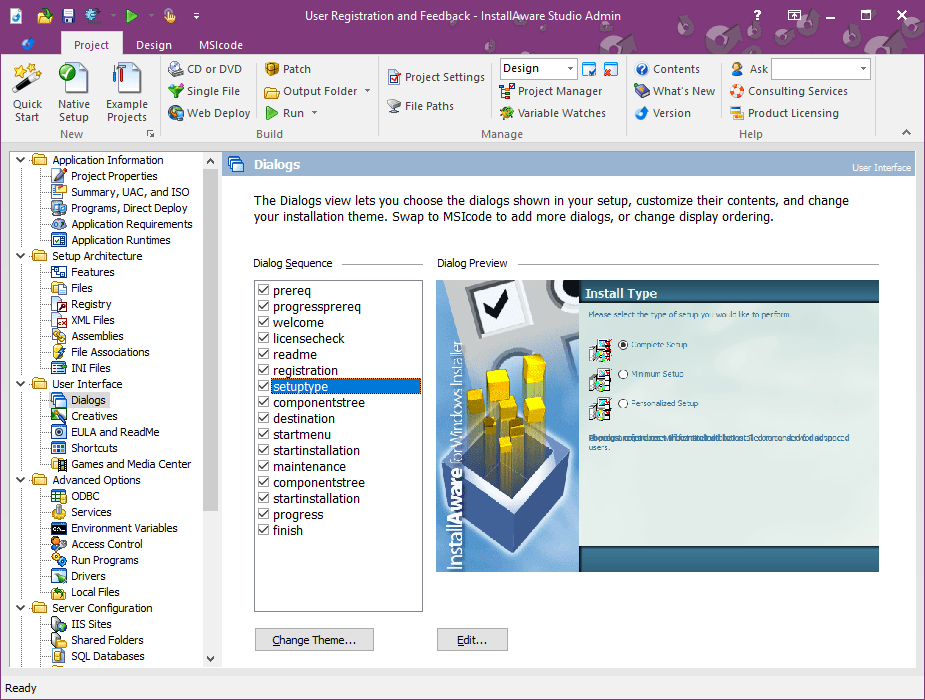
One of InstallAware's brightest stars is its clean, drag-and-drop interface that guides users smoothly through creating installers. The design resembles a thoughtfully arranged workshop, where each tool is readily accessible. Navigation feels natural, with menus and panels that never feel cluttered, even when handling complex projects. Its real-time preview feature offers developers an immediate glimpse of what their installer will look like, reducing iterative guesswork.
Powerful Customization & Scripting
The software's scripting engine is like having a magic wand—allowing granular control over every aspect of the installation process. From custom dialogs to step-by-step actions, developers can infuse their personality into the installer. What's particularly noteworthy is its support for dynamic content, enabling installers to adapt based on user input or system conditions, a feature that sets it apart from more basic tools.
Deployment and Update Management
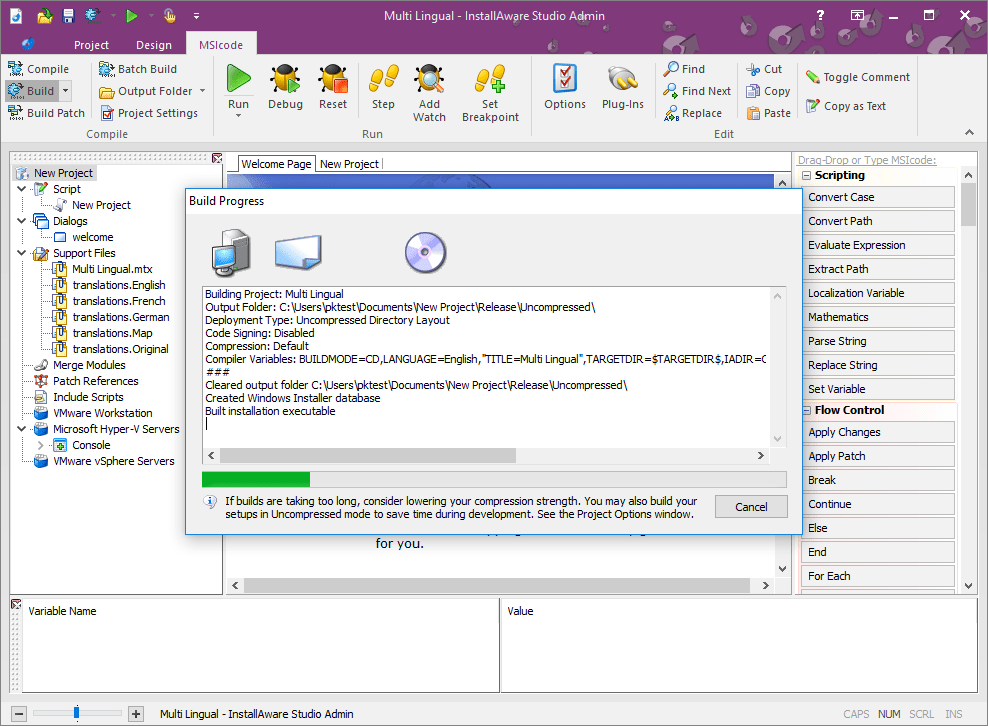
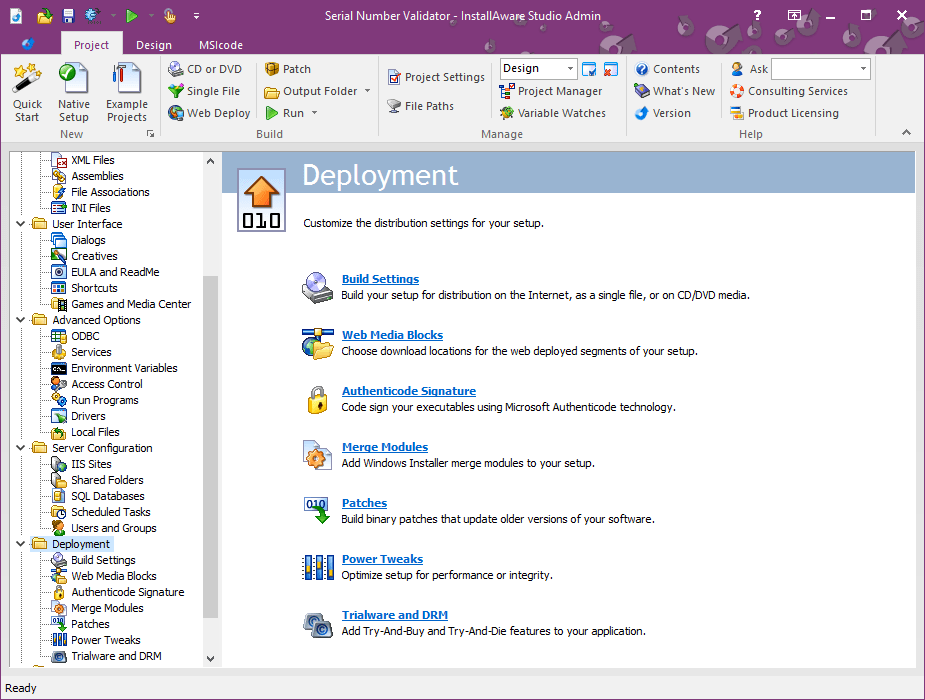
InstallAware excels in deployment flexibility, supporting a wide array of packaging formats. Its ability to generate compact, robust installers ensures the distribution process is smooth and reliable. Moreover, features like incremental patching and easy updates make maintaining software after deployment less of a chore—ideal for teams managing multiple releases across diverse environments.
Distinctive Attributes and Recommendations
Compared to other developer tools, InstallAware Studio's core advantage lies in its blend of simplicity and depth. The platform's automation capabilities—such as integrated repackaging—help expedite workflows that normally demand extensive manual scripting and testing. Additionally, its focus on professional quality outputs without overwhelming new users makes it particularly appealing for small to medium-sized teams.
While some competitors might boast similar features, InstallAware's unique edge is its balanced approach: providing enough power to satisfy advanced developers while remaining accessible enough to beginners. It's akin to a bicycle designed for both casual riders and serious racers; the ride is smooth regardless of skill level.
Final Thoughts: Is It Worth Giving a Spin?
Absolutely, especially if your projects demand reliable, customizable installers without the weight of overly complex tools. InstallAware Studio for Windows suits developers who appreciate a tool that doesn't compromise on features but prioritizes usability. For those looking to streamline their deployment processes with confidence, this software deserves serious consideration.
Pros
- Intuitive User Interface
- Robust Deployment Features
- Strong Customization Options
- High Reliability
- Comprehensive Support and Documentation
Cons
- Steep Learning Curve
- Occasional Compatibility Issues
- Limited Free Version
- Performance Slightly Slower on Older Hardware
- Periodic Bugs and Glitches











