
- Category Developer tools
- Developer InstallAware Software
- Available on PC
- OS Windows 10 version 0.0 or higher
- languages English, English (Afghanistan), English (Åland Islands), English (Albania), English (Algeria), English (American Samoa), English (Andorra), English (Angola), English (Anguilla), English (Antarctica), English (Antigua and Barbuda), English (Armenia), English (Aruba), English (Australia and New Zealand), English (Australia), English (Azerbaijan), English (Bahamas), English (Bangladesh), English (Barbados), English (Belarus), English (Belize), English (Benin), English (Bermuda), English (Bhutan), English (Bolivia), English (Bonaire, Saint Eustatius and Saba), English (Bosnia and Herzegovina), English (Botswana), English (Bouvet Island), English (British Indian Ocean Territory), English (British Virgin Islands), English (Brunei), English (Bulgaria), English (Burkina Faso), English (Burundi), English (Cambodia), English (Cameroon), English (Canada), English (Cape Verde), English (Caribbean), English (Cayman Islands), English (Central African Republic), English (Chad), English (Christmas Island), English (Cocos (Keeling) Islands), English (Comoros), English (Congo (DRC)), English (Congo), English (Cook Islands), English (Côte d'Ivoire), English (Croatia), English (Curaçao), en-cz, English (Djibouti), English (Dominica), English (Dominican Republic), English (Eastern Africa), English (Equatorial Guinea), English (Eritrea), English (Estonia), English (Ethiopia), English (Falkland Islands), English (Faroe Islands), English (Fiji), English (French Guiana), English (French Polynesia), English (French Southern and Antarctic Lands), English (Gabon), English (Gambia), English (Georgia), English (Germany), English (Ghana), English (Gibraltar), en-gr, English (Greenland), English (Guadeloupe), English (Guam), English (Guernsey), English (Guinea-Bissau), English (Guinea), English (Guyana), English (Haiti), English (Heard Island and McDonald Islands), English (Honduras), English (Hong Kong SAR), en-hu, English (Iceland), English (India), English (Indonesia), English (Iraq), English (Ireland), English (Isle of Man), English (Israel), English (Jamaica), English (Jersey), English (Jordan), English (Kazakhstan), English (Kenya), English (Kiribati), English (Kyrgyzstan), English (Laos), English (Latvia), English (Lesotho), English (Liberia), English (Libya), English (Lithuania), English (Macao SAR), English (Macedonia, FYRO), English (Madagascar), English (Malawi), English (Malaysia), English (Maldives), English (Mali), English (Malta), English (Marshall Islands), English (Martinique), English (Mauritius), English (Mayotte), English (Micronesia), English (Moldova), English (Monaco), English (Mongolia), English (Montserrat), English (Mozambique), English (Myanmar), English (Namibia), English (Nauru), English (Nepal), English (Netherlands Antilles (Former)), English (Netherlands), English (New Caledonia), English (New Zealand), English (Nicaragua), English (Niger), English (Nigeria), English (Niue), English (Norfolk Island), English (Northern America), English (Northern Mariana Islands), English (Oman), English (Pakistan), English (Palau), English (Palestinian Authority), English (Papua New Guinea), English (Philippines), English (Pitcairn Islands), English (Puerto Rico), English (Qatar), English (Reunion), English (Romania), English (Rwanda), English (Saint Barthélemy), English (St Helena, Ascension, Tristan da Cunha), English (Saint Kitts and Nevis), English (Saint Lucia), English (Saint Martin (French Part)), English (Saint Pierre and Miquelon), English (Saint Vincent and the Grenadines), English (Samoa), English (San Marino), English (São Tomé and Príncipe), en-sa, English (Senegal), English (Seychelles), English (Sierra Leone), English (Singapore), English (Sint Maarten), English (Slovakia), English (Slovenia), English (Solomon Islands), English (Somalia), English (South Africa), English (South Georgia and the South Sandwich Islands), English (Southern Africa), English (Sri Lanka), English (Sudan), English (Suriname), English (Svalbard and Jan Mayen), English (Swaziland), English (Tajikistan), English (Tanzania), English (Thailand), English (Timor-Leste), English (Togo), English (Tokelau), English (Tonga), English (Trinidad and Tobago), English (Turkey), English (Turkmenistan), English (Turks and Caicos Islands), English (Tuvalu), English (U.S. Minor Outlying Islands), English (U.S. Virgin Islands), English (Uganda), en-ae, English (United Kingdom), English (United States), English (Uzbekistan), English (Vanuatu), English (Holy See (Vatican City)), English (Vietnam), English (Wallis and Futuna), English (Western Africa), English (Zambia), English (Zimbabwe)
An Efficient Companion for Windows Installations: InstallAware Studio Admin
In the bustling world of software deployment, having a reliable and intuitive tool is essential. InstallAware Studio Admin for Windows positions itself as a comprehensive solution aimed at simplifying and streamlining installation management, making it a worthy consideration for developers and IT professionals alike.
About the Developer and Core Highlights
Developed by InstallAware Software, a company renowned for its expertise in installation technology, InstallAware Studio Admin is tailored to cater to Windows-based deployment needs. Its standout features include advanced deployment automation, customizable scripting capabilities, and real-time deployment analytics. Designed primarily for system administrators, software developers, and enterprise IT teams, this app strives to enhance efficiency and control in software distribution processes.
A Closer Look: Navigating InstallAware's Powerhouse Features
Seamless Deployment Automation and Customization
One of the most compelling aspects of InstallAware Studio Admin is its ability to automate complex deployment sequences. Imagine orchestrating a symphony where each instrument (or step) plays in harmony without manual intervention—that's the promise here. Whether deploying multiple applications across various machines or orchestrating patch updates, this feature ensures processes are swift, consistent, and less prone to human error. Moreover, the scripting environment offers PowerShell and other scripting support, allowing deep customization tailored to unique deployment scenarios.
Intuitive User Interface and User Experience
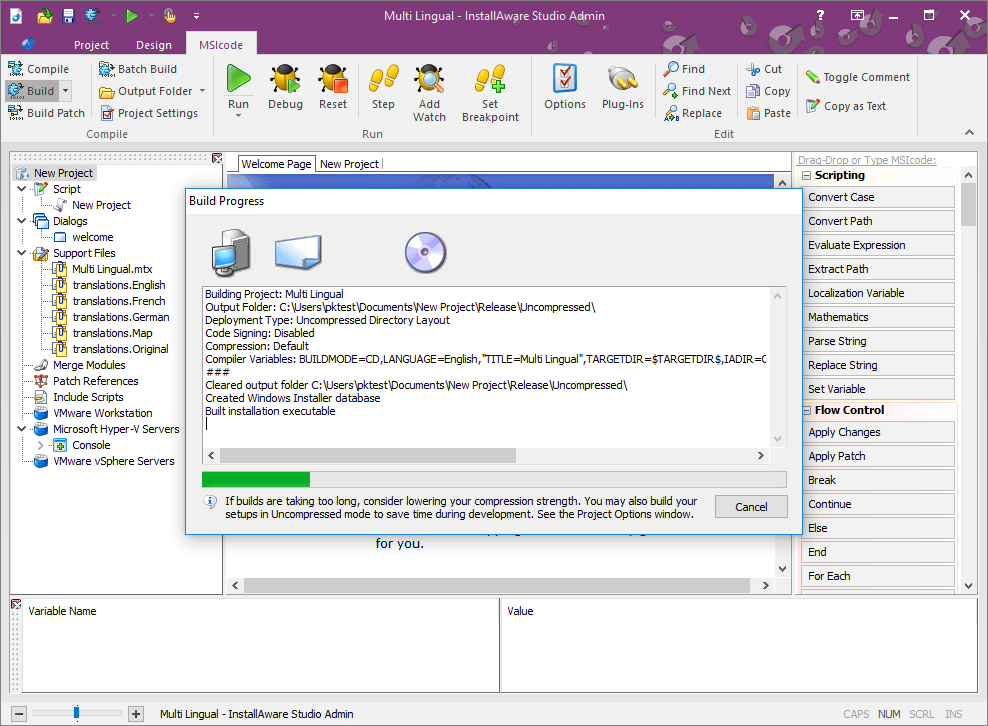
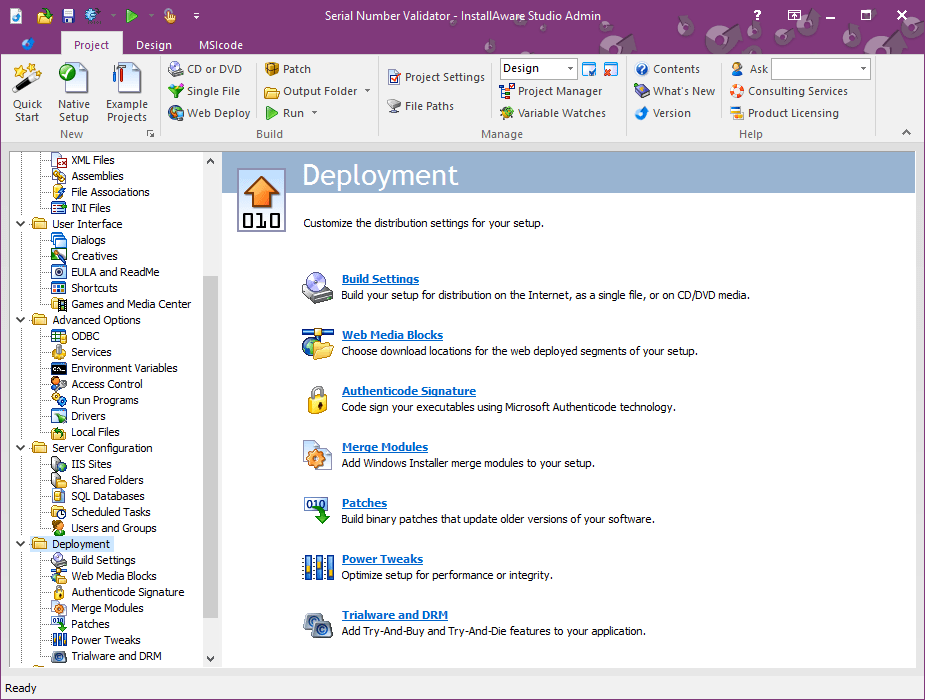
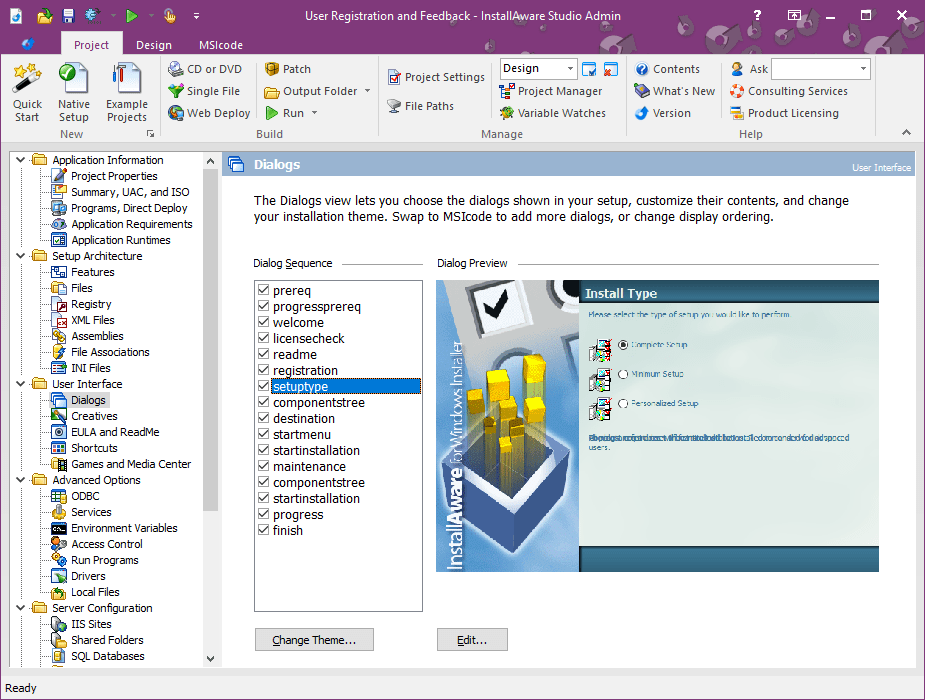
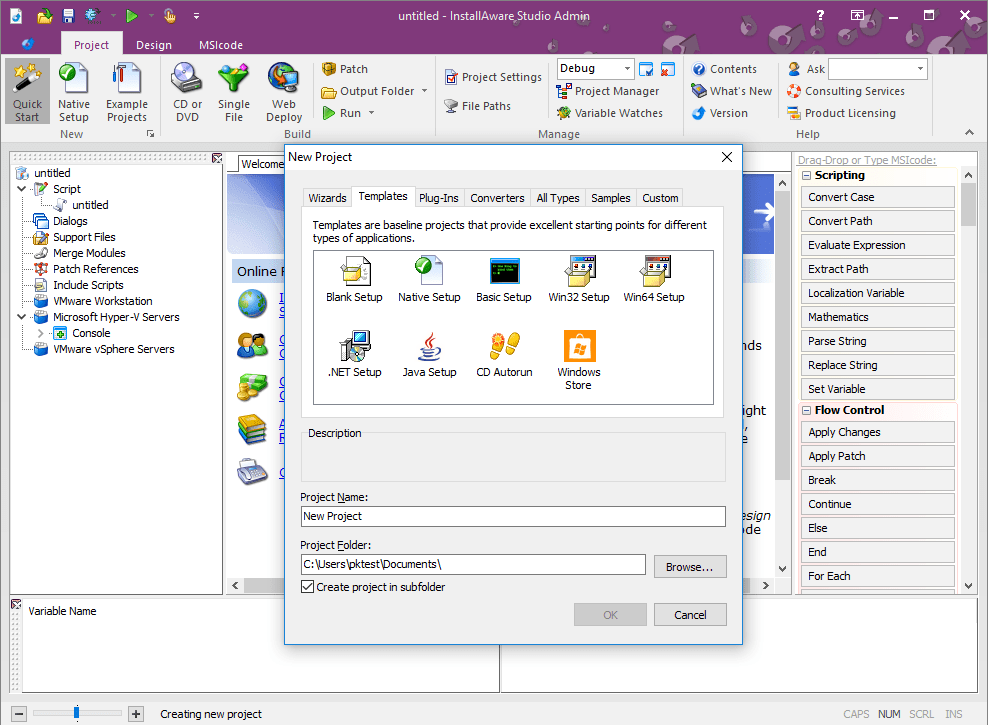
From the moment you launch InstallAware Studio Admin, the interface feels like stepping into a well-organized control room. Clear icons, logical navigation menus, and contextual guidance reduce the learning curve significantly. The design balances functionality with simplicity, making both novice and experienced users feel at home. Operations like creating new deployments, monitoring progress, or troubleshooting are performed with fluidity and minimal fuss, contributing to an overall smooth user experience.
Real-Time Analytics and Reporting
Understanding deployment success rates, detecting issues promptly, and maintaining oversight are vital in enterprise environments. This app shines here with its real-time deployment dashboards that display active statuses, error logs, and detailed reports. Picture having a dashboard on your car's console that not only shows your speed but also flags potential engine issues before they become serious—this proactive insight is impactful. This feature empowers users to address problems swiftly and make informed decisions without digging through static logs.
What Sets InstallAware Apart? The Unique Spark
While many deployment tools offer automation and reporting, InstallAware Studio Admin's most distinctive edge lies in its advanced scripting capabilities combined with its lightweight footprint. Unlike bulkier enterprise deployment solutions, it manages to deliver robust customization options without sacrificing speed or ease of use. Additionally, its focus on Windows deployment environments ensures tight integration with native OS features, giving it a seamless feel that often outperforms generic tools designed for multiple platforms.
Final Verdict: Is This the Right Tool for You?
If you're seeking a professional yet approachable deployment assistant that combines automation, detailed control, and insightful analytics, InstallAware Studio Admin is worth exploring. It's particularly recommended for enterprise IT teams and developers who need precision and flexibility without wading through overly complex interfaces. While it may have a slight learning curve due to its scripting features, the overall experience remains accessible and rewarding.
In summary, InstallAware Studio Admin stands out for its customization prowess and user-friendly design, making it a reliable companion in the mission to deliver software efficiently. If your goal is to elevate your deployment process with a tool that's both powerful and approachable, this app deserves a spot on your shortlist.
Pros
- User-Friendly Interface
- Streamlined Deployment
- Robust Admin Controls
- Strong Security Features
- Good Customer Support
Cons
- Limited Customization Options
- Occasional Performance Lag
- Learning Curve for New Users
- Limited Documentation on Advanced Features
- Compatibility Issues with Older Systems











