

- Category Lifestyle
- Developer Roadkill
- Available on PC, Mobile, Surface Hub, HoloLens
- OS Windows 10 version 14393.0 or higher
- languages English (United States)
A Reliable Window into Your Blink Cameras on Windows
IP Cam Viewer (Blink Camera Support) for Windows is a straightforward application designed for homeowners and security enthusiasts who want to monitor their Blink cameras seamlessly from their PCs. Developed by Roadkill, this app aims to bridge the gap between mobile surveillance and desktop convenience, offering a user-friendly platform to keep an eye on your home or office security system without fussing with mobile apps.
Meet the Developer: Roadkill's Passion for Practical Security Tools
Created by the team at Roadkill, this application benefits from a developer with clear expertise in crafting niche monitoring solutions. Known for their focus on simplicity and usability, Roadkill's approach ensures users aren't bogged down by overly complex interfaces but instead get a reliable window to their security feeds.
Key Features Spotlight: Watch, Control, and Customize
- Direct Camera Access: Connects directly to Blink cameras, allowing easy viewing of live feeds on your Windows desktop, providing instant security reassurance.
- Stream Management & Playback: Enables smooth live streaming, along with playback of recorded videos—ideal for reviewing suspicious moments without relying solely on mobile notifications.
- Multiple Camera Handling: Supports managing several cameras simultaneously, simplifying comprehensive surveillance for larger properties or multi-room setups.
- Notification and Alert Integration: Though primarily viewing-focused, some versions support basic notifications, ensuring you remain informed of camera activity even when not actively using the app.
An Inviting Experience with Room for Growth
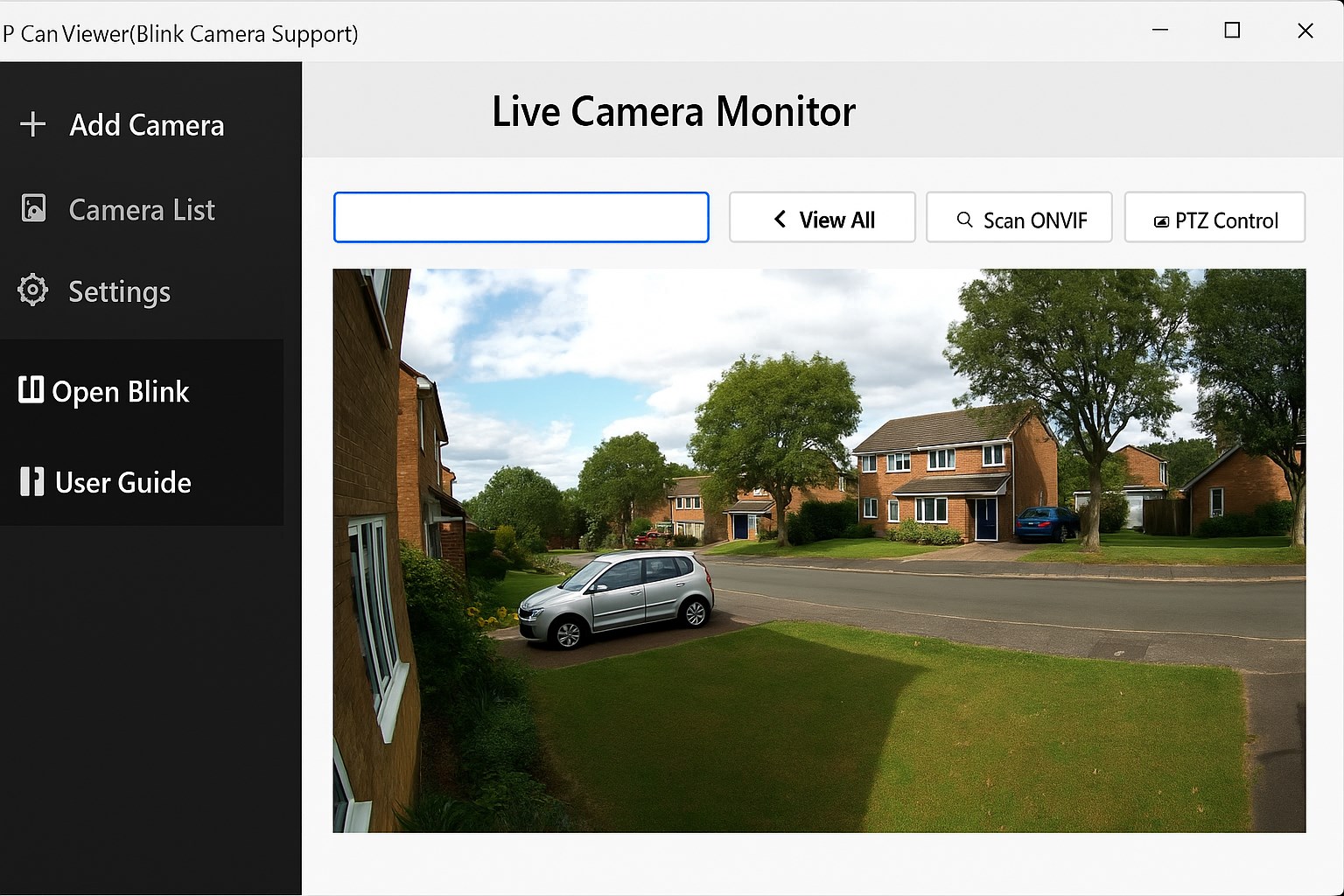
From the moment you open IP Cam Viewer, its clean, minimalistic interface greets you like a well-organized control room. Navigating between cameras feels intuitive, with thumbnail previews offering quick selection—imagine flipping through security monitors with ease. The app operates smoothly across various hardware setups, with negligible lag, making it feel like a natural extension of your Windows environment rather than an awkward add-on.
The learning curve is gentle; even those new to digital surveillance can quickly get their cameras up and running. The app's layout mimics familiar media players, with straightforward icons and controls. However, advanced features or customization options are somewhat limited, which may leave power users wanting more flexibility in alert management or camera grouping.
The Unique Edge: Focused Simplicity with a Clear Purpose
Compared to more comprehensive but cluttered security apps, IP Cam Viewer (Blink Support) stands out with its dedicated focus on providing a simple, reliable Windows-compatible viewing experience. Unlike standard lifestyle apps that may bundle various functionalities, this app zeroes in on what matters most: ensuring your Blink cameras are accessible and easy to monitor from your desktop without unnecessary distractions. Its authenticity lies in its stability and direct support for Blink products, which gives users credible, straightforward access backed by the developer's clear understanding of security camera workflows.
Final Verdict: A Solid Choice for Blink Camera Owners
I would recommend this app to anyone who relies on Blink cameras and prefers the comfort of a PC interface over mobile devices. It's particularly useful for users who want quick surveillance without the clutter of excessive features—think of it as a reliable, no-nonsense monitor in your digital security toolkit. While it may not replace high-end enterprise solutions, for personal and small business use, IP Cam Viewer (Blink Camera Support) offers a dependable, user-friendly experience worth trying out.
Pros
- User-Friendly Interface
- Broad Compatibility with Blink Cameras
- Real-Time Video Streaming
- Notification Alerts
- Remote Access Capabilities
Cons
- Limited Camera Support
- Occasional Connectivity Drops
- Basic Recording Features
- App Stability Issues
- Limited Customization










