
- Category Personal Finance
- Developer WWW.JUSTAPPS.COM
- Available on PC
- OS Windows 10 version 14257.0 or higher
- languages English (United States)
Introducing Just Checking for Windows: A Streamlined Personal Finance Companion
Just Checking is a thoughtfully designed personal finance app tailored for Windows users who want to keep their spending in check without the fuss. Developed by WWW.JUSTAPPS.COM, this application aims to simplify budgeting and expense tracking with a clean interface and straightforward features. Whether you're a novice trying to establish good financial habits or someone seeking a lightweight tool to monitor daily expenses, Just Checking promises to be your friendly financial sidekick.
Simplified and Intuitive Design
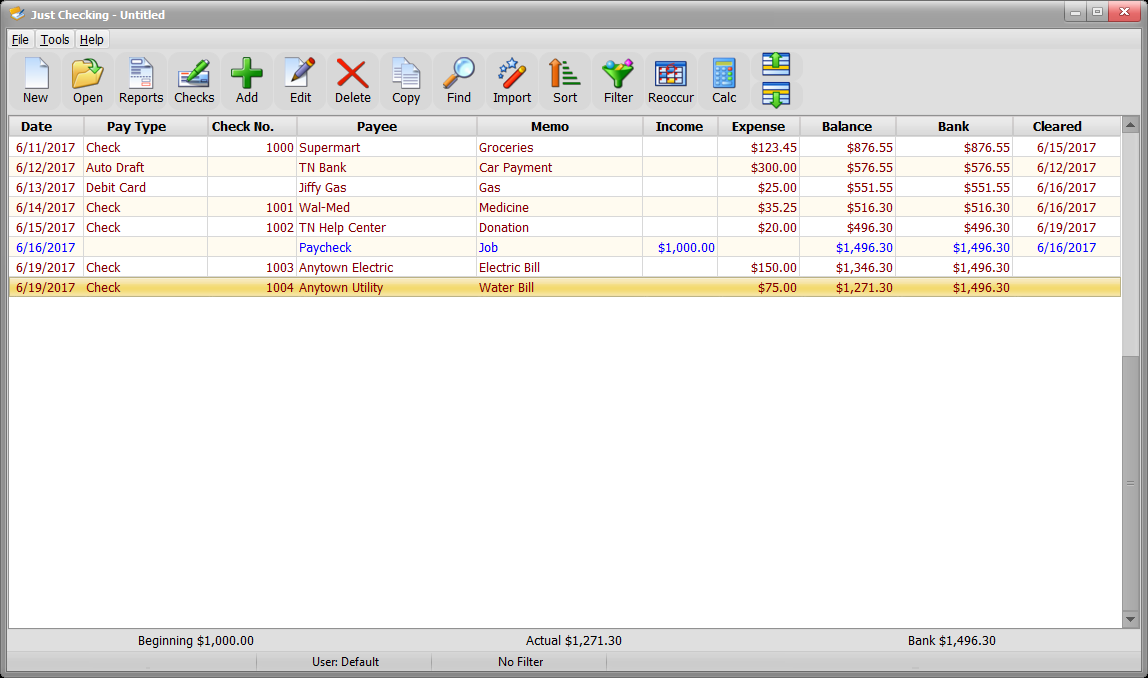
From the moment you launch Just Checking, it feels like opening a well-organized notebook—neat, clean, and inviting. The interface sports a minimalist aesthetic, avoiding overwhelming clutter while providing all necessary information at a glance. Navigation is intuitive; core functions are accessible via a straightforward menu, making it easy for new users to dive right in. The app's design subtly guides users through the expense logging process, reducing the learning curve and encouraging regular use.
Key Features That Make a Difference
Real-Time Expense Monitoring
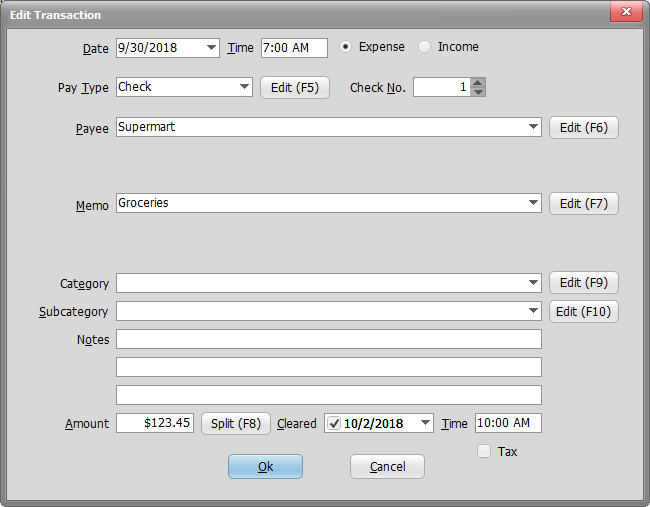
The app allows you to log expenses immediately as they occur. Whether you're shopping, dining out, or paying bills, just a few taps input your spending. The real-time nature means your budget picture is always up-to-date, preventing surprises at month's end. Its categorization system helps you group expenses into areas like Food, Transportation, or Entertainment, giving you clarity on what swallows most of your income.
Flexible Budgeting and Goal Setting
Unlike rigid budget trackers, Just Checking offers flexible tools for setting monthly spending limits per category, or overall budgets. You can even define savings goals, such as building an emergency fund or saving for a vacation. The app visualizes progress through simple and colorful charts, making it feel like a game—an encouraging way to stay motivated and disciplined.
Insightful Spending Analytics
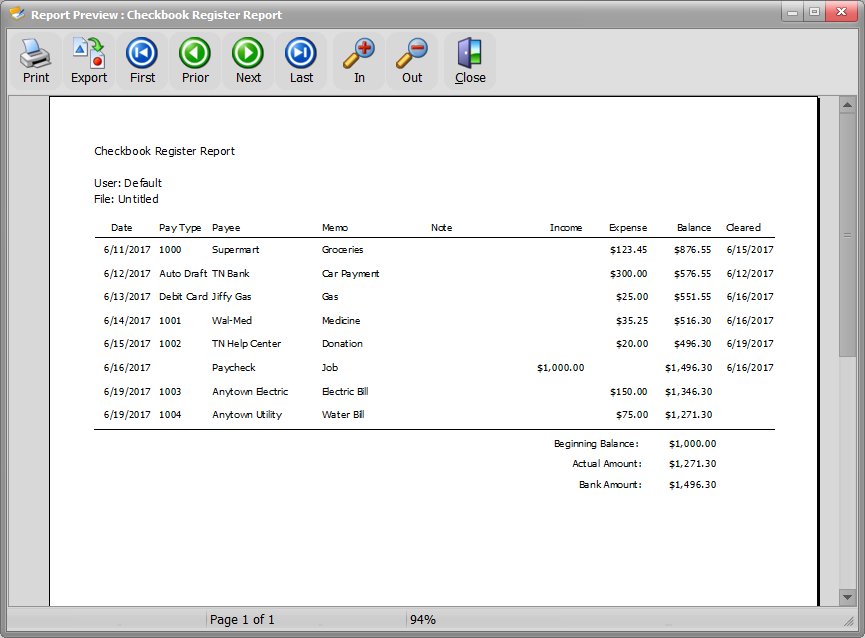
Another standout feature is its analytics dashboard. It provides quick summaries and detailed breakdowns, highlighting patterns over time. Curious about where all your money goes? The app's visual reports reveal spending spikes or frugal streaks, empowering you to make informed adjustments. This emphasis on data-driven insights sets it apart from many basic expense trackers.
Evaluating the User Experience
Using Just Checking is akin to having a friendly financial mentor at your fingertips. The interface's simplicity and smoothity of operation foster a comfortable experience, even for those not tech-savvy. The app responds swiftly to input, with no noticeable lag, ensuring that logging an expense or checking your progress feels seamless. Its learning curve is gentle—most users will find it easy to adopt after just a few uses. Importantly, the app's minimalist design minimizes distractions, helping users focus solely on managing their finances rather than navigating complex menus.
What Makes Just Checking Unique in the Crowd
While many personal finance apps emphasize extensive features or complex analytics, Just Checking prides itself on simplicity combined with core utility. Its real-time expense tracking is remarkably straightforward, encouraging daily use without overwhelming users with extraneous options. Perhaps its most distinctive aspect is the balance it strikes—offering enough detail for meaningful insights while keeping the interface clean and approachable. This makes Just Checking ideal for personal users who prefer a no-nonsense, easy-to-use expense tracker that fits naturally into daily routines.
Final Thoughts and Recommendations
Overall, Just Checking for Windows is a solid choice for anyone seeking a user-friendly, efficient, and visually appealing personal expense tracker. Its key strengths—live expense logging and insightful analytics—are what set it apart from more cluttered or feature-heavy competitors. I would recommend it particularly for beginners or those who appreciate a simple yet effective tool to keep financial habits in check. For users tired of complicated spreadsheet setups or overly complex apps, Just Checking offers a refreshing alternative that makes expense management feel less like chore and more like part of everyday life.
Pros
- User-friendly interface
- Fast and responsive performance
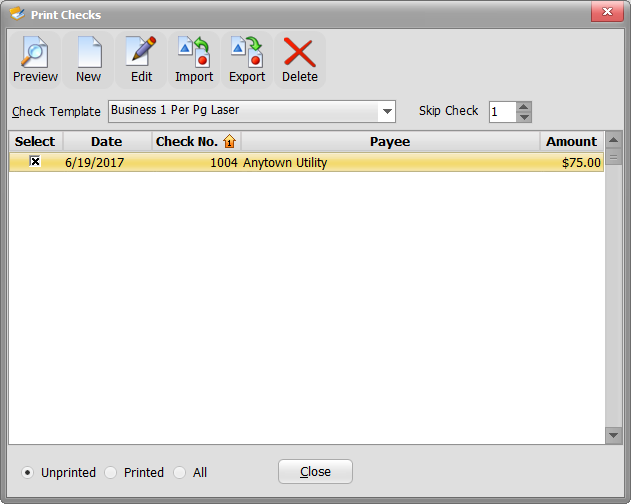
- Reliable checking process
- Clear instructions and guidance
- Lightweight app size
Cons
- Limited troubleshooting options
- Occasional false negatives
- Weak offline functionality
- Basic user manual and help resources
- Limited compatibility with older Windows versions