
- Category Productivity
- Available on PC
- OS Windows 10 version 14316.0 or higher
- Mouse Integrated Mouse
- Keyboard Not specified
- languages English (United States)
KDE Connect for Windows: Bridging Your Devices Seamlessly
Imagine having your smartphone and Windows PC work together as effortlessly as a well-coordinated team—this is exactly what KDE Connect aims to achieve. As a free, open-source application, it transforms your digital workspace into a harmonious ecosystem where notifications, files, and multimedia sync smoothly across devices, all within a user-friendly interface.
Who's Behind the Curtain?
Developed by KDE e.V., a German non-profit organization dedicated to creating free, open-source software, KDE Connect for Windows is part of the larger KDE project. The team is renowned for their emphasis on privacy, openness, and community-driven development, ensuring a reliable and secure environment for users eager to streamline their device interactions.
Key Features That Make KDE Connect Shine
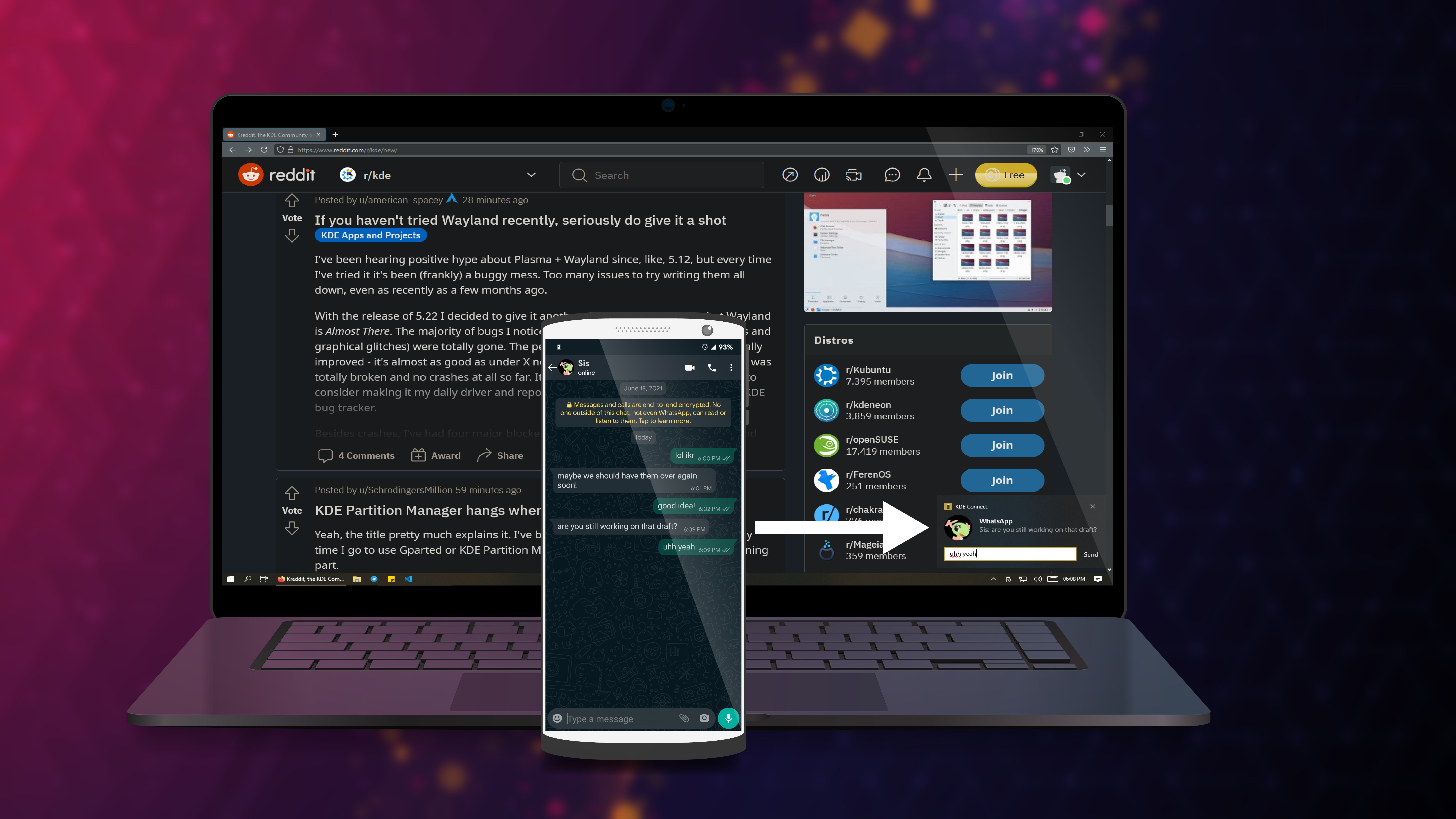
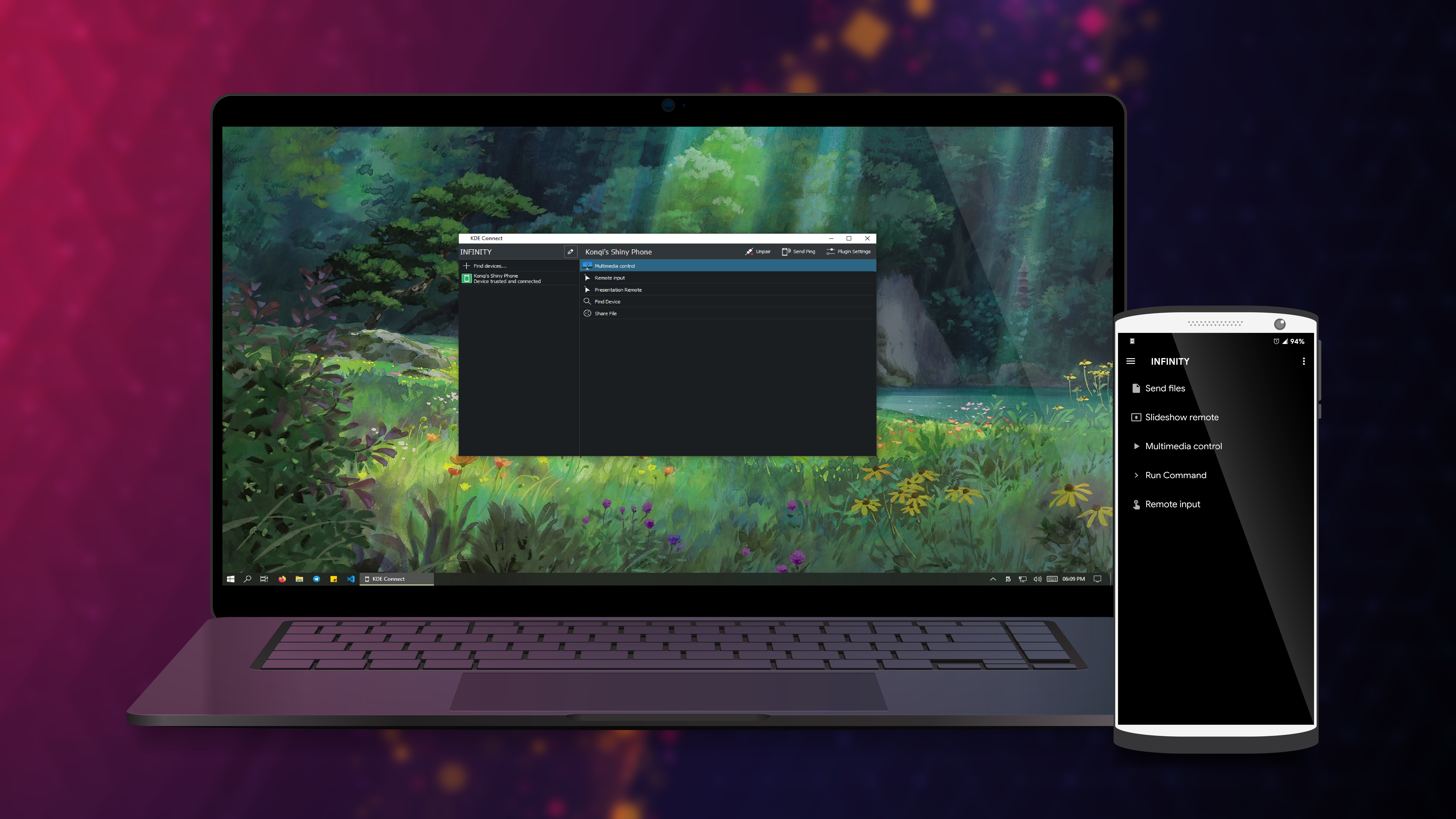
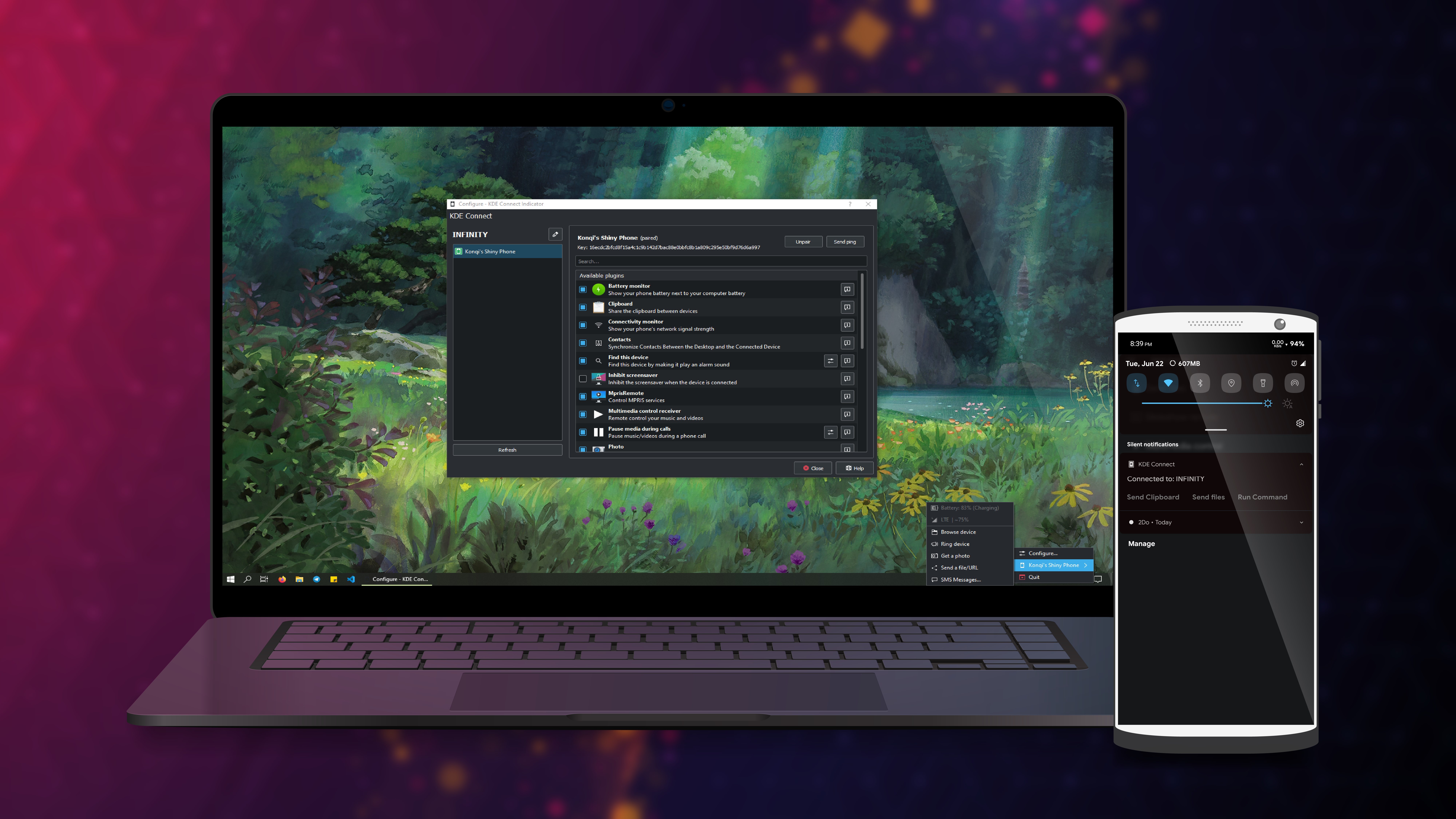
- Wireless Device Integration: Sync your notifications, such as messages and calls, directly on your PC, so you're always aware without reaching for your phone—imagine having your digital assistant on standby, alerting you unobtrusively.
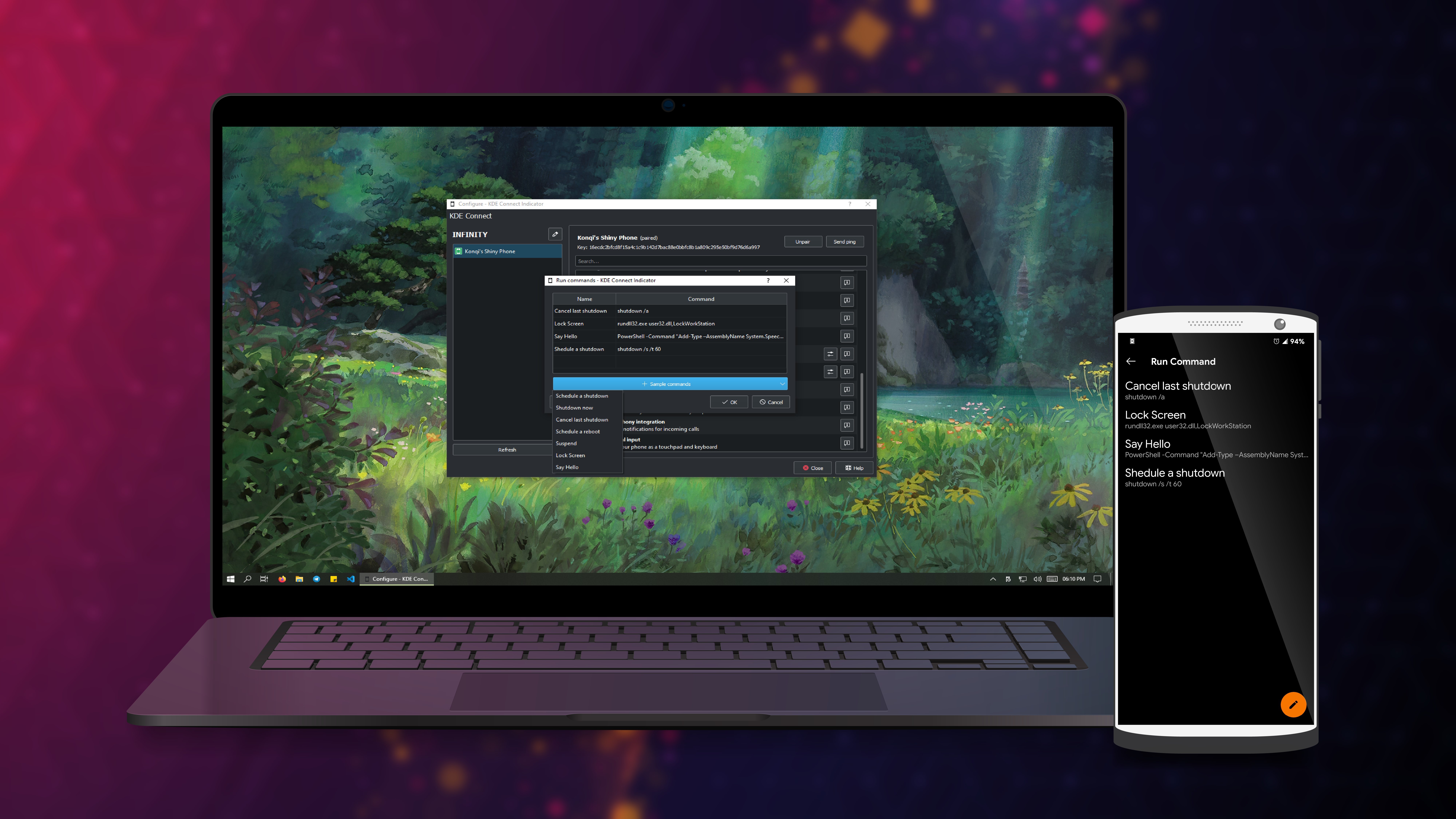
- Clipboard Sharing & Media Controls: Copy-paste content between your phone and PC seamlessly, and control music playback on your device from your desktop—think of it as having a remote control that spans across your gadgets.
- File Transfer Made Easy: Send files, images, or links wirelessly with just a few clicks, saving you the hassle of cables or third-party cloud services—your digital quick-draw for sharing content.
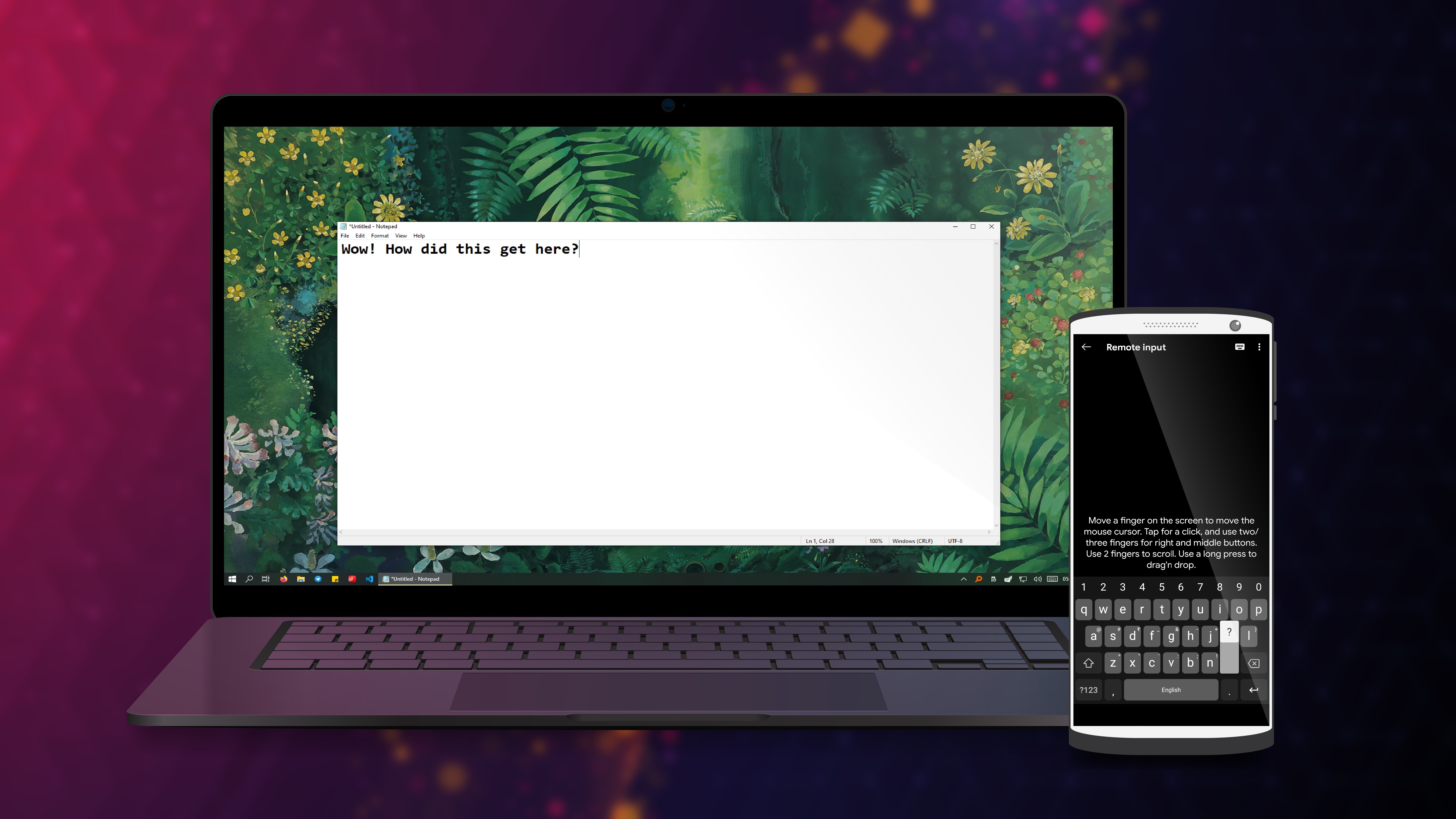
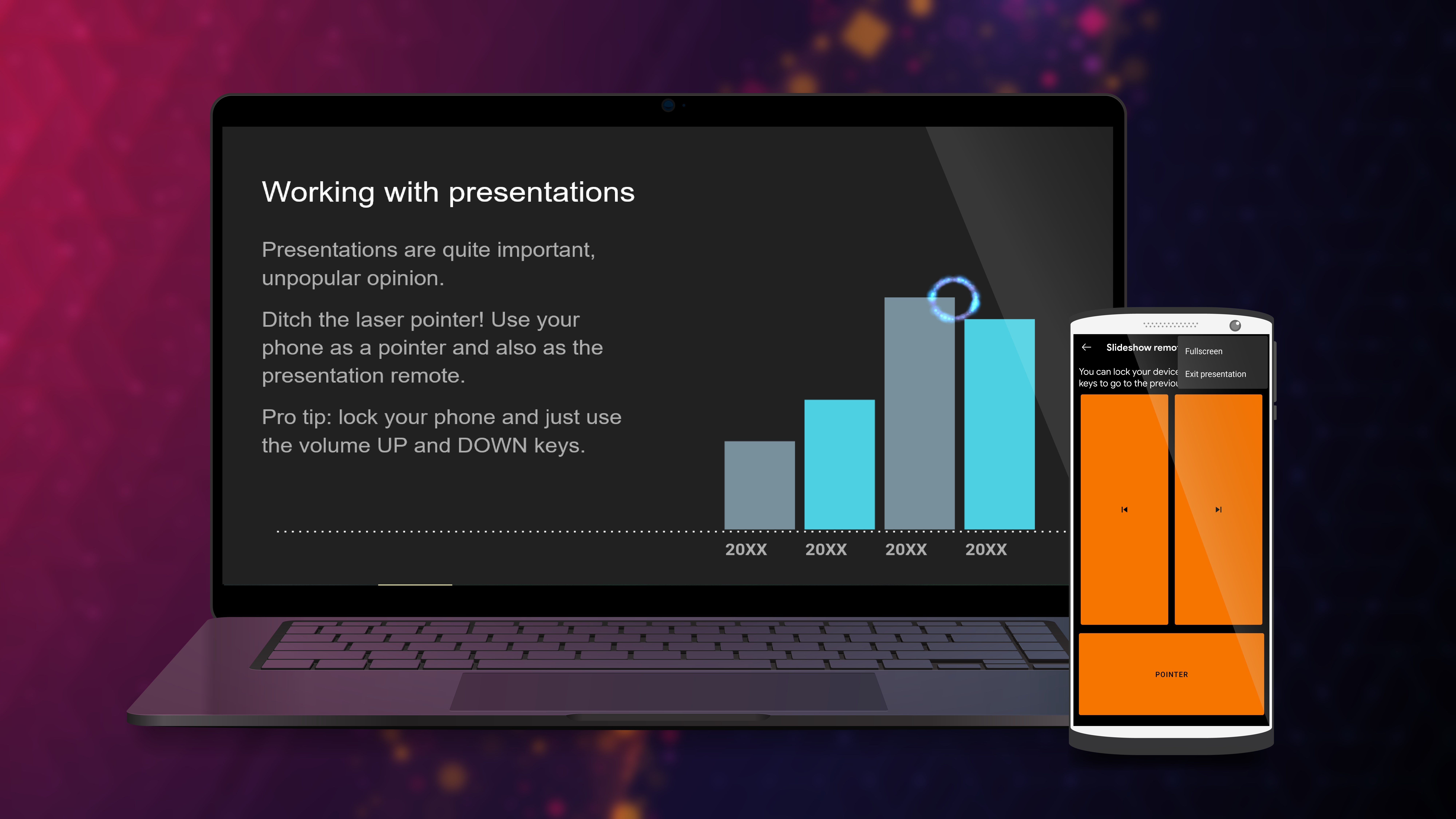
- Remote Input & Presentation Support: Use your phone as a remote keyboard or mouse for your PC, perfect for presentations or media consumption in comfy settings—turn your phone into a versatile control hub.
A Vibrant and Intuitive User Experience
Launching KDE Connect for Windows feels like opening a well-organized toolbox—immediately accessible with a clean, modern interface that's both inviting and straightforward. The design balances minimalism with functional clarity, preventing users from feeling overwhelmed, even if they're new to device synchronization tools. Navigating various functionalities is effortless; the app responds swiftly, maintaining a smooth experience that's as satisfying as a well-oiled machine.
On first use, things might seem a bit technical—think of it as learning to operate a new gadget— but the learning curve is gentle. Connecting your devices involves minimal steps, typically just pairing via QR code or Wi-Fi, making setup feel like a quick handshake rather than a complex ritual.
What Sets KDE Connect Apart? Focus on Workflow Efficiency
Among similar productivity apps, KDE Connect's standout trait is its deep integration with your workflow, especially its ability to connect multiple devices seamlessly without cluttering your desktop with a maze of windows or options. Its core strength lies in reducing cognitive load—think of it as a personal assistant that preempts your needs rather than complicates your tasks.
Compared to generic file-sharing or notification apps that often introduce feature bloat, KDE Connect hones in on essential interactions—notifications, quick content sharing, and remote control—presented in a way that feels natural and unobtrusive. This measured approach ensures that users spend less mental energy figuring out how to work the app and more on accomplishing their goals.
Final Impression & Usage Recommendations
Overall, KDE Connect for Windows is a noteworthy companion for anyone seeking tighter integration between their Android devices and Windows PCs. It's particularly beneficial for users who value streamlined workflows, such as multitaskers, students, or professionals giving presentations from their phones.
While it might lack some of the flashy features found in larger multimedia suites, its focus on core functionality and simplicity makes it a reliable and efficient tool. For those willing to invest a few minutes in initial setup, KDE Connect can become an invisible yet powerful part of your daily productivity toolkit.
Given its open-source nature and active community support, I'd recommend trying it out if you're looking to make your device ecosystem more harmonious and less burdensome. It's like adding a trusted assistant who quietly keeps everything running smoothly behind the scenes—an understated but invaluable productivity booster.
Pros
- Seamless integration with KDE Plasma and Android devices
- Supports remote input and media controls
- Open source and regularly updated
- Easy setup process with straightforward pairing
- Cross-platform compatibility beyond Linux distributions
Cons
- Limited platform support for some features
- Occasional connection stability issues
- User interface could be more intuitive for beginners
- File transfer speeds can vary depending on network conditions
- Lack of detailed documentation for troubleshooting











