

- Category Books & reference
- Developer Gauthier Roebroeck
- Available on PC
- OS Windows 10 version 17763.0 or higher
- Memory 2 GB
- languages English
Komga for Windows: A Friendly Companion for Digital Comic Enthusiasts
If you're someone who loves immersing themselves in digital comics or manga collections, Komga for Windows offers a welcoming and organized way to keep your library at your fingertips. Designed with comic readers in mind, this application brings a smooth, user-friendly experience that transforms your PC into a portable comic store—without the clutter.
About the Developer and Core Features
Developed by Gauthier Roebroeck and published by Gotson, Komga is a dedicated media server tailored specifically for comic enthusiasts. Its primary goal? To streamline your comic reading experience on Windows, with a focus on ease of access, customization, and efficient library management.
Key highlights include:
- Robust Library Organization: Easily catalog and browse your growing collection with custom tags, series, authors, and genres.
- Seamless Reading Experience: Supports popular formats like CBZ, CBR, and PDF, offering a comfortable, paginated view designed for long reading sessions.
- Air-Gapped and Remote Access: Enables local network streaming and remote access, so your comics are always within reach, whether at home or on the go.
- Customizable User Interface: Offers a clean, minimalistic design that can be tweaked to suit your aesthetic preferences, making navigation intuitive for both newbies and seasoned readers.
Designed primarily for comic fans, manga collectors, and digital library owners, Komga's straightforward setup and dedicated features make it a compelling choice for anyone looking to organize and enjoy their comic collection on Windows effortlessly.
A Playful and Efficient Comic Library Organizer
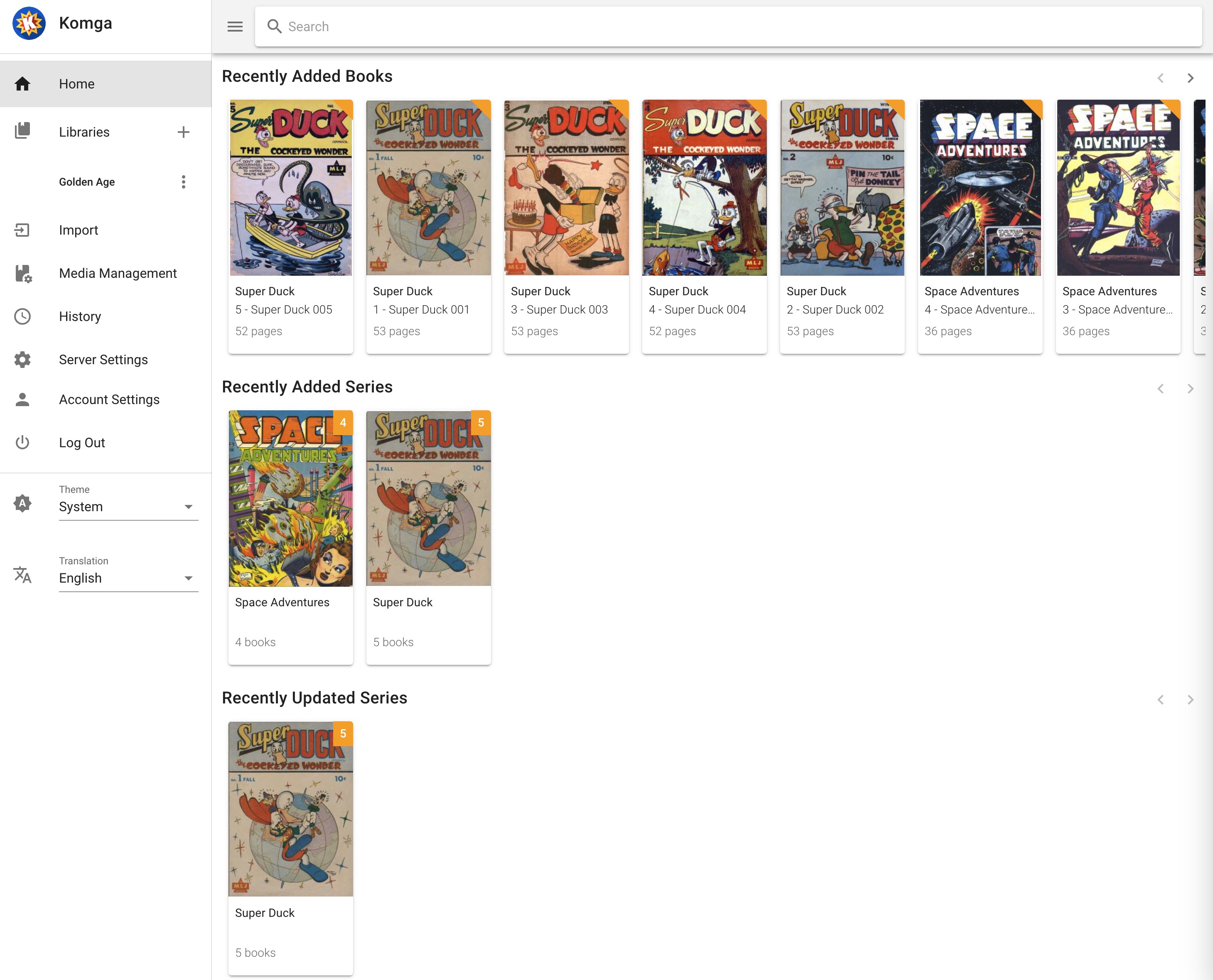
Imagine turning your Windows desktop into a cozy comic nook—Komga makes this a reality with its intuitive design and thoughtful features. From the moment you launch the app, you're welcomed by a sleek, modern interface that feels more like flipping through a comic shop than navigating a complicated software. It's as if your digital library has been neatly arranged on a virtual bookshelf—easy to browse, quick to search, and beautifully presented.
Library Management & Intelligent Organization
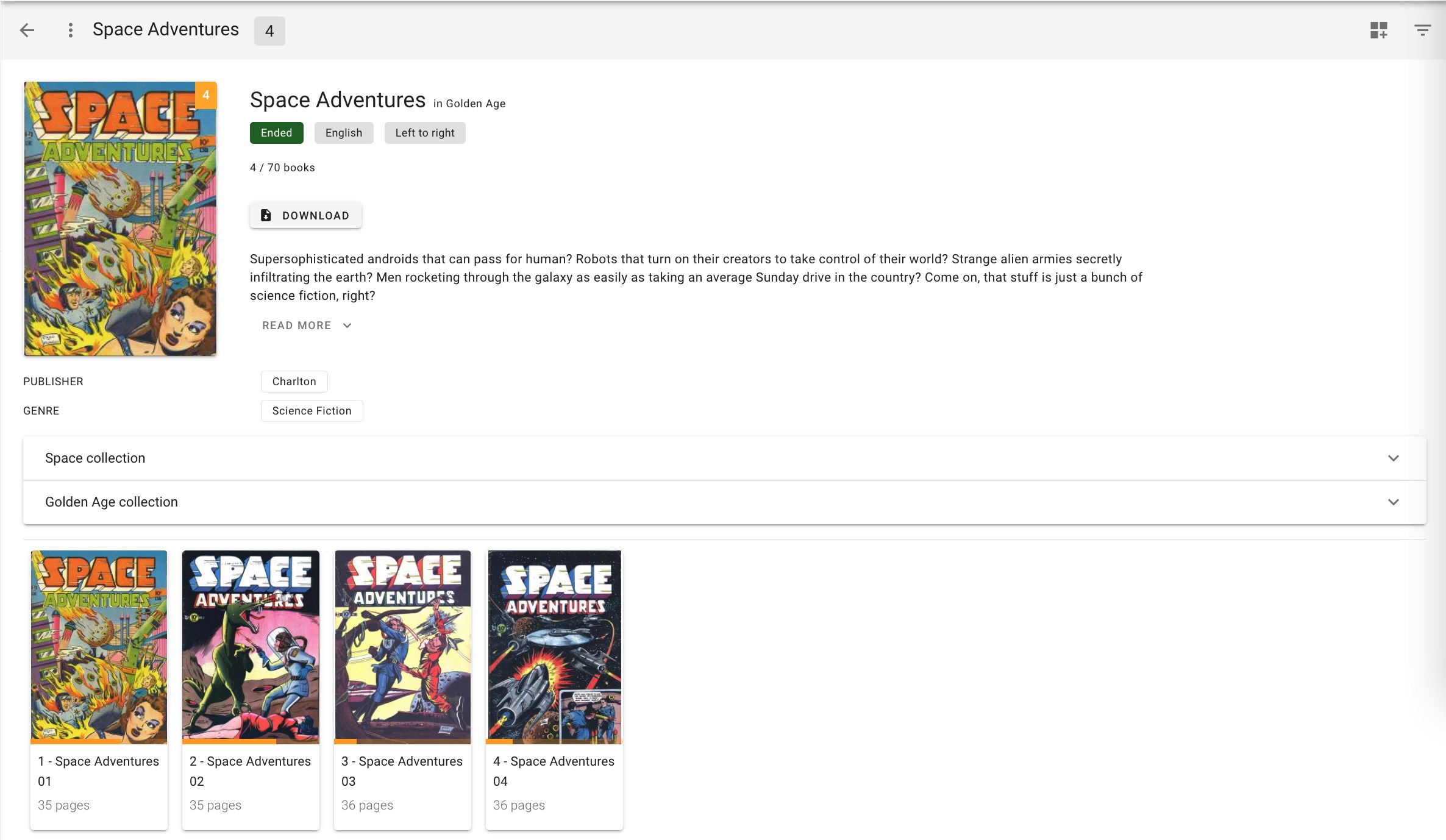
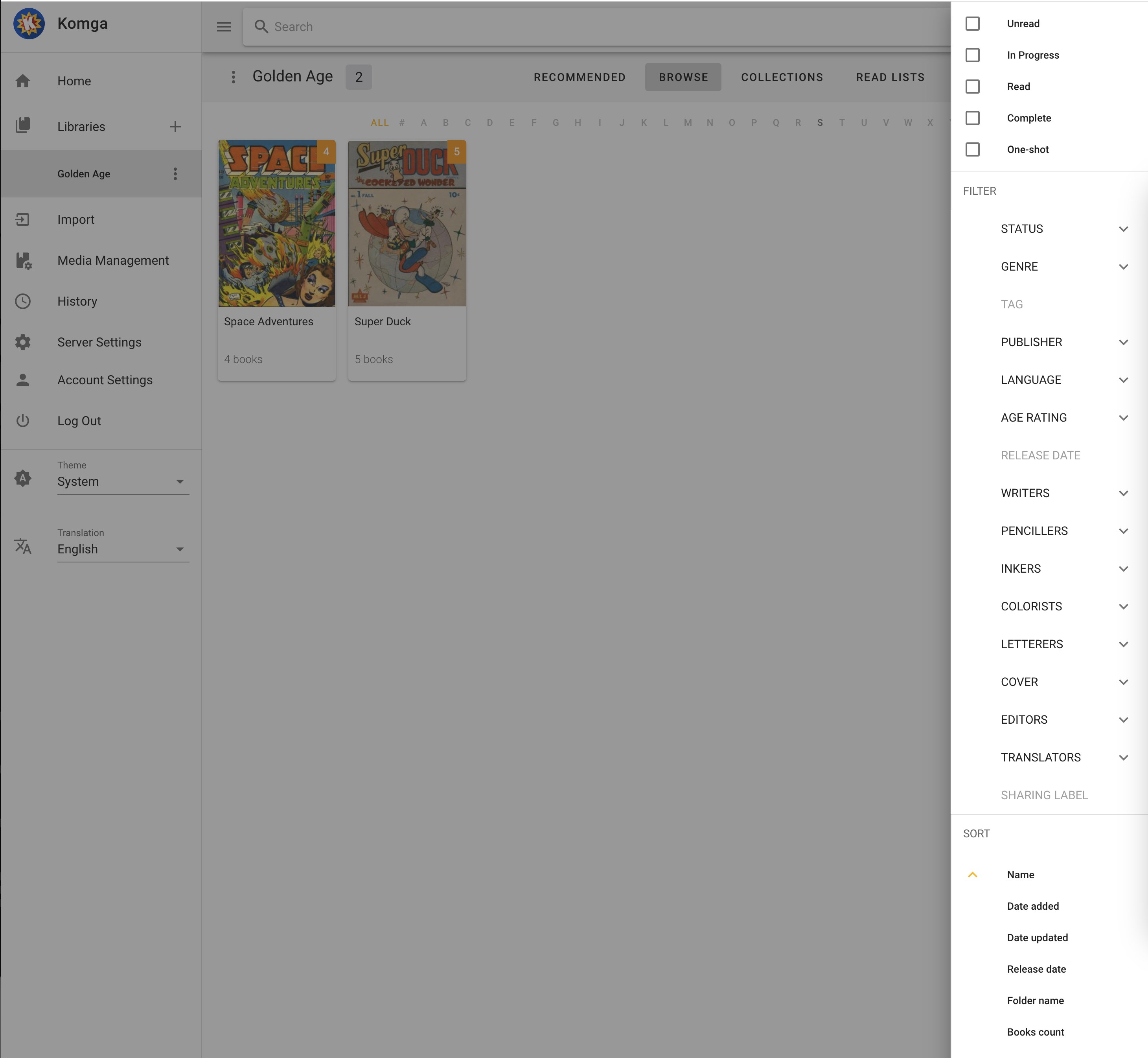
One of Komga's standout features is its ability to manage vast collections without feeling overwhelming. You can categorize comics by series, authors, genres, or tags, giving you a customized catalog that grows with your library. The app smartly updates your collection as new files are added, and its metadata handling ensures your library remains tidy and easy to explore. This level of organization transforms what could be an unwieldy pile of files into a polished, accessible archive.
Smooth Reading and User Experience
When it's time to read, Komga excels by offering a distraction-free reading mode that mimics flipping through pages of a physical comic. The interface supports keyboard shortcuts, zooming, and page-by-page navigation, delivering a seamless, responsive experience. The app doesn't feel sluggish or cluttered, making long reading sessions relaxing rather than tiresome. Novice users can pick it up quickly, while power users will appreciate the depth of customization available, including background themes and viewing preferences.
Unique Advantages and Differentiators
Compared to other digital comic readers or general media servers, Komga's true strength lies in its dedicated focus on comics, combined with its lightweight architecture. Notably, its support for remote access over local networks combines the convenience of a portable library with the security of hosting it locally—perfect for those who want control over their data. Additionally, the open-source nature of Komga encourages community-driven improvements, setting it apart from more commercialized options that often come with cluttered interfaces or unnecessary features.
Unlike generic e-book readers, Komga's comic-centric features like stacked page views, multi-format support, and metadata-rich browsing create an optimized environment tailored for comic aficionados, making your digital reading experience both efficient and delightful.
Final Thoughts and Recommendations
Overall, Komga for Windows stands out as a thoughtful, specialized tool for comic lovers eager to organize and enjoy their collections without fuss. It's especially ideal for users who value customization, metadata management, and seamless access—both locally and remotely. While it may require a small initial setup to connect your library, the payoff in effortless navigation and reading convenience is well worth it.
I recommend Komga as a go-to solution for serious comic collectors and digital library enthusiasts who want a dedicated, lightweight platform that respects the artwork and storytelling of comics. Whether you're managing a few hundred files or a sprawling archive, this app can handle it gracefully—making your comic journey smoother and more enjoyable with each page turn.
Pros
- User-Friendly Interface
- Supports Multiple Comic Formats
- Robust Library Management
- Smooth Reading Experience
- Open Source and Customizable
Cons
- Limited Offline Functionality
- Cloud Sync Needs Improvement
- Basic Tagging System
- Limited Customization Options
- Performance with Large Libraries