
Frequently Asked Questions
How do I set a lighthouse image as my desktop wallpaper in Lighthouses by Night?
Open the app, select your preferred lighthouse image, then click 'Apply' or 'Set as Wallpaper' to update your desktop background easily.
Can I choose my favorite lighthouse images for daily rotating wallpapers?
Currently, the app provides static images only; automatic rotation is not supported. You can manually change images through the app selections.
How many lighthouse images are included, and can I download additional images?
The app includes 12 high-quality images. Currently, no option to add more images is available; you can choose from the provided set.
What are the main features of Lighthouses by Night?
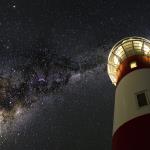
It offers a collection of 12 stunning lighthouse images suitable as desktop wallpapers under various lighting scenarios like moonlit, twilight, and aurora scenes.
How do I change the wallpaper to a different lighthouse image?
Open the app, select your preferred image from the set, then click 'Apply' to set it as your desktop background.
Is Lighthouses by Night a free app, and are there any in-app purchases?
Yes, the app is free to download and use; there are no in-app purchases or subscription requirements for the images offered.
Do I need to pay for premium features or additional images?
No, all 12 lighthouse images are free. The app does not currently offer premium features or additional image packs.
How do I troubleshoot if the images do not update as my wallpaper?
Ensure the app is correctly set and your desktop background settings are configured to allow app-based wallpapers; restart the app if needed.
Can I set the lighthouse images as lock screen wallpapers too?
Currently, the app supports only desktop wallpaper customization. Setting lock screen images must be done through Windows settings.
How do I uninstall or remove Lighthouses by Night from my Windows 10 PC?
Go to Settings > Apps > Apps & features, select 'Lighthouses by Night,' then click 'Uninstall' to remove it from your system.
You May Like

Blooming Dimensions
for Windows
5
Monotype Handwriting Font Pack
for Windows
5
Hues of Nature
for Windows
5
Dreamscapes
for Windows
5
Tales of the Teenage Mutant Ninja Turtles Theme
for Windows
5
Neon Dreams
for Windows
4.9
Cats Anytime
for Windows
4.9
Japanese Landscapes
for Windows
4.9
Sun and Sand
for Windows
4.9
Live Wallpaper Engine Plus
for Windows
4.8
Chicks and Bunnies
for Windows
4.8
Mountain Dwellings
for Windows
4.8