
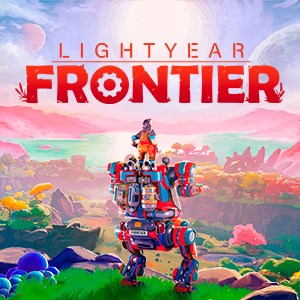
Frequently Asked Questions
How do I start a new game in Lightyear Frontier?
Download the game, launch it, and follow the on-screen prompts to create your profile and begin your interstellar farm adventure.
What are the system requirements for running Lightyear Frontier?
Ensure your device meets the minimum specs listed on the store page, including supported OS, CPU, RAM, and graphics card to run the game smoothly.
How do I customize my mech's parts and mods?
Enter the Mech Customization menu from the main interface, then select the parts and mod chips to craft and upgrade your mech as desired.
Can I play Lightyear Frontier solo and with friends?
Yes, the game supports single-player mode and multiplayer for up to three friends. Invite friends via the in-game menu to team up.
How do I build and customize my farm and homestead?
Use the build menu to place structures, decorations, and farm plots; customize colors and layouts to create your ideal homestead.
What are the main farming features I can use in the game?
Plant, water, harvest alien crops, manage crop rotation, and upgrade farming tools using your mech to maximize yields efficiently.
Are there any in-app purchases or subscriptions?
Yes, optional in-app purchases for cosmetic upgrades and resource packs are available; check the store tab for options.
How do I manage or cancel my subscription?
Go to Settings > Accounts > Subscriptions on your device or the app store to view, manage, or cancel your subscription plans.
How can I troubleshoot the game if it crashes or freezes?
Try restarting your device, updating your graphics drivers, or reinstalling the game. Contact support via the Help menu if issues persist.
Is the game fully finished, and will there be updates?
Lightyear Frontier is a work in progress; expect potential updates and improvements over time as development continues.
You May Like

Red Dead Redemption (PC)
for Windows
5
Solo Leveling: ARISE OVERDRIVE
for Windows
4.9
Criminal Case: The Conspiracy
for Windows
4.8
DesignVille: Merge & Design
for Windows
4.8
Minecraft: Java & Bedrock Edition Deluxe Collection
for Windows
4.8
Subnautica
for Windows
4.8
Vampire Survivors
for Windows
4.8
Little Kitty, Big City
for Windows
4.8
Hollow Knight: Voidheart Edition
for Windows
4.8
bloxd.io
for Windows
4.8
Sunset Overdrive
for Windows
4.8
Criminal Case: Mysteries of the Past
for Windows
4.8