
- Category Strategy
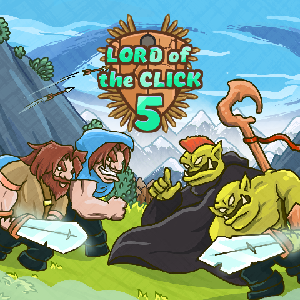
Introduction to Lord of the Click 5 for Windows
Imagine commanding a kingdom where every decision impacts the future—you're in control, but clarity is key. Lord of the Click 5 (Windows) is a strategic simulation game developed by Desert Water Games, designed to offer players an engaging experience in political and resource management. With its emphasis on decision-making and consequence analysis, it stands out as a thoughtful and immersive strategy tool, targeting gamers and strategists alike who enjoy deep, cerebral challenges while maintaining an accessible interface.
Core Features That Make It Stand Out
Dynamic Decision-Making with Clear Consequences
At its heart, Lord of the Click 5 excels in providing players with an intricate web of choices, where each click triggers ripple effects across the game's evolving scenario. Unlike traditional strategy games that might obscure the impact of decisions, this app emphasizes visibility into the consequences, guiding players to think ahead and weigh options carefully. It's akin to being a chess master who not only moves pieces but also sees the entire battlefield's shifting landscape—this clarity empowers smarter, more informed choices.
Efficient Information Overload Management
One of the platform's most notable strengths is its design to prevent overwhelm. In a game packed with data—political stats, resource levels, diplomatic relations—the UI organizes information logically, prioritizing what matters most. It's like a well-organized control tower, where critical signals come through crisply, making complex situations manageable without sacrificing detail. This balance creates a smooth learning curve for newcomers and a robust toolkit for seasoned players who want depth without chaos.
User Experience and Interface Design
The interface strikes a fine balance between simplicity and functionality. Navigating through menus feels intuitive—buttons are logically placed, and the visual hierarchy ensures players aren't lost in a sea of data. The graphics are clean but not cluttered, allowing focus on the strategic layers rather than unnecessary ornamentation. As for performance, the game runs smoothly on Windows, with responsive controls and minimal lag, making it easy to immerse yourself in planning rather than troubleshooting. Its learning curve is gentle: new players can start making meaningful decisions within minutes, but the depth keeps it engaging for long-term strategists who want to refine their approach.
Unique Selling Points Compared to Similar Strategy Apps
While numerous strategy games exist, Lord of the Click 5's standout feature lies in its commitment to transparency of decision consequences. Unlike titles that lean on hidden variables or vague outcomes, this app prioritizes clarity—each decision's impact is visible and assessable. Coupled with its sophisticated information management system, players can evaluate options without becoming overwhelmed, even in complex scenarios. This approach gives it an edge over competitors that often sacrifice transparency for complexity, offering a more thoughtful and comprehensible strategic experience.
Recommendation and Usage Suggestions
Based on its thoughtful design, transparent mechanics, and user-friendly interface, I'd recommend Lord of the Click 5 for strategy enthusiasts seeking a cerebral challenge that respects their intelligence. It's particularly suited for those who appreciate clear cause-and-effect analysis and enjoy managing multiple variables without drowning in details. New players can jump right in, thanks to its easy learning curve, while experienced strategists will appreciate the depth of consequence visibility.
For optimal experience, I suggest exploring its decision analysis tools early on and leveraging the information management system to plan long-term strategies. Whether you're looking to sharpen your decision-making skills or simply enjoy a well-crafted strategic simulation, Lord of the Click 5 offers a compelling, transparent, and engaging journey into the intricacies of management and diplomacy on Windows.
Pros
- Intuitive User Interface
- Engaging Puzzle Mechanics
- Regular Content Updates
- Lightweight Installation
- Offline Play Support
Cons
- Limited Visual Graphics
- Occasional App Crashes
- Lack of Multiplayer Options
- Limited In-Game Tutorials
- In-App Purchases











