
Frequently Asked Questions
How do I set Luminous Flow as my desktop wallpaper?
Open the app, select your preferred image, then tap the 'Apply' button to set it as your wallpaper through your device's display settings.
Can I customize the themes or images myself?
Luminous Flow currently offers predefined themes only; customization options are not available at this time.
How often do the images update if I choose a dynamic option?
This theme is static; images do not automatically update but remain as set unless you change them manually in the app.
What is the core visual style of Luminous Flow?
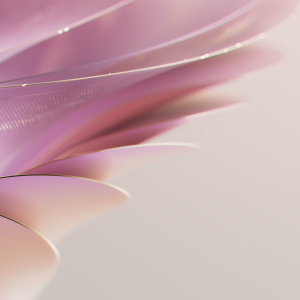
The app features sweeping arcs, shimmering layers, flowing light, and soft gradient colors to create an airy, dynamic, and elegant visual experience.
Are there any customization options for color or motion effects?
No, the current version provides static, beautifully designed images without additional customization for colors or effects.
Is Luminous Flow a free app, and are there any in-app purchases?
Yes, the app is free to download and use; however, optional in-app purchases or subscriptions may be available for additional content.
How can I subscribe or upgrade to premium features?
Navigate to Settings > Account > Subscription to view and manage subscription options for enhanced features if available.
What should I do if the images are not displaying correctly on my desktop?
Ensure the app settings are properly applied, and reapply the wallpaper via your device's display options; restart your device if necessary.
Is the app compatible with my operating system?
Luminous Flow is designed for desktop environments; please check the app store or official website for specific OS compatibility details.
Will upgrading to a premium version provide more themes and customization options?
Potentially, yes. Upgrading may unlock additional themes or features—please check the app's subscription details for specific benefits.
You May Like

Blooming Dimensions
for Windows
5
Monotype Handwriting Font Pack
for Windows
5
Hues of Nature
for Windows
5
Dreamscapes
for Windows
5
Tales of the Teenage Mutant Ninja Turtles Theme
for Windows
5
Neon Dreams
for Windows
4.9
Cats Anytime
for Windows
4.9
Japanese Landscapes
for Windows
4.9
Sun and Sand
for Windows
4.9
Live Wallpaper Engine Plus
for Windows
4.8
Chicks and Bunnies
for Windows
4.8
Mountain Dwellings
for Windows
4.8