

- Category Productivity
- Developer Mail
- Available on PC
- OS Windows 10 version 17763.0 or higher
- languages English (United States)
Streamlining Your Inbox: An In-Depth Look at Mail Apps for Windows
Managing multiple email accounts can often feel like juggling flaming torches—exciting yet fraught with peril. Enter Mail Apps for Windows, a lightweight yet powerful tool designed to bring harmony and efficiency to your email life. Developed by MediaFinoLabs, this app promises to simplify your email management with a clean interface and intuitive features, making it a compelling choice for busy professionals, students, and anyone seeking a smarter way to handle their digital communications.
Essential Information: Who, What, and Why
Situated as a streamlined email client, Mail Apps for Windows aims to centralize your email experience within a sleek desktop environment. Developed by the innovative team at MediaFinoLabs, the app focuses on delivering core functionalities with an emphasis on workflow efficiency. Its standout features include multi-account management, seamless inbox organization, and quick action tools that reduce the clutter and complexity often associated with email management. Targeted at users who crave simplicity without sacrificing power, this app is ideal for professionals juggling work and personal emails, students managing academic correspondence, or anyone seeking less time spent on email chores.
A Fresh take on Email Management: User Experience and Design
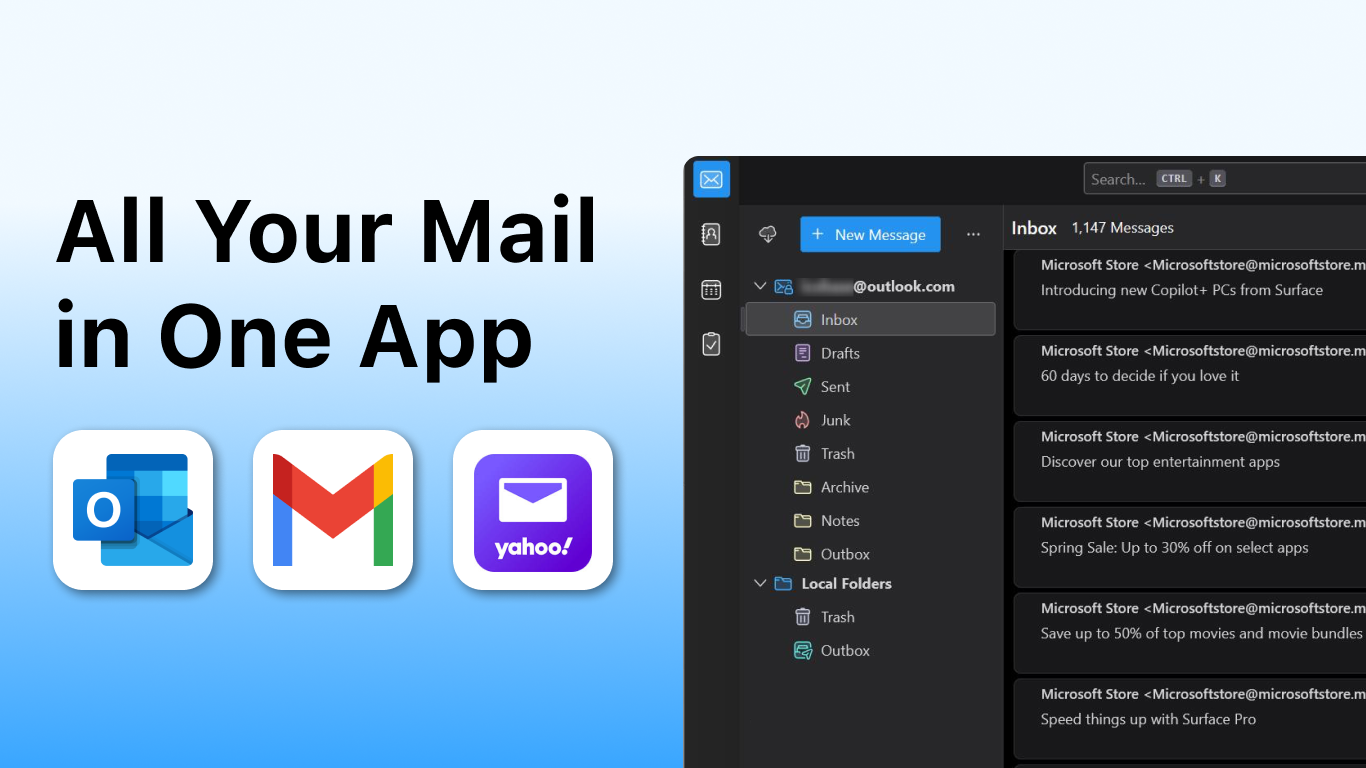
From the moment you launch Mail Apps, its minimalistic, modern interface feels like stepping into a well-organized digital workspace. The design philosophy emphasizes clarity and ease, with a clean layout that highlights essential elements—your inbox, folders, and suspension of distractions. Swiping through your inbox feels as smooth as flipping through a well-thumbed magazine, thanks to optimized rendering and responsive interactions. The learning curve is gentle; even a first-time user can navigate the app comfortably within minutes, thanks to clear icons and straightforward controls.
Users will appreciate the streamlined operation, where actions such as composing, replying, and archiving are just a click or swipe away, effectively reducing cognitive load and enhancing productivity. The app supports various integrations within the Windows ecosystem, allowing seamless transitions between emails, calendars, and notifications, thus creating a smooth workflow that doesn't force you to jump between multiple apps. This thoughtful focus on workflow integration sets Mail Apps apart from more cluttered or feature-heavy competitors.
Core Features That Make a Difference
Multi-Account Consolidation
One of the app's most notable features is its ability to manage multiple email accounts within a single, unified interface. Whether it's Gmail, Outlook, or any IMAP/POP3 service, Mail Apps pulls all your accounts into a logical, synchronized space. Imagine having all your inboxes stacked neatly like trays on a desk—no more endless tab switching or multiple apps to track your correspondence. This centralization streamlines your workflow and reduces both mental clutter and time spent toggling between accounts.
Smart Inbox Organization and Actions
The app employs intelligent filtering to categorize emails—keeping promo messages, work updates, and personal notes in distinct sections. Coupled with quick action buttons, such as marked replies, deletions, or archiving, users can handle emails swiftly without opening each message fully. Think of it like having a personal assistant who pre-sorts your mail, so you can focus only on what truly matters.
Seamless Workflow Integration
Unlike many standalone email clients, Mail Apps for Windows is crafted to fit effortlessly into your overall workflow. It integrates with system notifications, calendar reminders, and supports drag-and-drop actions. Whether you're attaching files from your desktop or syncing scheduled meetings, this app acts as a central hub that aligns with your productivity routines. This focus ensures that managing emails doesn't disrupt your work rhythm but instead enhances it—cutting down on switching costs and cognitive strain.
Final Verdict: Is It Worth Your Attention?
Considering its clean design, straightforward functionality, and emphasis on workflow efficiencies, Mail Apps for Windows stands out as a well-balanced email client tailored for users who value simplicity but dislike sacrificing capability. Its most exceptional features—multi-account support combined with smart inbox organization—are particularly well-executed, effectively reducing mental clutter and streamlining email handling.
While it may not offer every bells-and-whistle feature some power users crave, its targeted strengths make it a reliable companion for everyday email management. For those seeking a non-intrusive, efficient, and cohesive email app, I recommend giving Mail Apps a try, especially if you're tired of overly complex clients that demand steep learning curves. Embrace this app as your digital assistant, designed to keep your inbox manageable and your workflow smooth.
Pros
- Seamless integration with Microsoft services
- User-friendly interface
- Supports multiple accounts
- Notifications and alerts
- Consistent updates and support
Cons
- Limited customization options
- Occasional syncing delays
- Lacks advanced email filtering
- Offline access restrictions
- Some features require Microsoft 365 subscription










