
- Category Business
- Developer MAPILab
- Available on PC
- OS Windows 10 version 0.0 or higher
- Keyboard Integrated Keyboard
- Mouse Integrated Mouse
- languages English, German, Russian
Streamlining Your Mail Campaigns with Mail Merge Toolkit for Windows
If you manage large-scale email communications, especially personalized campaigns, Mail Merge Toolkit for Windows by MAPILab can feel like your trusty sidekick—making complex tasks manageable and efficient. This app isn't just another mail merge tool; it's a comprehensive assistant designed to elevate your mailing efforts with precision and ease.
About the App in a Nutshell
Mail Merge Toolkit is a specialized add-in for Microsoft Outlook that simplifies creating and sending personalized bulk emails. Developed by MAPILab, a reputable software company known for pragmatic and reliable Outlook add-ons, this tool shines with features tailored to professional users who demand both power and user-friendliness.
- Key Highlights: Seamless integration with Outlook, advanced personalization options, attachment support per recipient, and tracking capabilities for sent messages.
- Target Users: Marketing professionals, customer support teams, and anyone handling repetitive, large-scale mailing tasks requiring customization and efficiency.
Spicing Up Your Mail Merging Experience: An In-Depth Look
A Friendly Edge: Making Mail Merge Less Boring and More Effective
Imagine you're organizing a grand mailing event—your inbox is your stage, and each email is a performance tailored uniquely for each recipient. Mail Merge Toolkit transforms this scenario from a tedious chore into a smooth, orchestrated process. Its intuitive interface feels like a well-organized toolbox, inviting even the most email-shy users to craft personalized messages effortlessly. The initial learning curve is gentle, with clear options guiding you step-by-step, akin to having a seasoned assistant showing you the ropes.
Core Features That Steal the Show
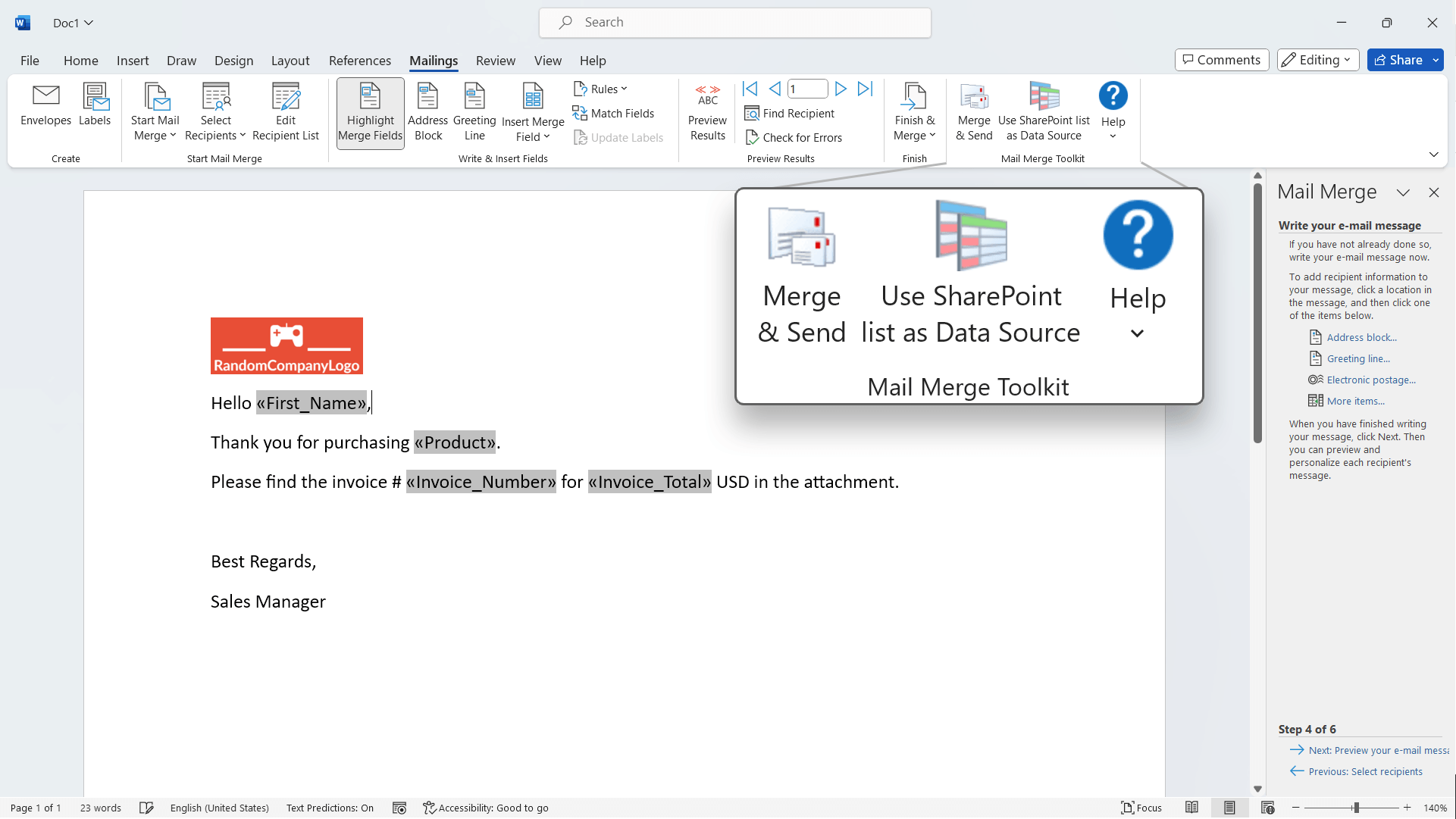
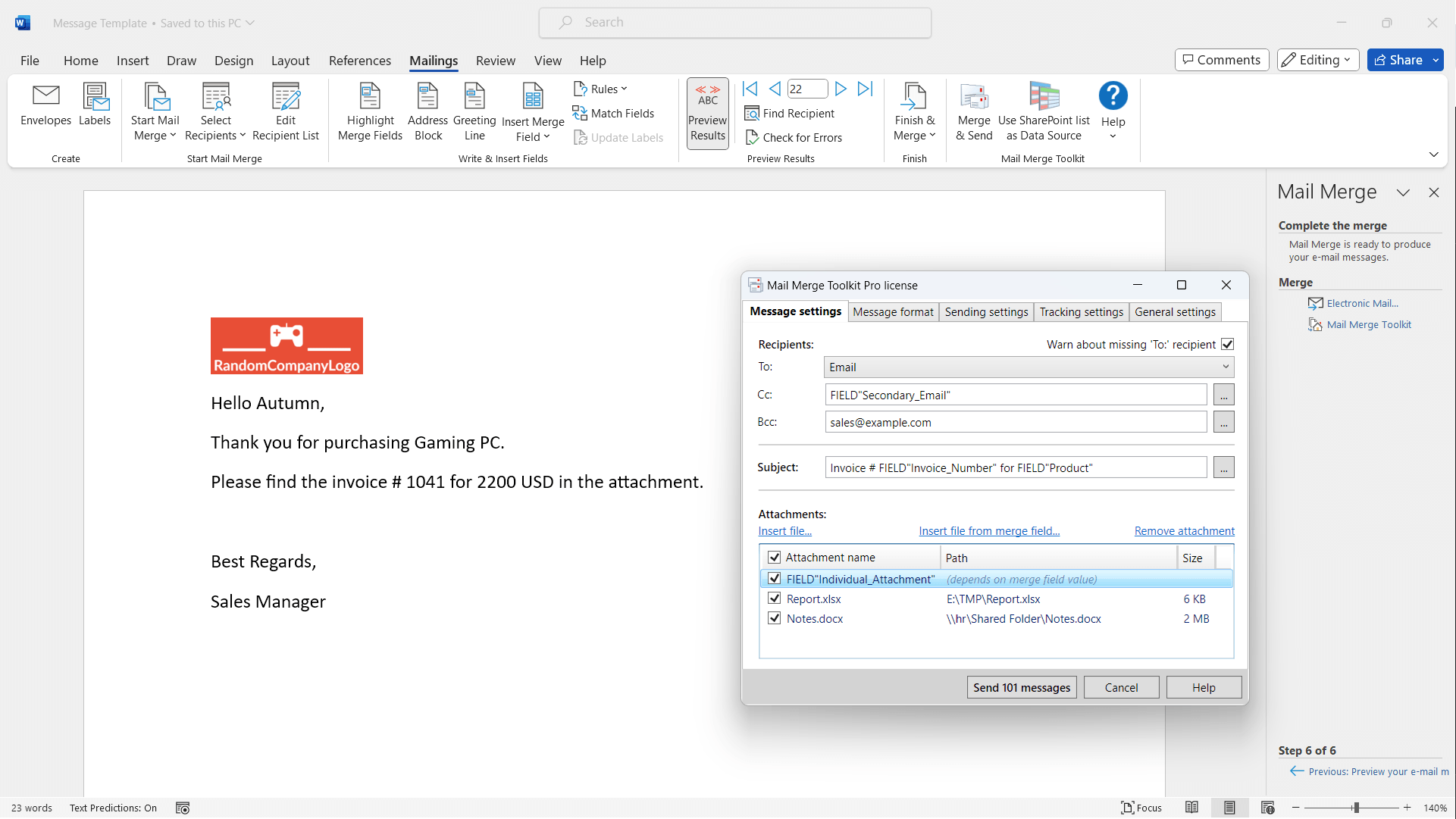
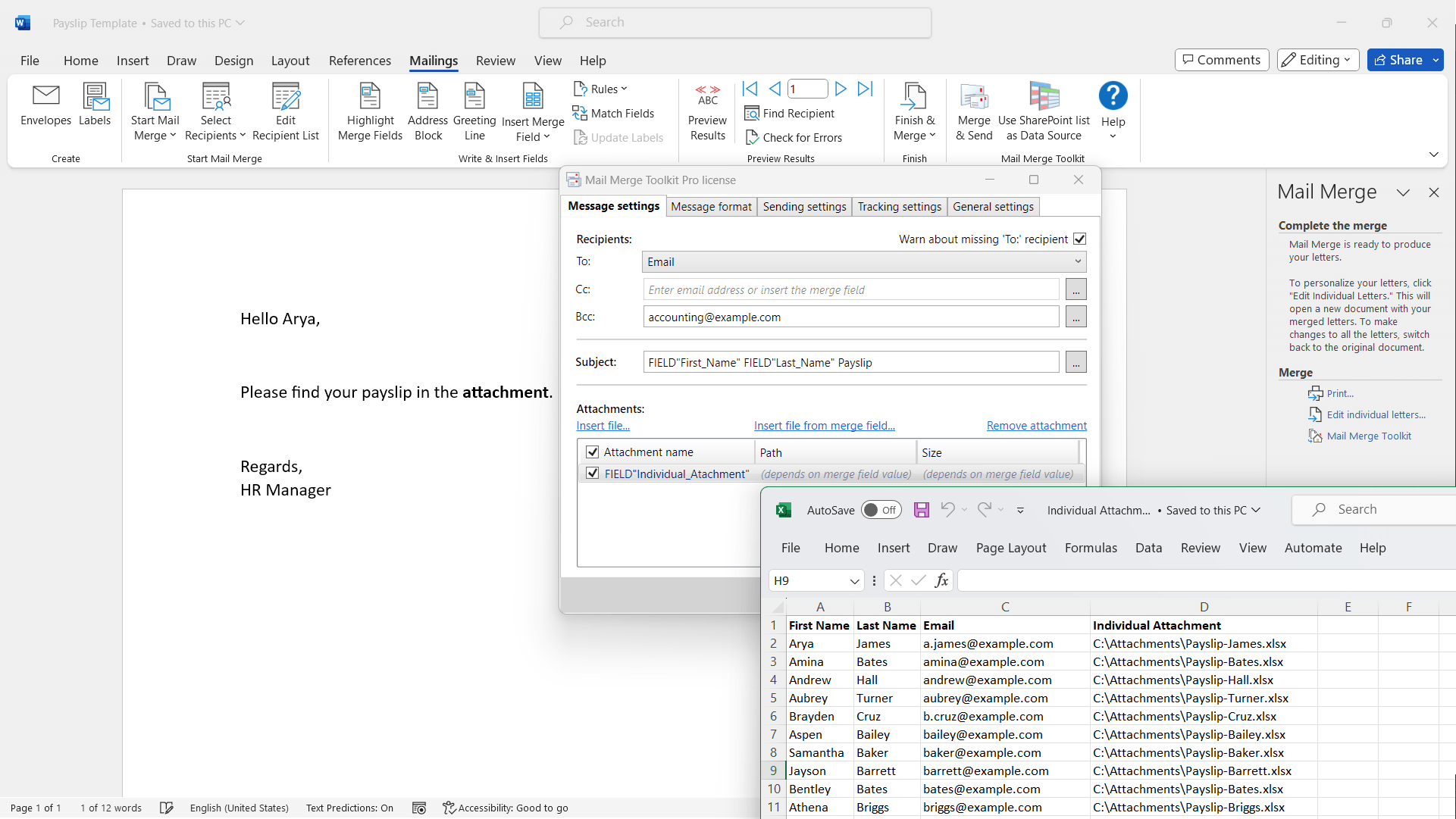
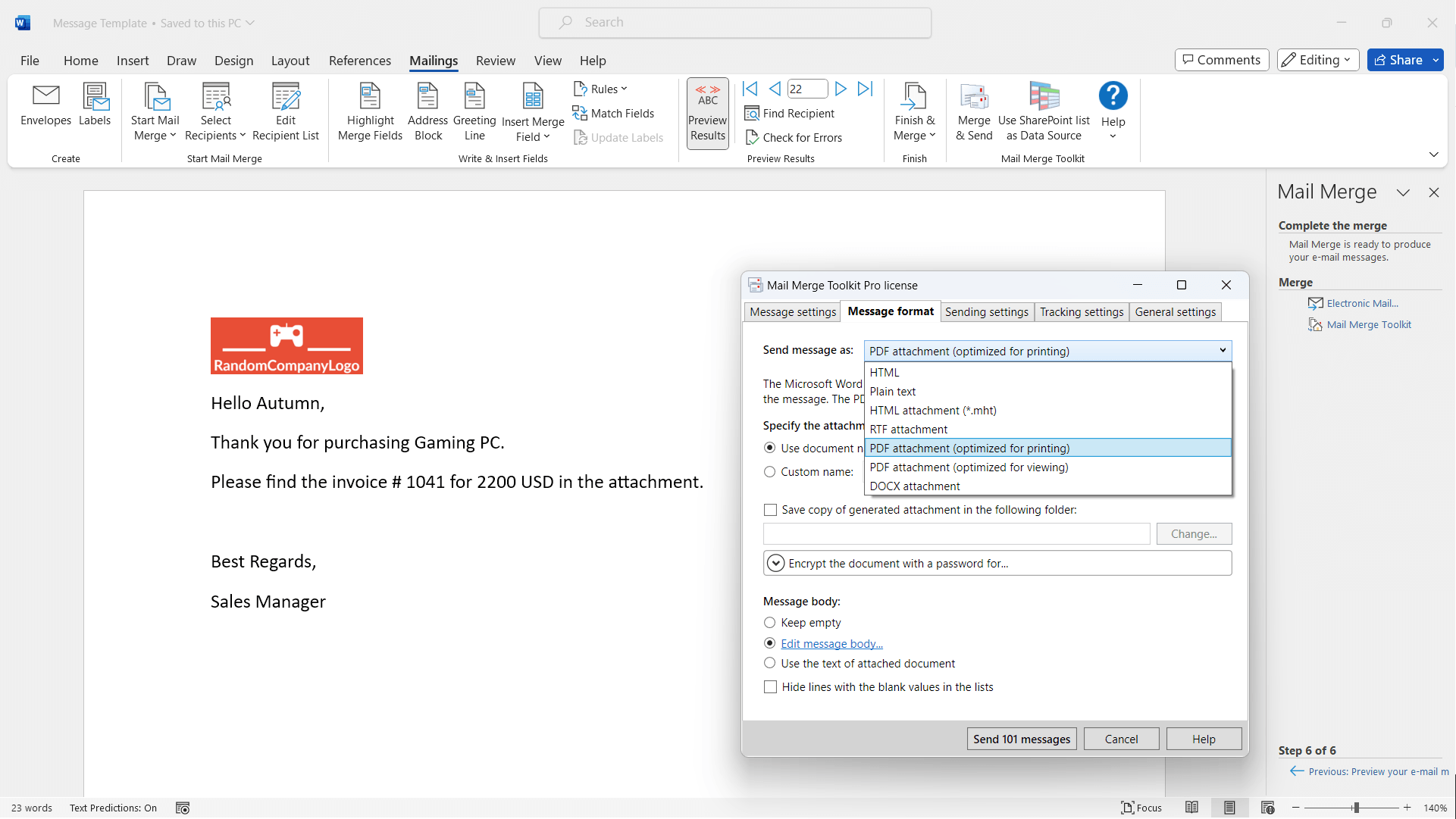
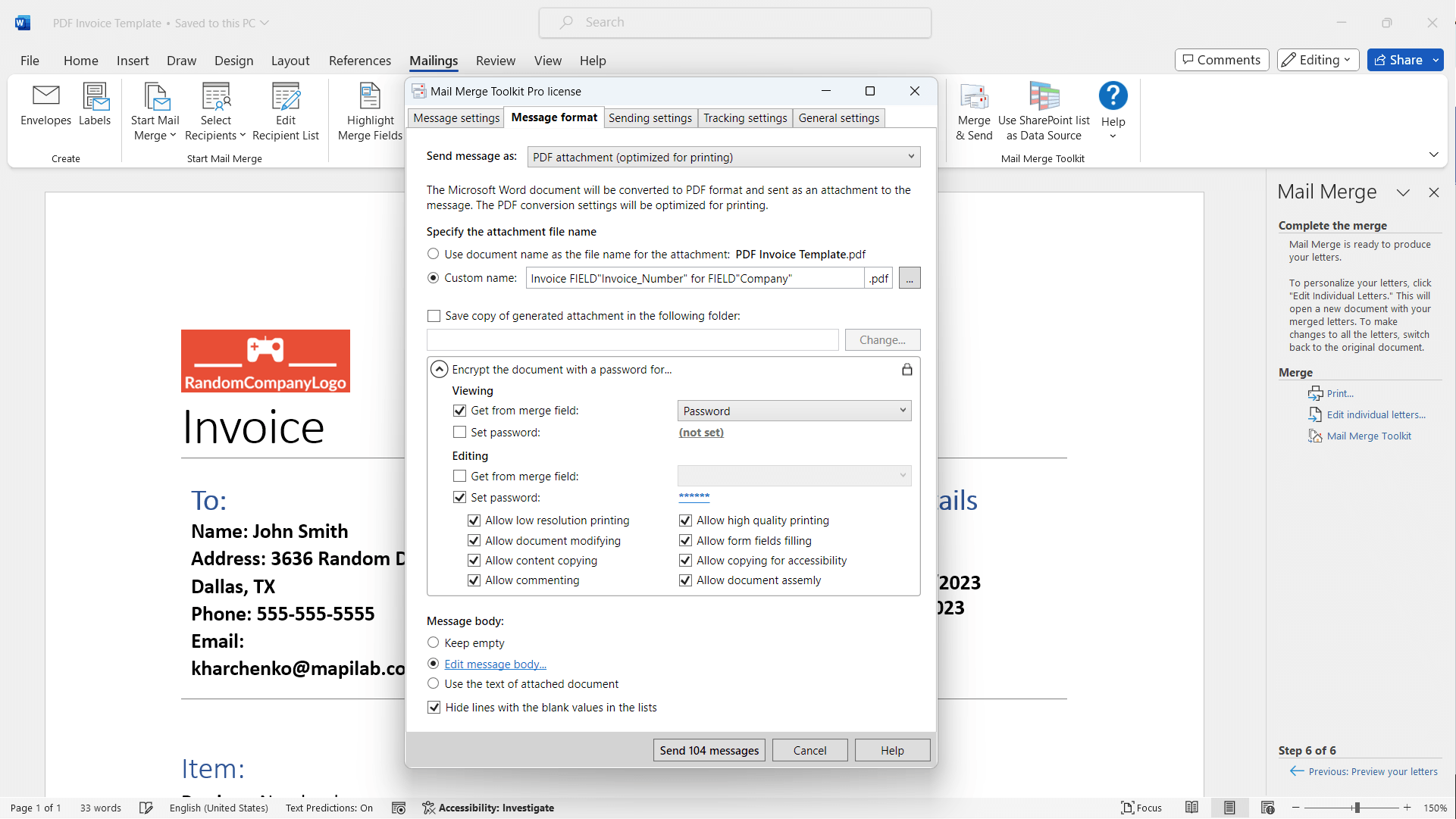
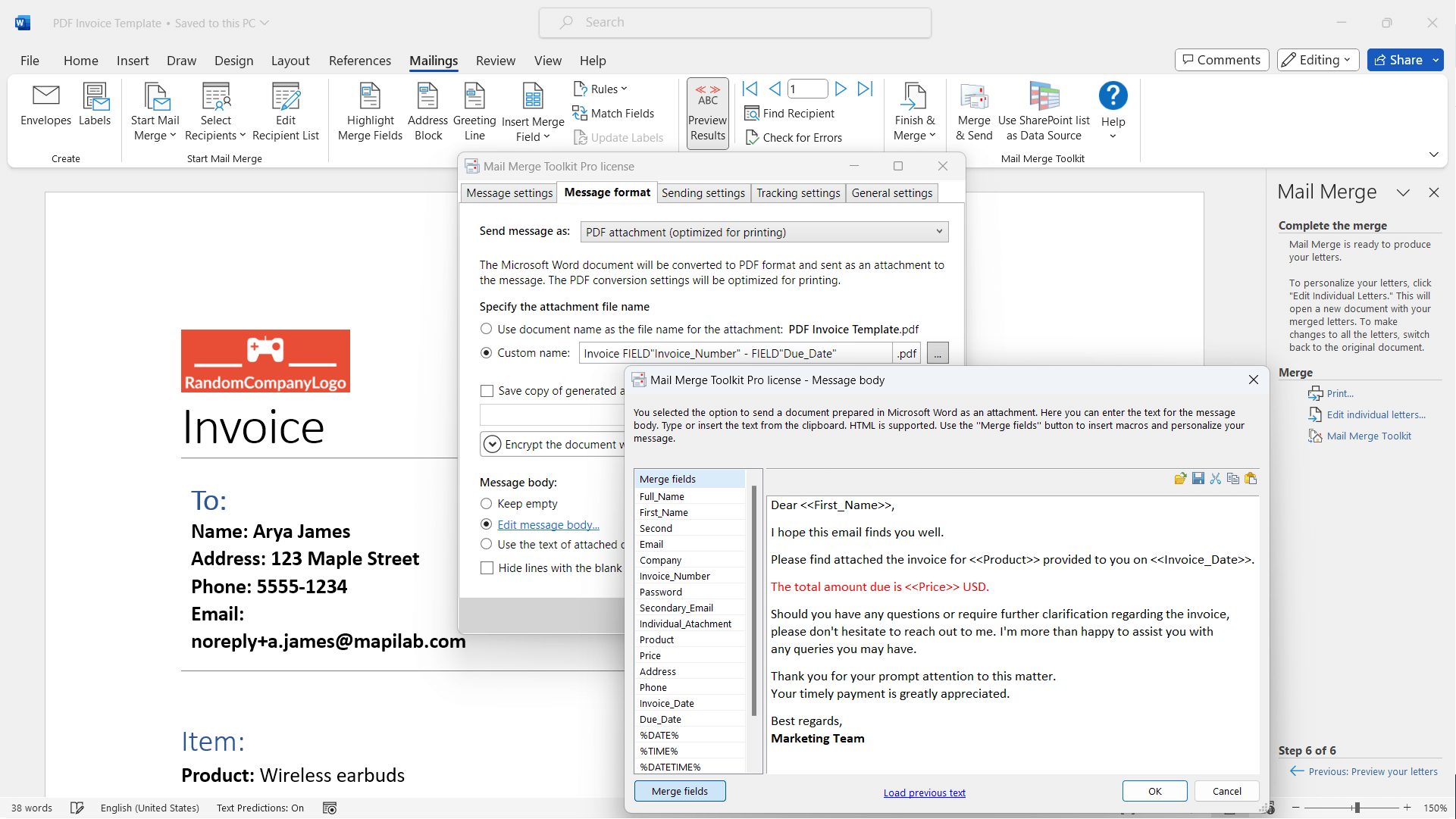
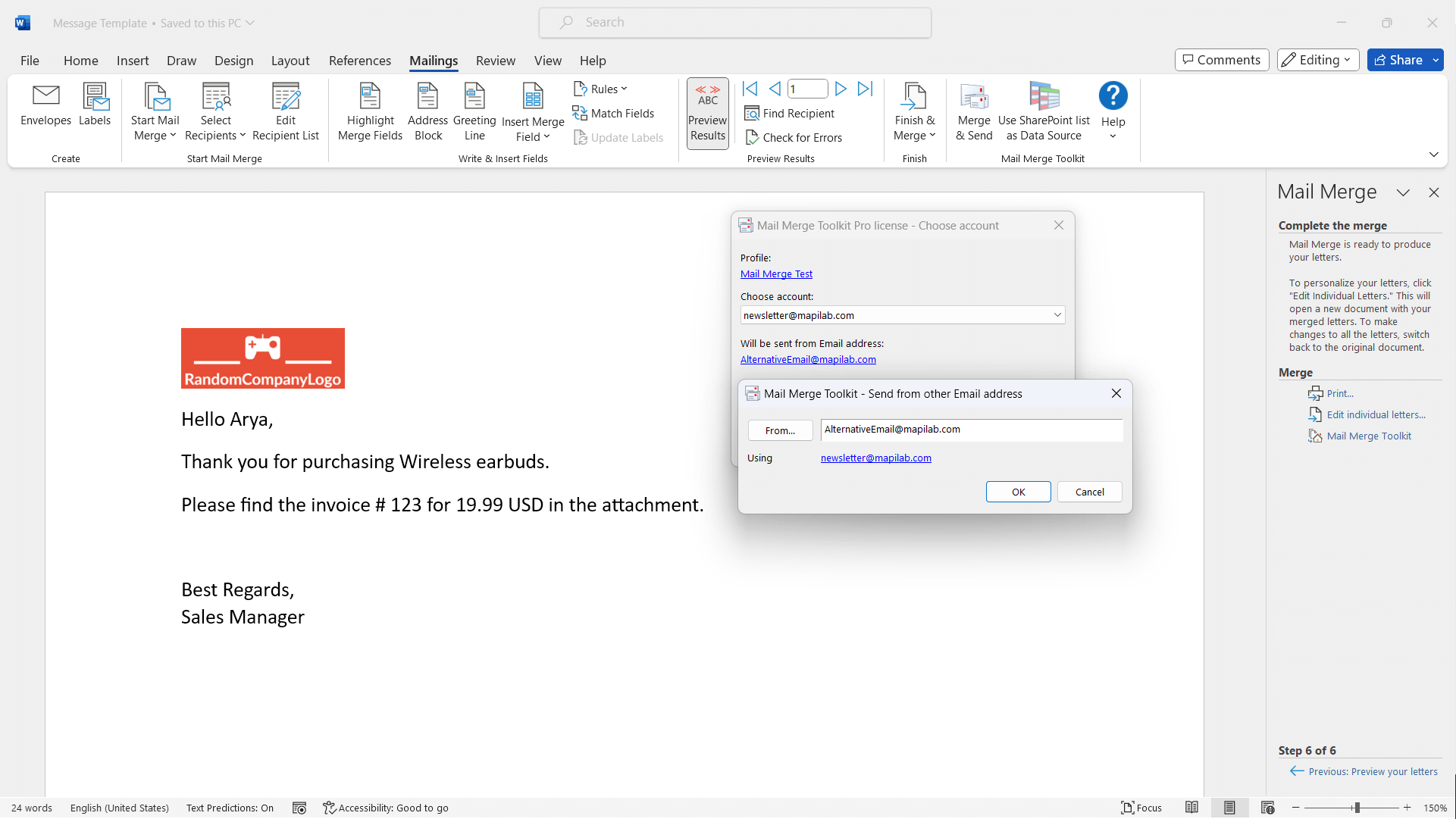
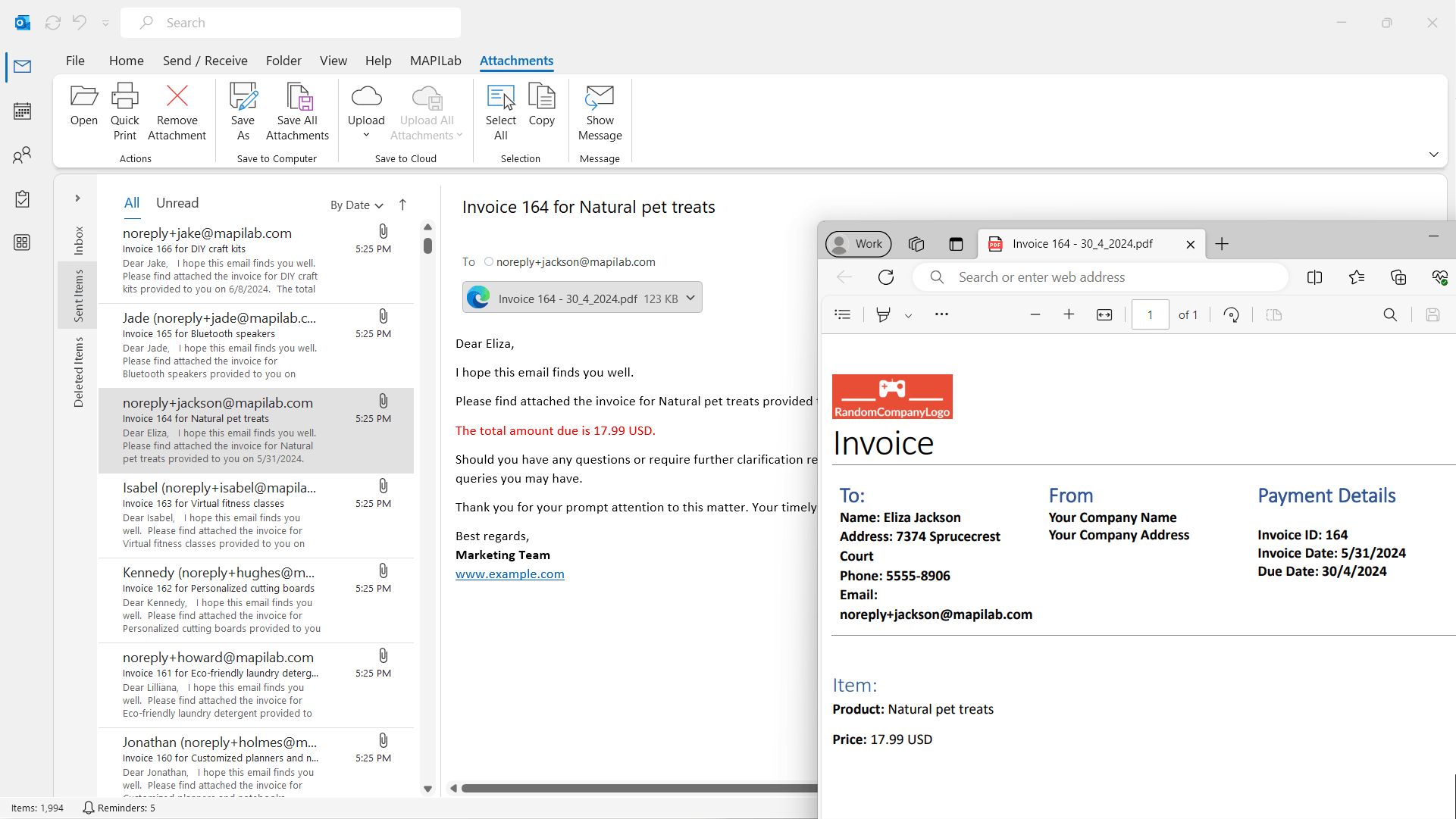
- Advanced Personalization and Attachments: Unlike standard mail merge tools, this add-in allows you to insert dynamic fields—like first names, purchase details, or custom messages—directly into your email body. Plus, you can attach different files or documents for each recipient, turning generic emails into highly tailored communications. Imagine sending out invoices with individual PDF attachments or promotional flyers customized per customer—this is where Mail Merge Toolkit excels.
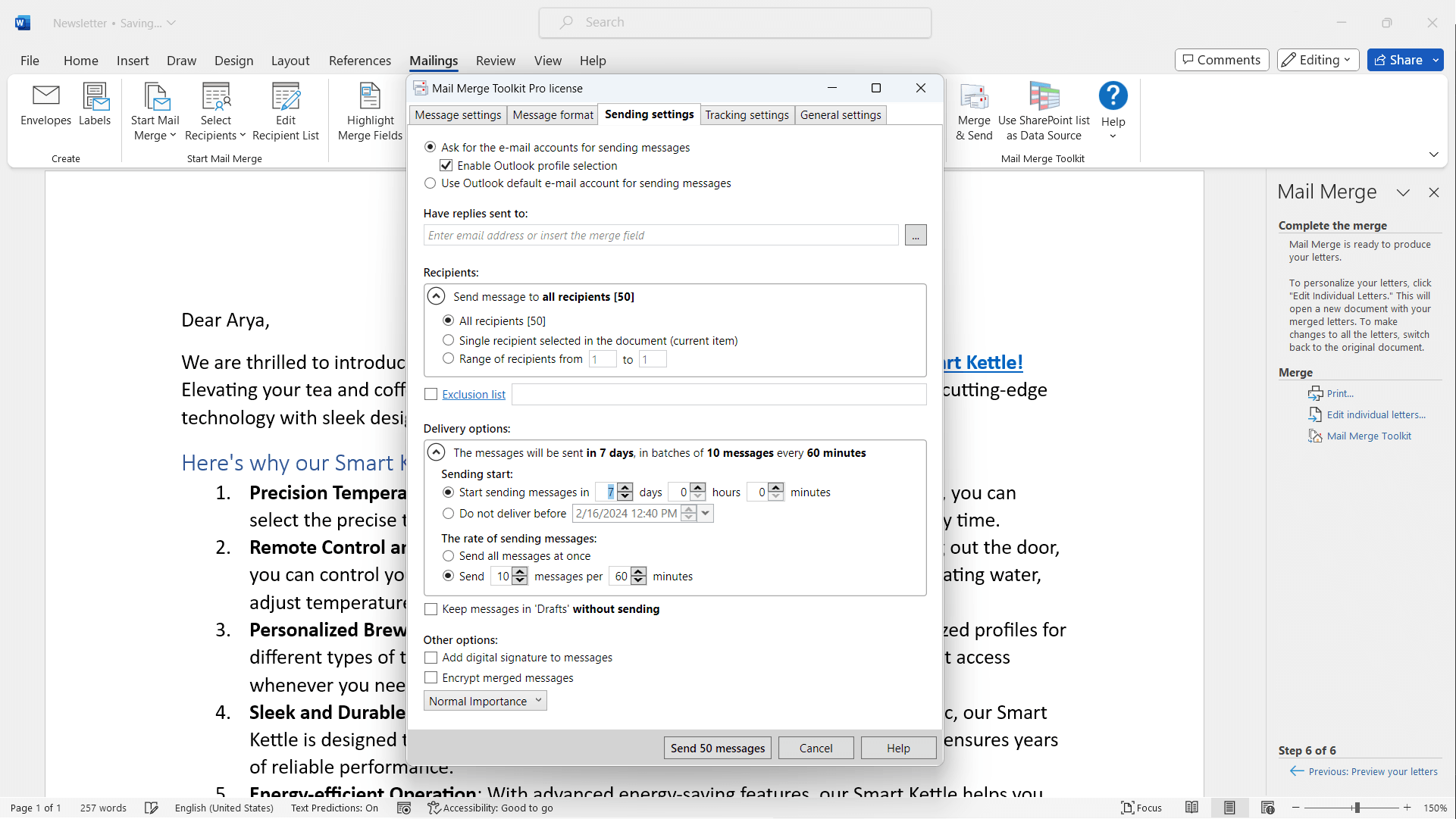
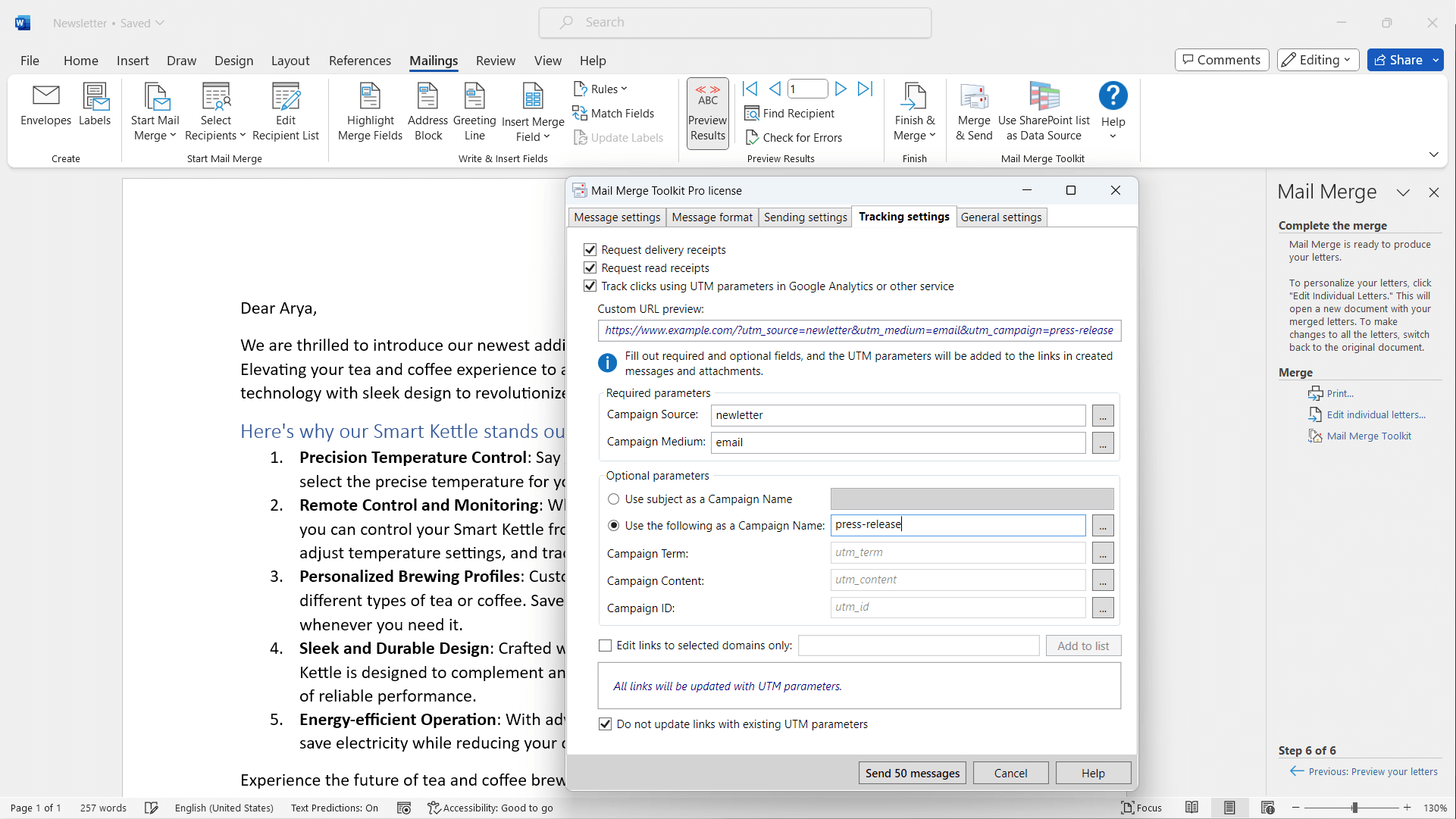
- Tracking and Reporting: After dispatching your emails, the toolkit provides insights into delivery status, opens, and clicks. This feature transforms your sending from a shot in the dark to a strategic campaign, akin to having a radar that tells you which messages hit their targets.
- Multi-Format Support and Compatibility: Working seamlessly within Outlook, it supports various formats and integrates smoothly into existing workflows. Whether you're handling plain text or HTML-rich newsletters, the toolkit adapts to your needs, making your campaigns appear polished and professional.
User Experience: Smooth Sailing or Rough Waters?
Designed with usability in mind, the interface resembles a familiar Outlook ribbon, making it accessible for users accustomed to Microsoft Office products. Operations are brisk, with responsive prompts that keep you informed at each step, minimizing errors. The learning curve isn't steep—the tool's guided setup and contextual help serve as friendly tour guides, perfect for newcomers or occasional users. Once mastered, sending customized campaigns becomes as easy as clicking 'Send'—a true boon when managing frequent or urgent mailouts.
What Sets It Apart from Competitors?
While many mail merge solutions exist, Mail Merge Toolkit's standout features are its attachment flexibility and detailed tracking. It integrates collaborative work features subtly—allowing teams to coordinate campaigns with consistency—without the clutter often found in overly complex tools. Its ability to assign personalized attachments to individual recipients is akin to having a mailing butler that brings precisely what each guest needs. Furthermore, its seamless Outlook integration means you're not juggling multiple platforms; everything operates within a familiar environment, preserving workflow continuity.
Final Verdict: Would I Recommend It?
Absolutely. For users who need a reliable, easy-to-use tool that enhances Outlook's native capabilities, Mail Merge Toolkit is a solid choice. Its strength lies in transforming what could be a monotonous task into an efficient, customizable process. If your work revolves around personalized mass emailing—whether for marketing, client updates, or internal communications—this add-in offers powerful features without overwhelming complexity. I recommend giving it a trial run, especially if attachments and detailed tracking are part of your mailing game plan.
Pros
- User-friendly interface
- Seamless integration with Microsoft Office
- Supports complex merge fields
- Bulk sending capabilities
- Advanced filtering options
Cons
- Limited template customization options
- Initial setup can be complex for beginners
- No built-in email tracking
- Occasional performance lag with large datasets
- Limited customer support options











