
- Category Business
- Developer Medlin Software Inc
- Available on PC
- OS Windows 10 version 0.0 or higher
- Keyboard Integrated Keyboard
- Mouse Integrated Mouse
- languages English (United States)
Introducing Medlin Payroll Software for Windows: A Streamlined Payroll Solution
Medlin Payroll Software for Windows by Medlin Software Inc offers a comprehensive and user-friendly approach to automating payroll management, specifically tailored for small to medium-sized businesses seeking efficiency and accuracy. With an intuitive interface and distinct features, it aims to simplify complex payroll processes, making payroll calculations as effortless as a few clicks.
Targeted for HR and Payroll Professionals
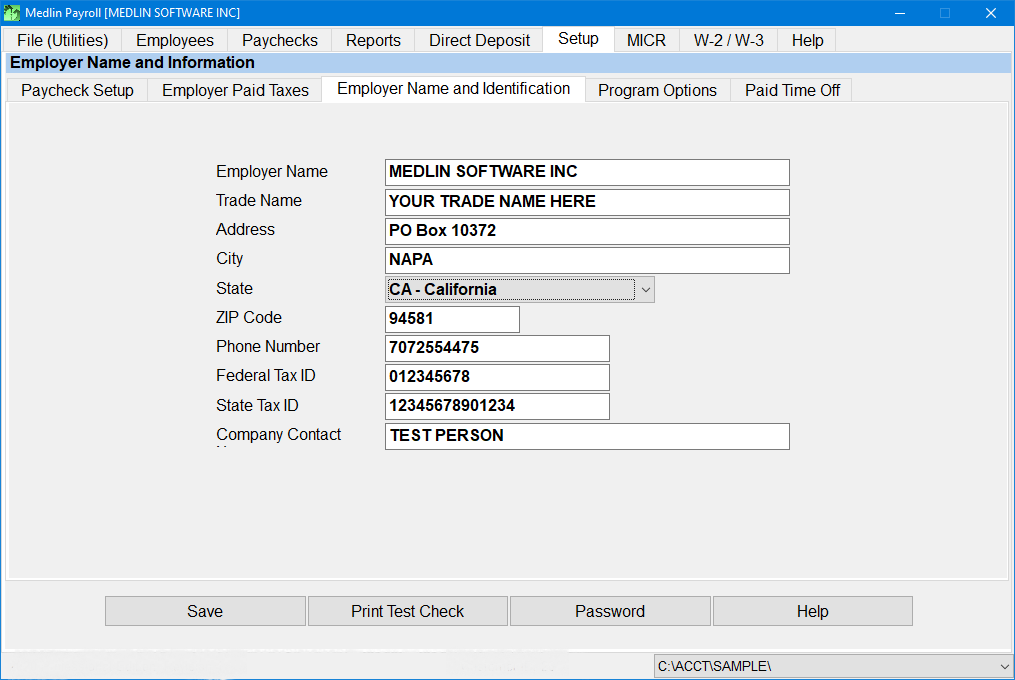
Developed by Medlin Software Inc, a dedicated team specializing in business productivity tools, the application excels in automating payroll duties, including tax calculations, employee data management, and compliance tracking. Its primary highlights include automatic tax deduction calculations, customizable pay schedules, and seamless report generation. Designed for HR managers, finance departments, and business owners, the software caters to users looking for reliable payroll processing without the steep learning curve of enterprise-level systems.
Dynamic and Friendly User Experience
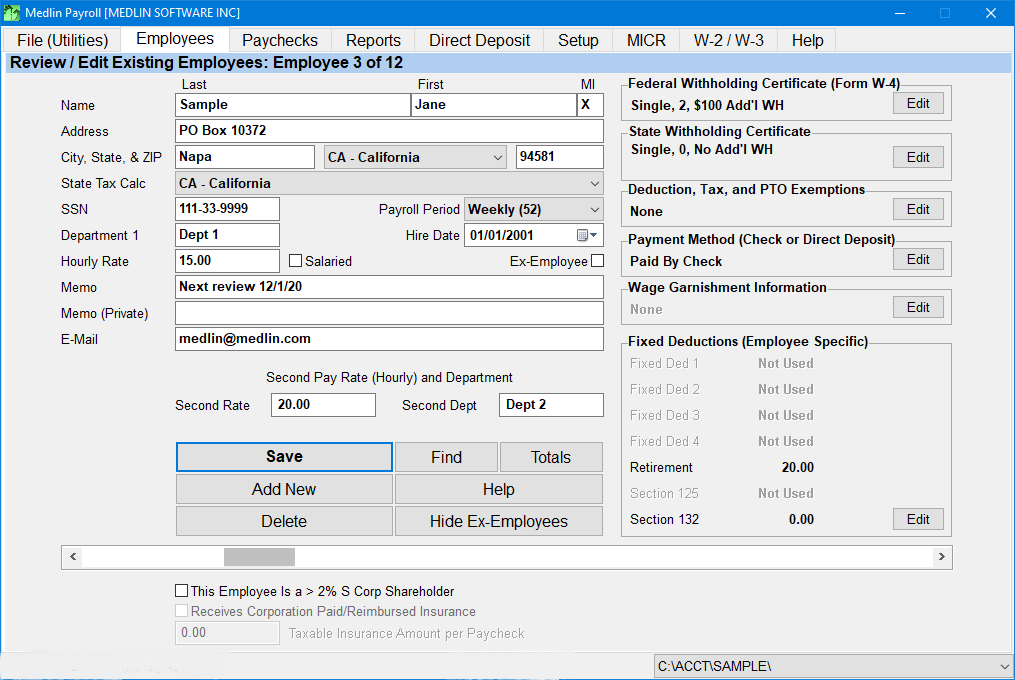
Imagine logging into your payroll system is like stepping into a well-organized workshop; everything is within reach, and intuitive labels guide you effortlessly through each task. From the moment you launch Medlin Payroll Software, its clean layout welcomes users, with dashboards divided into clear sections for employee management, payroll processing, and reports. The user experience is notably smooth—operations such as running payroll runs are executed swiftly, with minimal lag or confusion, thanks to thoughtful design choices.
The onboarding process is refreshingly straightforward, making it accessible even to those new to payroll software. The learning curve is gentle, with built-in help prompts and a concise user manual that serve as helpful guides along the way. Whether you're a seasoned HR professional or a business owner tackling payroll management for the first time, Medlin Payroll simplifies your workflow without sacrificing depth and detail.
Core Functionalities: Power at Your Fingertips
Automated Tax and Deduction Calculations
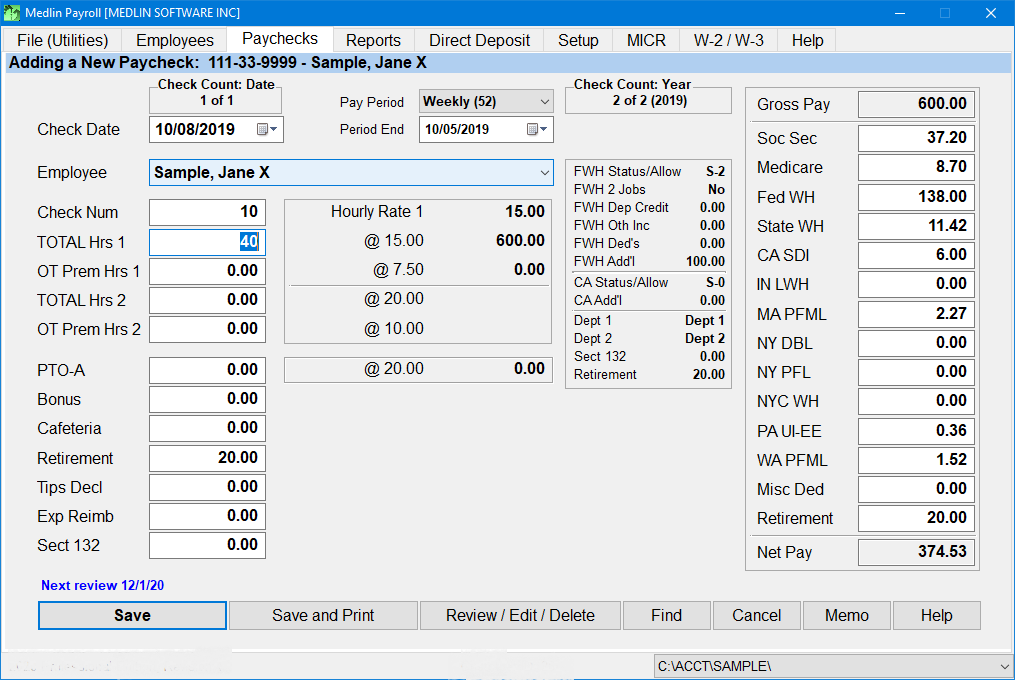
The standout feature—perhaps its crown jewel—is the fully automated tax and deduction calculation engine. It pre-configures the latest tax tables and regulations, reducing the headache of manual updates and ensuring compliance. Just input employee hours or salary details, and the software handles the complex matrices of federal, state, and local taxes seamlessly, providing accurate deductions every time. This feature alone saves hours of manual calculations and minimizes costly mistakes.
Customizable Pay Schedules and Employee Management
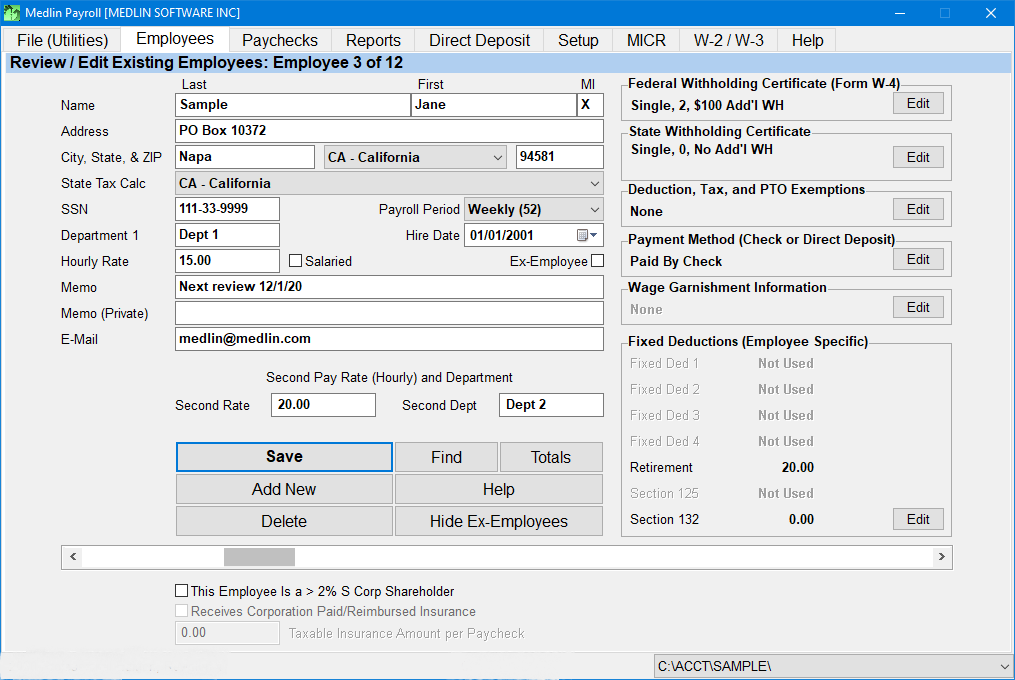
Flexibility is another strength—the software allows creating numerous pay schedules, whether weekly, bi-weekly, or irregular periods. You can manage employee profiles with detailed data, including benefits, bonuses, and deductions, all stored neatly in an accessible database. The ability to adapt pay structures to different roles or contractual agreements makes it versatile for a wide range of business needs.
Seamless Report Generation and Record-Keeping
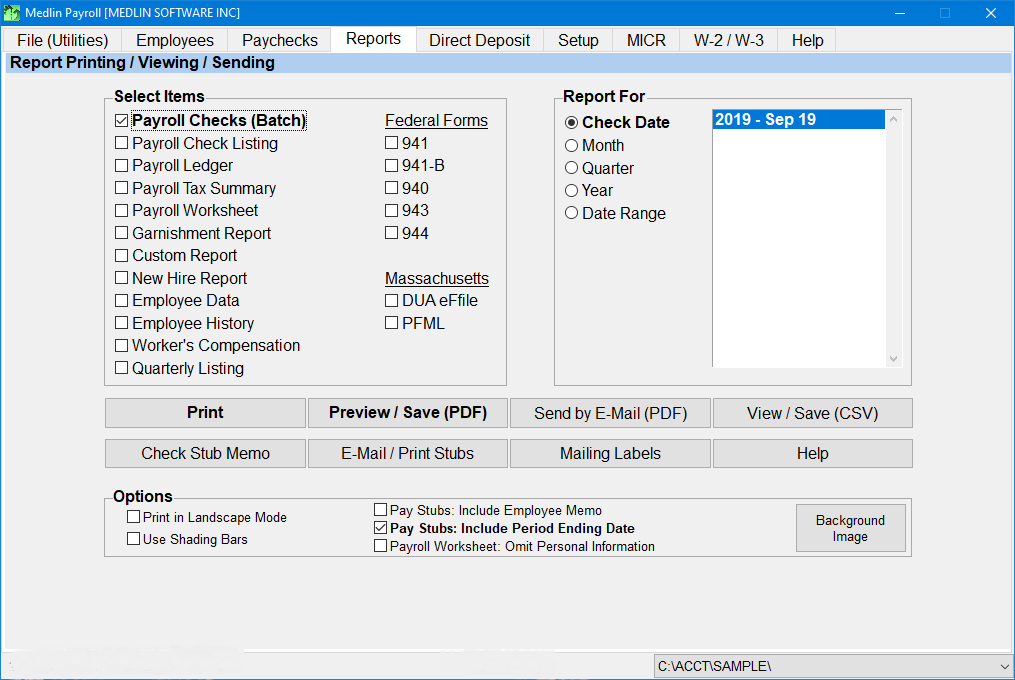
Generating necessary reports is a breeze, with customizable options for payroll summaries, tax filings, and audit trails. The reports are well-organized, exportable in formats like PDF or Excel, facilitating easy sharing and compliance documentation. This systematic record-keeping helps avoid compliance pitfalls and provides peace of mind during audits or internal reviews.
Special Differentiators in the Business Software Landscape
Compared to other payroll solutions, Medlin Payroll Software's strongest differentiation lies in its focus on simplicity combined with depth of features—particularly its collaborative work features. Multiple users can access and work on payroll tasks simultaneously, with role-based permissions ensuring data security. This makes it an excellent choice for small teams where collaboration without chaos is essential. Its task management capabilities allow users to set reminders for tax deadlines or review cycles, keeping payroll tasks on schedule. These features position it above many traditional payroll systems by offering practical teamwork tools integrated directly into the payroll workflow, making the process more cohesive and less siloed.
Final Verdict and Usage Tips
All considered, Medlin Payroll Software for Windows earns a solid recommendation for small to medium-sized businesses seeking a reliable, easy-to-use payroll tool that doesn't compromise on core capabilities. Its user-friendly design and automation features translate to time savings and increased accuracy—key drivers in payroll management's complex world. While it might not feature the advanced integrations found in enterprise software, its dedicated core features and collaborative tools make it a standout choice for businesses prioritizing simplicity and efficiency.
If you're older software or manual spreadsheets are causing headaches, give Medlin Payroll a try. It's like having a well-trained accountant right at your fingertips—accurate, efficient, and surprisingly straightforward. For those that value a balance between ease of use and functional depth, this application is worth considering. Just ensure your team takes the few moments to familiarize themselves with its features, and you'll enjoy a smoother payroll experience from compliance to reporting.
Pros
- User-Friendly Interface
- Comprehensive Payroll Features
- Secure Data Handling
- Regular Updates
- Good Customer Support
Cons
- Limited Customization Options
- Occasional Slow Response Time
- Learning Curve for Advanced Features
- Limited Compatibility with Other Apps
- Mobile App Functionality is Basic











