
Frequently Asked Questions
How do I start playing Metal Shoot for the first time?
Download and install Metal Shoot on Windows, then launch the app. Follow the on-screen prompts to select a level and start your adventure with simple controls.
What are the controls for jumping and shooting in Metal Shoot?
Use the keyboard arrow keys to move, spacebar to jump, and designated keys (like Z or X) to shoot. Settings > Controls allows customization if needed.
How do I collect shiny gears and what are their uses?
Gears are collected automatically during levels; they can be used to unlock new stages or upgrades via the in-game shop accessible from the main menu.
What are the core features of Metal Shoot's gameplay?
Core features include jumping, shooting, defeating various robot enemies, collecting gears, life capsules for extra lives, and completing 20 challenging levels.
Can I customize controls or game settings?
Yes, go to Settings > Controls to customize your control layout and adjust other game options for a personalized experience.
Does Metal Shoot offer any in-app purchases or subscriptions?
No, Metal Shoot is a free download with optional in-game purchases available via Settings > Store, which may include upgrades or cosmetic items.
How do I make in-game purchases or subscribe for extra content?
Navigate to Settings > Store or in-game menu to view available items. Follow prompts to purchase or subscribe using your preferred payment method.
Why does the game sometimes crash or freeze?
Ensure your graphics drivers are updated, and check for the latest game patches. Restart your PC and re-launch the game to fix minor crashes.
Does Metal Shoot support multiplayer or online modes?
No, Metal Shoot is a single-player platformer focused on offline gameplay. There are no multiplayer or online features currently.
How can I reset my game progress or save data?
Go to Settings > Game Data and select 'Reset' to clear your progress. You can then restart the game to begin fresh or load a saved backup if available.
You May Like

Cuphead
for Windows
4.7
Cuphead & The Delicious Last Course
for Windows
4.7
Celeste
for Windows
4.6
Ultimate Chicken Horse
for Windows
4.4
Level Devil: Troll Platformer
for Windows
4
Planet of Lana II
for Windows
3.8
Crash Bandicoot™ N. Sane Trilogy
for Windows
3
Egging On
for Windows
2.6
BEAR ESCAPE MISSION (WINDOWS)
for Windows
0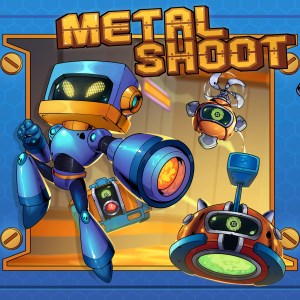
Metal Shoot (Windows)
for Windows
0
Stellar Docks (Windows)
for Windows
0
Penguin Flight (Windows)
for Windows
0