
Frequently Asked Questions
How do I install the Meteor Showers wallpaper pack on Windows 10?
Download the app from the official store, open it, and select the desired wallpaper set to apply it directly as your desktop background.
Can I customize the frequency of meteoric celestial event updates?
Currently, the app only provides a static set of images; customization options are not available. Check for updates for future features.
What are the main features of the Meteor Showers app?
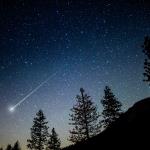
It offers a collection of 18 high-quality meteor event images for desktop wallpapers, adding a celestial touch to your workspace.
How often are new meteor shower images added to the app?
The current version includes 18 images. Updates may introduce new images; please check for announcements or updates regularly.
Can I set the app to automatically change wallpapers based on specific celestial events?
This app does not support automatic wallpaper changes; it only allows manual selection of images via desktop settings.
Are there any premium features or paid versions available?
No, Meteor Showers is free with the complete set of 18 images for download and use without additional payments.
Is there an option to upgrade or purchase additional images?
Currently, all 18 images are free; there are no paid options or additional image packs available.
How do I troubleshoot if the wallpapers do not update after selection?
Try restarting your computer or manually setting the images as your wallpaper via Settings > Personalization > Background.
Can I use these images for other purposes besides desktop wallpaper?
The images are intended solely for desktop wallpaper use; redistribution or other uses are not supported or permitted.
You May Like

Blooming Dimensions
for Windows
5
Monotype Handwriting Font Pack
for Windows
5
Hues of Nature
for Windows
5
Dreamscapes
for Windows
5
Tales of the Teenage Mutant Ninja Turtles Theme
for Windows
5
Neon Dreams
for Windows
4.9
Cats Anytime
for Windows
4.9
Japanese Landscapes
for Windows
4.9
Sun and Sand
for Windows
4.9
Live Wallpaper Engine Plus
for Windows
4.8
Chicks and Bunnies
for Windows
4.8
Mountain Dwellings
for Windows
4.8