



- Category Productivity
- Developer Microsoft Corporation
- Available on PC
- OS Windows 10 version 19041.0 or higher
- languages Afrikaans, Albanian, Amharic, Arabic, Armenian, Assamese, Azerbaijani, Bangla (India), Basque, Bosnian (Latin, Bosnia and Herzegovina), Bulgarian, Catalan, Chinese (Simplified), Chinese (Traditional), Croatian, Czech, Danish, Dutch, English (United Kingdom), English (United States), Estonian, Filipino, Finnish, French, French (Canada), Galician , Georgian, German, Greek, Gujarati, Hebrew, Hindi, Hungarian, Icelandic, Indonesian, Irish, Italian, Japanese, Kannada, Kazakh, Khmer, Konkani, Korean , Lao, Latvian, Lithuanian, Luxembourgish, Macedonian, Malay, Malayalam, Maltese, Maori, Marathi, Nepali, Norwegian (Bokmål), Odia, Persian, Polish , Portuguese (Brazil), Portuguese (Portugal), Punjabi (India), Quechua, Romanian, Russian, Scottish Gaelic, Serbian, Serbian (Cyrillic, Bosnia and Herzegovina), Serbian (Latin, Serbia), Slovak, Slovenian (Slovenia), Spanish (Mexico), Spanish (Spain), Swedish, Tamil, Tatar, Telugu, Thai, Turkish, Ukrainian, Urdu, Uyghur, Uzbek, Valencian, Vietnamese, Welsh
A Practical Companion for Windows Users: Microsoft Copilot
Microsoft Copilot for Windows emerges as a promising AI-powered assistant designed to enhance productivity by seamlessly integrating into the familiar Windows environment. With a focus on simplifying complex tasks, it aims to serve both casual users and professionals yearning for smarter workflows.
Developed by a Tech Titan with User-Centric Goals
Crafted by Microsoft Corporation, a global leader in software innovation, this application exemplifies the company's dedication to embedding AI into everyday computing. The team's expertise ensures robust stability, continual updates, and a commitment to aligning features with actual user needs.
Key Features that Shine
- Intelligent Task Automation: Copilot proactively suggests and automates routine chores such as email drafting, scheduling, and document summarization—saving time and mental effort.
- Contextual Assistance: It understands your ongoing tasks and provides timely suggestions, whether you're editing a document or browsing emails, making interactions feel more natural and less disruptive.
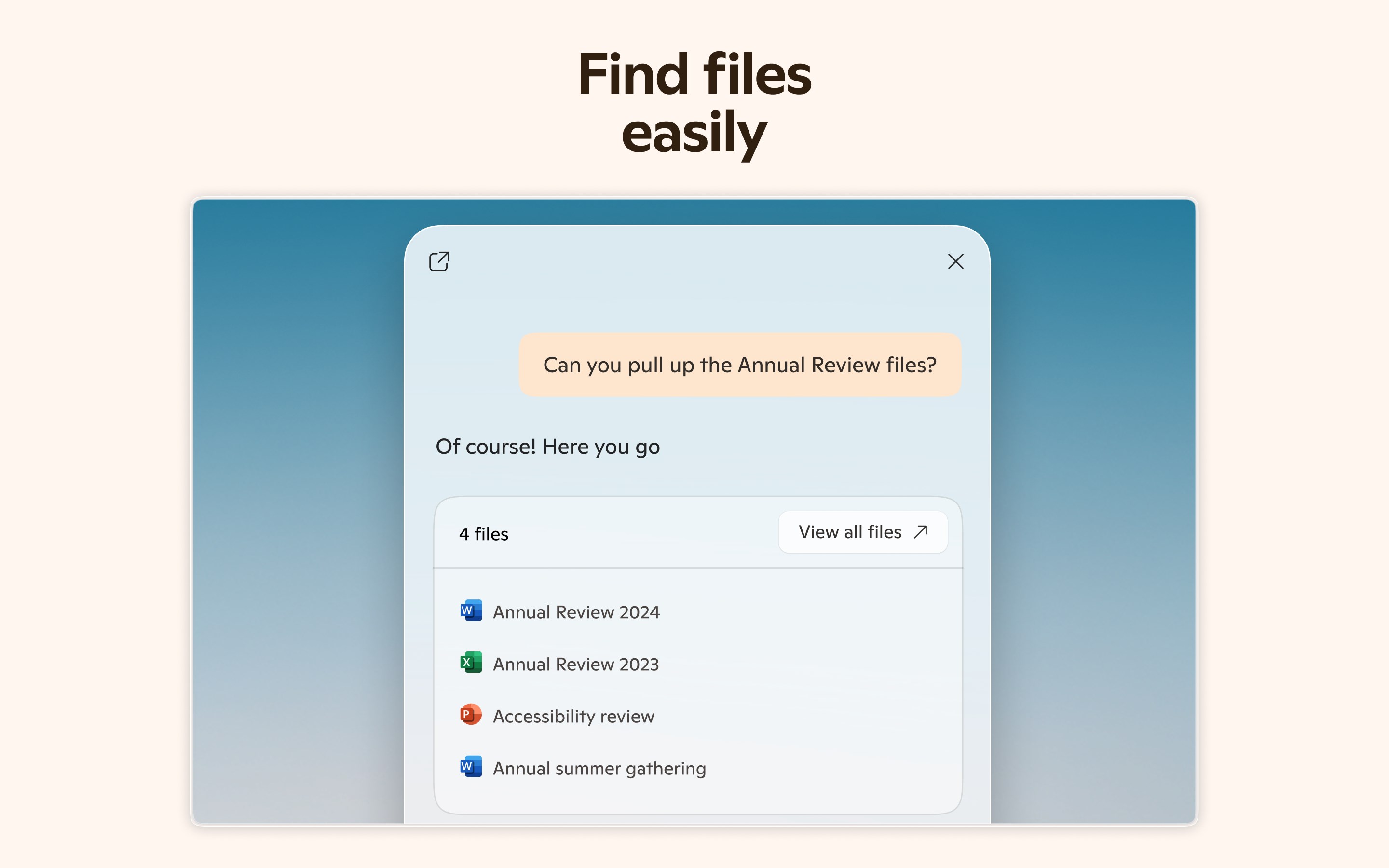
- Seamless Workflow Integration: Built to blend effortlessly with Windows tools like File Explorer and Microsoft 365, it acts as an intuitive sidekick that empowers your existing favorites rather than replacing them.
- Personalized Experience: The app adapts to your habits over time, offering tailored recommendations and enhancing your personal productivity style.
A Deep Dive into Functionality and User Experience
Engaging and Intuitive Interface
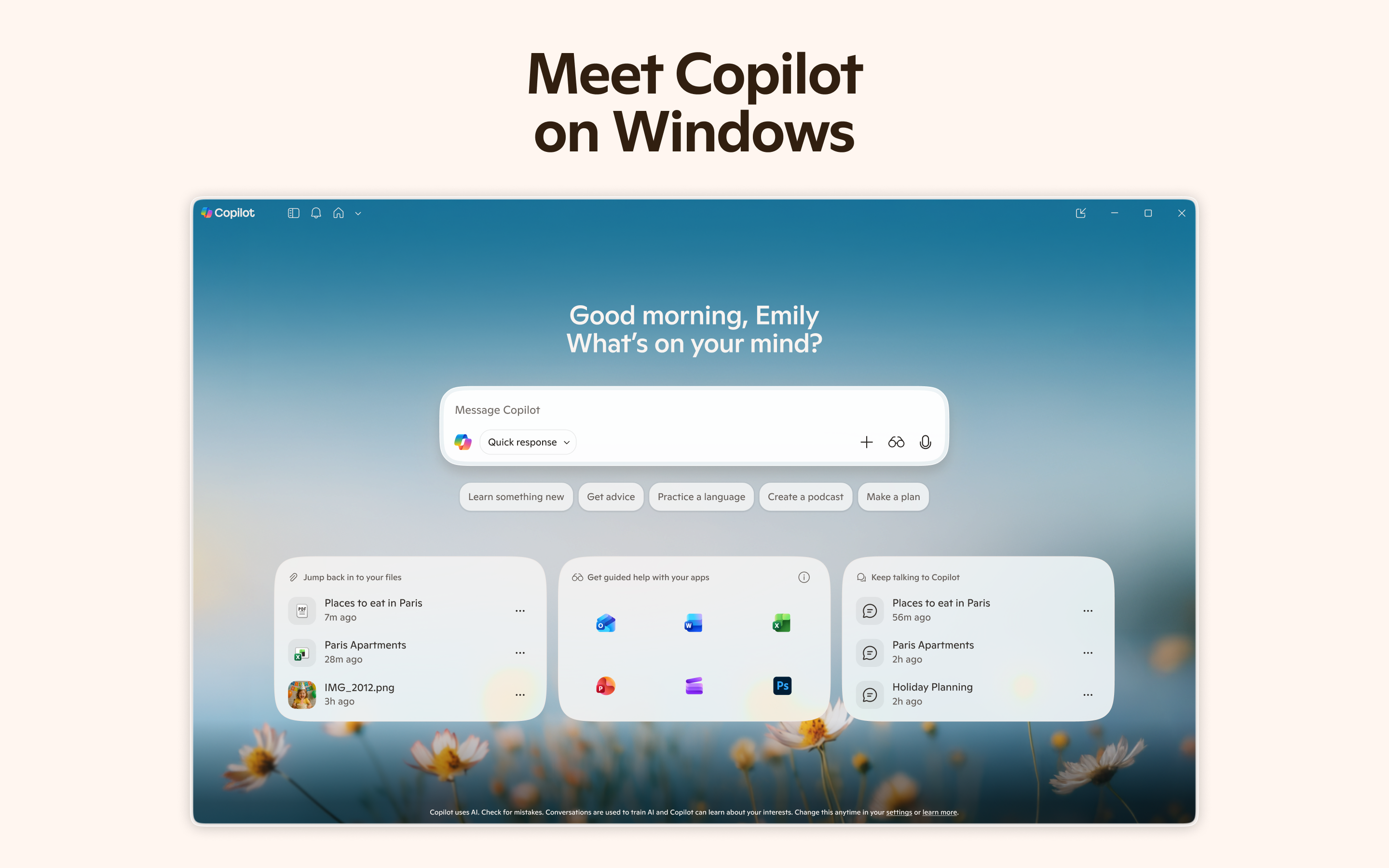
The app's design echoes Microsoft's classic clean and user-friendly aesthetic, featuring a minimalistic sidebar that surfaces assistance options without cluttering the workspace. Its straightforward layout makes it accessible, even for those less tech-savvy. Bright icons and contextual prompts guide users naturally, so discovering new features feels like chatting with a knowledgeable colleague rather than fumbling through menus.
Fluidity of Operation and Learning Curve
For seasoned Windows users, Copilot's activities feel like an extension of their own thought process. Tasks are handled swiftly, with snappy response times that keep your momentum going. The learning curve is gentle— hints and suggestions adapt as you use the app, helping you unlock its capabilities gradually. On initial launch, users might need a few moments to adjust, but overall, the onboarding process is smooth and welcoming.
Standout Differentiators in Workflow Efficiency
Compared to other productivity tools, Microsoft Copilot's secret weapon lies in its deep integration with Windows and Microsoft 365 apps, effectively reducing cognitive load. It acts less like a feature-heavy gadget and more like a proactive partner, which helps avoid the typical overwhelm associated with complex software. While many assistants add bells and whistles, Copilot's focus on streamlining your daily flow and minimizing interruptions makes it notably more efficient—think of it as having a helpful co-pilot rather than a cockpit full of controls.
Should You Give It a Go?
Honestly, if your work or personal life revolves around Windows and Microsoft's ecosystem, Copilot is worth exploring. It isn't about replacing your existing tools but enhancing them—making routine tasks quicker and giving you more mental space for creativity and critical thinking. For tech enthusiasts and busy professionals alike, this app offers a balanced blend of automation and assistance that can genuinely lighten your cognitive load.
My recommendation? Start with small tasks—try using it to draft emails or organize files—then expand as you discover its helpful hints. As a friendly tech companion, it's designed to make your Windows experience more intuitive and less of a chore. Give it a try, and you might just find yourself wondering how you ever worked without it.
Pros
- Enhanced productivity with AI-powered assistance
- Seamless integration across Microsoft 365 apps
- User-friendly interface with intuitive prompts
- Continuous updates with new features
- Supports a wide range of professional tasks
Cons
- Limited offline functionality
- Occasional accuracy issues in suggestions
- Potential privacy concerns with data processing
- Learning curve for advanced features
- Performance may vary based on system specs











