
Frequently Asked Questions
How do I start playing Microsoft Flight Simulator 2024 - Aviator Edition for the first time?
Download and install after purchase, create an account, and follow the in-game tutorial to familiarize yourself with controls and features.
What are the system requirements for running the Aviator Edition smoothly?
Ensure your PC meets minimum specs: high-performance CPU, GPU, at least 16GB RAM, and SSD storage for optimal experience. Check detailed requirements on the official website.
How can I access the advanced flight planner feature?
Open the menu, go to 'Flight Planning,' and select it for route, fuel, payload, and weather planning, available both in-game and via the mobile/web app.
What are the main differences between the Aviator Edition and standard versions?
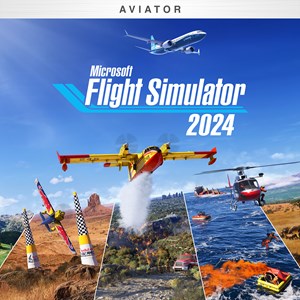
Aviator Edition includes the entire fleet of 30 marketplace aircraft, exclusive missions, detailed digital twin of Earth, and additional advanced features compared to standard editions.
How can I participate in aviation career activities like Medevac or Firefighting?
Complete certifications and select missions from the Career menu, which unlocks various real-world aviation activities within the simulator.
How do challenge modes like Rally Races and Red Bull Air Races work?
Access Challenge League from the main menu, select a race or activity, and compete against other pilots or time-based challenges to test your skills.
How do I enable or disable the photogrammetry and weather effects for better performance?
Navigate to Settings > Graphics, toggle Photogrammetry and Weather options to optimize performance or visuals based on your hardware capability.
How much does the Aviator Edition cost, and what are the purchase options?
Pricing varies; buy via the Microsoft Store or authorized retailers. Check the official website for current prices and bundle options for the Premium Deluxe and Aviator editions.
Can I cancel or change my subscription if I no longer want the premium features?
Yes, go to Settings > Account > Subscriptions in the Microsoft Store or platform where you purchased, and follow prompts to manage or cancel your subscription.
What should I do if the game crashes or has performance issues?
Update graphics drivers, ensure your system meets requirements, and modify in-game graphics settings for stability. Contact support if problems persist.
You May Like

Dragon City
for Windows
4.8
Township
for Windows
4.8
Cooking Live: Restaurant game
for Windows
4.8
Global City
for Windows
4.8
Roadside Research (Game Preview)
for Windows
4.8
The Tribez
for Windows
4.7
Cooking Diary®: Restaurant Game
for Windows
4.7
Five Nights at Freddy's: Original Series
for Windows
4.7
Jurassic World Evolution 3: Deluxe Edition
for Windows
4.7
Goat Simulator 3: Windows Edition
for Windows
4.7
Crime Scene Cleaner
for Windows
4.7
Date Everything!
for Windows
4.6