
Frequently Asked Questions
How can I start using Microsoft Flight Simulator 2024 for the first time?
Download the app from the official platform, install it, and follow the on-screen tutorial to familiarize yourself with basic controls and features.
What are the minimum system requirements to run Flight Simulator 2024 smoothly?
Ensure your PC meets the recommended specs: a recent CPU, minimum 16GB RAM, a compatible GPU, and ample storage space for optimal performance.
How do I access the new challenge modes and activities?
Navigate to the 'Career' or 'Activities' menu within the main interface to select and customize your challenge or activity preferences.
Can I plan flights using the in-game flight planner?
Yes, go to the 'World Map' or 'Flight Planning' section to set routes, fuel, payload, and view weather data for your flights.
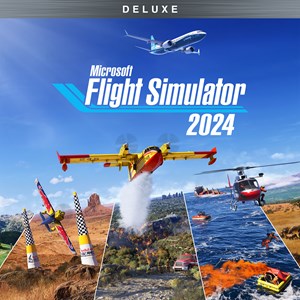
What makes the Deluxe Edition different from the Standard edition?
The Deluxe Edition offers 10 additional aircraft and 5 handcrafted international airports, expanding your flying options and exploration.
Are there in-app purchases or subscription options available?
You can purchase the Deluxe or Standard editions directly; additional content or updates may be available via in-game store or platform subscriptions like Xbox Game Pass.
How can I troubleshoot if the app crashes or experiences performance issues?
Update your graphics drivers, reduce graphics settings, or verify your system meets the minimum requirements in 'Settings > Graphics'.
Can I access Flight Simulator 2024 on mobile devices or web browsers?
Yes, the flight planner and some features are accessible on mobile devices and web browsers through the official Flight Simulator web platform, via links provided in the app.
Is there multiplayer or community interaction in Microsoft Flight Simulator 2024?
Yes, you can fly with others, compete in challenges, or participate in community events through online multiplayer modes integrated within the app.
How do I exit my aircraft and explore on foot in the game?
During your flight, press the designated 'Exit Aircraft' button or menu option to disembark and explore detailed biomes and landmarks on foot.
You May Like

Dragon City
for Windows
4.8
Township
for Windows
4.8
Cooking Live: Restaurant game
for Windows
4.8
Global City
for Windows
4.8
Roadside Research (Game Preview)
for Windows
4.8
The Tribez
for Windows
4.7
Cooking Diary®: Restaurant Game
for Windows
4.7
Five Nights at Freddy's: Original Series
for Windows
4.7
Jurassic World Evolution 3: Deluxe Edition
for Windows
4.7
Goat Simulator 3: Windows Edition
for Windows
4.7
Crime Scene Cleaner
for Windows
4.7
Date Everything!
for Windows
4.6