
Frequently Asked Questions
How do I start playing Microsoft Flight Simulator 2024 for the first time?
Download and install the app via the official platform, create a Microsoft account if needed, and follow the on-screen tutorial to set up your first flight.
What are the basic controls to navigate and fly in the simulator?
Use the keyboard or controller to control aircraft; consult the tutorial or settings > Controls to customize and learn the basic flight commands.
What core features are included in the Standard Edition?
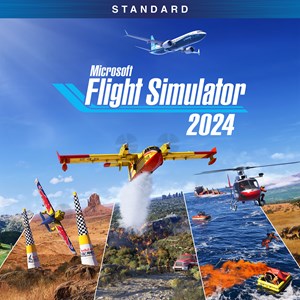
It offers over 65 aircraft, 150 handcrafted airports, advanced physics, realistic systems, a detailed digital twin, and immersive weather and wildlife features.
How can I plan flights using the built-in flight planner?
Access the Flight Planner via the menu, enable IFR/VFR map layers, route, fuel, payload and weather info, then save or start your flight directly.
What activities and missions can I pursue in the game?
Engage in career flights, challenge modes, photo challenges, air races, rescue missions, cargo ops, firefighting, and more as you build your aviation career.
How do I participate in multiplayer competitions like the Red Bull Air Races?
Select multiplayer mode from the main menu, join a race event or challenge league, and follow instructions to compete against other pilots worldwide.
Is the app available through a subscription, and how do I purchase the Standard Edition?
The Standard Edition is a one-time purchase available on official platforms. For additional content, check the store for optional DLC or subscriptions.
Can I upgrade to a different edition later, and how?
Yes, upgrade via the platform store; purchase the upgrade or DLC using your account and follow prompts to access premium features.
What should I do if the simulator crashes or encounters issues?
Try restarting your device, updating your graphics drivers, verifying the game files, or reinstalling the app from the settings menu or support page.
Are there features to help new users learn complex aircraft systems?
Yes, the app includes preflight inspections, system checks, and interactive tutorials within the sim to enhance understanding of aircraft operations.
You May Like

Dragon City
for Windows
4.8
Township
for Windows
4.8
Cooking Live: Restaurant game
for Windows
4.8
Global City
for Windows
4.8
Roadside Research (Game Preview)
for Windows
4.8
The Tribez
for Windows
4.7
Cooking Diary®: Restaurant Game
for Windows
4.7
Five Nights at Freddy's: Original Series
for Windows
4.7
Jurassic World Evolution 3: Deluxe Edition
for Windows
4.7
Goat Simulator 3: Windows Edition
for Windows
4.7
Crime Scene Cleaner
for Windows
4.7
Date Everything!
for Windows
4.6