



- Category Photo & video
- Developer Microsoft Corporation
- Available on PC, Surface Hub, Xbox console, Mobile, HoloLens
- OS Windows 10 version 19044.0 or higher
- languages Afrikaans, Albanian, Amharic, Arabic, Armenian, Assamese, Azerbaijani, Bangla (Bangladesh), Bangla (India), Basque, Belarusian, Bosnian (Latin, Bosnia and Herzegovina), Bulgarian, Catalan, Chinese (Simplified), Chinese (Traditional), Croatian, Czech, Danish, Dutch, English (United Kingdom), English (United States), Estonian, Filipino, Finnish, French, French (Canada), Galician , Georgian, German, Greek, Gujarati, Hausa (Latin), Hebrew, Hindi, Hungarian, Icelandic, Indonesian, Irish, Italian, Japanese, Kannada, Kazakh, Khmer, Kiswahili, Konkani, Korean , Lao, Latvian, Lithuanian, Luxembourgish, Macedonian, Malay, Malayalam, Maltese, Maori, Marathi, Nepali, Norwegian (Bokmål), Odia, Persian, Polish , Portuguese (Brazil), Portuguese (Portugal), Punjabi (India), Quechua, Romanian, Russian, Scottish Gaelic, Serbian, Serbian (Cyrillic, Bosnia and Herzegovina), Serbian (Latin, Serbia), Slovak, Slovenian (Slovenia), Spanish (Mexico), Spanish (Spain), Swedish, Tamil, Tatar, Telugu, Thai, Turkish, Ukrainian, Urdu, Uyghur, Uzbek, Valencian, Vietnamese, Welsh
Unlocking Simplicity and Power: An In-Depth Look at Microsoft Photos for Windows
Microsoft Photos for Windows is a sleek, versatile image management tool designed to streamline your photo viewing, editing, and organization experience. Developed by Microsoft Corporation, this app aims to serve a broad user base—from casual users wanting to enjoy their snapshots to hobbyists seeking basic editing capabilities.
A First Look: What Makes Microsoft Photos Stand Out?
Imagine a photo app that not only lets you browse through your memories with ease but also offers intuitive editing tools that feel like they're crafted for everyone—from beginners to semi-pros. Microsoft Photos combines familiarity with innovation, making photo management less of a chore and more of a delightful experience.
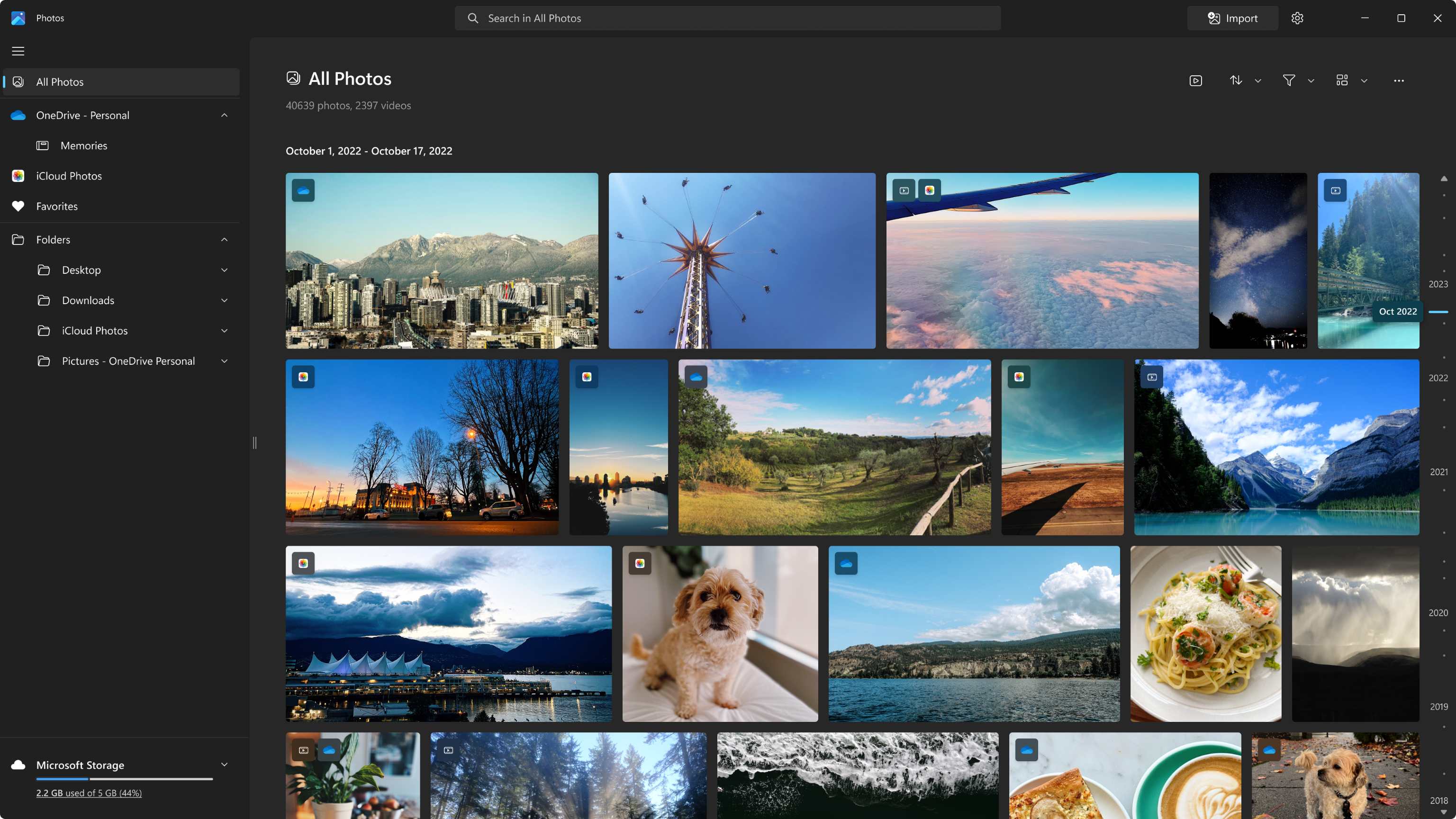
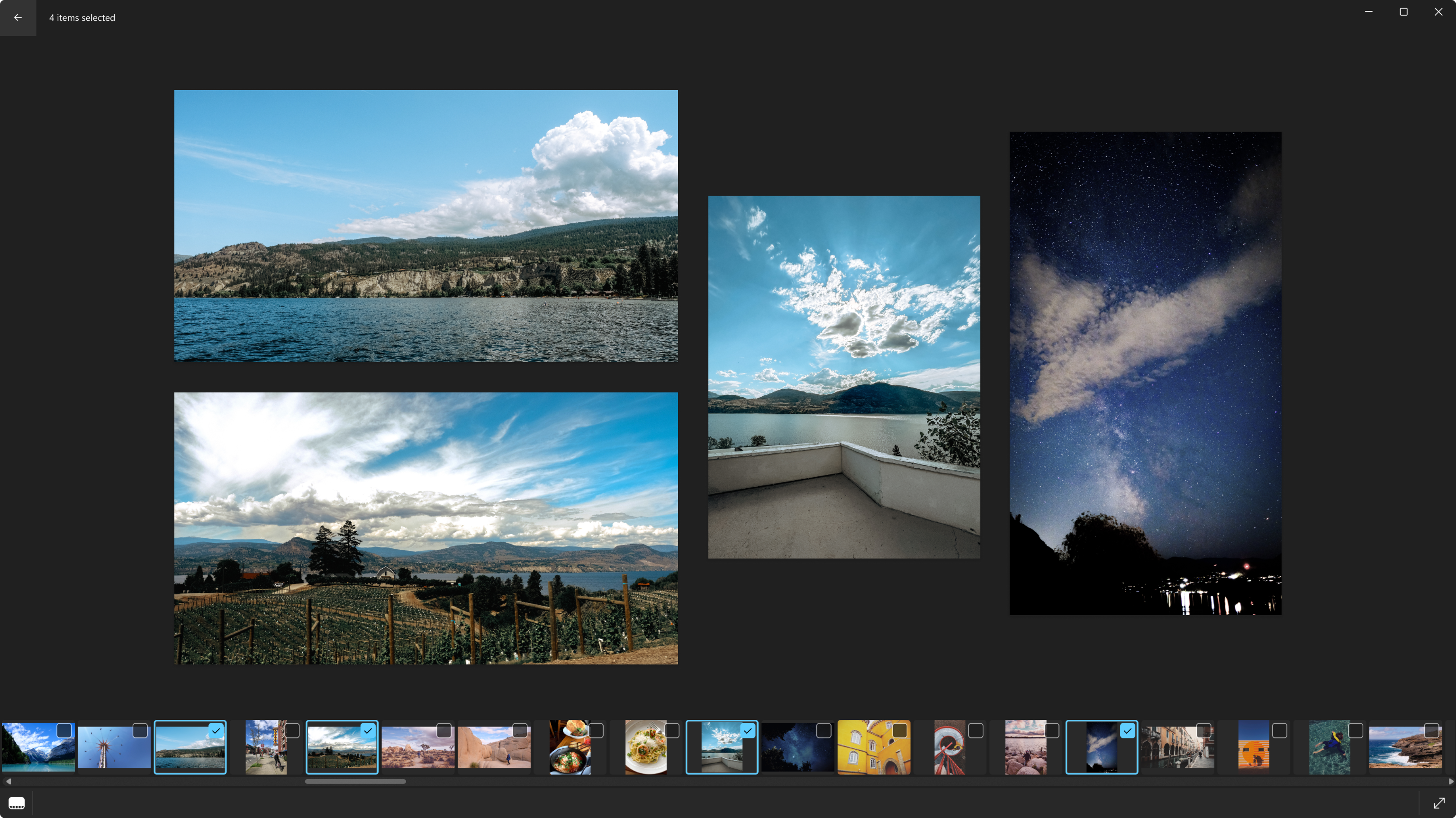
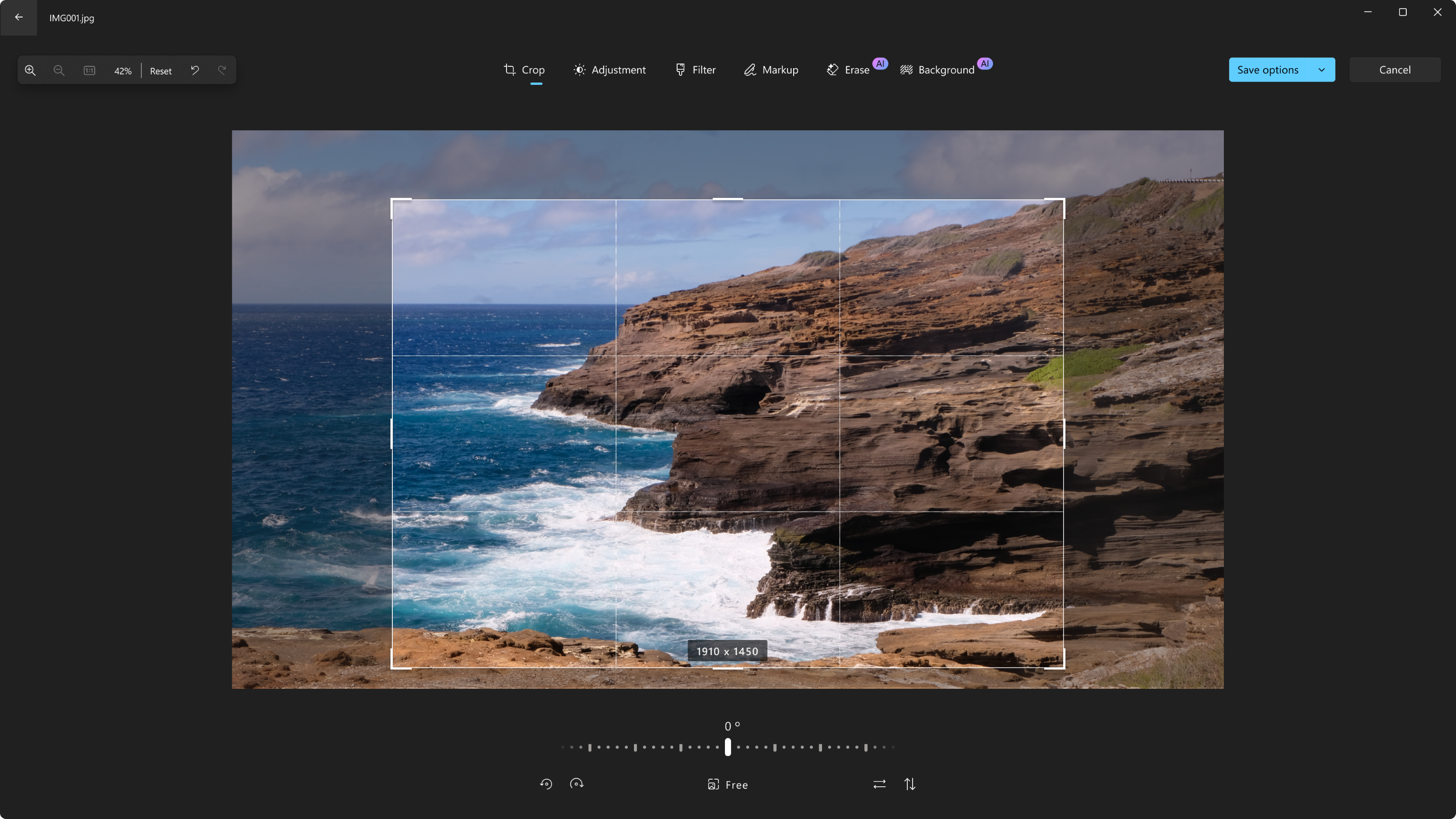
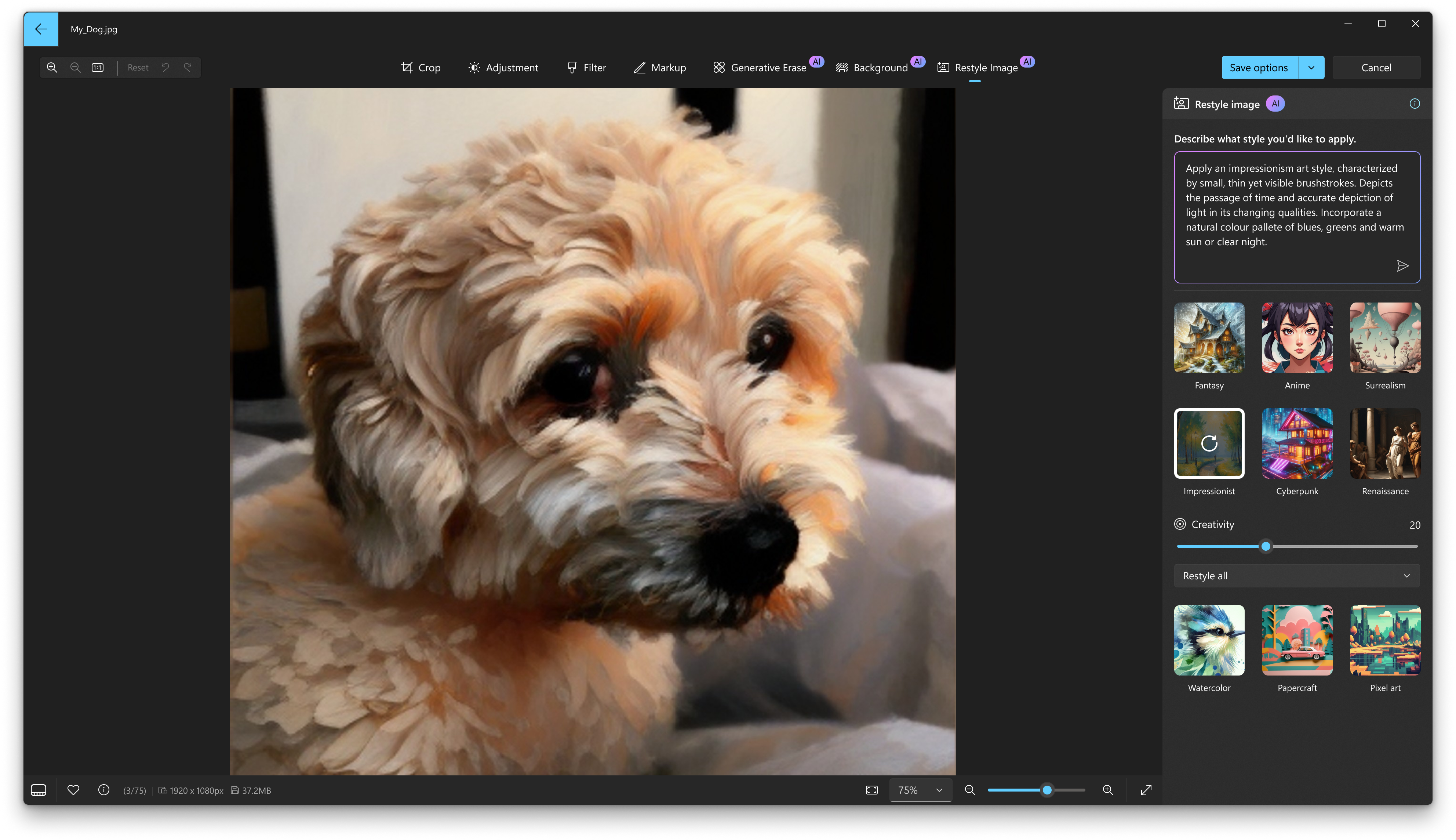
Key highlights include seamless photo viewing, basic yet powerful editing features like cropping, filters, and adjustments, and an integrated album organization system. The app also supports videos, enabling simple edits and playback, which makes it a decent all-in-one hub for your multimedia content. Its interface is clean, and the overall performance is optimized for smooth navigation, which is vital in an age where we expect instantaneous responses from our apps.
Core Functionality Breakdown: What Can You Do With Microsoft Photos?
Photo Viewing and Organization Made Effortless
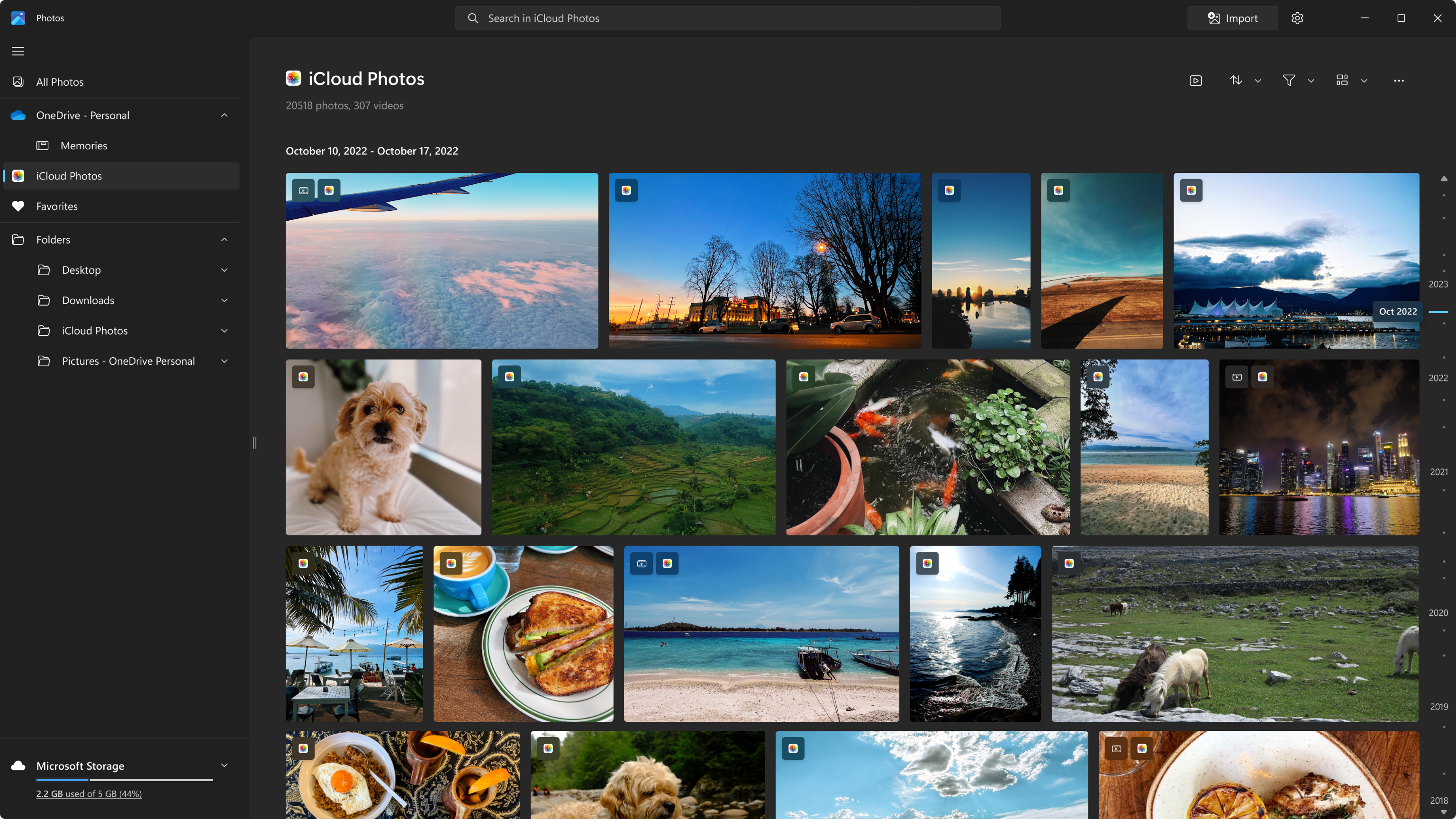
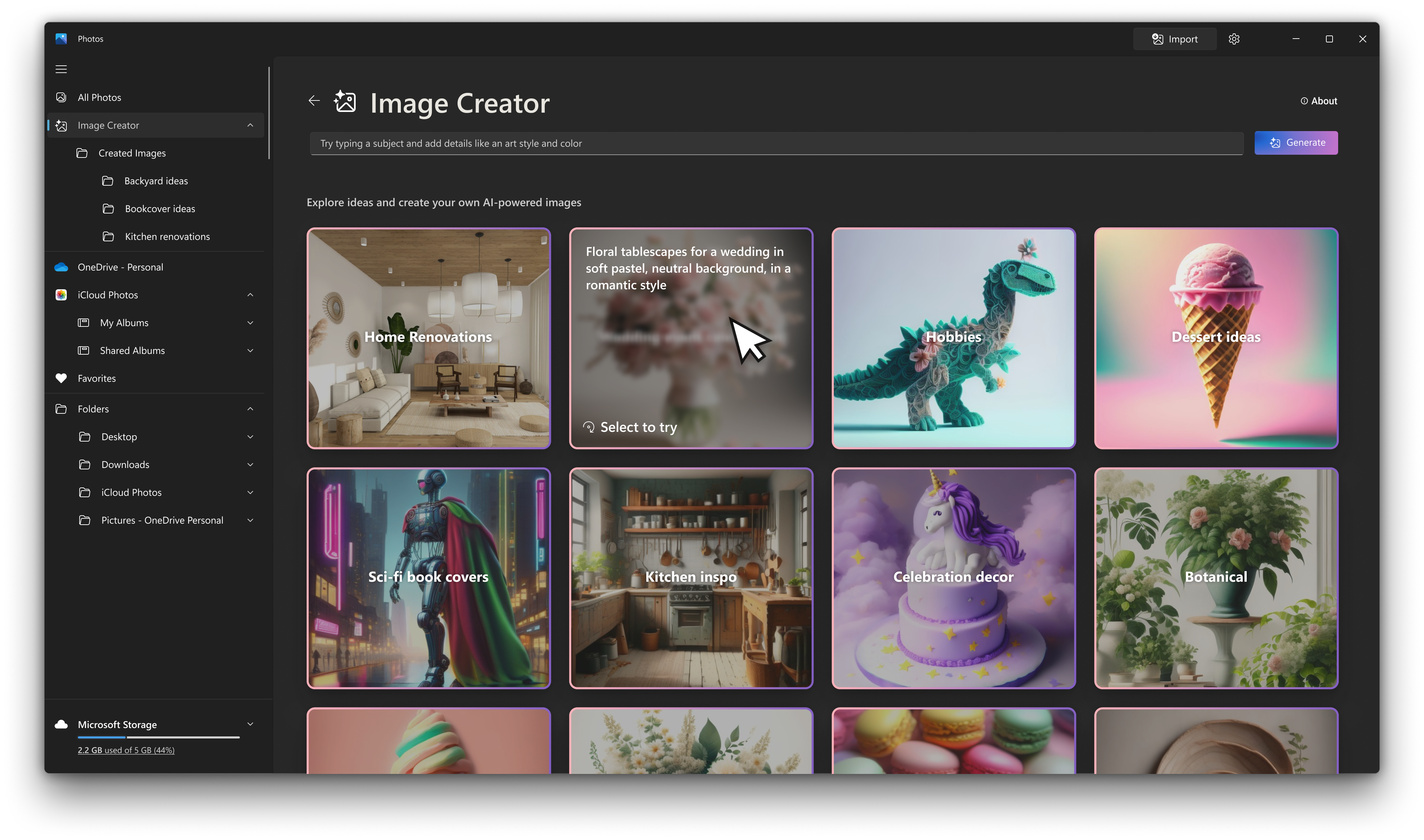
Microsoft Photos offers a visually pleasing and user-friendly gallery view that automatically sorts images by date and album, making it feel like flipping through a well-organized photo album. The app's smart tagging and search features understand your photo collection, allowing you to locate photos via location, date, or even recognized objects—say goodbye to endless scrolling!
Intuitive Editing Tools for Quick Enhancements
Whether you're a casual user or a budding photographer, the editing suite caters to your needs without overwhelming you. Simple tools like crop, rotate, and red-eye removal sit alongside filters and color adjustments. One standout feature is the 'Reflections' and 'Vignette' overlays, which add a professional touch despite the app's accessibility. These features are designed to be straightforward, letting users enhance their photos with just a few clicks.
Video Support and Basic Editing
Beyond photos, Microsoft Photos also handles videos, supporting clip trimming and simple effects. Although it doesn't aim to rival dedicated video editors, it's a handy addition for quick edits or viewing family videos without switching apps. The transition between photo and video modes is seamless, maintaining a consistent user experience.
Experience and Unique Selling Points
The user experience is a pleasant surprise: the interface boasts a modern, minimalistic aesthetic that feels familiar yet fresh, akin to flipping through a well-designed photo portfolio. Navigation is responsive, and the app's learning curve is gentle—perfect for users who prefer straightforward tools over complex software. The app's performance remains stable even when managing large collections, showcasing solid optimization.
What sets Microsoft Photos apart from competitors like Google Photos or Apple Photos? The most notable difference lies in its integration with Windows ecosystem and Microsoft's cloud services, offering smooth synchronization with OneDrive. Additionally, the app's focus on providing essential editing features within a simple interface makes it stand out. Instead of overwhelming users with endless options, it strikes a balance—a digital scrapbook that's easy to use but capable enough for everyday needs.
Should You Use Microsoft Photos? Recommendations and Final Thoughts
For Windows users seeking a reliable, easy-to-navigate photo app that covers the basics without sacrificing performance, Microsoft Photos is a solid choice. It's particularly recommended for those already immersed in the Microsoft ecosystem, thanks to its seamless integration with OneDrive and Windows Photo Viewer. However, power users looking for advanced editing or professional-grade features may find it lacking in depth.
Overall, I'd rate Microsoft Photos as a "Recommended" app for casual and semi-professional users who prioritize simplicity combined with essential functionalities. It's a friendly digital assistant for your images—providing just enough tools to make your photo management enjoyable without cluttering your screen with complexity. Give it a try if you value ease of use paired with reliable performance; it might just become your go-to photo companion on Windows.
Pros
- Intuitive User Interface
- Excellent Photo Organization
- Built-in Basic Editing Tools
- Seamless Cloud Integration
- Freely Available and Regular Updates
Cons
- Limited Advanced Editing Options
- Slow Performance with Large Libraries
- Occasional Syncing Issues
- Limited Support for Raw Files
- Basic Video Editing Features











