

- Category Productivity
- Available on PC, Mobile, Surface Hub
- OS Windows 10 version 17763.0 or higher
- languages Afrikaans, Albanian, Amharic, Arabic, Bangla (Bangladesh), Bangla (India), Basque, Belarusian, Bosnian (Latin), Bulgarian, Catalan, Chinese (Simplified), Chinese (Traditional Chinese), Chinese (Traditional), Croatian, Czech, Danish, Dutch, English, English (United Kingdom), Estonian, Filipino, Finnish, French, French (Canada), Galician, German, Greek, Hausa (Latin), Hebrew, Hindi, Hungarian, Icelandic, Indonesian, Italian, Japanese, Kannada, Kazakh, Khmer, Kiswahili, Korean, Korean , Latvian, Lithuanian, lo, Macedonian, Malay, Malayalam, Norwegian (Bokmål), Persian/Farsi, Polish, Portuguese (Brazil), Portuguese (Portugal), Romanian, Russian, Serbian, Serbian (Cyrillic, Bosnia and Herzegovina), Serbian (Latin, Serbia), Slovak, Slovenian, Spanish, Spanish (Mexico), Spanish (Spain), Swedish, Tamil, Telugu, Thai, Turkish, Ukrainian, Uzbek, Valencian, Vietnamese
Introduction: A Streamlined Companion for Task Management
Microsoft To Do reimagines productivity on Windows as a simple yet robust task management tool, designed to help users organize their daily routines efficiently without the clutter of overly complicated features. With its clean interface and seamless integration, it positions itself as an accessible sidekick for both casual planners and busy professionals looking to keep their to-do lists under control.
Core Functionality Highlights: Simplicity Meets Power
Smart List & Task Organisation
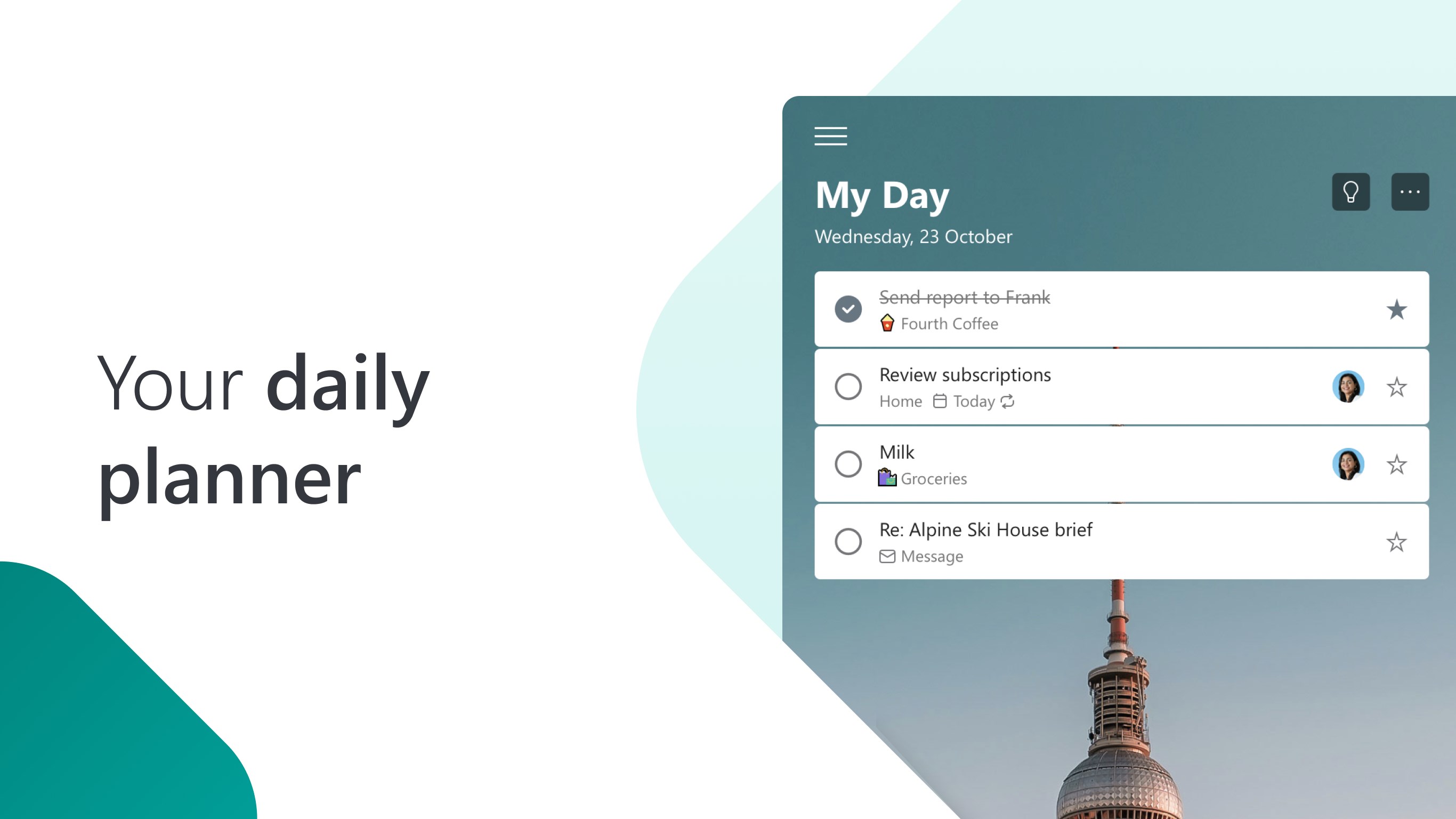
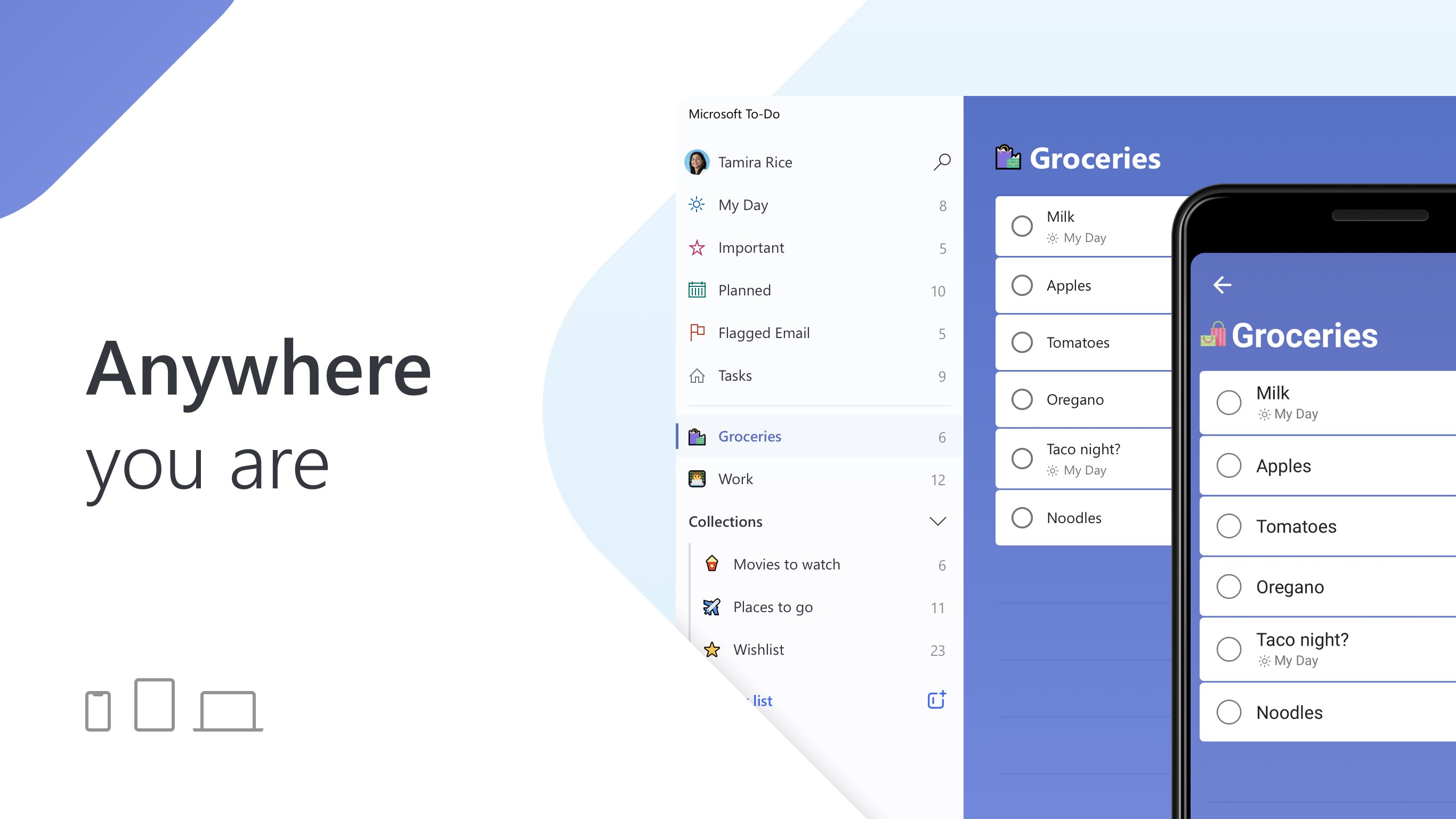
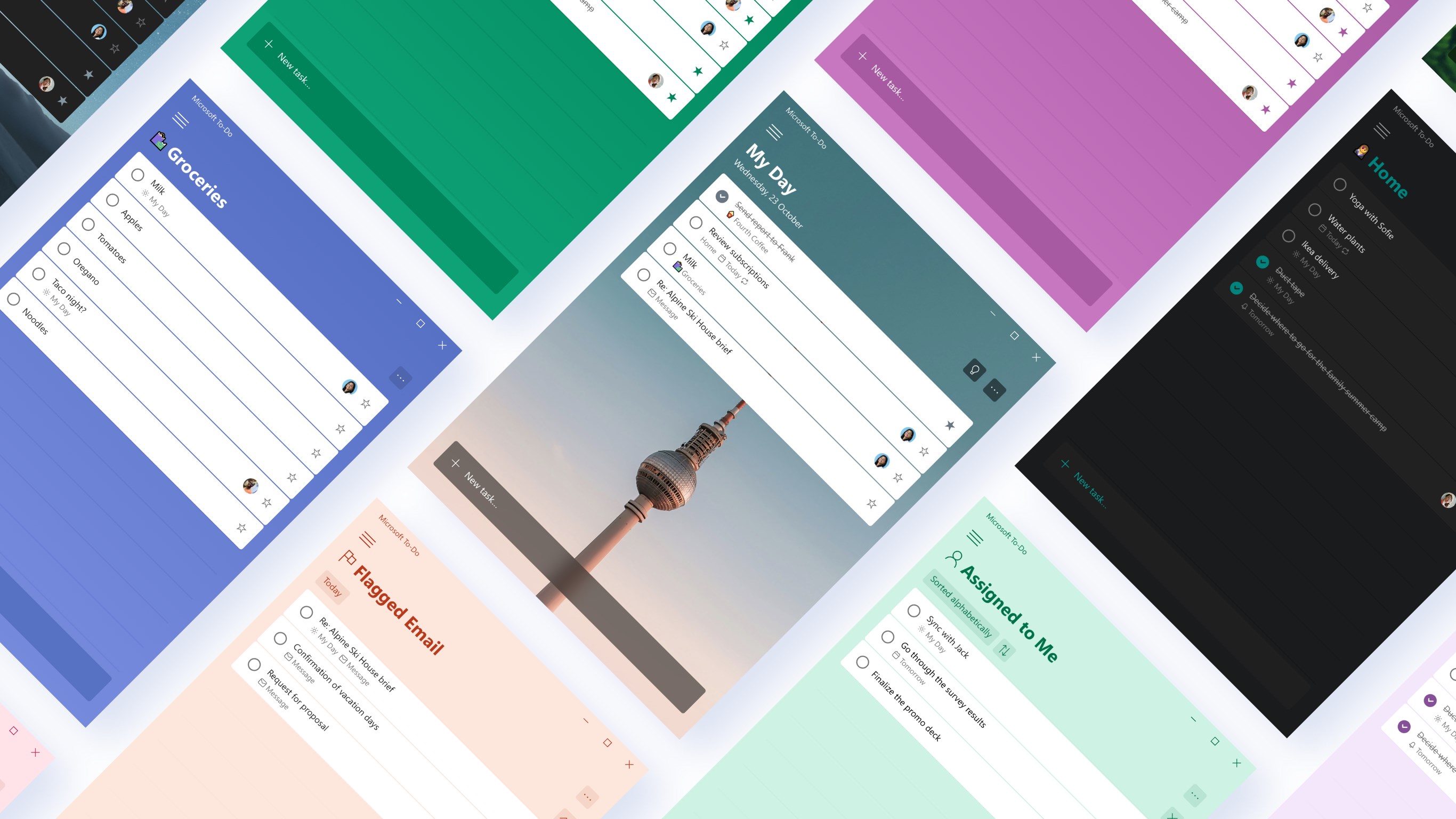
At the heart of Microsoft To Do is its intuitive task organization system. Users can create customizable lists—such as "Work," "Groceries," or "Personal"—and add tasks with straightforward inputs. The app supports subtasks, deadlines, and priority flags, making it easy to break down complex projects into manageable steps. A notable feature is the “My Day” view, which provides a daily focus list, helping users prioritize important tasks without overwhelming them with their entire backlog.
Reminders & Notifications That Actually Help
The application excels in timely reminders, ensuring that impending deadlines or important errands aren't missed. These notifications are customizable, allowing users to set specific alert times or locations, such as reminding you to buy milk when entering the supermarket. The sync across devices guarantees you stay updated whether on your Windows PC, smartphone, or tablet, enhancing continuity and reducing stress.
Seamless Integration & Productivity Ecosystem
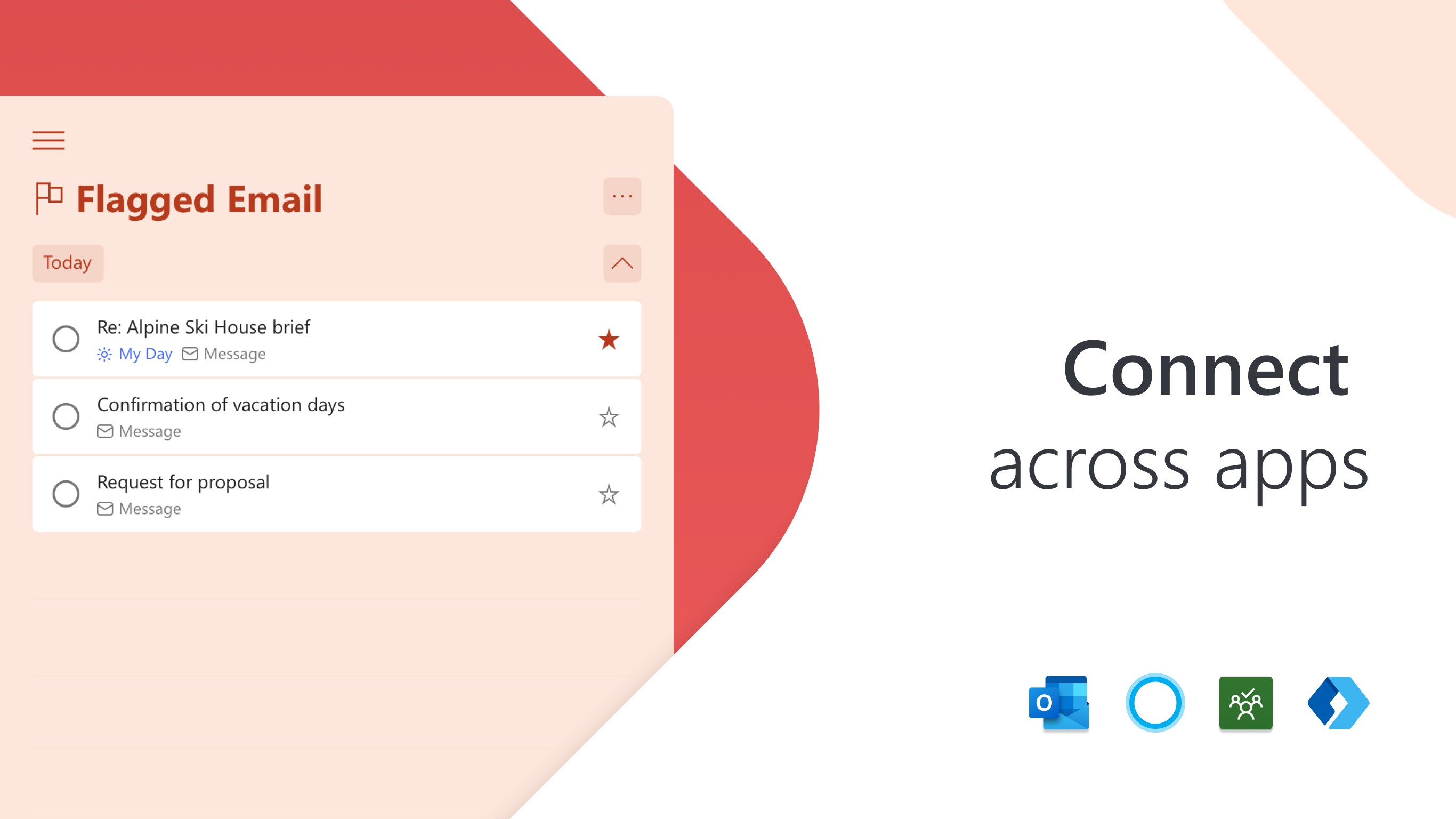
One of the standout features of Microsoft To Do is its tight integration with Microsoft 365 services. Tasks can be directly linked to Outlook emails, flagged items, or flagged messages, streamlining workflow management. Furthermore, integration with Microsoft Planner and To-Do's collaboration features makes it a natural extension for teams already embedded within the Microsoft ecosystem, transforming fragmented task management approaches into a cohesive process.
User Experience: Clean, Intuitive & Efficient
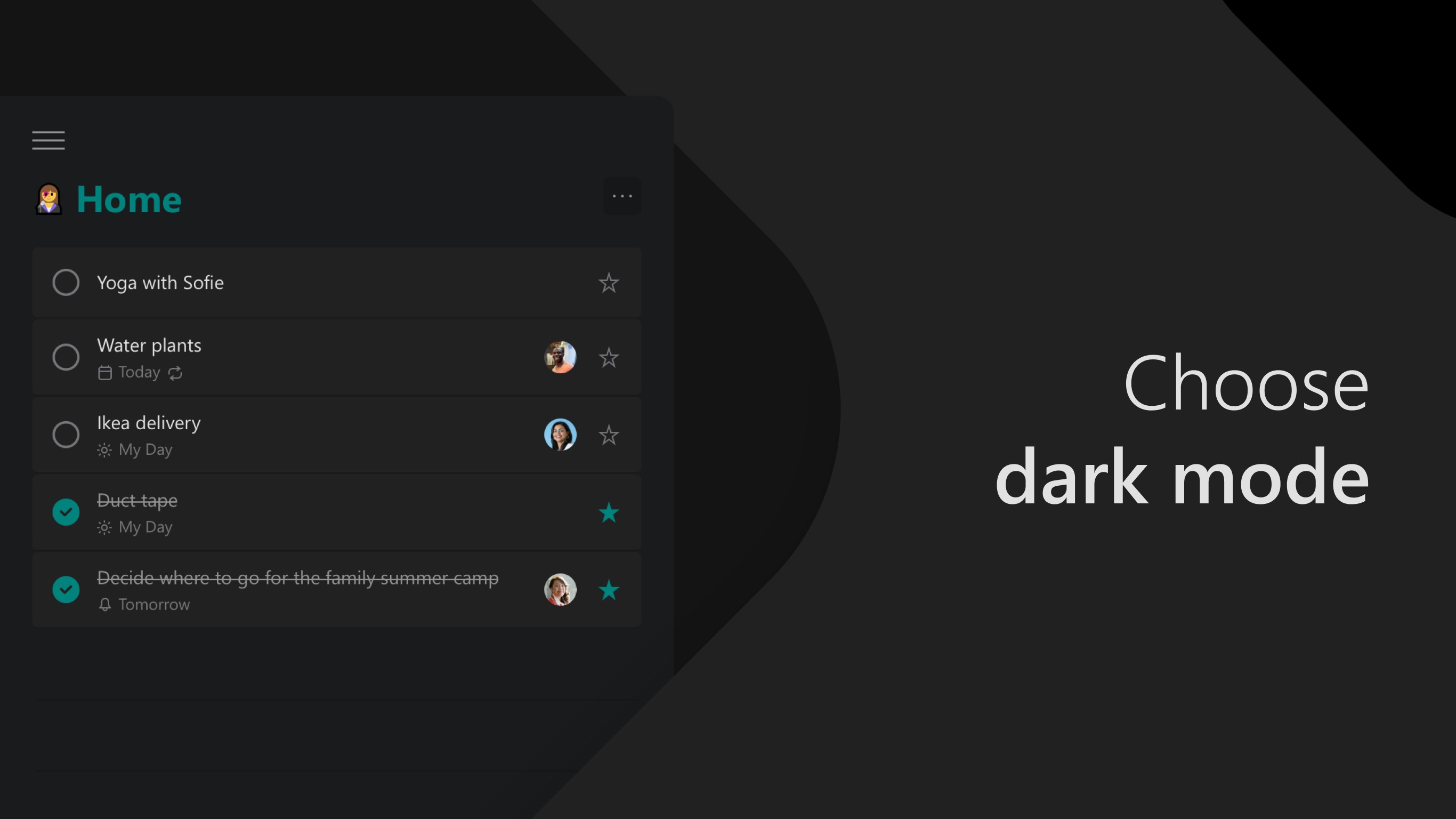
Microsoft To Do's interface is akin to a well-organized desk—minimalistic, clutter-free, and easy to navigate. The dark/light mode switch feels natural, catering to personal preferences and ambient environments alike. Its operation flow is smooth; adding, editing, or rescheduling tasks involves effortless clicks and drags, reducing cognitive load. The learning curve is gentle enough for new users, who can quickly familiarize themselves with core features without feeling overwhelmed. The app's responsiveness and fluid animations contribute to a satisfying user experience, making task management feel less like a chore and more like a well-oiled routine.
Unique Strengths: Focus on Workflow Efficiency & Cognitive Load Reduction
Compared to other productivity apps like Todoist or Asana, Microsoft To Do's distinct advantage lies in its focus on minimizing cognitive effort required for daily planning. Its “My Day” feature acts as a mental reset, encouraging users to focus solely on immediate priorities and avoid feeling bogged down by a never-ending list. The integration with other Microsoft tools reduces the need to switch contexts or open multiple apps—imagine having your reminder pop up just as you're drafting an email; this synergy saves time and mental energy. Unlike complex task managers with myriad options, To Do's streamlined feature set makes it easier to stay consistent and reduces the mental clutter associated with overloaded tools.
Recommendation & Usage Tips
Microsoft To Do is highly recommended for users seeking a straightforward yet powerful task management app, especially those already immersed in the Microsoft ecosystem. Its best advantages are its ease of use, seamless integration, and focus on reducing mental burden. For best results, start by creating personalized lists and leverage the “My Day” feature to set daily intentions. Use reminders and sync options to keep everything aligned across devices. However, if your projects require complex collaboration or detailed tracking, supplementing with more advanced tools may be necessary.
In essence, Microsoft To Do acts like your digital assistant—always ready to help you organize your day with minimal fuss and maximum clarity. It's not about overwhelming you with features, but about enhancing your workflow through thoughtful design and integration, truly making your daily planning more effortless.
Pros
- Seamless Microsoft Ecosystem Integration
- User-Friendly Interface
- Robust Reminder and Due Date Features
- Cross-Platform Accessibility
- Customizable Lists and Subtasks
Cons
- Limited Free Features
- Lack of Advanced Task Filtering
- Offline Mode Limitations
- Notification Customization Restrictions
- Export and Backup Options











