
Frequently Asked Questions
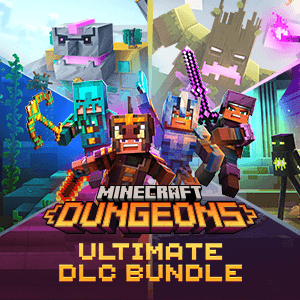
How do I install the Minecraft Dungeons Ultimate DLC Bundle on Windows 10?
Purchase the bundle from the Microsoft Store, then go to 'My Library' and click 'Install' to add it to your device.
What are the main new features included in the DLC Bundle?
The bundle includes six DLCs offering new levels, mobs, and stories—Jungle Awakens, Creeping Winter, Howling Peaks, Flames of the Nether, Hidden Depths, and Echoing Void.
Can I access all six DLCs after purchasing the bundle?
Yes, purchasing the Ultimate DLC Bundle grants access to all six DLCs within your game library without additional cost.
How do I activate the DLC content in my game?
Launch Minecraft Dungeons, go to the 'Downloadable Content' section, and ensure all DLCs are enabled or installed to access new content.
Are there any recommended system requirements for running the DLC content smoothly?
Ensure your Windows 10 device meets the game's system requirements listed on the store, including sufficient RAM and graphics capabilities for smooth gameplay.
Will purchasing the bundle give me future DLC updates for free?
No, the bundle provides current DLCs; future DLCs will require separate purchases unless specified otherwise.
Can I upgrade from individual DLC purchases to the Ultimate Bundle?
Currently, upgrades aren't available; you'll need to purchase the bundle directly for all six DLCs at a discounted rate.
How do I troubleshoot if the DLCs are not showing up after purchase?
Restart the game and check for updates; ensure the DLCs are downloaded and enabled via the game's content management menu.
Is there a subscription required to access DLC content?
No subscription is required; purchase the DLC bundle once to access all included content anytime.
Can I refund or get a refund for the DLC Bundle if I change my mind?
Refund policies depend on the platform; check Microsoft Store's refund policies for eligibility and procedures.
You May Like

Red Dead Redemption (PC)
for Windows
5
Solo Leveling: ARISE OVERDRIVE
for Windows
4.9
Criminal Case: The Conspiracy
for Windows
4.8
DesignVille: Merge & Design
for Windows
4.8
Minecraft: Java & Bedrock Edition Deluxe Collection
for Windows
4.8
Subnautica
for Windows
4.8
Vampire Survivors
for Windows
4.8
Little Kitty, Big City
for Windows
4.8
Hollow Knight: Voidheart Edition
for Windows
4.8
bloxd.io
for Windows
4.8
Sunset Overdrive
for Windows
4.8
Criminal Case: Mysteries of the Past
for Windows
4.8