
Frequently Asked Questions
How do I start playing Minecraft Legends Deluxe Edition for the first time?
Download and install the app from your device's app store, then open it and follow the on-screen tutorial to learn basic controls and gameplay.
What are the main features included in the Deluxe Edition?
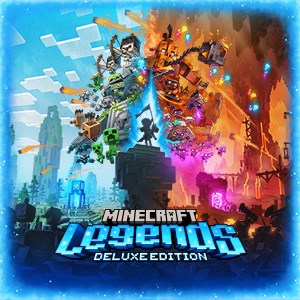
The Deluxe Edition includes six additional skins: one hero, four mounts, and an extra mount skin, enhancing your customization options and gameplay experience.
How can I unlock and equip the additional skins in the game?
Go to the 'Customization' menu from the main screen, then select 'Skins' to view and apply the Deluxe Edition skins available in your inventory.
What gameplay modes are available in Minecraft Legends?
Minecraft Legends offers PvE story campaigns, strategic base battles, and exploration of lush biomes to meet mobs and find treasures.
Can I team up with friends or play multiplayer in this game?
Yes, the game supports multiplayer modes; you can join friends or access online multiplayer via the main menu under 'Multiplayer' options.
Are there in-app purchases or subscriptions I should be aware of?
Yes, some skins and items are available as in-app purchases. To check your purchases or subscriptions, go to Settings > Account > Subscriptions.
How do I purchase the Deluxe Edition or other in-game content?
Visit the app store where you downloaded the game, locate Minecraft Legends Deluxe Edition, and complete the purchase following the store's instructions.
Will there be any ongoing costs or required subscriptions to enjoy all features?
The base game is a one-time purchase, but premium skins or features may require additional purchases. Subscriptions are not mandatory for core gameplay.
What should I do if the game crashes or encounters bugs?
Try restarting your device, updating the game and OS, or reinstalling the app. If issues persist, contact support through Settings > Help > Contact Support.
Is there any way to reset my game progress or troubleshoot data issues?
You can back up your save data via Settings > Account. To reset progress, use the 'Reset Game' option in Settings, but note this will erase current data.
You May Like

Red Dead Redemption (PC)
for Windows
5
Solo Leveling: ARISE OVERDRIVE
for Windows
4.9
Criminal Case: The Conspiracy
for Windows
4.8
DesignVille: Merge & Design
for Windows
4.8
Minecraft: Java & Bedrock Edition Deluxe Collection
for Windows
4.8
Subnautica
for Windows
4.8
Vampire Survivors
for Windows
4.8
Little Kitty, Big City
for Windows
4.8
Hollow Knight: Voidheart Edition
for Windows
4.8
bloxd.io
for Windows
4.8
Sunset Overdrive
for Windows
4.8
Criminal Case: Mysteries of the Past
for Windows
4.8