
Frequently Asked Questions
How do I install the Minecraft Triple Bundle for PC?
Download the game launcher from your platform's store, then follow prompts to install the entire bundle easily.
Can I play all three Minecraft games offline on PC?
Yes, you can enjoy playing Minecraft, Minecraft Dungeons, and Minecraft Legends offline after installation.
What are the main features of Minecraft in this bundle?
Explore infinite worlds, survive or create, team up in multiplayer, and experience action and adventure across three titles.
How do I switch between the three games within the bundle?
Open your game library, locate the bundle, and select the desired game icon to launch each title individually.
What are Minecoins, and how can I use them?
Minecoins are in-game currency; use them to purchase content for Minecraft Bedrock Edition and Minecraft Legends via the in-game store.
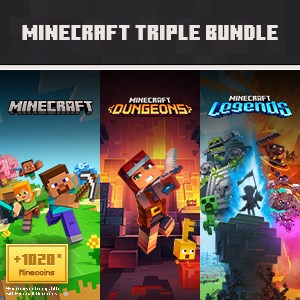
Are the 1020 Minecoins usable in Minecraft Dungeons?
No, Minecoins cannot be used in Minecraft Dungeons; they are only for Minecraft Bedrock Edition and Legends.
What is included in the purchase of this bundle?
The bundle includes three Minecraft games and 1020 Minecoins for additional in-game content.
How do I purchase additional content with Minecoins?
Open the in-game store in Minecraft or Legends, browse content, and buy using your Minecoins under Settings.
Do I need a subscription for multiplayer features?
Yes, multiplayer requires a platform-specific online subscription, which must be purchased separately.
What should I do if the game crashes or has technical issues?
Try restarting your PC, updating your graphics driver, or reinstalling the game. Contact support if problems persist.
You May Like

Red Dead Redemption (PC)
for Windows
5
Solo Leveling: ARISE OVERDRIVE
for Windows
4.9
Criminal Case: The Conspiracy
for Windows
4.8
DesignVille: Merge & Design
for Windows
4.8
Minecraft: Java & Bedrock Edition Deluxe Collection
for Windows
4.8
Subnautica
for Windows
4.8
Vampire Survivors
for Windows
4.8
Little Kitty, Big City
for Windows
4.8
Hollow Knight: Voidheart Edition
for Windows
4.8
bloxd.io
for Windows
4.8
Sunset Overdrive
for Windows
4.8
Criminal Case: Mysteries of the Past
for Windows
4.8