
Frequently Asked Questions
How do I set Minimal Drift as my desktop wallpaper?
Open the app, select your preferred image, then tap 'Set Wallpaper' to apply it to your desktop background.
Can I customize the images or only use the preset ones?
Minimal Drift offers fixed preset images; customization options are currently not available but may be added in future updates.
What are the core features of Minimal Drift?
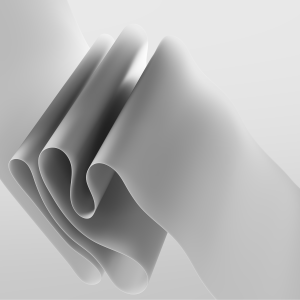
It provides beautifully crafted, dynamic ribbon and swirling cluster images designed to create a fluid, minimalistic desktop aesthetic.
How often are new images added or updated?
New images are updated periodically; ensure your app is updated to access the latest themes and designs.
Can I use these images on multiple devices?
Yes, as long as you are logged into the same account, you can use your purchased or downloaded images across devices.
Is Minimal Drift a free app, and are there any in-app purchases?
The app is free to download with a 4-image theme; premium features or additional images may require a subscription or purchase.
How do I subscribe or upgrade to premium features?
Go to Settings > Account > Subscription within the app to view and manage your subscription options.
What should I do if the app crashes or images don't load correctly?
Try restarting the app, checking your internet connection, or reinstalling. Contact support if issues persist.
You May Like

Blooming Dimensions
for Windows
5
Monotype Handwriting Font Pack
for Windows
5
Hues of Nature
for Windows
5
Dreamscapes
for Windows
5
Tales of the Teenage Mutant Ninja Turtles Theme
for Windows
5
Neon Dreams
for Windows
4.9
Cats Anytime
for Windows
4.9
Japanese Landscapes
for Windows
4.9
Sun and Sand
for Windows
4.9
Live Wallpaper Engine Plus
for Windows
4.8
Chicks and Bunnies
for Windows
4.8
Mountain Dwellings
for Windows
4.8