

- Category Music
- Developer NCH Software
- Available on PC
- OS Windows 10 version 15063.0 or higher
- languages English (United States)
Introduction to MixPad for Windows: A Comprehensive Multi-Track Recording Studio
MixPad for Windows by NCH Software positions itself as a versatile digital audio workstation designed for musicians, podcasters, and audio enthusiasts seeking professional-grade mixing capabilities. With an intuitive interface and robust features, it aims to serve both beginners and experienced users eager to craft polished audio projects without the steep learning curve associated with high-end DAWs.
Developer and Core Features
Developed by NCH Software, a reputable name in audio and multimedia applications, MixPad brings a suite of tools tailored for seamless audio production. Its standout features include multi-track recording and editing, the ability to apply a wide array of audio effects, and support for importing/exporting numerous media formats. Additionally, it offers real-time mixing and level control, making it suitable for complex projects.
Who Is MixPad For?
This application is ideal for aspiring musicians, podcasters, voice-over artists, and even educators looking to produce professional audio content. Its user-friendly design ensures beginners can quickly grasp essential functions, while its depth satisfies more advanced users requiring intricate editing and mixing capabilities.
Engaging and Fun-Packed Introduction: Why MixPad?
Imagine you're in a cozy studio, surrounded by a symphony of sounds—you've laid down your vocals, guitar riffs, and quirky sound effects, all perfectly layered. MixPad transforms your home setup into a professional studio where creativity flows as smoothly as a well-rehearsed band. Whether you're putting together a musical masterpiece or editing a podcast episode, MixPad brings a friendly, approachable vibe to complex audio work, making it almost feel like collaborating with a reliable assistant eager to make your ideas shine.
Core Functionality #1: Multi-Track Recording & Editing – Your Digital Canvas
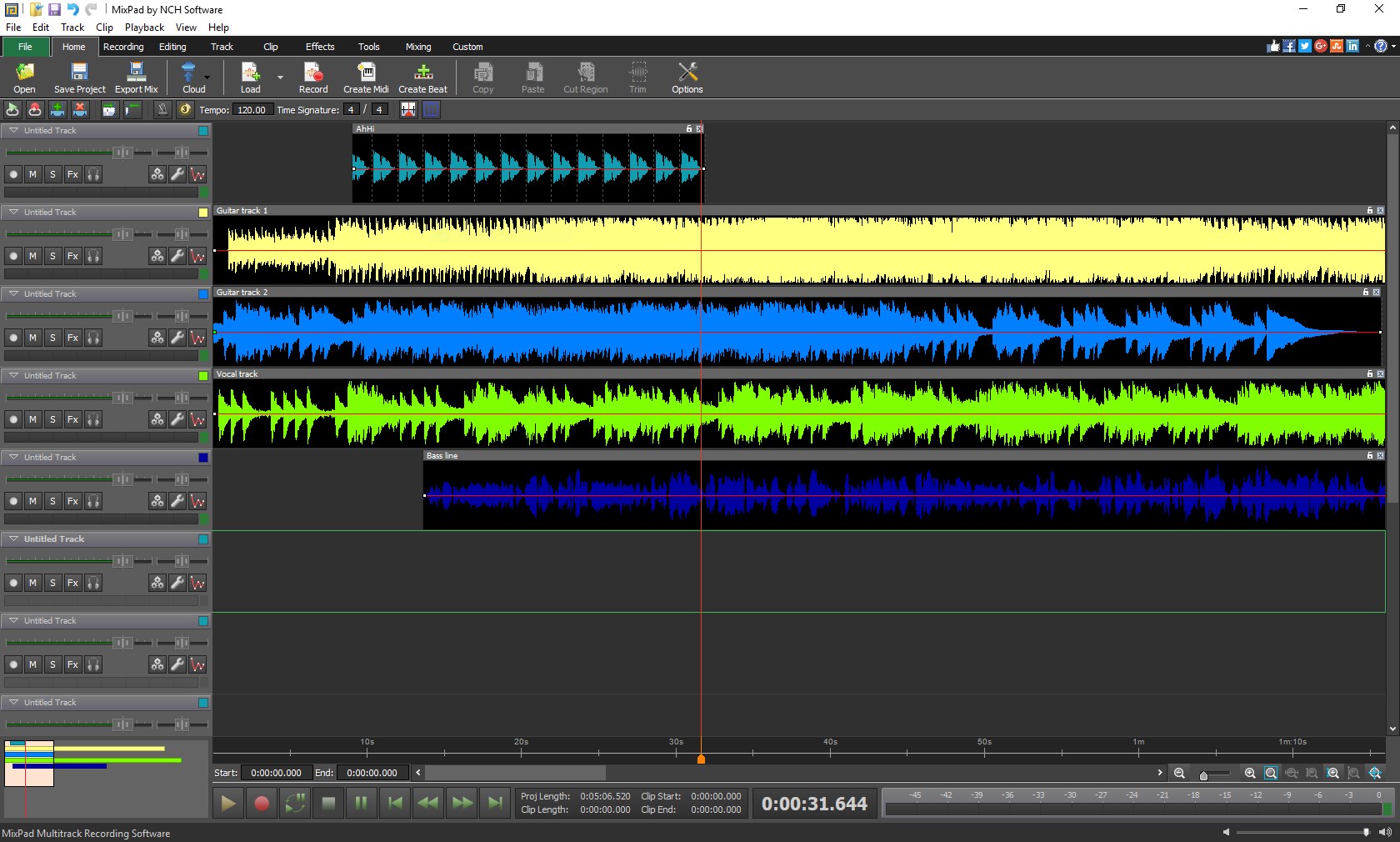
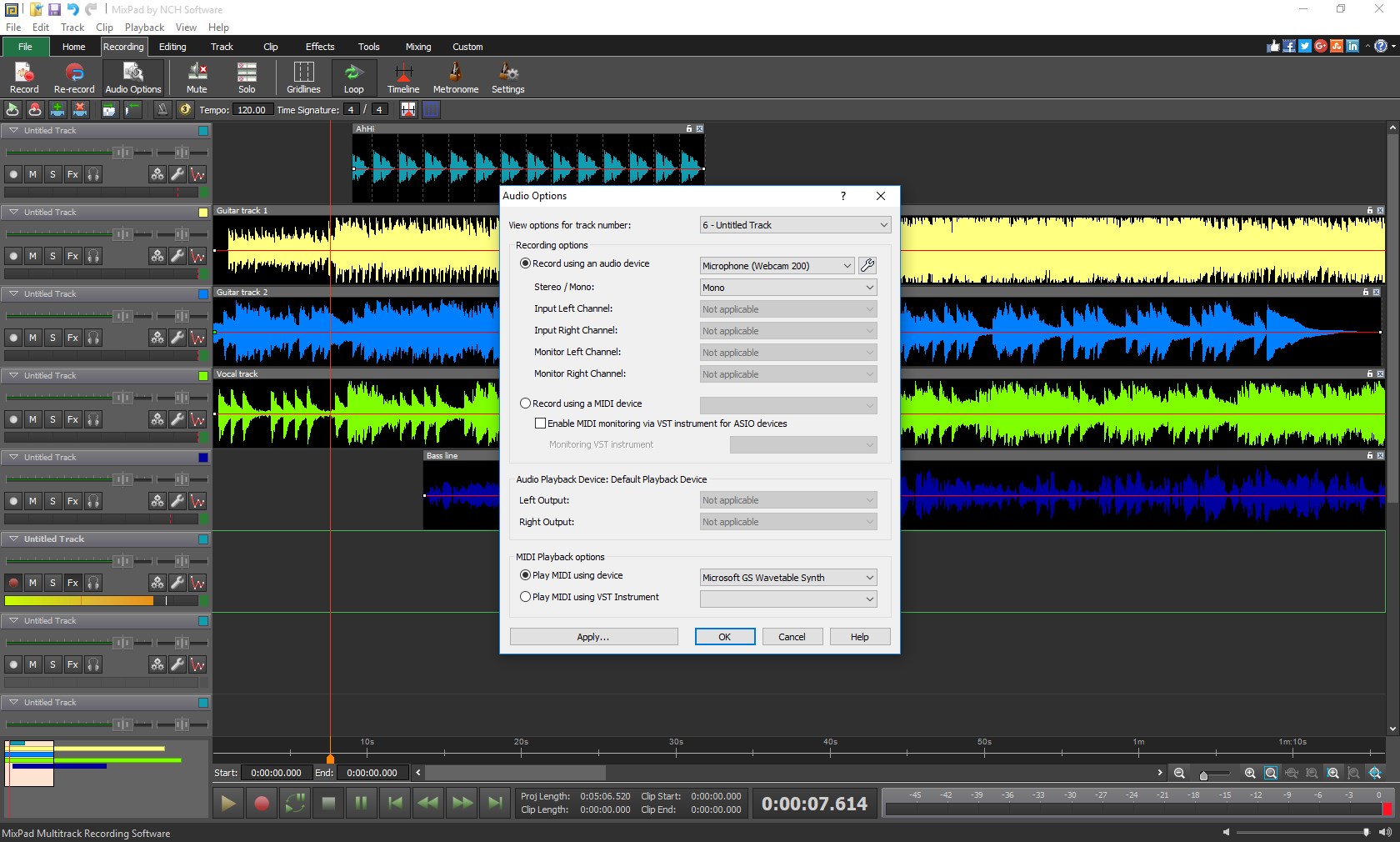
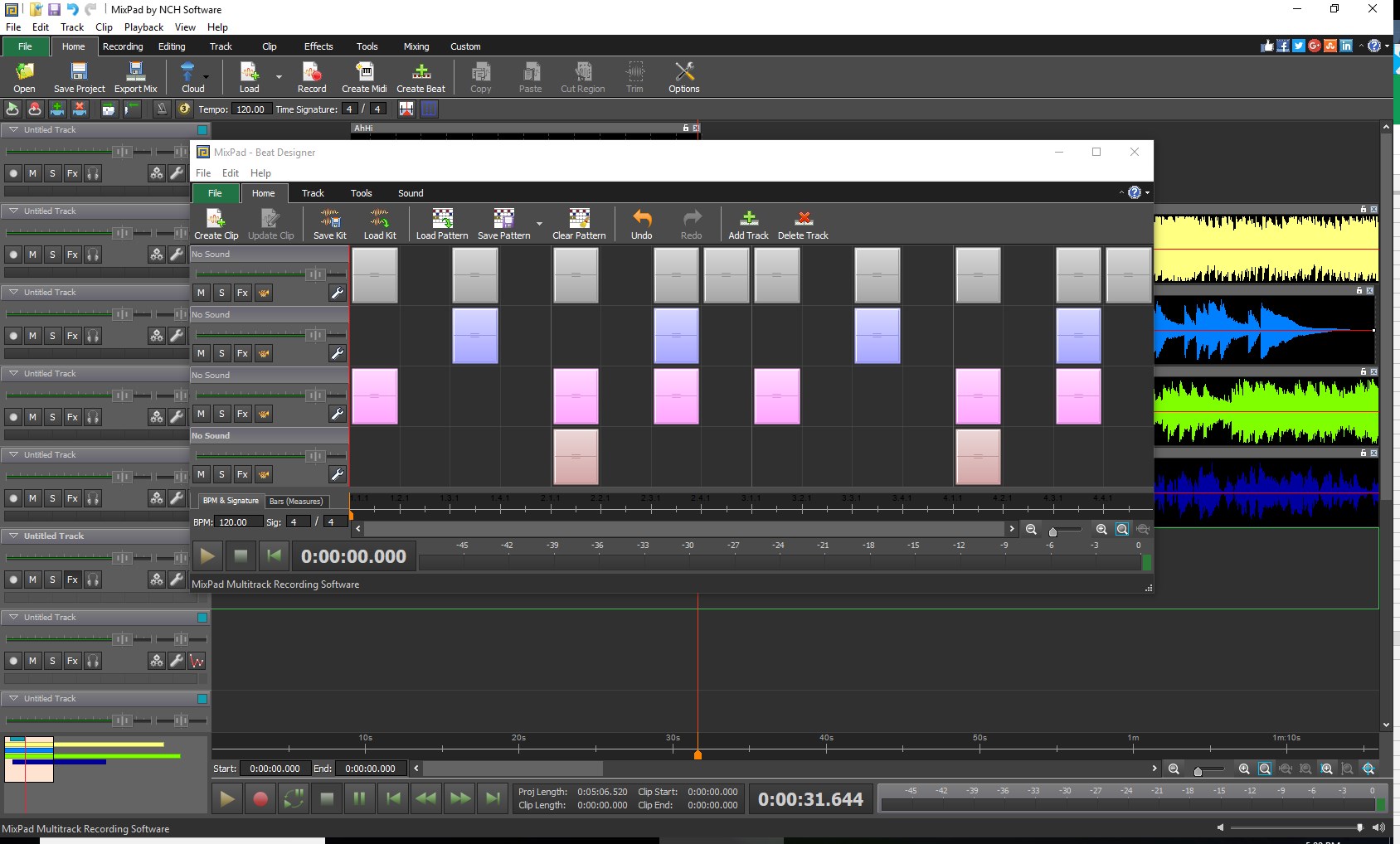
At the heart of MixPad lies its powerful multi-track recording capability. The interface resembles a traditional tape deck, but with the advantages of digital flexibility. Users can record multiple audio tracks simultaneously or import pre-recorded segments. Editing is straightforward: drag, cut, copy, and move tracks with precision, akin to assembling a musical puzzle. The timeline view is clear and uncluttered, allowing users to visualize their project intuitively. This feature essentially converts your Windows PC into an expansive recording studio where every track can be fine-tuned to perfection.
Core Functionality #2: Rich Audio Effects & Real-Time Mixing – Elevate Your Sound
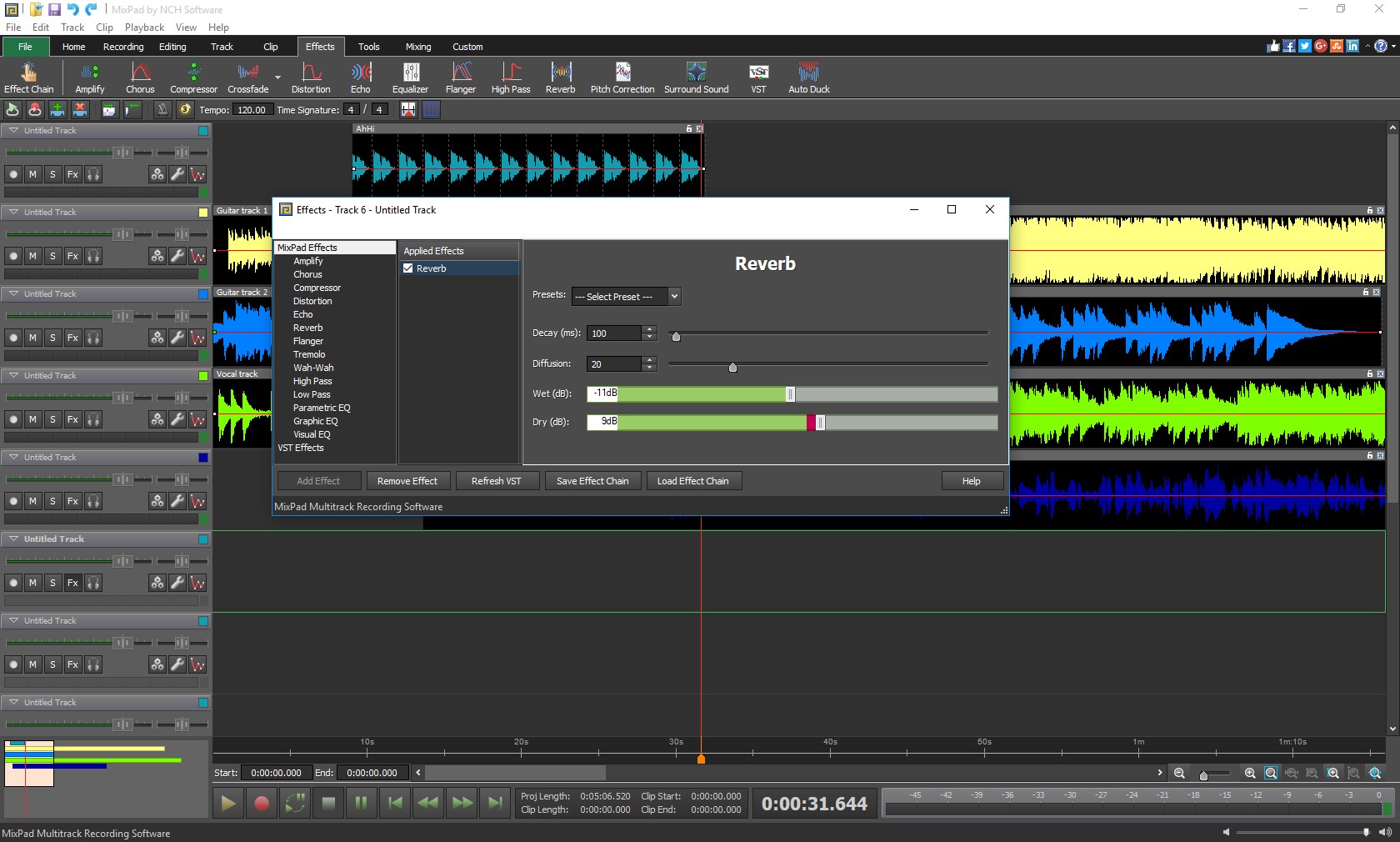
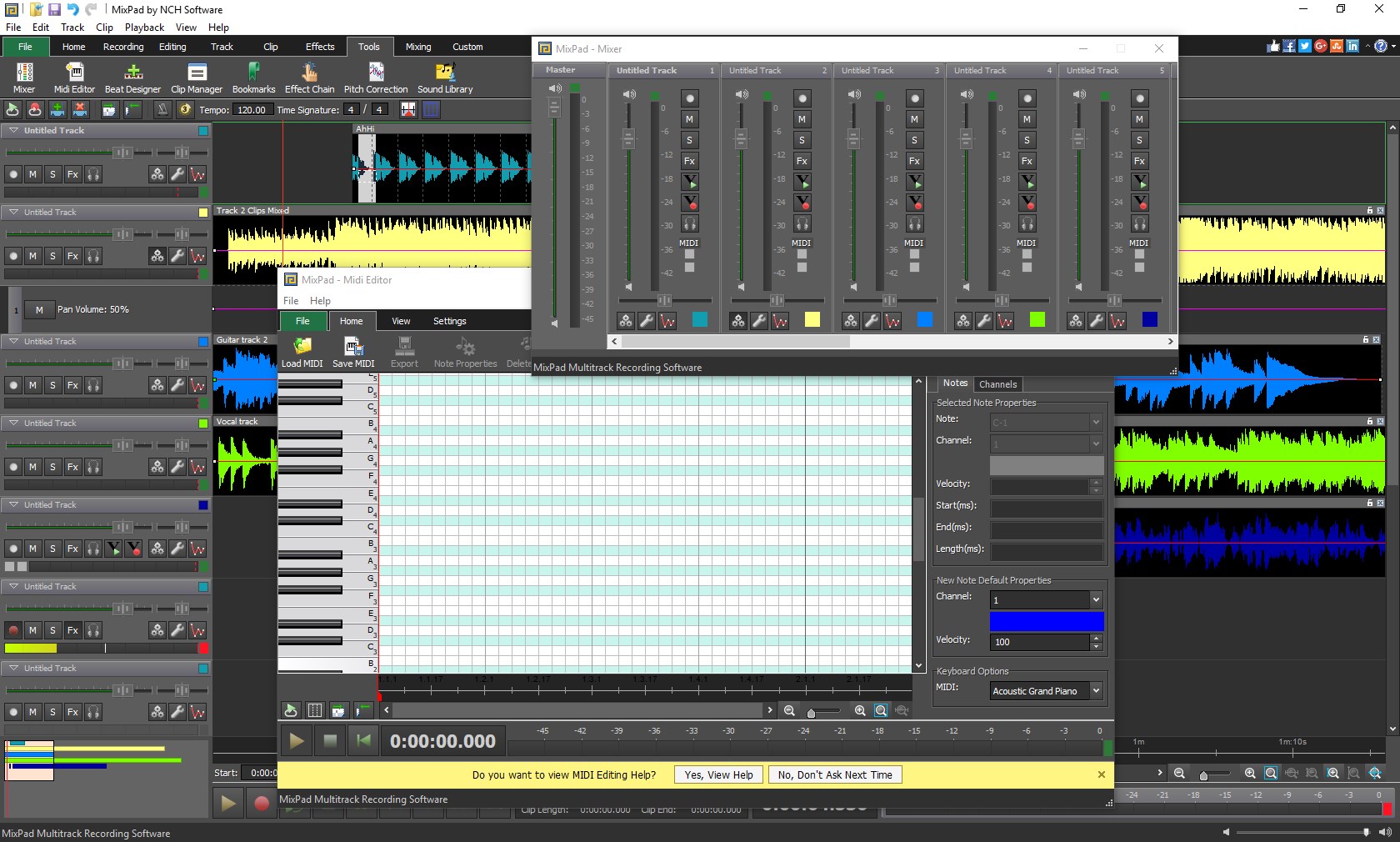
MixPad's expansive library of effects includes equalization, compression, reverb, and pitch correction, giving your audio that professional polish. What sets it apart is the ability to preview effects in real-time—think of it as hearing a remix evolving before your eyes—and then adjust parameters accordingly, saving you time and guesswork. The mixer panel is user-friendly, featuring sliders and dials that mimic physical mixing consoles, making the adjustment process engaging and approachable. The app handles multiple effects seamlessly, maintaining smooth operation even during complex sessions.
User Experience: Design, Performance, and Learning Curve
From a user perspective, MixPad impresses with its clean and organized interface, which reduces clutter and makes navigation straightforward. Transitioning between functions feels fluid, with minimal lag, even as projects grow in complexity. The learning curve is gentle; most features are self-explanatory, complemented by helpful tooltips and a modest learning curve that welcomes newcomers. For seasoned audio engineers, the depth of editing options and real-time effects keep the workflow both efficient and satisfying.
What Makes MixPad Unique? Comparing Its Rhythm and Responsiveness
Among its peers in the music production app landscape, MixPad stands out for its exceptionally low input latency tolerance, ensuring that users experience minimal delay between input and playback—crucial for maintaining natural rhythm and timing during recording sessions. Furthermore, its capacity to assess and support rhythm pattern variety allows musicians to experiment with complex, syncopated beats without sacrificing responsiveness. This makes MixPad particularly appealing for rhythm-driven projects and live recording scenarios, where timing precision is vital and there's little room for lag or lag-induced errors.
Final Recommendation and Usage Suggestions
All in all, MixPad for Windows is a solid, accessible option for those looking to produce professional-sounding audio without diving into overly complicated software. Its blend of straightforward multi-track editing, high-quality effects, and superior responsiveness makes it especially suitable for casual producers and semi-professional creators. For users who prioritize rhythm accuracy and need a reliable platform for dynamic sessions, MixPad is definitely worth a try. For best results, new users should start with basic projects to familiarize themselves with the interface and then gradually explore its more advanced features.
Pros
- User-friendly interface
- Multiple track mixing
- Variety of audio effects
- Export options
- Free version available
Cons
- Limited advanced editing features
- Occasional lag during large projects
- Export quality can sometimes be inconsistent
- Limited tutorial resources
- Some features are locked behind paid upgrade











