

- Category Music
- Developer Hopify
- Available on PC, Mobile, Surface Hub, HoloLens
- OS Windows 10 version 19041.0 or higher
- languages English (United States)
Introducing Music Editor - Mix and Edit for Windows: A Comprehensive Tool for Aspiring Musicians
Music Editor - Mix and Edit, developed by Hopify, is a versatile application tailor-made for users who want to craft, refine, and manipulate their audio tracks with ease on Windows. Whether you're an amateur musician, a podcaster, or someone exploring audio editing for fun, this app aims to streamline your creative process without overwhelming complexity.
Core Features That Stand Out
Intuitive Multi-Track Mixing
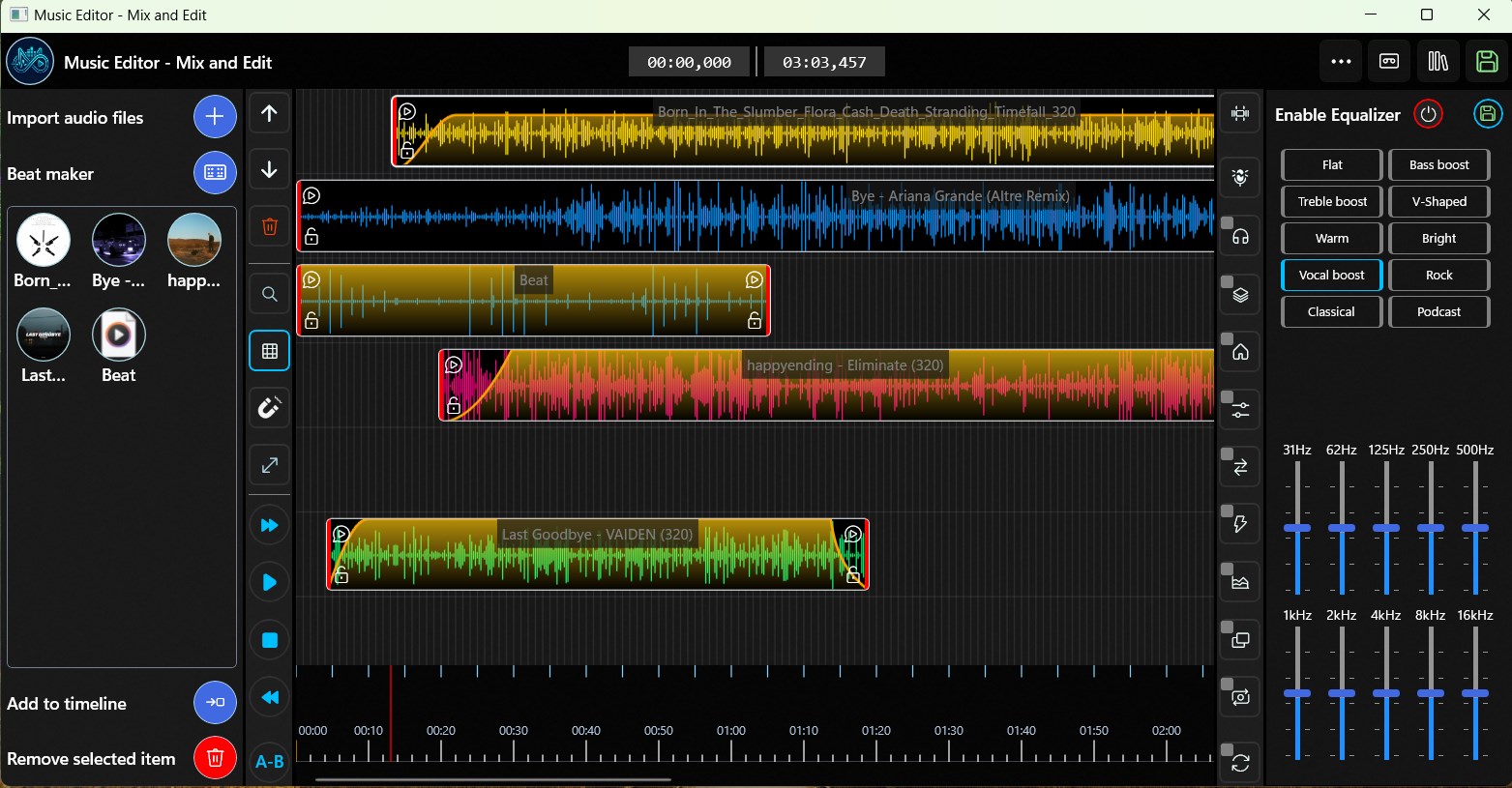
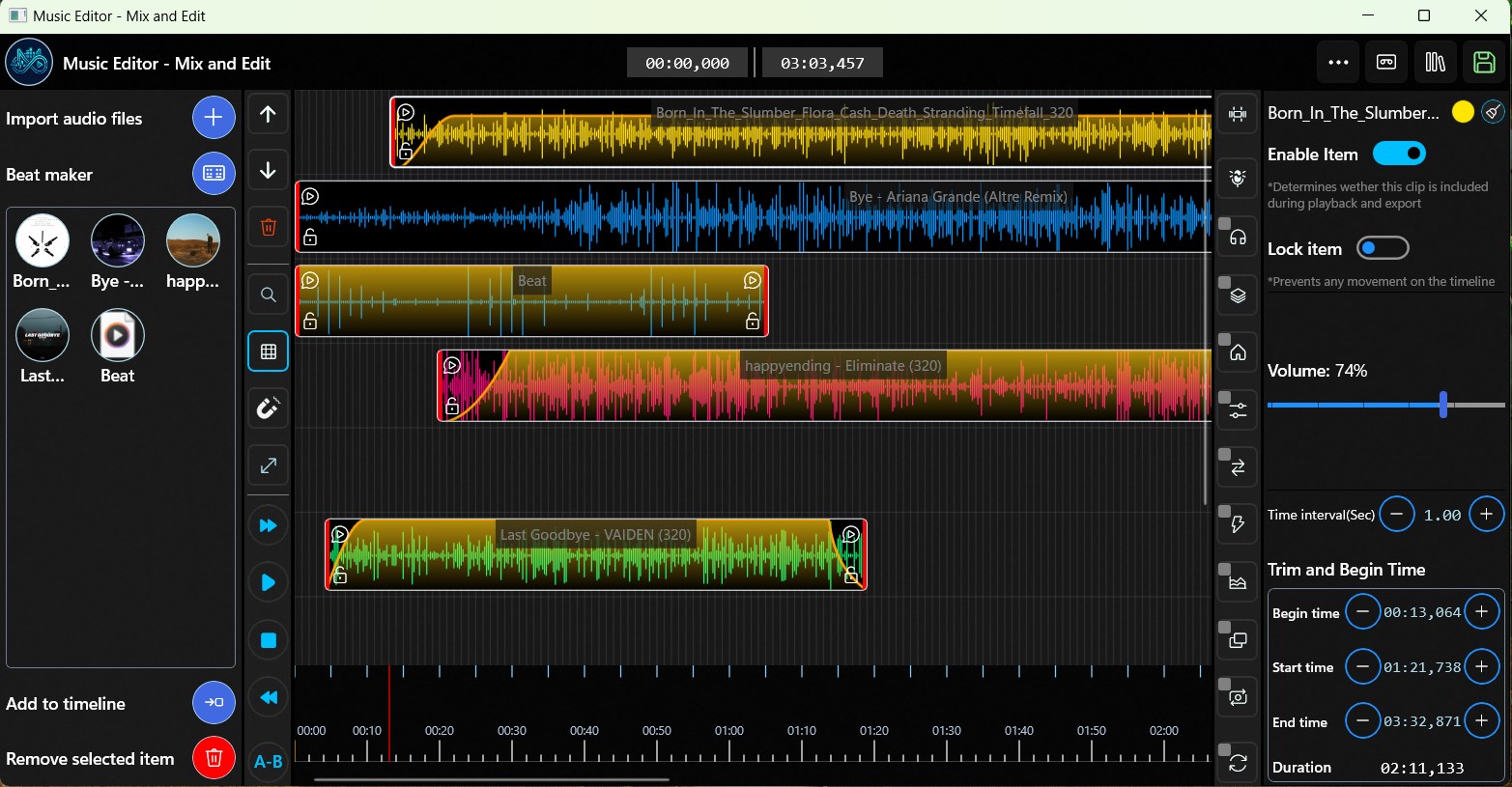
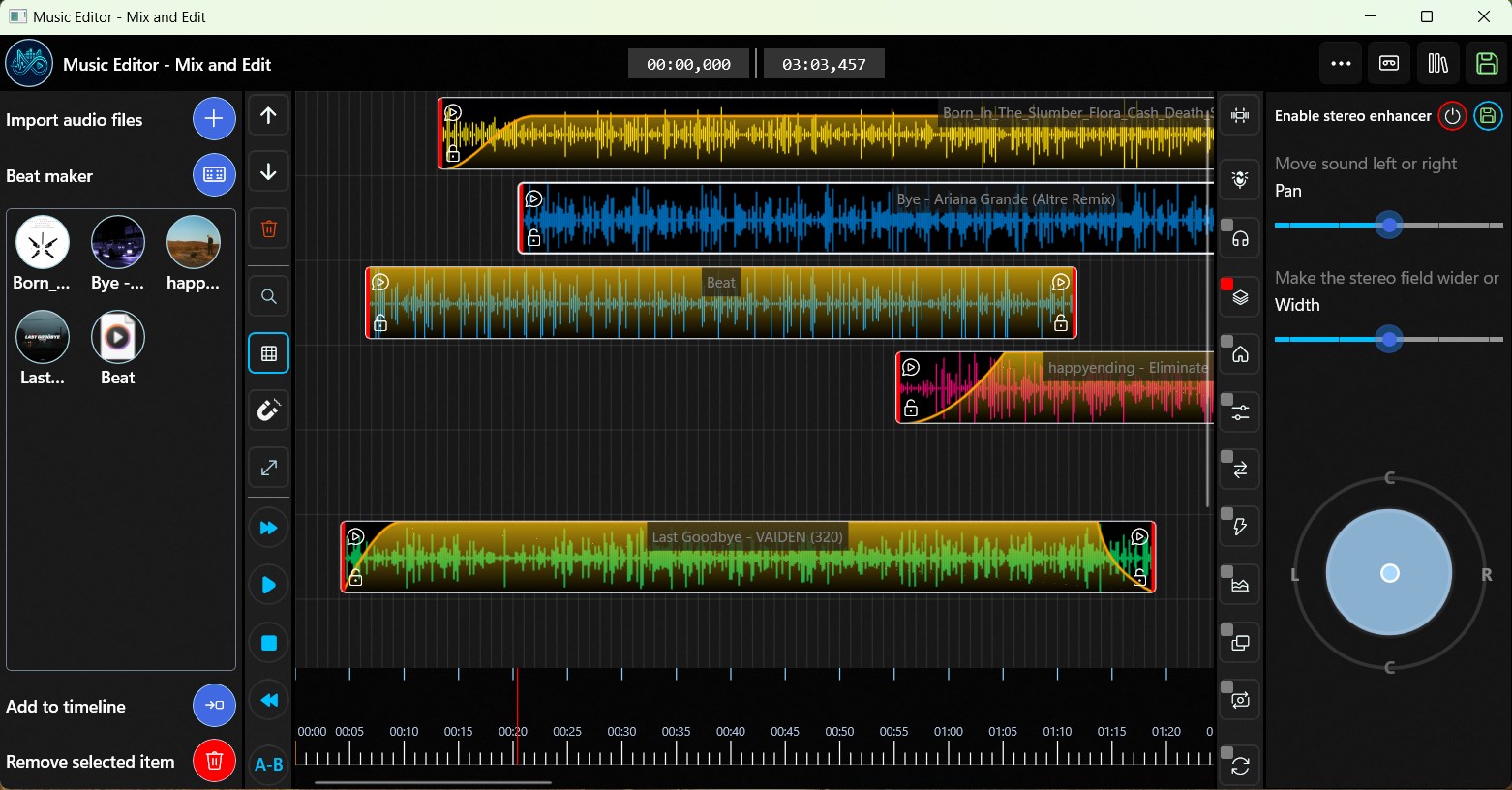
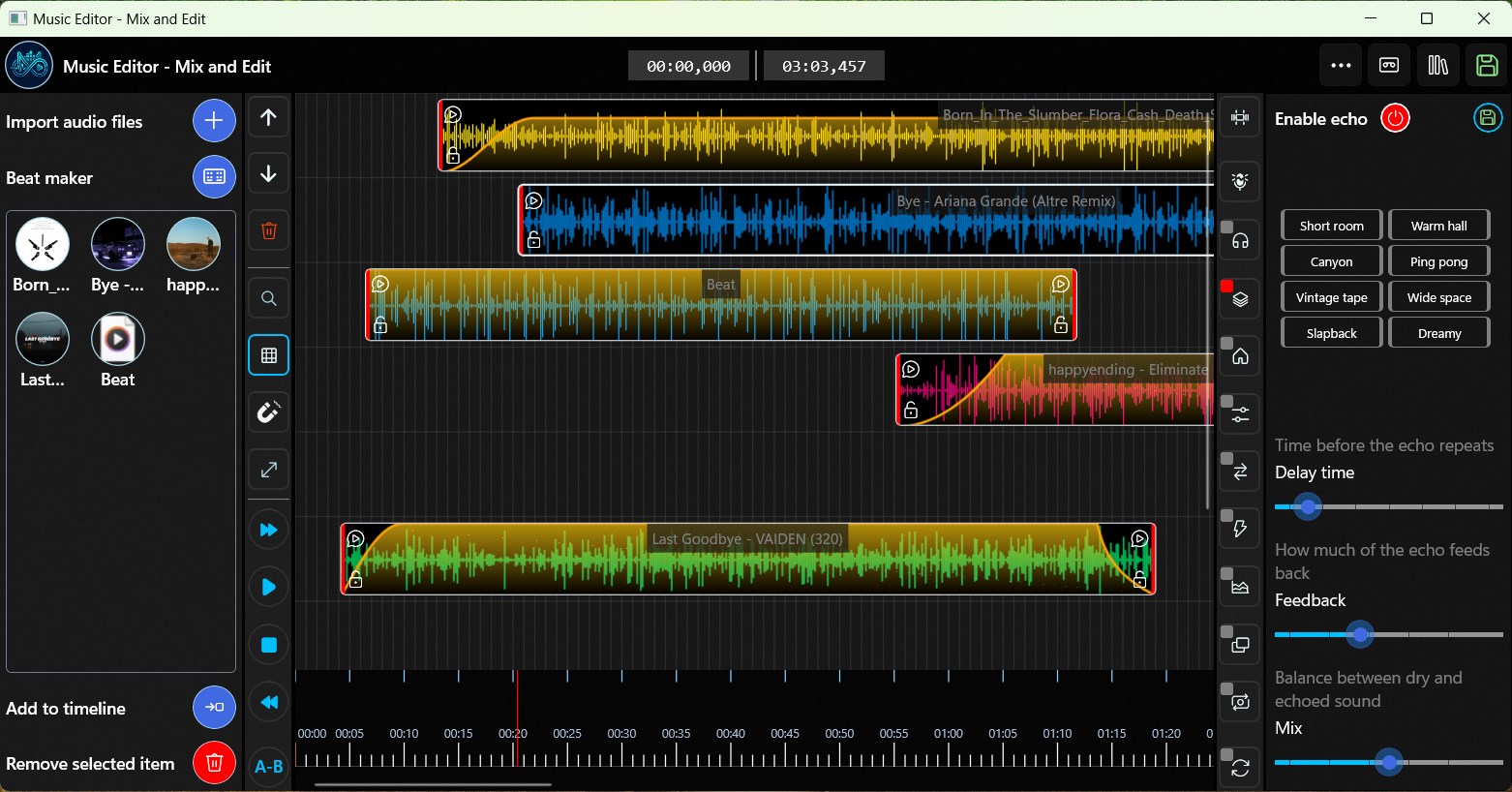
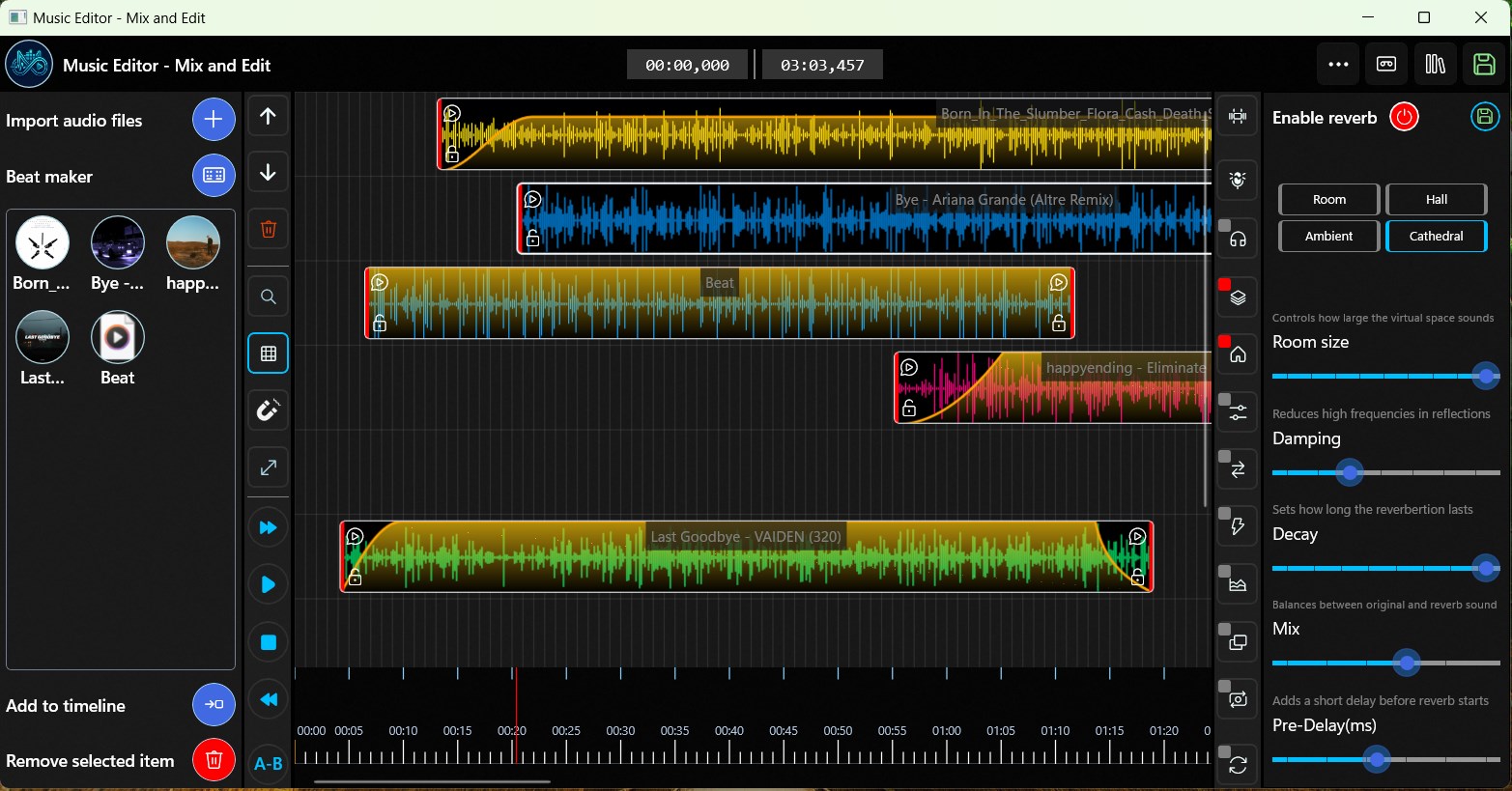
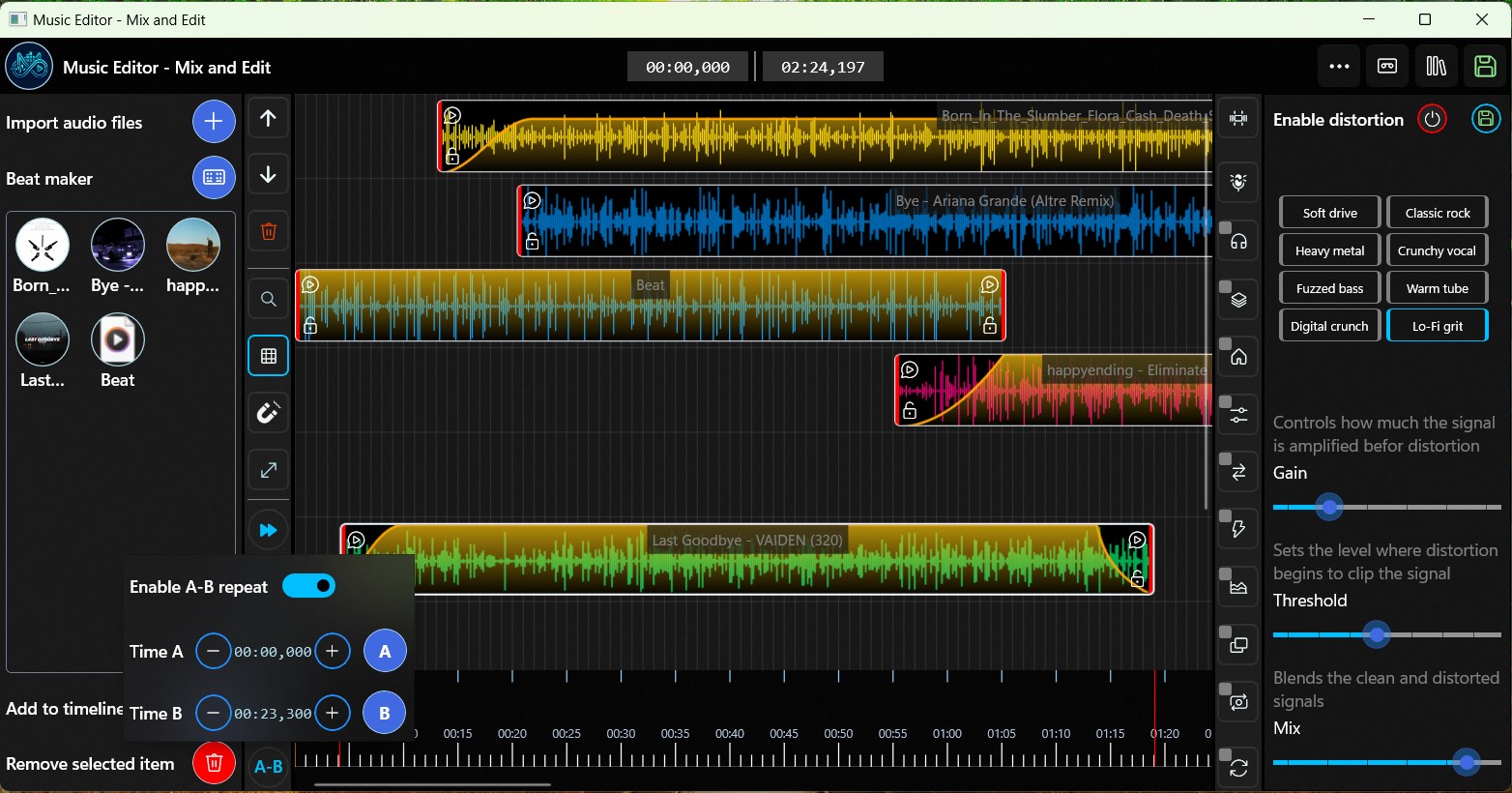
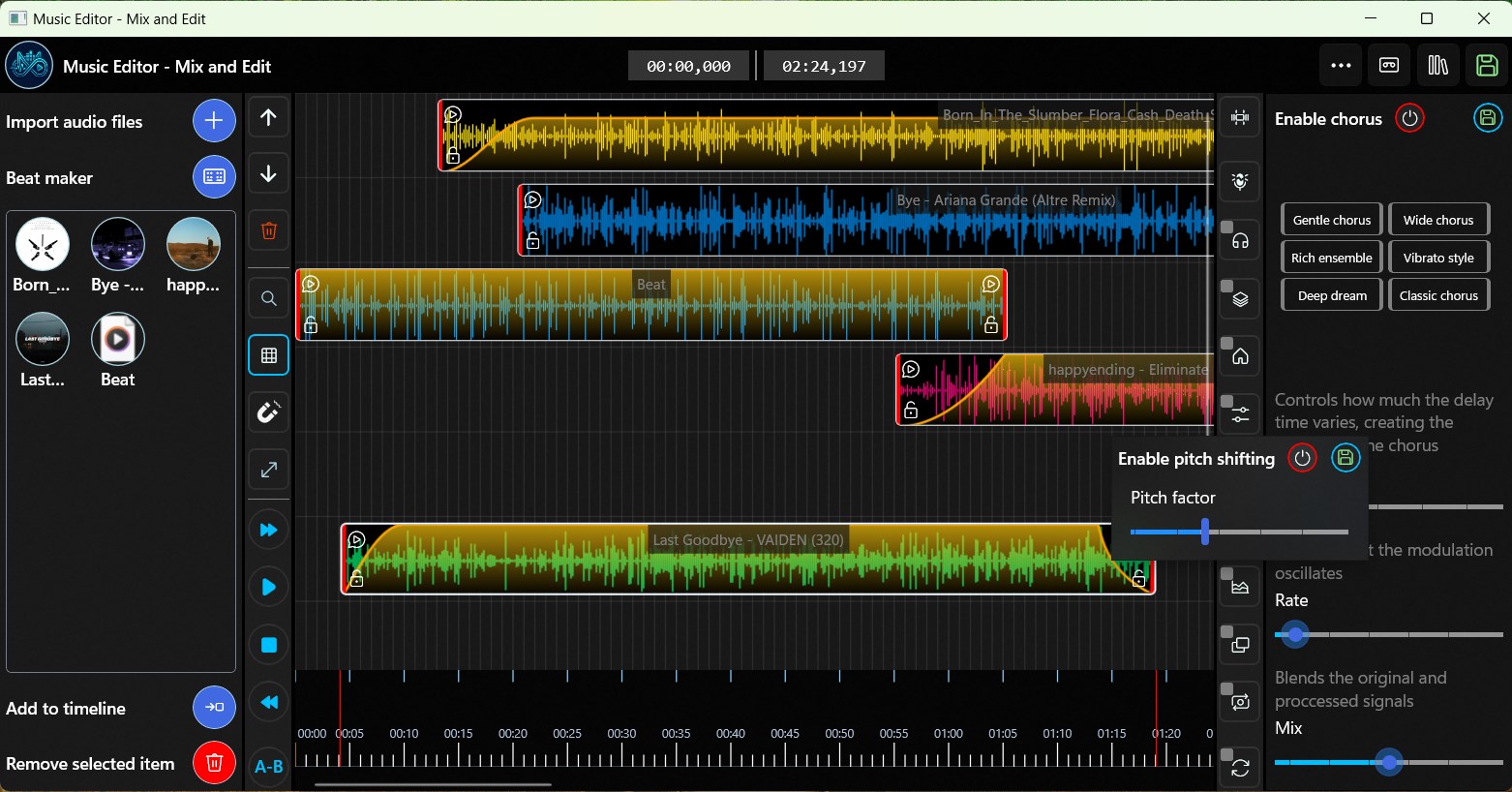
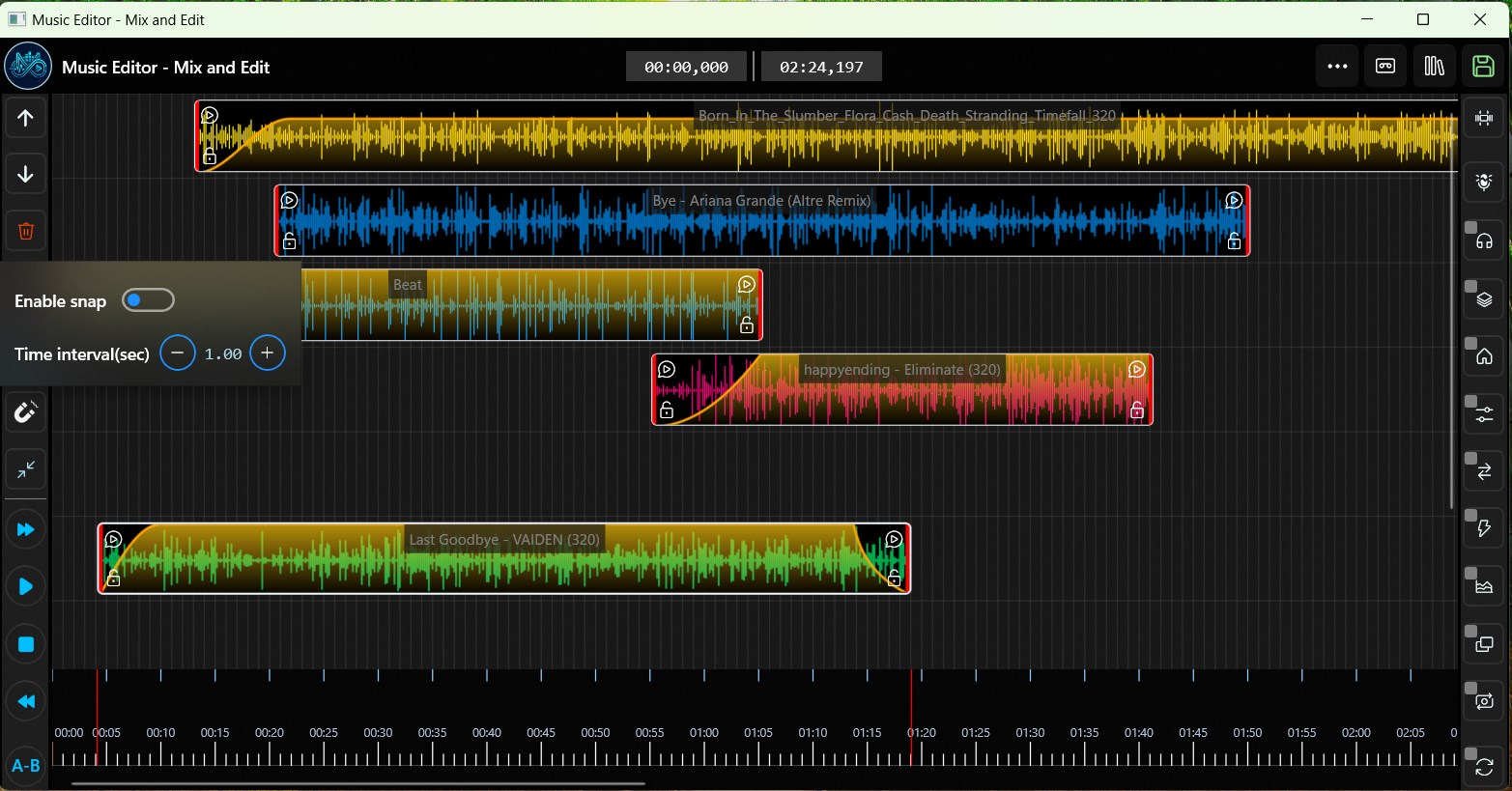
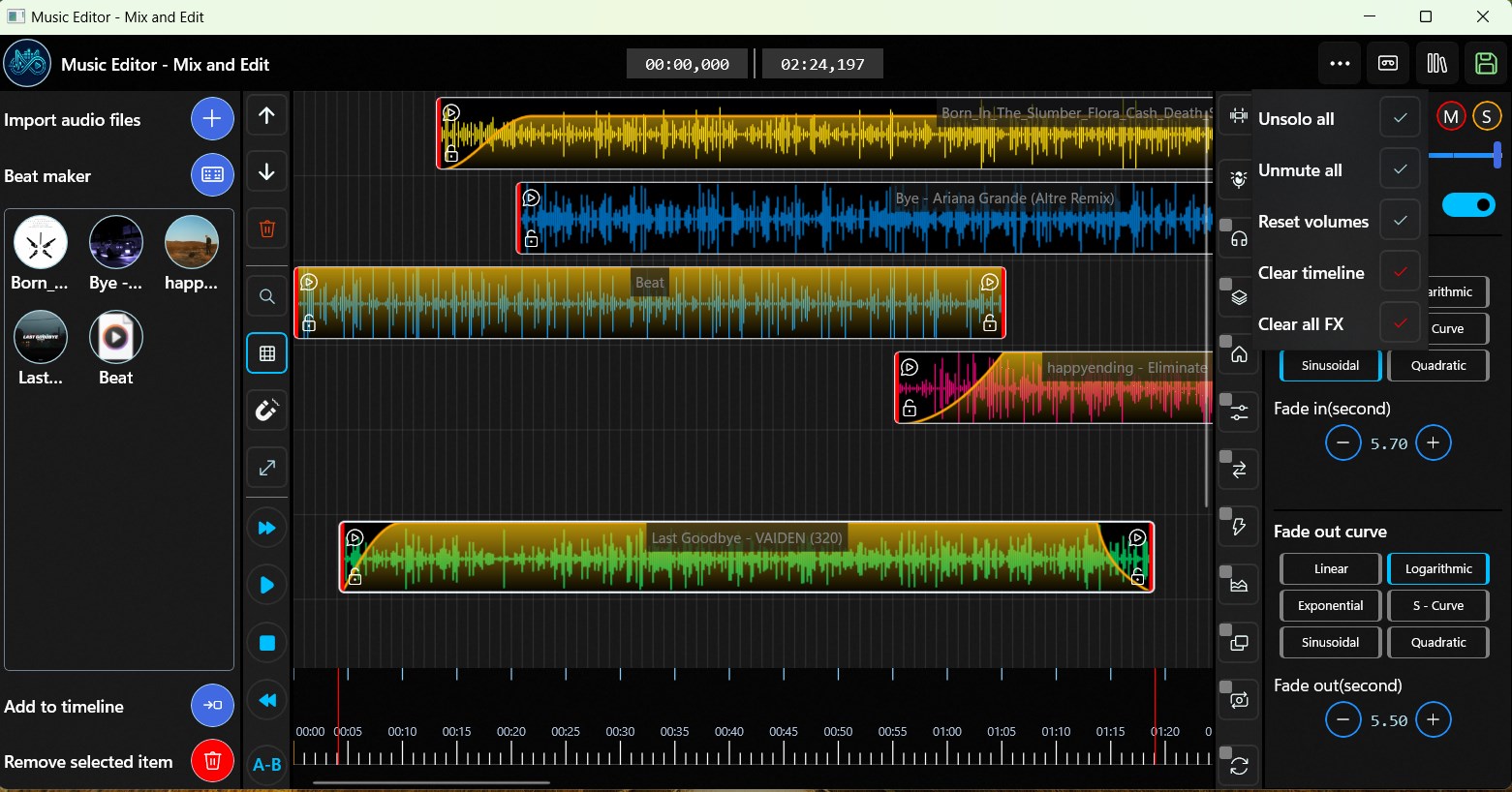
At the heart of Music Editor lies its robust multi-track mixing capability. Users can layer multiple audio clips, adjust volumes, pan positions, and apply effects seamlessly. This feature transforms your simple recordings into rich, professional-sounding compositions, much like an audio engineer orchestrating a symphony in their studio.
Advanced Rhythm Pattern Analysis
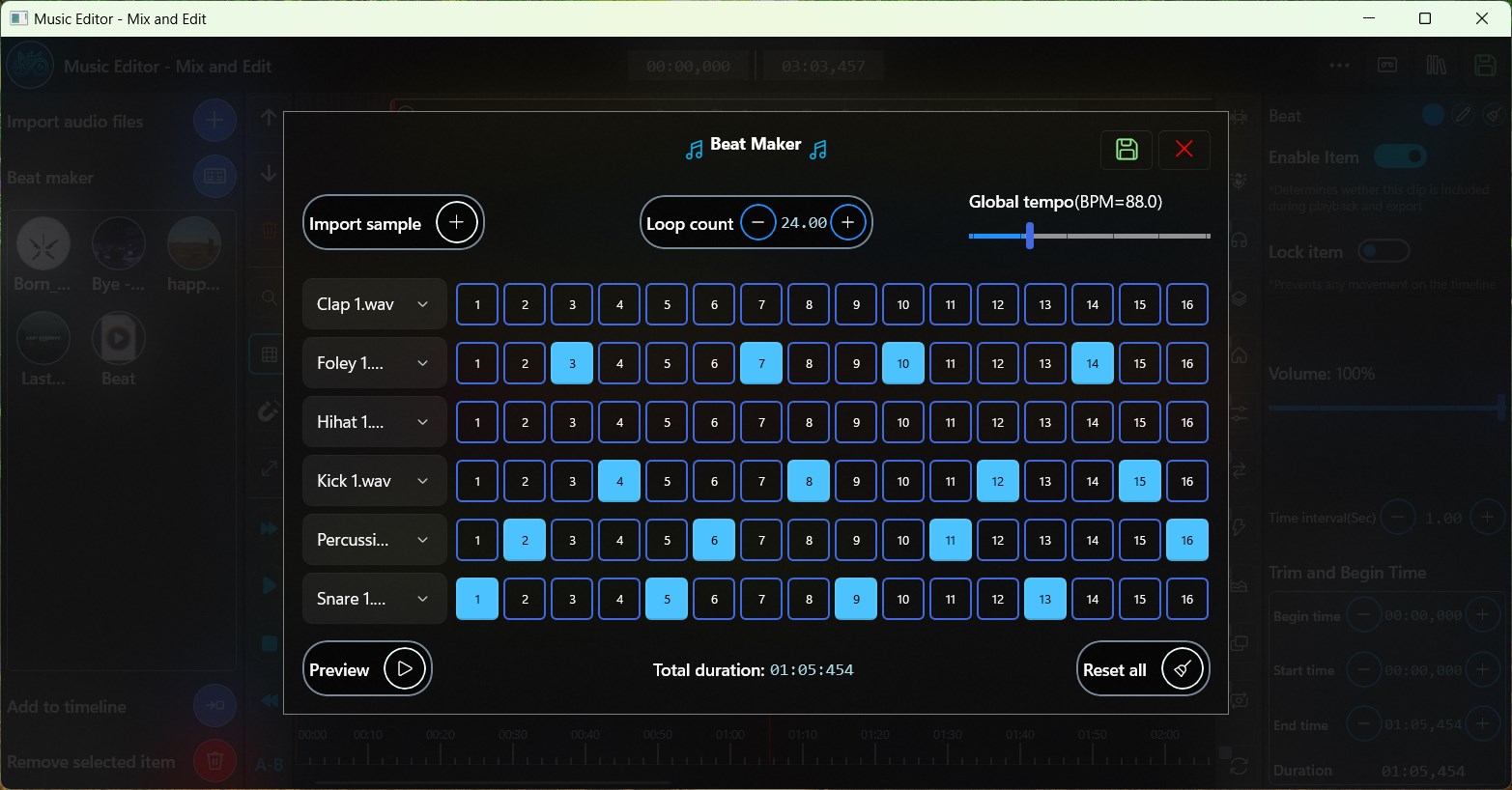
One of the application's standout features is its ability to analyze rhythm patterns with high accuracy. It assesses tempo consistency and variety, assisting users in creating rhythm tracks that are both lively and cohesive. This analytical edge allows for a more intelligent editing process, setting it apart from many basic audio editors that merely cut and paste.
Real-Time Preview with Low Latency
The real-time preview function ensures that users experience minimal lag during editing and mixing. This low latency performance enables precise adjustments and immediate listening feedback, akin to a professional studio environment—an essential trait for those striving for perfection in their mixes.
User Experience: Friendly, Fluid, and Educational
The interface of Music Editor resembles a well-organized digital workspace, where controls are logically grouped and visually accessible. Navigating through menus and tools feels natural, much like flipping open a familiar notebook—reducing the learning curve significantly. The app operates smoothly on standard Windows machines, with responsive controls that accommodate both quick edits and detailed fine-tuning.
For newcomers, the app offers clear guidance and straightforward workflows that ease the initial learning process. Even those new to audio editing can swiftly grasp essential functions, making the learning curve gentle but effective. Conversely, experienced users will appreciate the depth of control afforded by advanced features and detailed waveform views.
How It Differentiates from Other Music Apps
Compared to typical music editing applications, Music Editor's unique strength lies in its rhythm pattern analysis. While many tools focus solely on waveform editing or basic effects, this app actively evaluates rhythm variety and timing consistency. This focus is particularly beneficial for content creators who work heavily with beat-driven music or rhythmic podcasts, ensuring their tracks maintain a lively yet cohesive groove. Furthermore, its low-latency real-time preview capability provides a playback experience that feels almost like having a dedicated studio monitor setup—something often lacking in similar apps.
Final Thoughts and Recommendations
All considered, Music Editor - Mix and Edit offers a straightforward yet powerful suite of tools tailored to a broad user base. Its standout rhythm analysis feature and smooth real-time preview make it particularly appealing for amateur music producers and audio hobbyists seeking professional-sounding results without a steep learning curve. I would recommend this app to anyone looking to dip their toes into audio editing or to those searching for a capable, user-friendly mixer for Windows. For users who value detailed rhythm pattern assessment and low-latency feedback, this application deserves a closer look.
Pros
- Intuitive User Interface
- Wide Range of Editing Tools
- Supports Multiple Audio Formats
- Real-time Preview Functionality
- Free Basic Version Available
Cons
- Limited Advanced Features
- Occasional Lag During Large Files
- Basic Effects Are Slightly Overly Simplistic
- Occasional App Crashes on Some Devices
- Limited Export Options











