

- Category Music
- Developer Steven Mayall
- Available on PC
- OS Windows 10 version 14393.0 or higher
- Keyboard Integrated Keyboard
- Mouse Integrated Mouse
- languages English (United States)
MusicBee for Windows: A Robust and Customizable Music Organizer
MusicBee for Windows is a comprehensive music management application designed to streamline your listening experience with powerful organization tools, intuitive interfaces, and unique features that set it apart from typical media players.
Developed by a Passionate Music Enthusiast
Created and maintained by Steven Mayall, MusicBee is the result of a dedicated developer's effort to offer an all-in-one solution for music lovers who seek both simplicity and advanced customization options. From the Microsoft Store, it ensures easy installation and seamless integration into your Windows environment.
Key Highlights That Make MusicBee Stand Out
- Advanced Playback and Tolerance to Input Latency: MusicBee intelligently manages playback to minimize delays, ensuring smooth listening sessions, even when system resources fluctuate.
- Rich Rhythm Pattern Management: The app offers a vast array of rhythm patterns and beat matching features that allow users to explore diverse musical styles effortlessly.
- Highly Customizable Interface: Users can tailor the interface layout, skins, and display options to match their personal aesthetic and workflow preferences.
- Robust Tagging and Library Management: It supports detailed tagging, auto-lookup, and automatic organization, making music library curation a breeze.
A Closer Look at MusicBee's Core Features
Intelligent Playback and Latency Tolerance
MusicBee's standout feature is its effective handling of input latency. Whether you're playing complex live recordings or rhythmic tracks with rapid tempo changes, MusicBee adapts to minimize lag. It's like having a conductor that anticipates your musical cues, ensuring your playback remains tight and synchronized. This aspect is especially valuable for users who utilize external hardware or collaborate with MIDI devices, as it ensures a seamless listening experience without frustrating delays.
Expansive Rhythm Pattern Variety
Another remarkable aspect is MusicBee's focus on rhythm and beat management. It offers an extensive library of rhythm patterns, aiding users in mixing tracks, creating playlists, or exploring different musical motifs. This feature elevates the app beyond a simple player to a creative tool for DJs and composers alike. Its ability to assess the variety of rhythm patterns allows users to experiment freely, enhancing their musical exploration without being limited by repetitive beat structures.
User Interface, Experience, and Differentiation
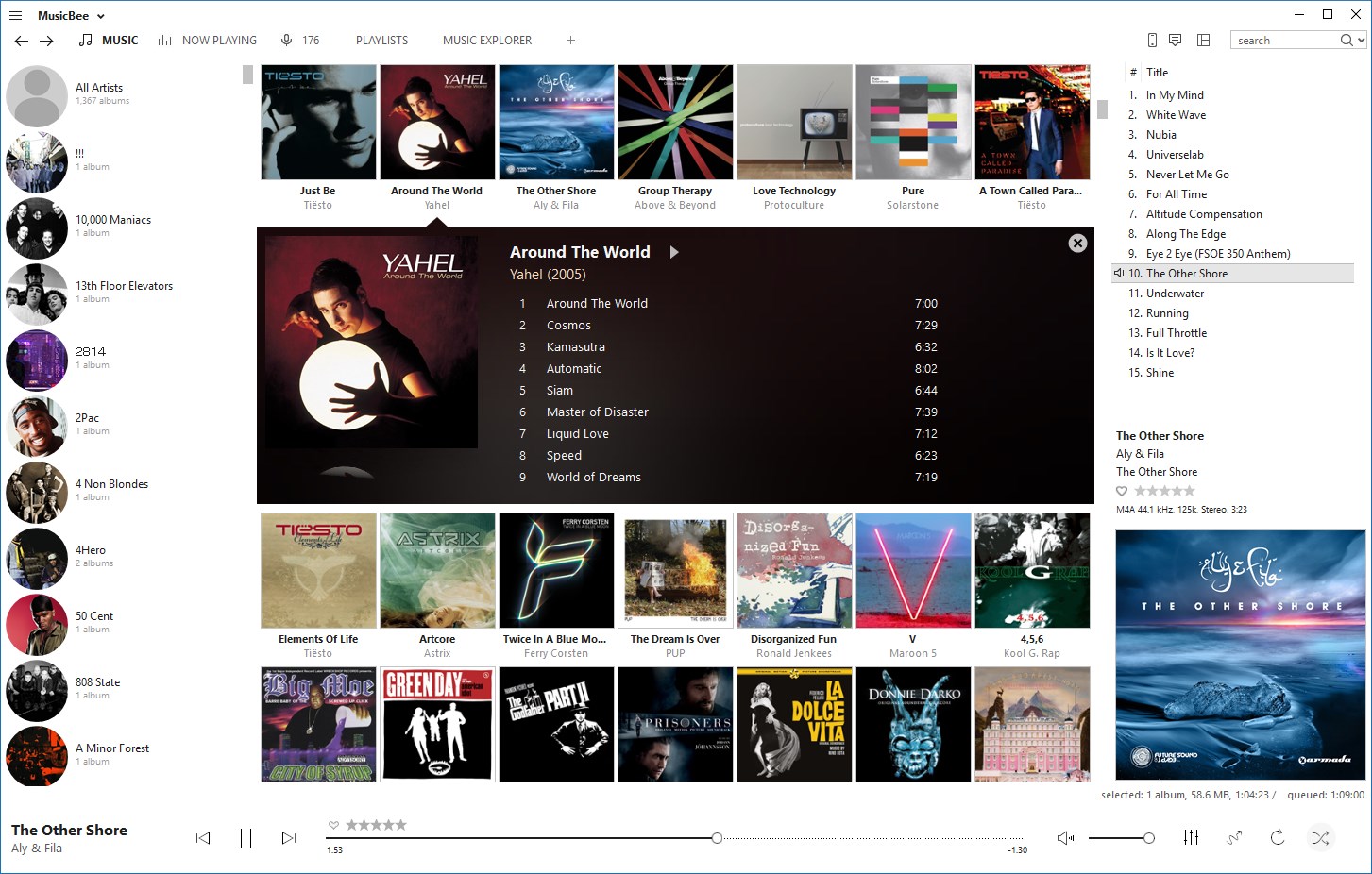
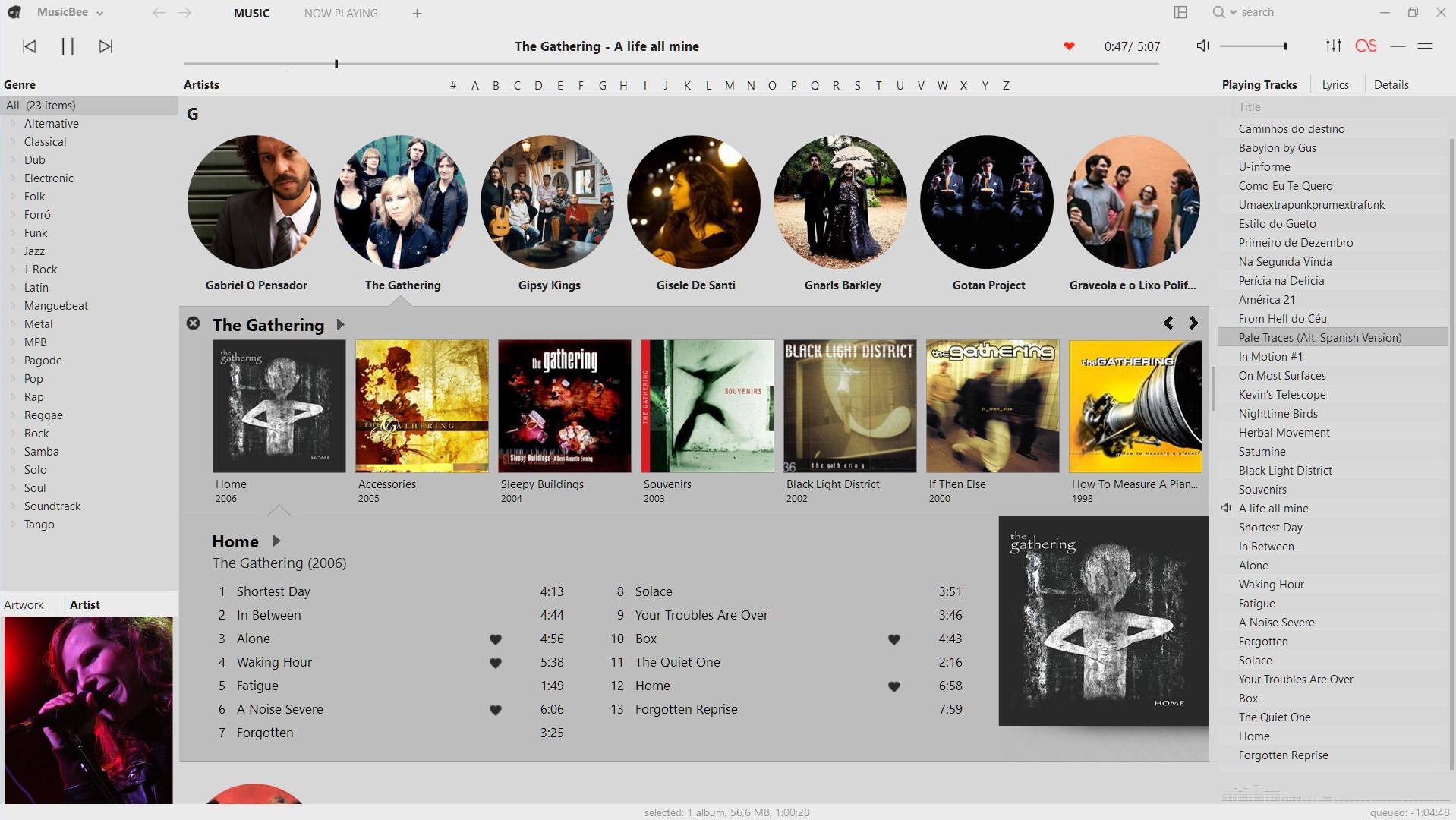
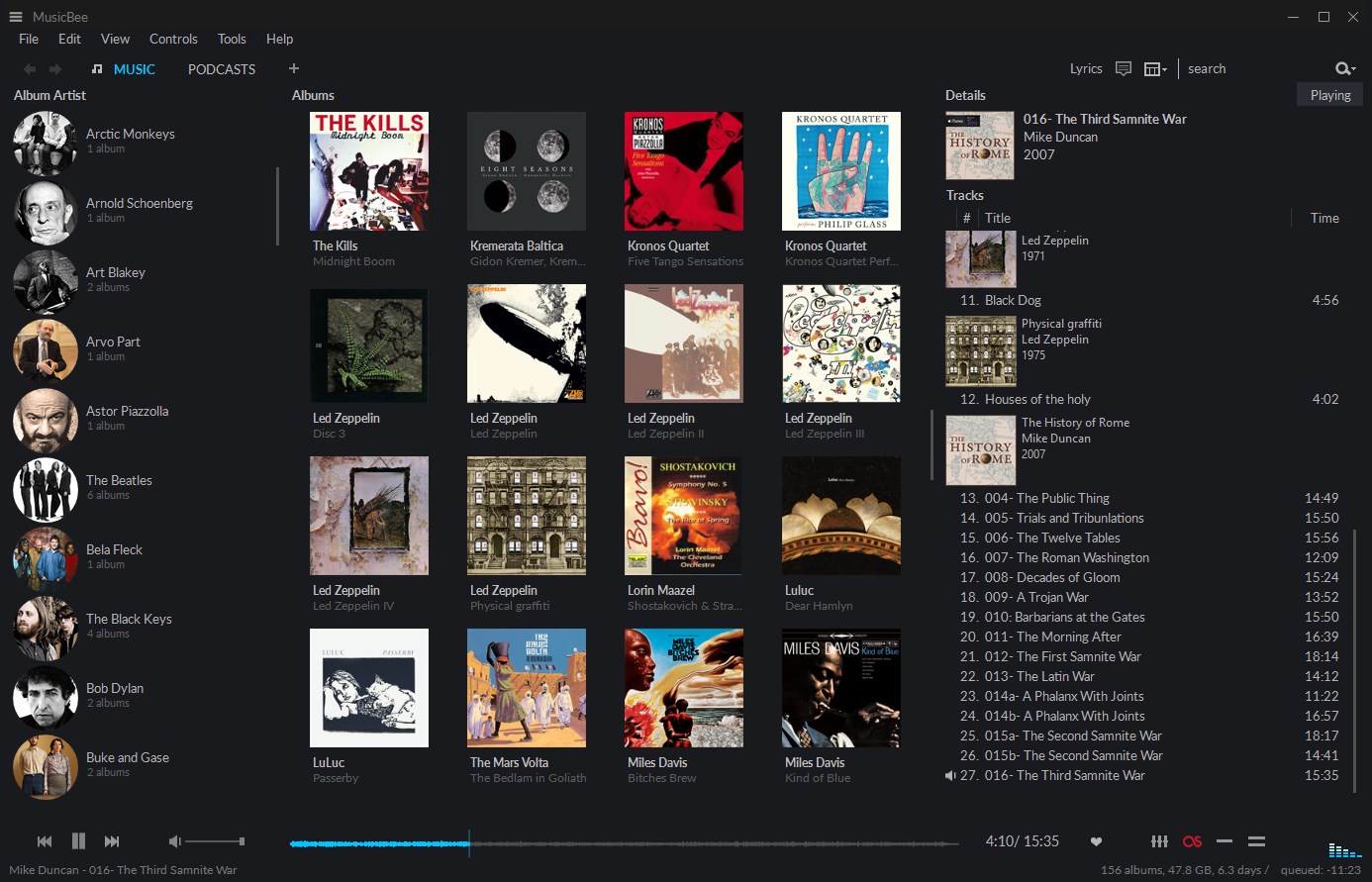
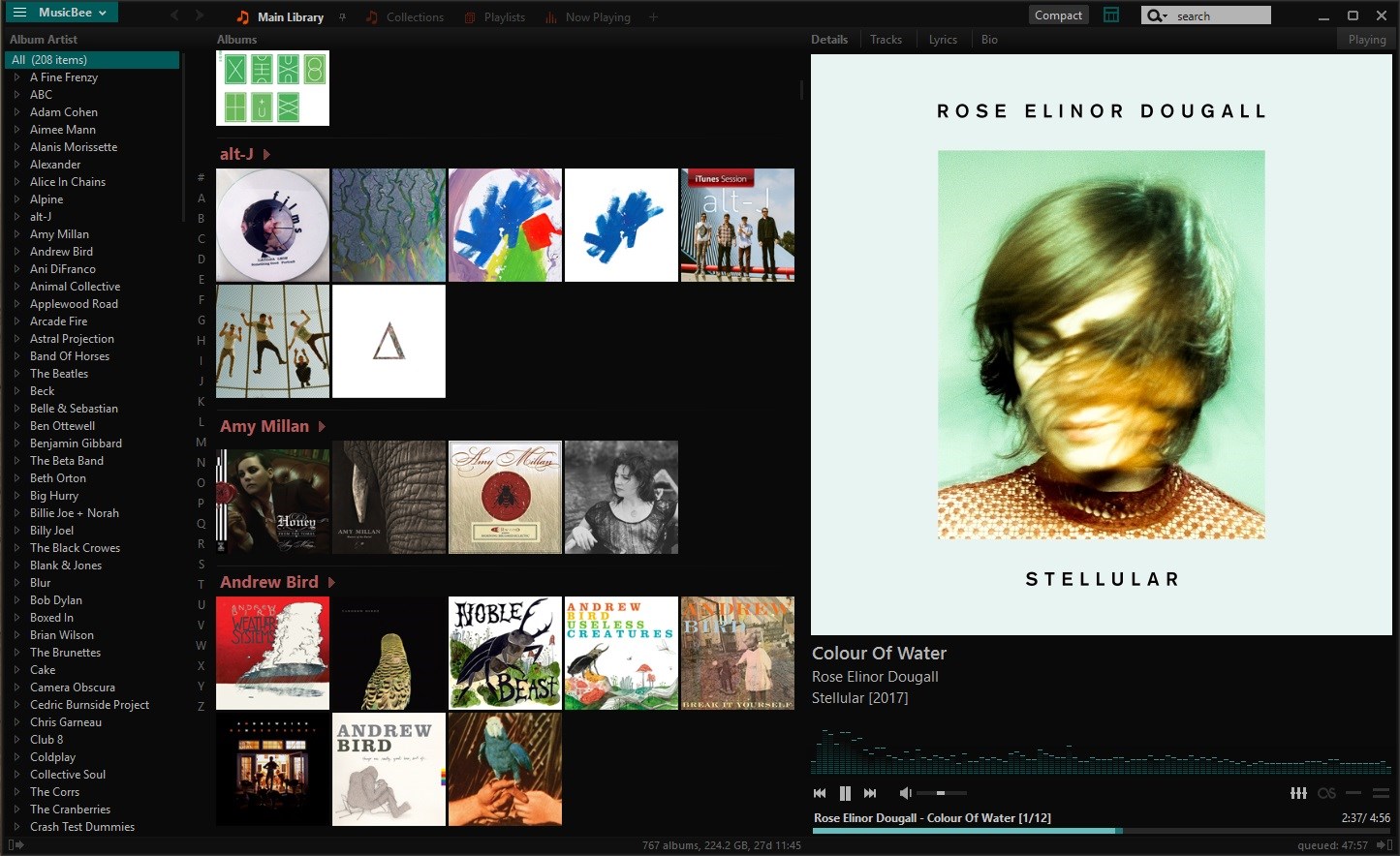
Visually, MusicBee presents an organized, clean, and customizable interface that resembles a well-organized music studio. Its layout is intuitive for both newcomers and experienced users, with drag-and-drop features, shortcut customization, and skin options. Navigating through the library feels fluid, akin to flipping through a well-loved vinyl collection, with snappy responses that make browsing enjoyable rather than a chore.
Compared to other popular media players such as Foobar2000 or Winamp, MusicBee shines with its integrated library management coupled with powerful playlist and tagging capabilities. Its standout strength lies in managing rhythm pattern variety and ensuring playback latency remains low, making it especially suitable for users who prioritize meticulous control over their music experience. Its responsiveness and adaptability make it more than just a player—it's an assistant in musical exploration.
Final Thoughts: Is MusicBee for You?
If you are someone who appreciates a highly customizable interface, meticulous library management, and especially values auditory precision and rhythm diversity, MusicBee is a compelling choice. Its effective latency handling puts it a step ahead in ensuring that your listening and mixing sessions are smooth and frustration-free. While it may require some initial exploration to unlock its full potential, its user-friendly design gradually reveals a rich palette of features suitable for both casual listeners and advanced music enthusiasts.
Overall, I recommend giving MusicBee a try if you're looking for a reliable, feature-rich music manager that respects your musical creativity and offers a seamless experience. Whether you're managing a vast library or just want a stable player with unique rhythm features, MusicBee deserves a spot in your digital music toolkit.
Pros
- Intuitive User Interface
- Advanced Music Library Management
- Excellent Audio Format Support
- Powerful Sound Customization
- Robust Import and Export Options
Cons
- Occasional Stability Issues
- Limited Mobile Sync Features
- Steep Learning Curve for Advanced Features
- UI Customization Can Be Clunky
- Limited Support for Streaming Services










