- Category News & weather
- Developer ACME AtronOmatic
- Available on PC
- OS Windows 10 version 19041.0 or higher
- Mouse Integrated Mouse
- DirectX Version 11
- Memory 4 GB
- Keyboard Not specified
- languages English (United States), Spanish
Unlocking the Skies: An In-Depth Look at MyRadar Pro for Windows
Imagine having a bird's-eye view of the weather at your fingertips, seamlessly blending detailed radar imagery with intuitive controls. That's what MyRadar Pro for Windows offers — a powerful weather app designed for weather enthusiasts, travelers, pilots, or anyone who prefers their weather updates with precision and clarity. Developed by ACME AtronOmatic, this application stands out in the crowded field of weather tools by combining user-friendly features with professional-grade radar data, making it a versatile companion for daily weather tracking.
Comprehensive and Clear: The Core Features that Make MyRadar Pro Shine
Real-Time, Interactive Radar Maps
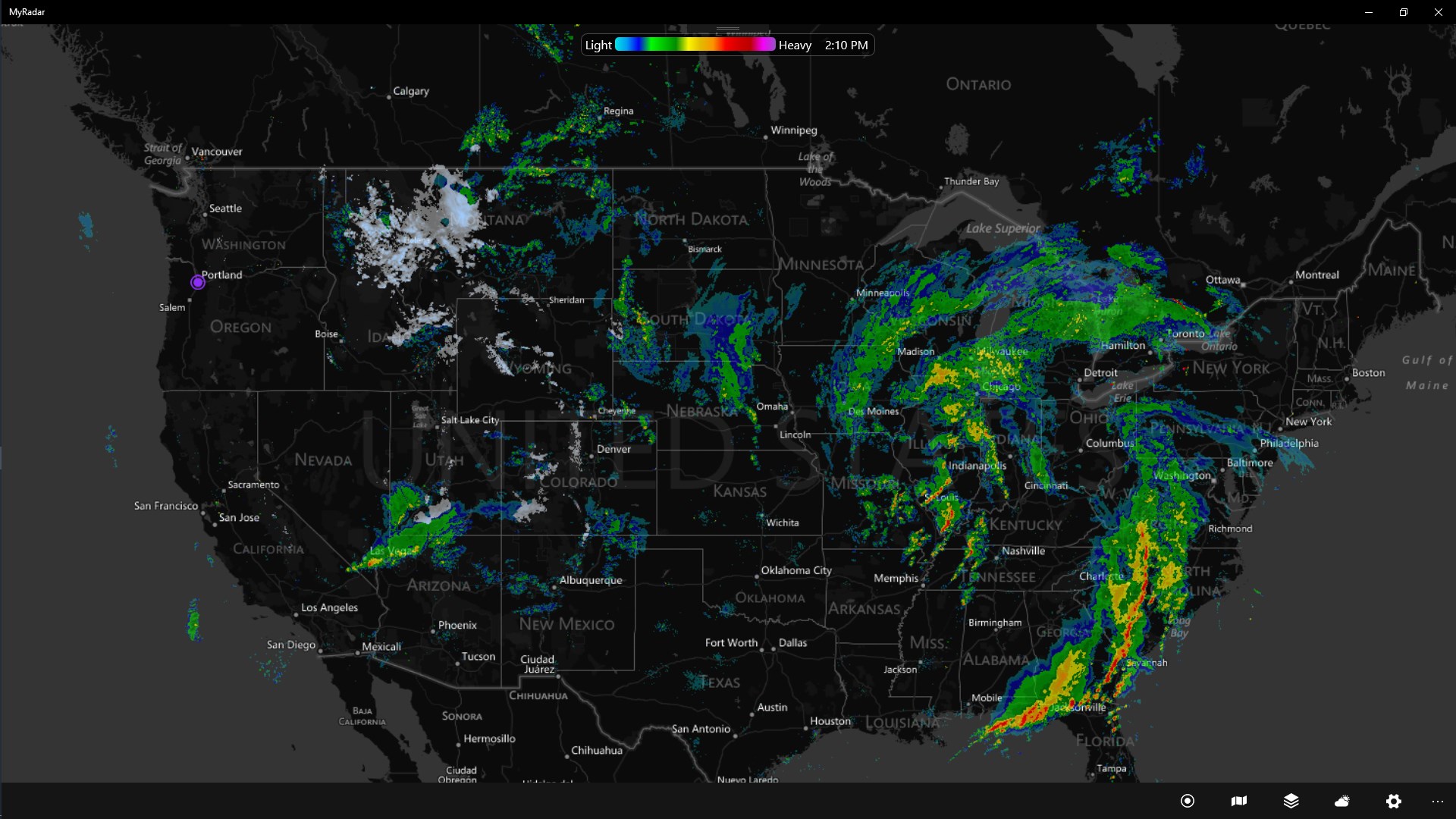
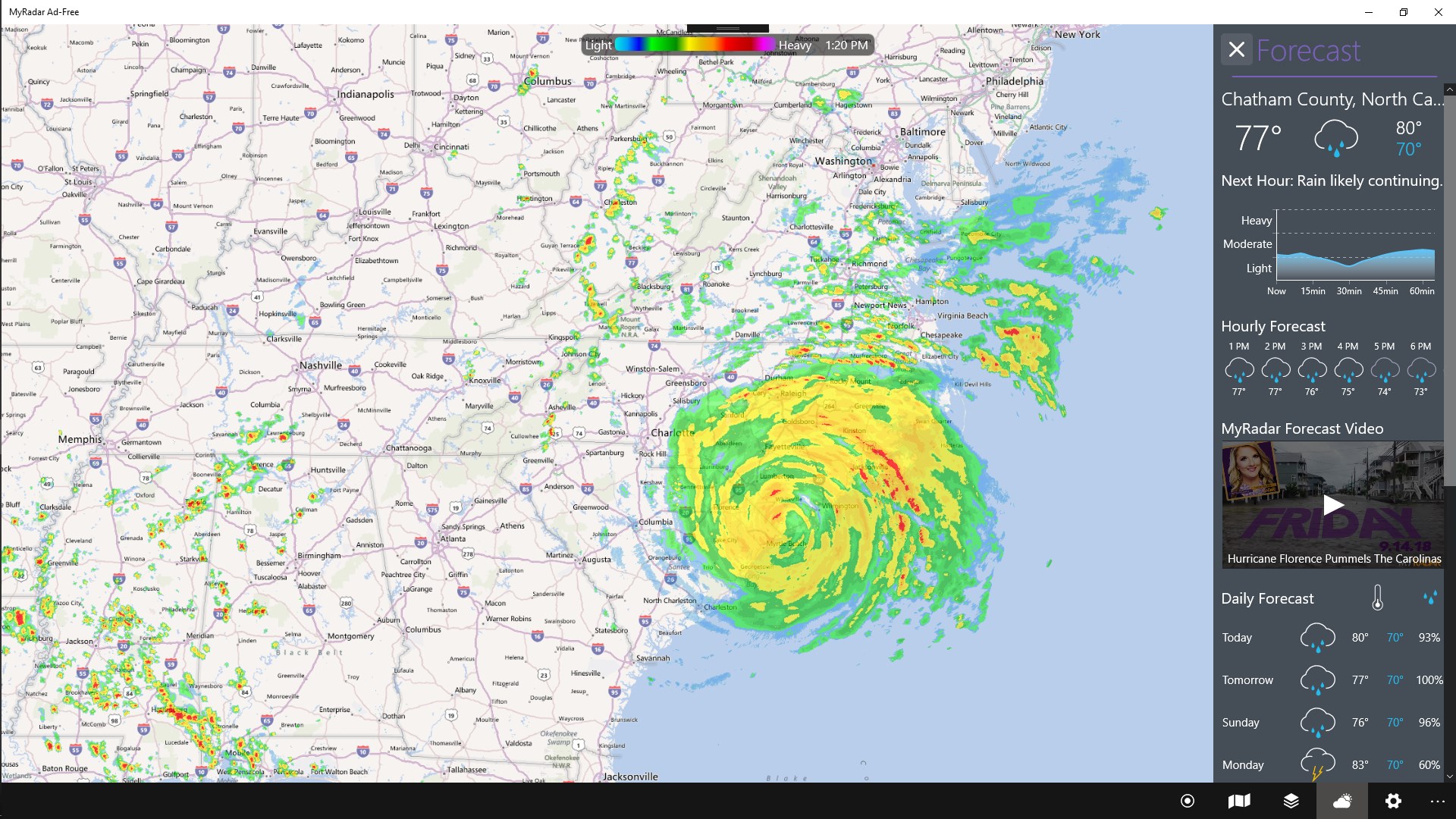
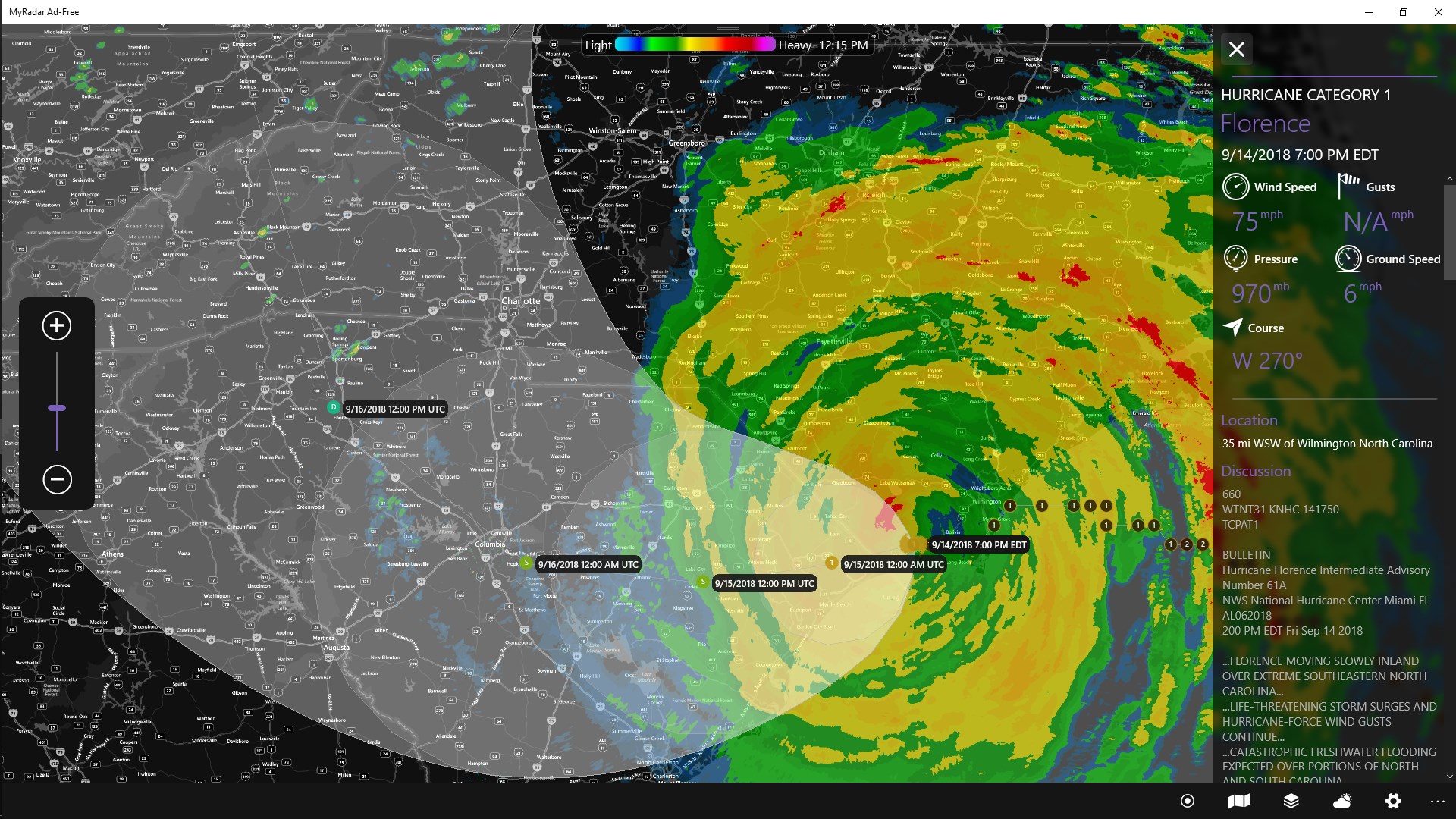
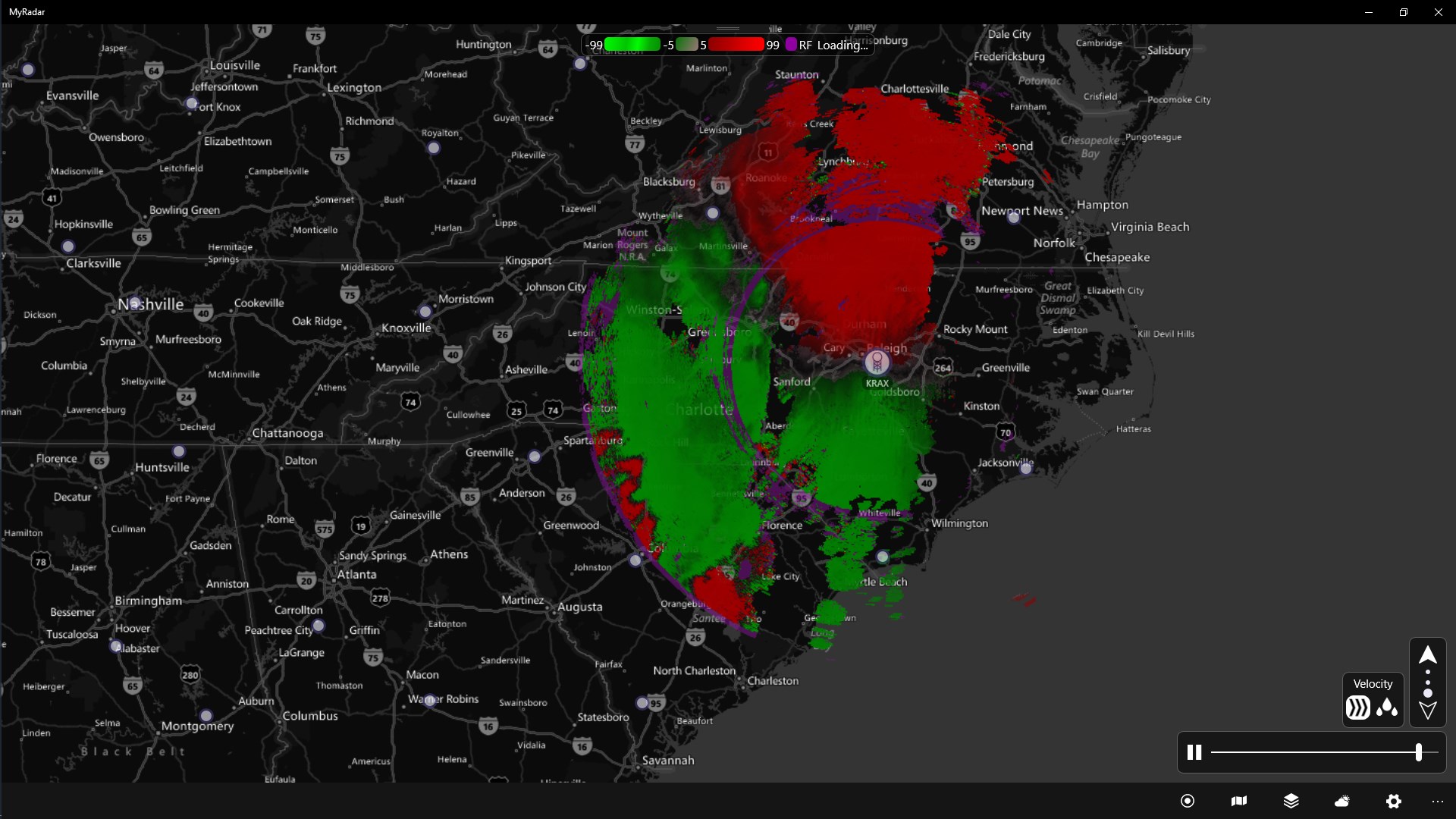
At the heart of MyRadar Pro is its high-resolution radar imagery that updates in real time, allowing users to monitor storm formations, precipitation movement, and weather patterns as they unfold. The app's interactive maps let you zoom in for detailed views or pan across regions, almost like having a weather satellite in your pocket. Whether you're tracking a brewing storm or planning outdoor activities, this feature provides a dynamic and accurate glimpse into current conditions.
Customizable Layers and Alerts
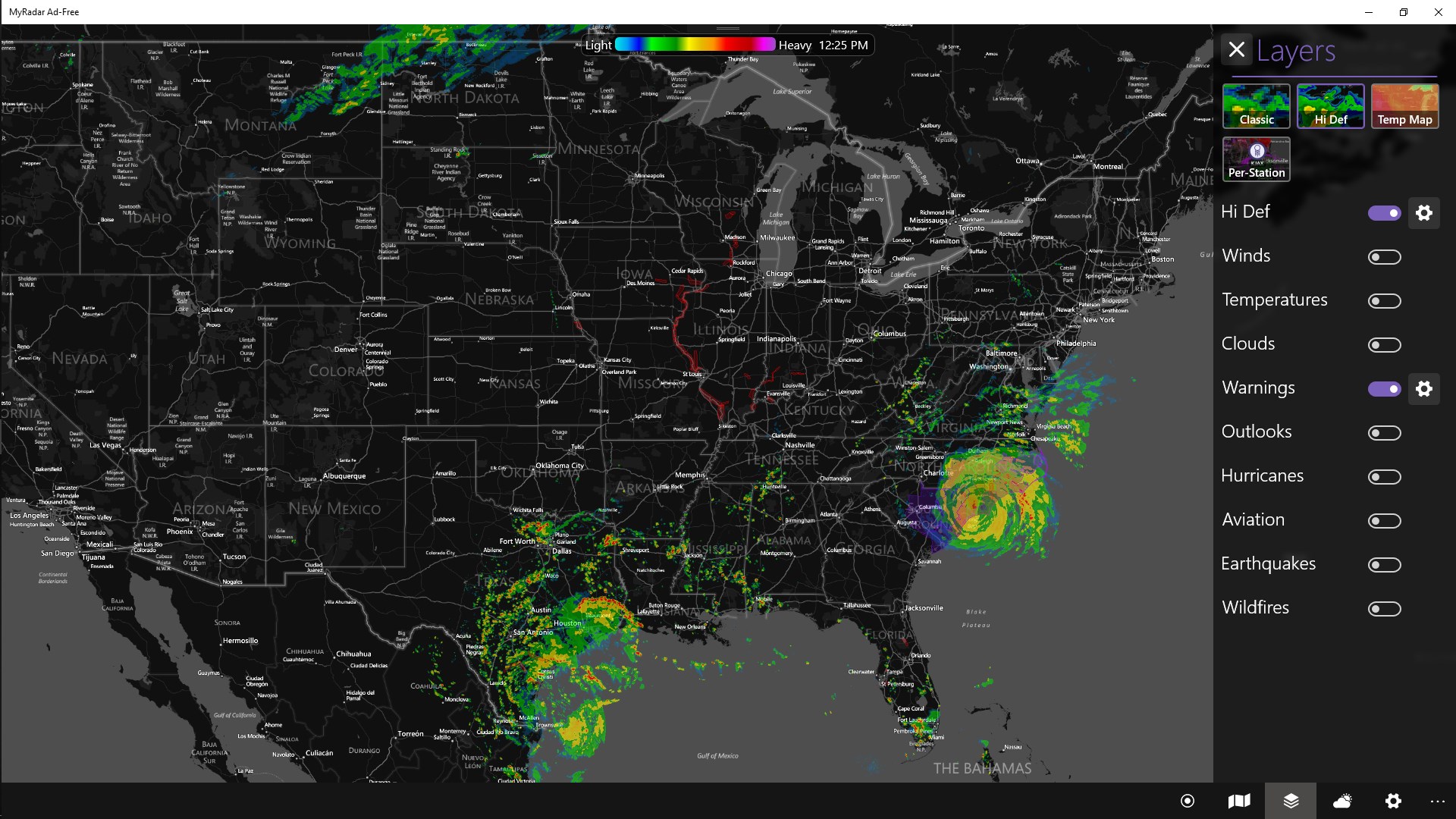
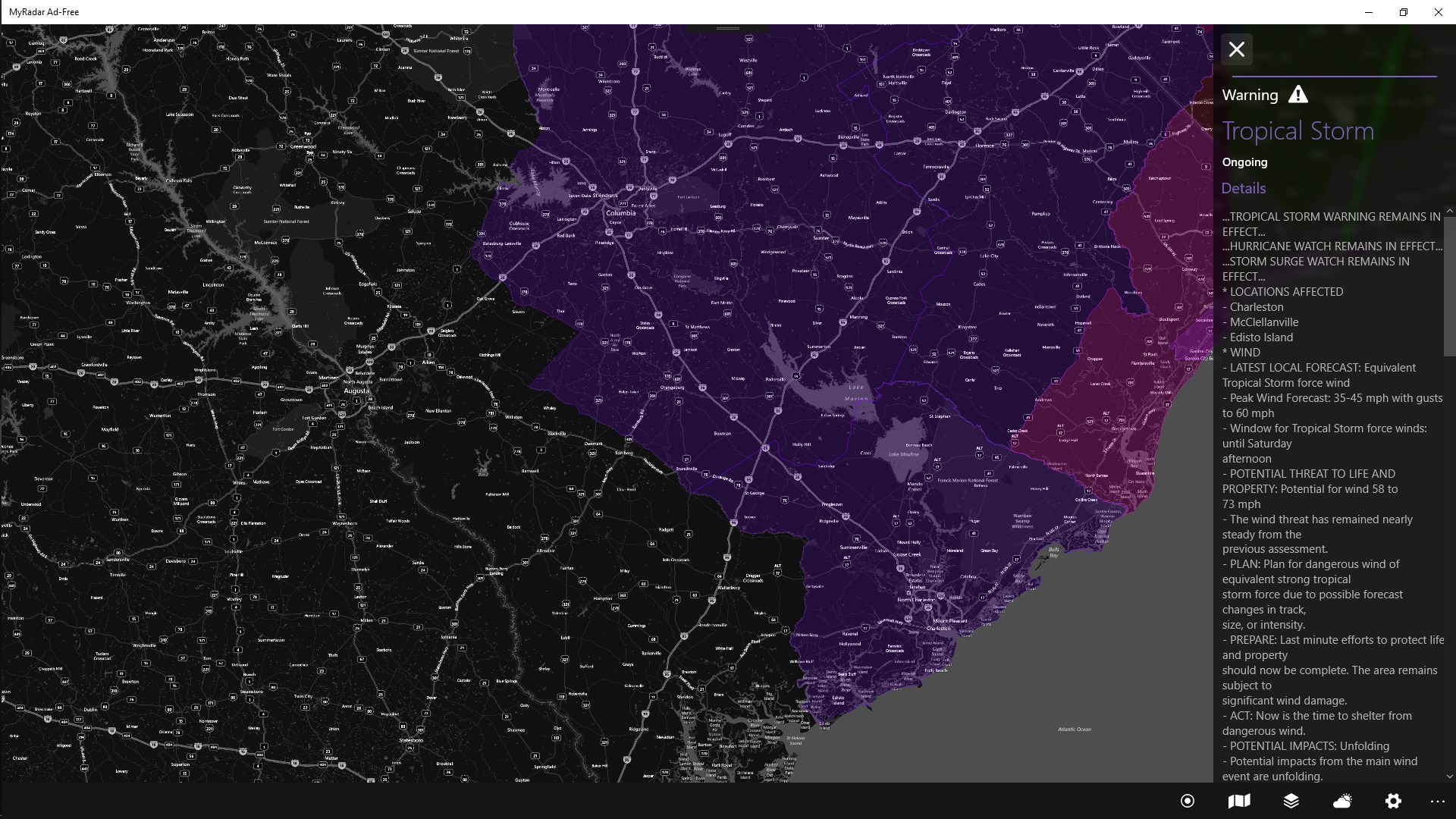
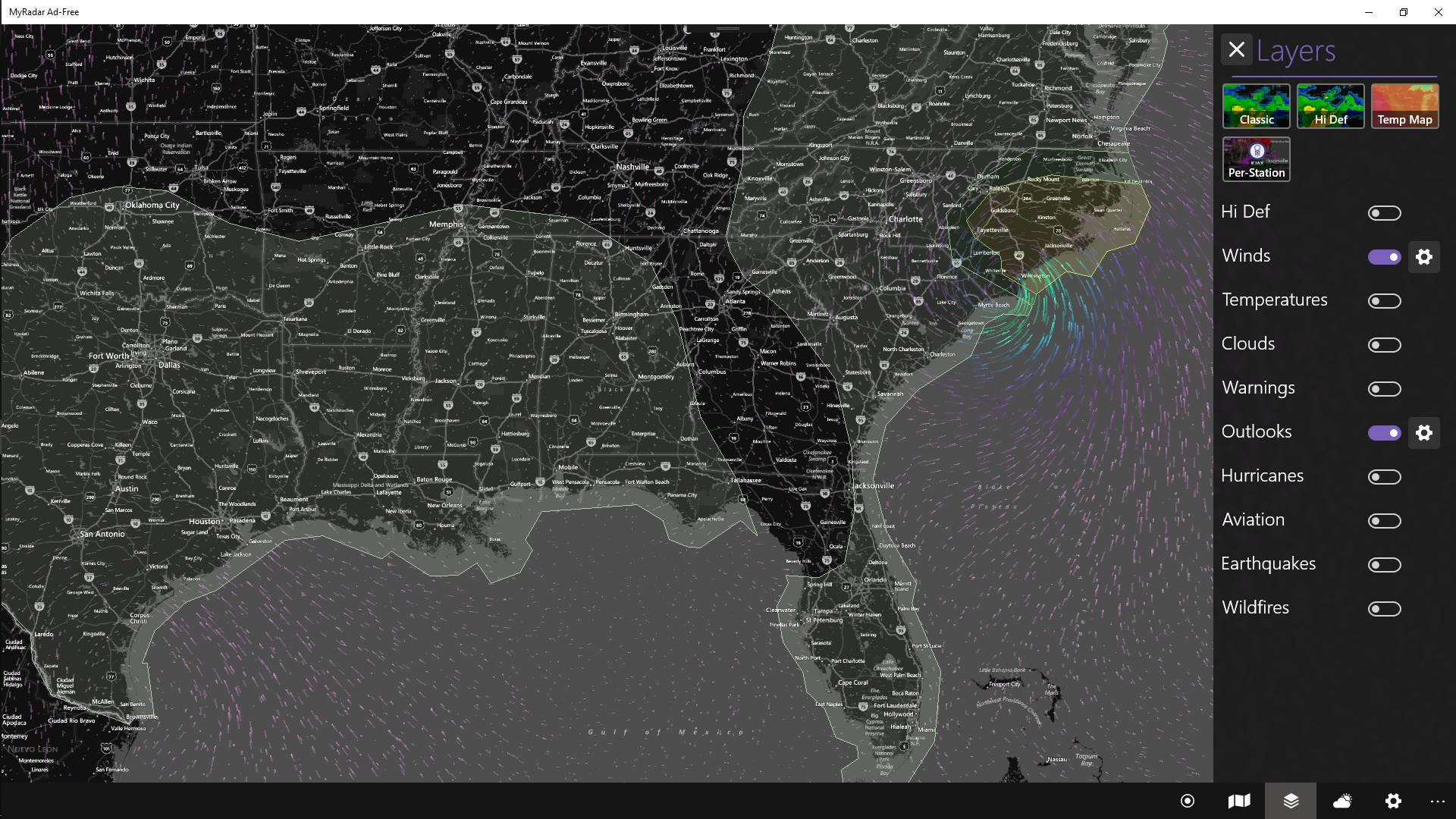
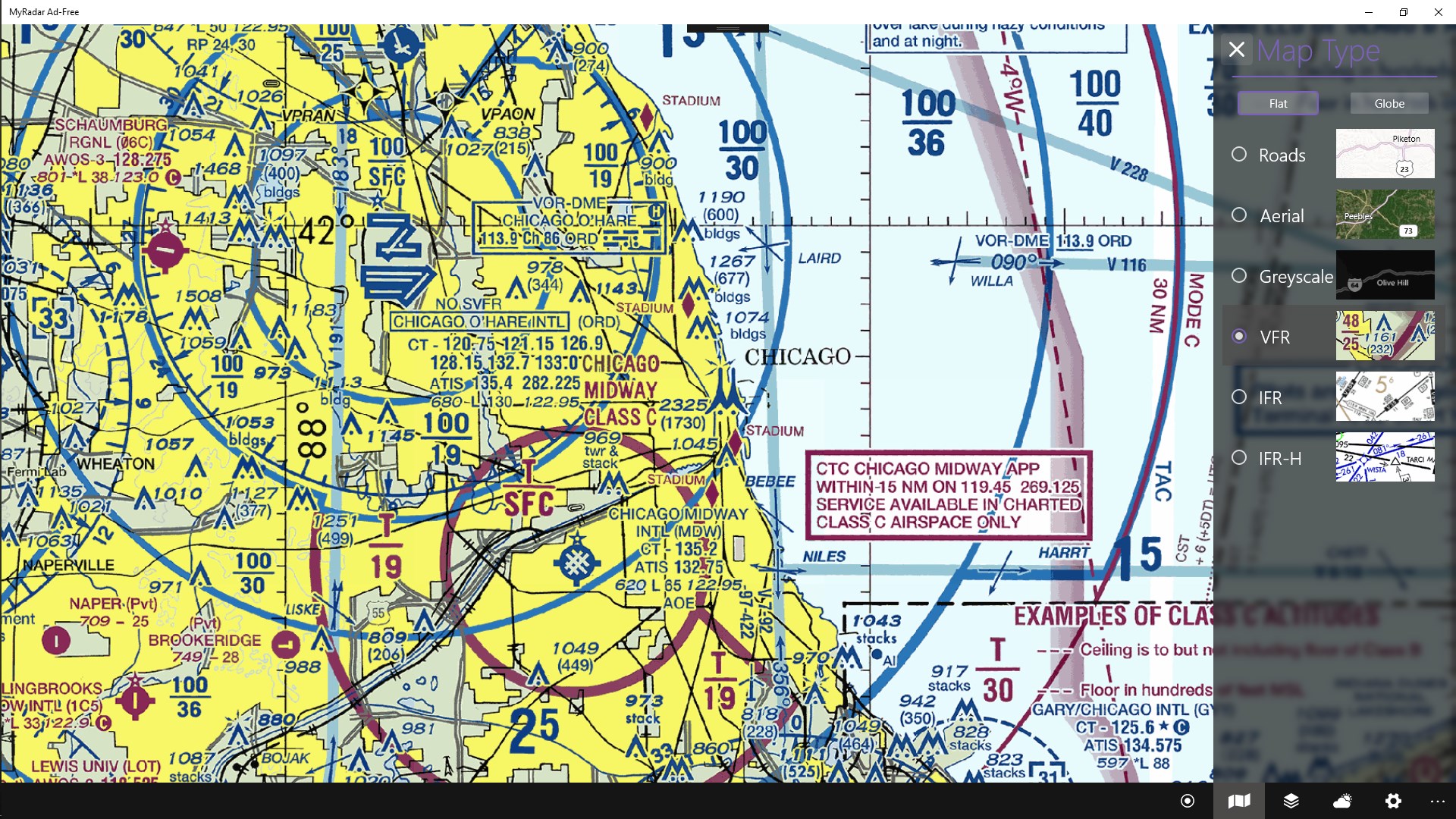
This app excels with its layered approach; users can add overlays such as future radar projections, wind patterns, lightning strikes, or temperature data, tailoring the map to their specific interests. Furthermore, customizable alerts enable notifications for severe weather warnings, ensuring you stay informed without constantly checking the app. It's like having a vigilant weather assistant watching out for you, especially in regions prone to sudden storms or unpredictable weather shifts.
Intuitive Interface with Professional Feel
From the moment you open MyRadar Pro, its sleek design and well-organized layout make navigation feel natural — akin to flipping through a well-organized weather dashboard. The controls are smooth, with quick access to layers, settings, and other features. Despite its depth of information, the learning curve is gentle, making it accessible to novices while offering advanced tools for power users. The app's responsiveness ensures that interactions feel seamless, enhancing the overall user experience.
Design, Usability, and Differentiators: What Sets MyRadar Pro Apart?
The interface strikes a fine balance between professionalism and accessibility. With its intuitive layout, users can effortlessly switch between radar views, toggle layers, and customize alerts without frustration. The app performs smoothly, with no noticeable lag, even on less powerful devices — a testament to its well-optimized design.
Compared to other weather apps that often focus solely on forecasts or simplified visuals, MyRadar Pro's standout feature is its high-quality, real-time radar data combined with a suite of customizable overlays. This makes it particularly useful for professional pilots, storm chasers, or weather hobbyists who require detailed and up-to-date information. Its ability to overlay future radar projections also provides a proactive approach to weather tracking, helping users anticipate weather changes rather than just react to them.
Should You Download? Our Recommendation
Overall, MyRadar Pro for Windows is a highly capable weather app that elevates the standard with its detailed radar capabilities and user-centric design. If your weather needs go beyond simple forecasts — whether for planning outdoor adventures, aviation, or emergency preparedness — this app offers valuable insights without overwhelming the user. We recommend it to anyone seeking a robust yet accessible weather monitoring tool, especially those who appreciate the complexity of real-time radar data with a straightforward interface.
While it might be a bit much for casual users who only need basic weather updates, for weather buffs or professionals, MyRadar Pro is undeniably a valuable addition to your digital toolbox. With its unique combination of live weather tracking, customizable layers, and a smooth user experience, it's a tool that earns a trustworthy spot on your desktop.
Pros
- Accurate weather alerts
- High-resolution radar imagery
- Customizable notifications
- User-friendly interface
- Additional weather data
Cons
- Occasional data delays
- Limited free features
- Battery consumption during updates
- Occasional app crashes on older devices
- Limited weather forecasting beyond 7 days