
Frequently Asked Questions
How do I install and set up the Nature Theme on my desktop?
Download from the app store, open the app, and follow prompts to apply the Nature Theme wallpapers directly to your desktop through the customization settings.
Can I use the wallpapers without an internet connection?
Yes, after downloading the wallpapers within the app, you can set them offline as your desktop background anytime.
How do I change or switch between the different wallpapers in the pack?
Open the app, navigate to the wallpaper selection, and choose your preferred image to set it as your desktop background.
What are the key features of the Nature Theme pack?
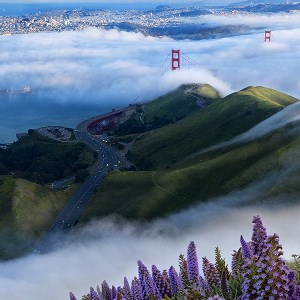
It includes 5 high-resolution wallpapers inspired by landscapes, vibrant colors, and easy application to personalize your desktop environment.
Can I customize or edit the wallpapers before applying?
This app provides only pre-designed wallpapers; for editing, use Photoshop Elements or similar editing tools externally.
How do I purchase or subscribe to access premium wallpapers in this app?
Go to Settings > Account > Subscription to view options and subscribe for full access to all themes and updates.
Is there a one-time purchase option or a recurring subscription for this app?
It offers both. You can purchase individual wallpaper packs or subscribe monthly for continuous updates and new themes.
Will I be charged automatically after the free trial?
If you choose a subscription, you'll be billed automatically at the end of the trial unless canceled via Settings > Account > Subscriptions.
What should I do if the wallpapers are not downloading or applying properly?
Check your internet connection, restart the app, and ensure permissions are enabled in Settings > Permissions; reinstall if needed.
You May Like

Blooming Dimensions
for Windows
5
Monotype Handwriting Font Pack
for Windows
5
Hues of Nature
for Windows
5
Dreamscapes
for Windows
5
Tales of the Teenage Mutant Ninja Turtles Theme
for Windows
5
Neon Dreams
for Windows
4.9
Cats Anytime
for Windows
4.9
Japanese Landscapes
for Windows
4.9
Sun and Sand
for Windows
4.9
Live Wallpaper Engine Plus
for Windows
4.8
Chicks and Bunnies
for Windows
4.8
Mountain Dwellings
for Windows
4.8