
- Category Personal Finance
- Developer Samsop Software
- Available on PC, Surface Hub, HoloLens
- OS Windows 10 version 14393.0 or higher
- Keyboard Integrated Keyboard
- Mouse Integrated Mouse
- languages English (United States)
Introduction: A Modern Checkbook for Your Windows Desktop
No Frills Checkbook for Windows, developed by Samsop Software, aims to bring simplicity and efficiency to personal finance management. Whether you're just starting to track your expenses or need a straightforward tool to keep your financial life in check, this app promises a clean interface and core functionalities designed to meet everyday budgeting needs. It positions itself as an easy-to-use alternative to more complex financial applications, appealing especially to users who value clarity over clutter.
Core Functionality: Focused and User-Friendly Accounting
Streamlined Expense Tracking and Balancing
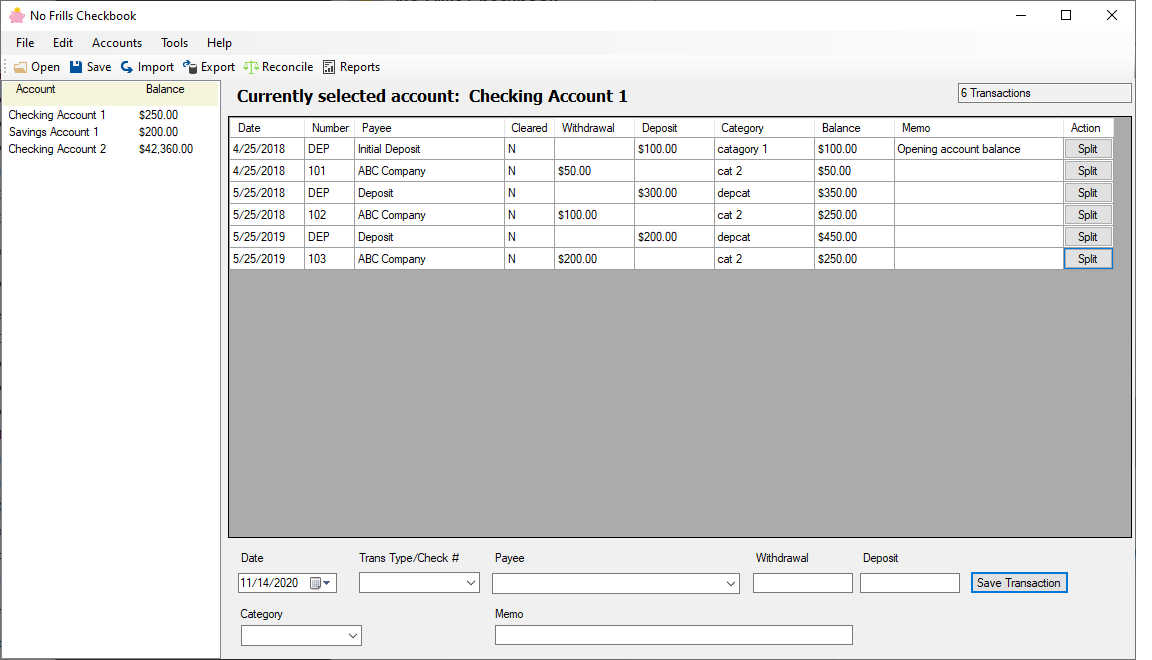
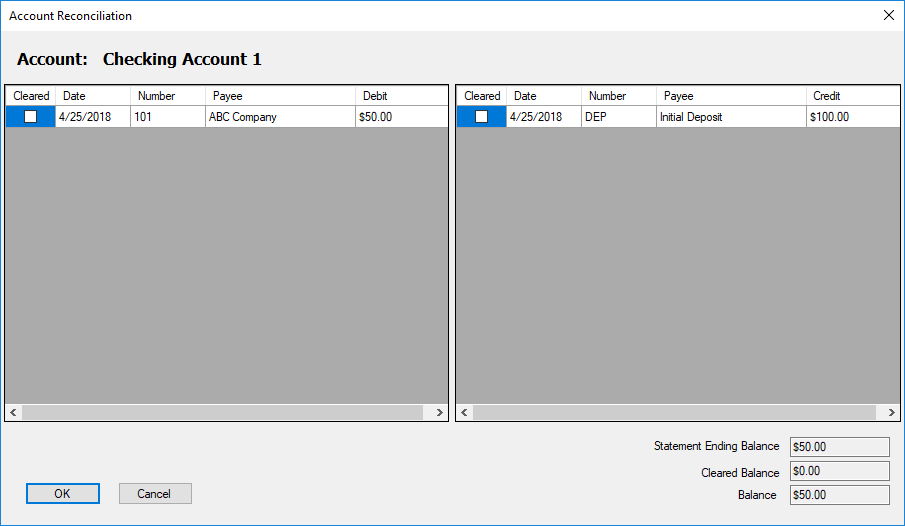
The heart of No Frills Checkbook lies in its ability to quickly record and reconcile transactions. With a straightforward input interface, users can log expenses and income without fuss—just a few clicks, and your financial ledger is updated. The app automatically maintains the running balance, giving you real-time insight into your financial health. Unlike other apps saturated with advanced features, this one zeros in on what matters most: simplicity and accuracy. It's like having a trusty notebook but in a sleek digital form that's always within reach.
Organized Transaction History and Reports
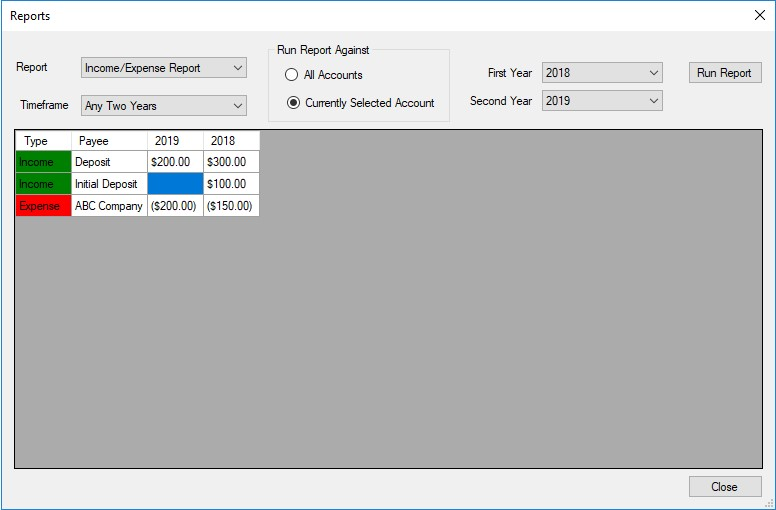
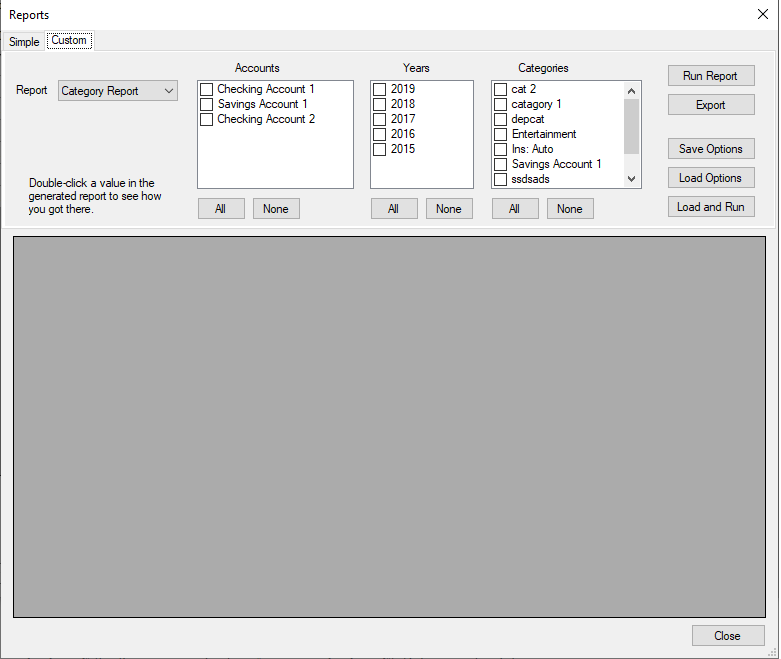
Keeping track of past transactions is effortless thanks to the app's organized history view. You can filter records by date, type, or amount, making retrospective analysis straightforward. The built-in report feature offers summaries, helping you identify spending patterns without digging through confusing charts. This focused approach enables users to see the big picture at a glance—perfect for those who want clarity without a steep learning curve.
User Experience: Intuitive Design and Seamless Performance
The app's interface adheres to a minimalistic yet friendly aesthetic. It resembles a tidy ledger book, which makes transitioning from paper-based methods feel natural. Navigating through menus feels fluid, with logical pathways that don't require a manual. Learning to use it is almost instinctive—designed with new users in mind, no complex setup needed. On performance, No Frills Checkbook runs smoothly on most Windows systems, with instant updates and no noticeable lag. The overall user journey is smooth, making it feel like a reliable pocket companion rather than a bulky financial software.
Unique Selling Points: Simplicity Meets Practicality
What sets No Frills Checkbook apart from more feature-heavy alternatives is its laser-focused core functions. The most special aspect is how it emphasizes ease of use while maintaining accuracy—no overwhelming options or unnecessary clutter. Its simple interface makes it accessible to users of all ages, especially those who are less tech-savvy but still want control over their finances. Additionally, the app's minimalistic design reduces distractions, allowing users to concentrate on the essentials: tracking and balancing their money efficiently.
Final Thoughts and Recommendations
All in all, No Frills Checkbook for Windows is a commendable choice for anyone seeking a no-nonsense personal finance tool. Its core strengths lie in straightforward expense logging, clear transaction histories, and a clean design that promotes ease of use. I'd recommend it especially for budgeting beginners, students, or anyone who prefers straightforwardness over complex financial analysis. If you're tired of cluttered apps that promise everything but deliver confusion, this could be the minimalist solution you've been searching for. It's not a replacement for detailed financial planning software but excels perfectly as a daily check-in tool for managing your money with confidence.
Pros
- Intuitive User Interface
- Simple Checkbook Management
- Real-Time Balance Updates
- Customizable Categories
- Offline Functionality
Cons
- Limited Export Options
- No Cloud Backup
- Lack of Recurring Transaction Support
- Basic Reporting Tools
- Minimal Customization Options