

- Category Productivity
- Developer Jackie (Jiaqi) Liu.
- Available on PC
- OS Windows 10 version 17763.0 or higher
- Keyboard Integrated Keyboard
- Mouse Integrated Mouse
- languages Arabic (Yemen), Bulgarian, Chinese (Simplified), Chinese (Traditional), Croatian, Czech, Dutch, English (United States), Finnish, French, Georgian, German, German (Switzerland), Hindi, Hungarian, Italian, Japanese, Korean , Odia, Polish , Portuguese (Brazil), Portuguese (Portugal), Russian, Serbian (Cyrillic), Serbian (Latin), Spanish (Spain), Turkish, Ukrainian, Vietnamese
A Sleek Digital Notebook for Windows: Notepads App Review
If you're someone who juggles multiple notes, ideas, and snippets throughout the day, then Notepads App for Windows offers an intuitive sanctuary to keep everything organized. Think of it as a tidy desk in your digital workspace—minimalistic yet powerful enough to handle your creative flow. Developed by Jackie (Jiaqi) Liu, this app aims to streamline your note-taking experience without unnecessary clutter or cognitive overload.
Key Information at a Glance
Notepads App is a lightweight yet versatile note-taking tool designed to enhance productivity on Windows devices. Developed by Jackie (Jiaqi) Liu, it is aimed at users who prefer a straightforward, distraction-free environment to jot down ideas, lists, or references. The app's main highlights include a clutter-free interface optimized for quick note capture, seamless multi-note management, and smooth integration with Windows ecosystem features. Its target user group encompasses students, professionals, and anyone who values efficient, organized digital note management.
Engaging and Practical: A Fresh Take on Digital Note-Taking
Imagine sitting at your workstation, overwhelmed by a flood of open tabs and scattered notes. Now, picture a clean, focused digital space where your thoughts can flow uninterrupted—this is what Notepads App promises. It's like having a digital sticky note board that's always within arm's reach, ready to capture fleeting ideas with just a click. Its simplicity invites you to focus on what matters, rather than fussing over complex features or cluttered interfaces.
Core Functionality: Consistent, Focused Note Management
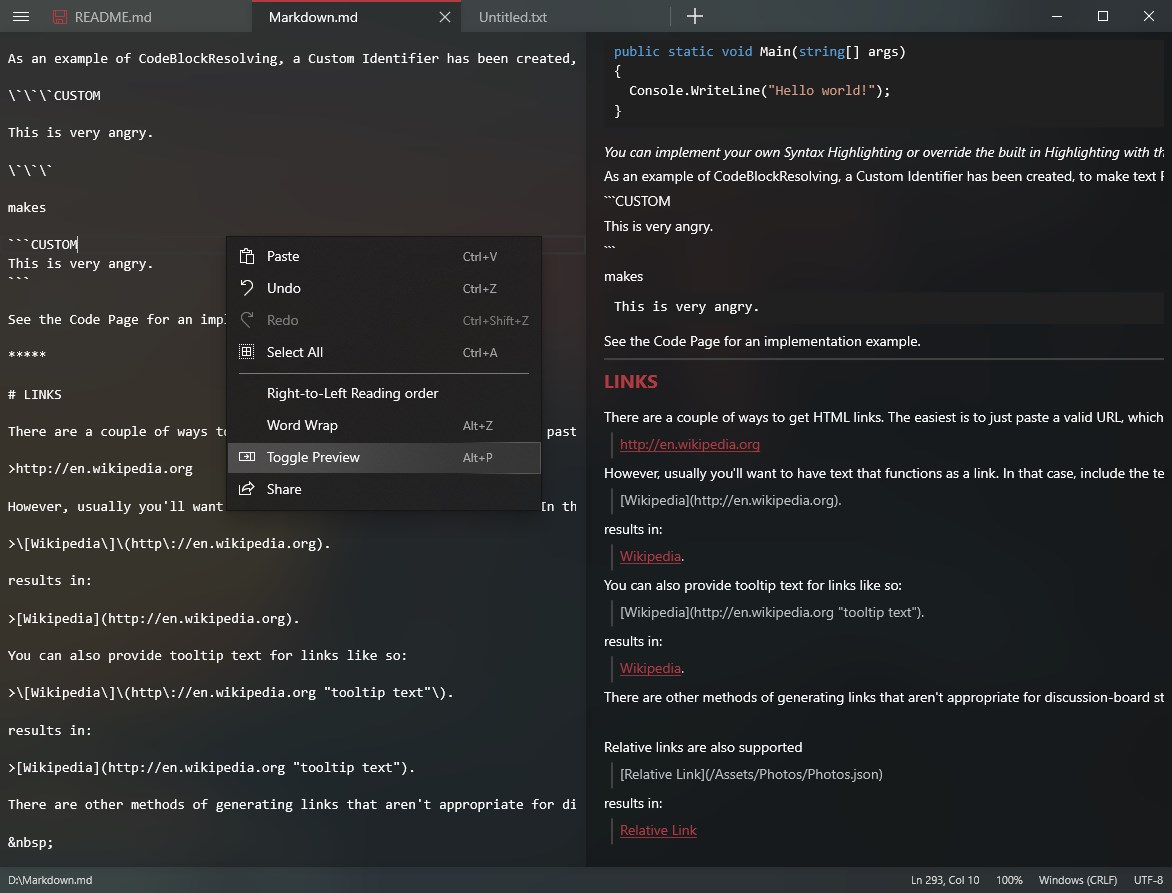
At the heart of Notepads App is its straightforward note management system. Unlike traditional note apps packed with tags, elaborate formatting, or multimedia support, Notepads champions minimalism. You can create, edit, and delete notes quickly, with each note occupying its own clean window. The app excels at supporting multiple snippets—think of it as a digital corkboard—allowing you to switch between notes effortlessly, keeping your ideas compartmentalized yet accessible.
Intuitive User Interface and Seamless Experience
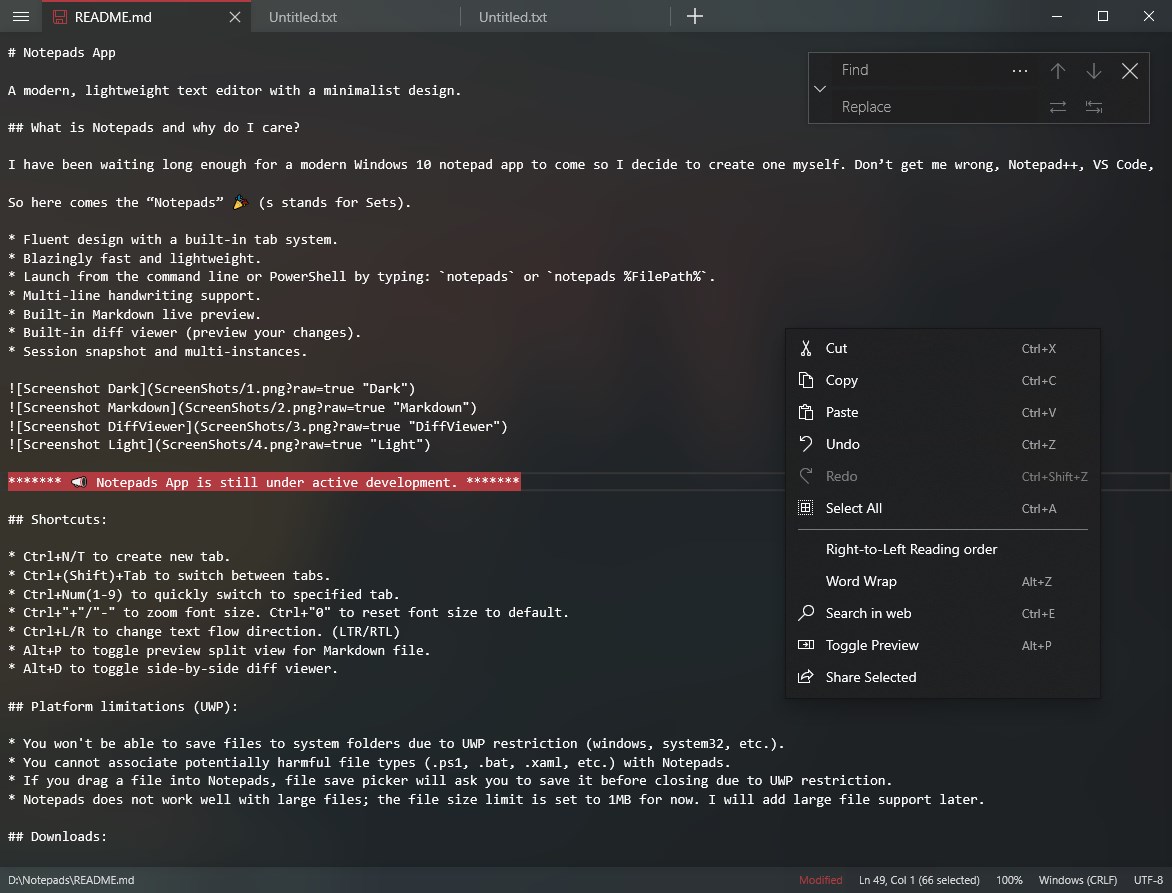
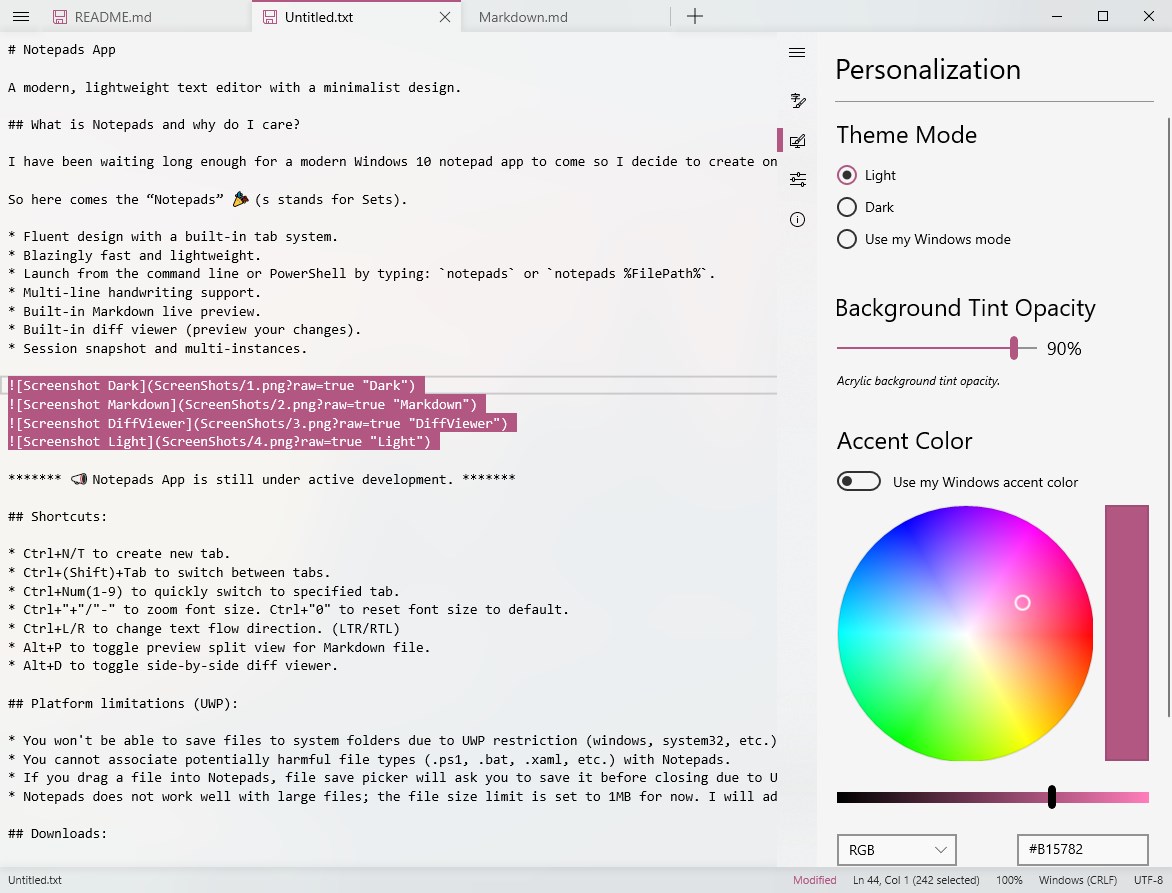
The app's interface is elegantly simple, with a clean, modern aesthetic that resembles a well-organized workspace—white backgrounds, subtle icons, and a streamlined toolbar. This minimal design reduces visual noise, which in turn lessens cognitive load, enabling users to focus on content rather than interface navigation. Operation feels smooth; scrolling, typing, and switching notes are responsive, almost as natural as flipping through index cards. Even newcomers will find the learning curve gentle, thanks to intuitive controls and clear sectioning.
Workflows with a Difference: Less Features, More Efficiency
Compared to feature-heavy productivity apps, Notepads App distinguishes itself by emphasizing workflow integration and cognitive ease. Its unique advantage lies in reducing mental clutter—no complex tagging systems or multimedia distractions here—allowing your thoughts to flow organically. For example, whether you're brainstorming, making quick lists, or capturing ideas during meetings, you can do so swiftly without hunting for options or navigating complicated menus. This focus on simplicity enhances efficiency, as users spend less time managing the app and more time creating.
Final Thoughts and Recommendations
All considered, Notepads App for Windows earns a solid recommendation for those seeking a no-frills, highly accessible note-taking tool. Its emphasis on minimalism, workflow efficiency, and ease of use make it particularly suitable for users who prefer clean interfaces and quick capture capabilities. If your goal is to keep your digital workspace uncluttered and your ideas flowing effortlessly, this app deserves a place on your desktop. For casual users, students, or busy professionals, it's a practical companion that streamlines your digital note management—think of it as your trusty digital notepad that's always ready when inspiration strikes.
Pros
- Lightweight and fast
- Simple and user-friendly interface
- Supports rich text formatting
- Seamless cloud integration
- Regular updates and improvements
Cons
- Limited customization options
- Basic search functionality
- Lack of advanced editing features
- No export to formats other than TXT
- Offline mode limitations











