

- Category Lifestyle
- Developer Initially
- Available on PC
- OS Windows 10 version 14316.0 or higher
- languages English (United States)
Efficiently Organize Your GoPro Footage with Ease
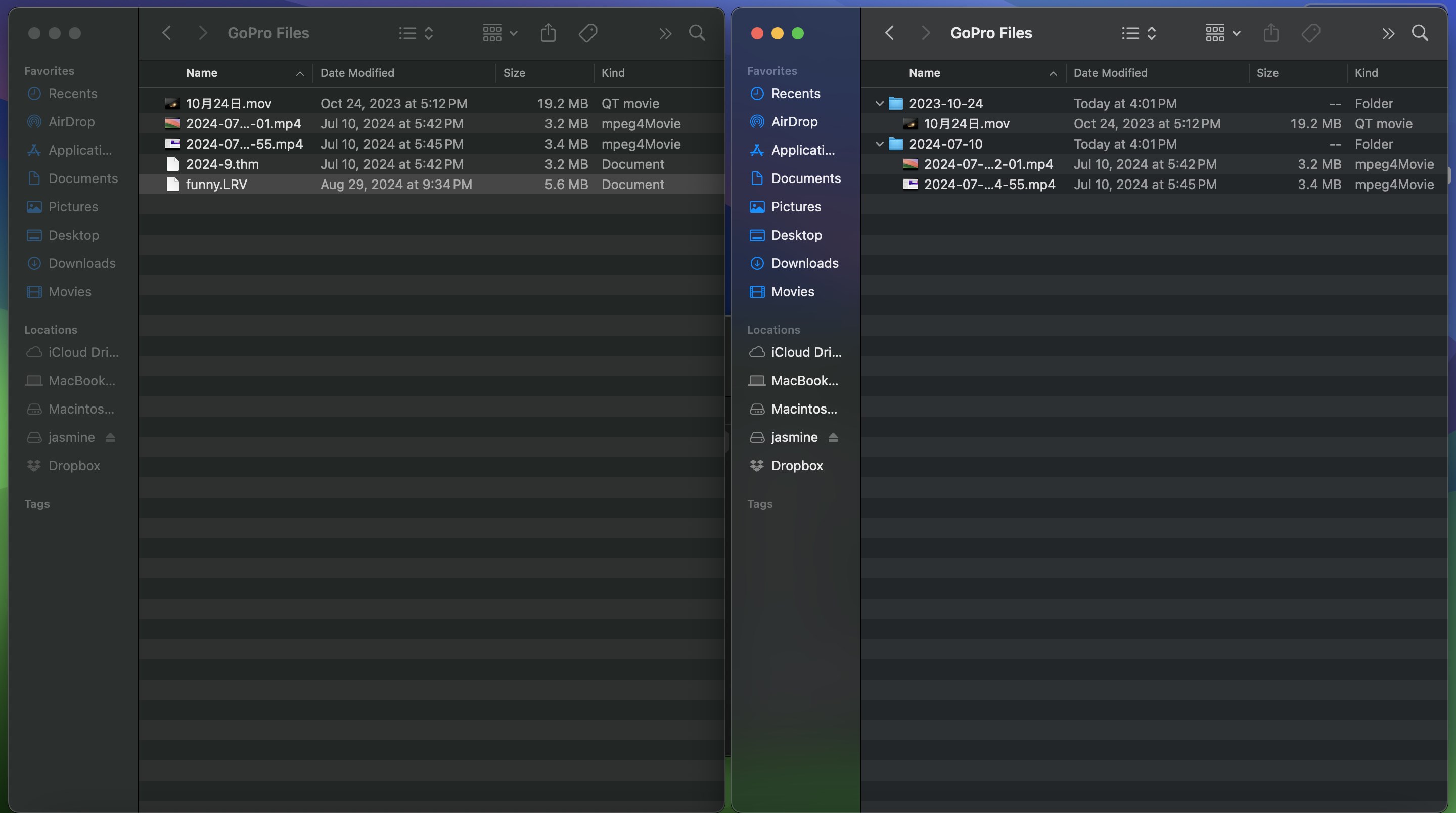
For adventurers, content creators, or casual users diving into countless GoPro videos, managing and sorting these files can feel like searching for a needle in a haystack. Enter "Organize GoPro Files for Windows" — a dedicated tool designed to streamline your multimedia chaos into neat, accessible collections. With its intuitive interface and smart functionalities, this application transforms the often tedious process of video management into a straightforward experience.
Brightening the Path: Key Features that Shine
Smart Sorting & Categorization
This feature acts like a vigilant guardian, automatically scanning your folders, recognizing different types of footage, and sorting them accordingly. Whether you have mountain biking adventures, family vacations, or underwater dives, the app intelligently tags and groups related videos, saving you from manual labor and potential misfilings. Its preset filters also allow you to customize sorting criteria, making organization tailored to your needs.
Metadata and Tag Management
Beyond simple file arrangement, the app excels at enriching your files with relevant metadata. You can add descriptive tags, date stamps, or even GPS locations—turning a jumbled mess of files into a well-annotated library. This aspect is especially valuable for professionals or enthusiasts who need quick access to specific footage months down the line, enhancing content authenticity and credibility.
Seamless Integration & User-Friendly Design
The application seamlessly interacts with your Windows system, offering drag-and-drop simplicity and supportive context menus. Its clean, modern interface resembles a well-organized workspace, encouraging effortless navigation. The learning curve is gentle—beginners will find it easy to pick up, while experienced users will appreciate the depth of customization available. Smooth operation and quick responsiveness make managing large video libraries less of a chore.
Stand Out in the Lifestyle Category
Unlike many generic media managers, "Organize GoPro Files for Windows" emphasizes content authenticity and user trust through precise metadata editing and intelligent sorting. Its ability to recognize file types specific to action cameras ensures that footage from your latest thrill ride is accurately categorized, preserving the context and integrity of your content. This focus on specialized functionality distinguishes it from more broad-spectrum, less dedicated tools, offering a tailored experience for GoPro users who value authenticity and efficiency.
Final Thoughts: A Tool Worth Keeping Near Your Screen
For anyone immersed in the world of vibrant, action-packed footage, this application is a reliable partner in managing your digital memories. Its standout features—particularly the automated sorting system and metadata management—offer a blend of sophistication and ease of use that's hard to find elsewhere. I'd recommend it to hobbyists wanting a tidy library and to professionals seeking quick, accurate footage retrieval. Overall, "Organize GoPro Files for Windows" proves to be a practical, user-centric app that turns a sometimes daunting task into an organized pleasure.
Pros
- Intuitive File Organization
- Fast Import and Export
- Automatic Metadata Tagging
- Preview Functionality
- Cloud Backup Support
Cons
- Limited Editing Features
- Occasional Sync Delays
- Interface Could Be More User-Friendly
- Lack of Batch Renaming Options
- Limited Support for Older GoPro Models










