


- Category Music
- Available on Mobile, PC, Xbox console
- OS Windows 10 version 14316.0 or higher
- languages English (United States)
Pandora for Windows: Your Personalized Streaming Companion
Pandora for Windows offers a seamless way to enjoy personalized music playlists and radio stations right on your desktop, combining smart curation with user-friendly controls to keep your music experience smooth and engaging.
Basic Information
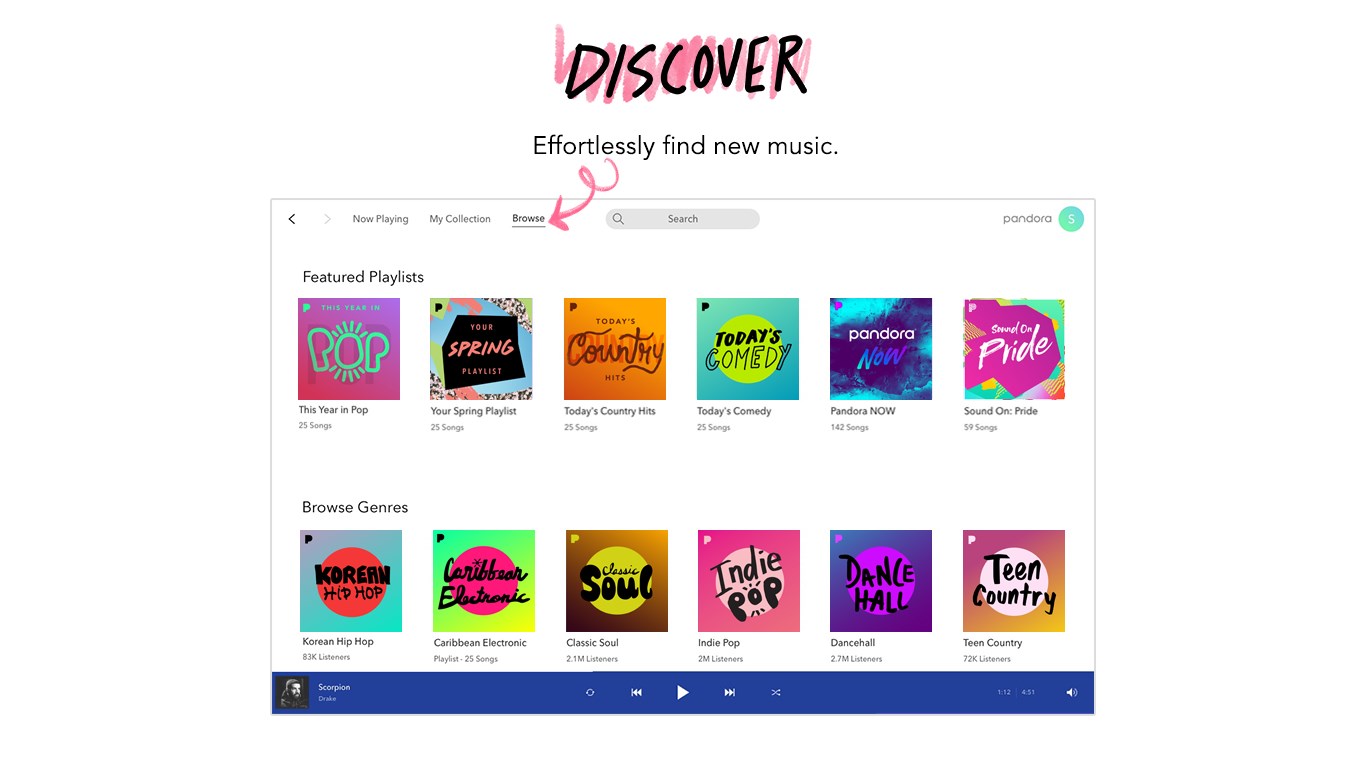
Positioned as a comprehensive desktop music streaming app, Pandora for Windows connects users with a vast universe of curated stations and personalized playlists. Developed by Pandora Media Inc., a leader in internet radio and music personalization, this application aims to deliver an intuitive and tailored listening experience on Windows devices.
- Key Features: Personalized playlists driven by user preferences, high-quality streaming with adaptive recommendations, and easy station management.
- Target Audience: Music enthusiasts seeking a customizable listening environment, casual listeners who prefer curated stations, and users looking for a hassle-free way to explore new music on Windows PCs.
A Fresh Take on Desktop Music Listening
Imagine sitting at your desk, perhaps with a steaming cup of coffee, as Pandora for Windows whisks you into a world where music seems to read your mind. Its sleek interface and intuitive controls make every moment of music discovery feel effortless and engaging—like having a personal DJ right beside you. Whether you're working, relaxing, or exercising, Pandora adapts seamlessly, ensuring your favorite tunes are always at your fingertips.
Smart Personalization and Station Control
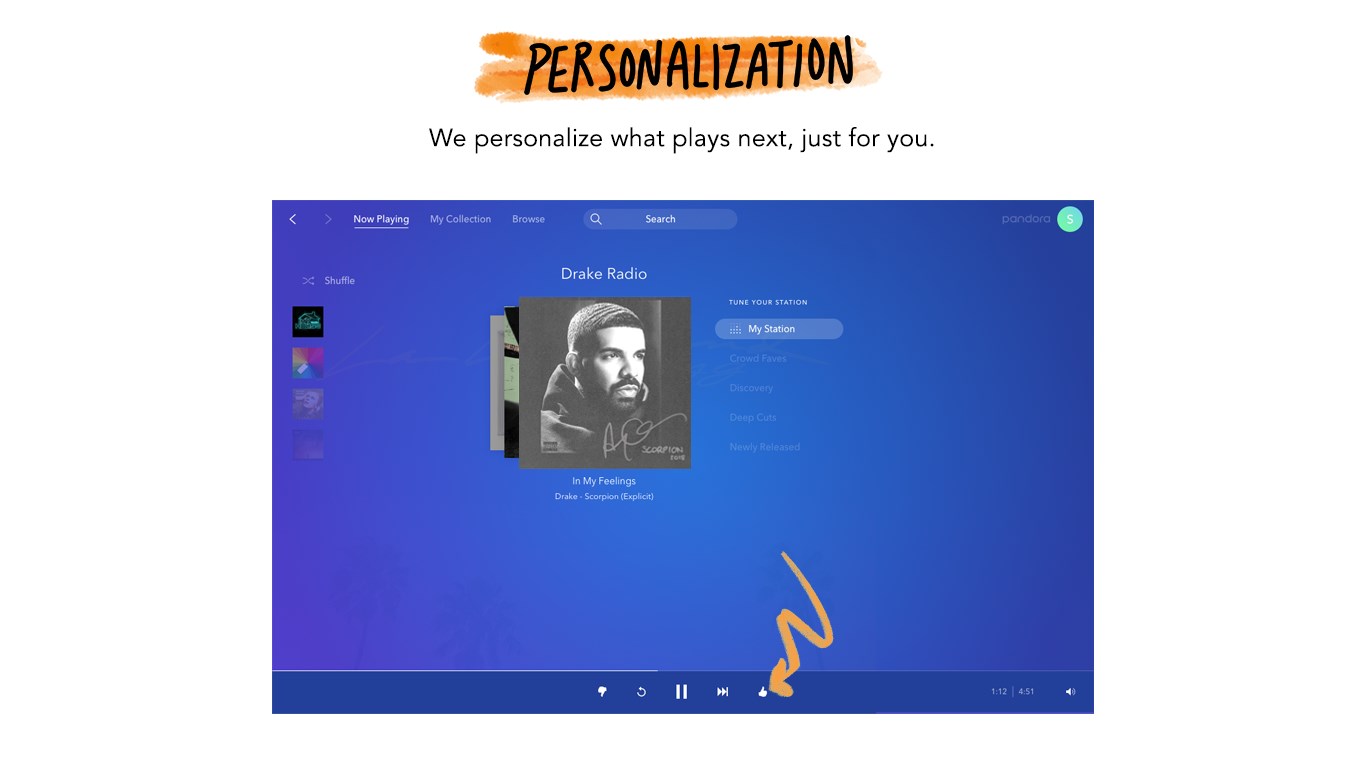
One of Pandora's standout features is its sophisticated personalization engine. As you listen, it learns your musical tastes, fine-tuning its recommendations to reflect your evolving preferences. Creating and managing stations is as simple as a few clicks—think of it as curating your own radio station, but with the added bonus that Pandora's algorithms actively enhance your experience. For example, if you like a certain indie track, Pandora will suggest similar songs or artists that fit seamlessly into your playlist.
Rich Audio Quality and Adaptive Streaming
Pandora for Windows boasts high-fidelity audio streaming that makes you feel like you're right in the recording studio. Its adaptive streaming technology adjusts to your internet bandwidth, minimizing interruptions and buffering—imagine listening to your favorite song in a cozy room without a single glitch. This ensures that even in less-than-perfect network conditions, your musical journey remains smooth.
User Interface and Experience
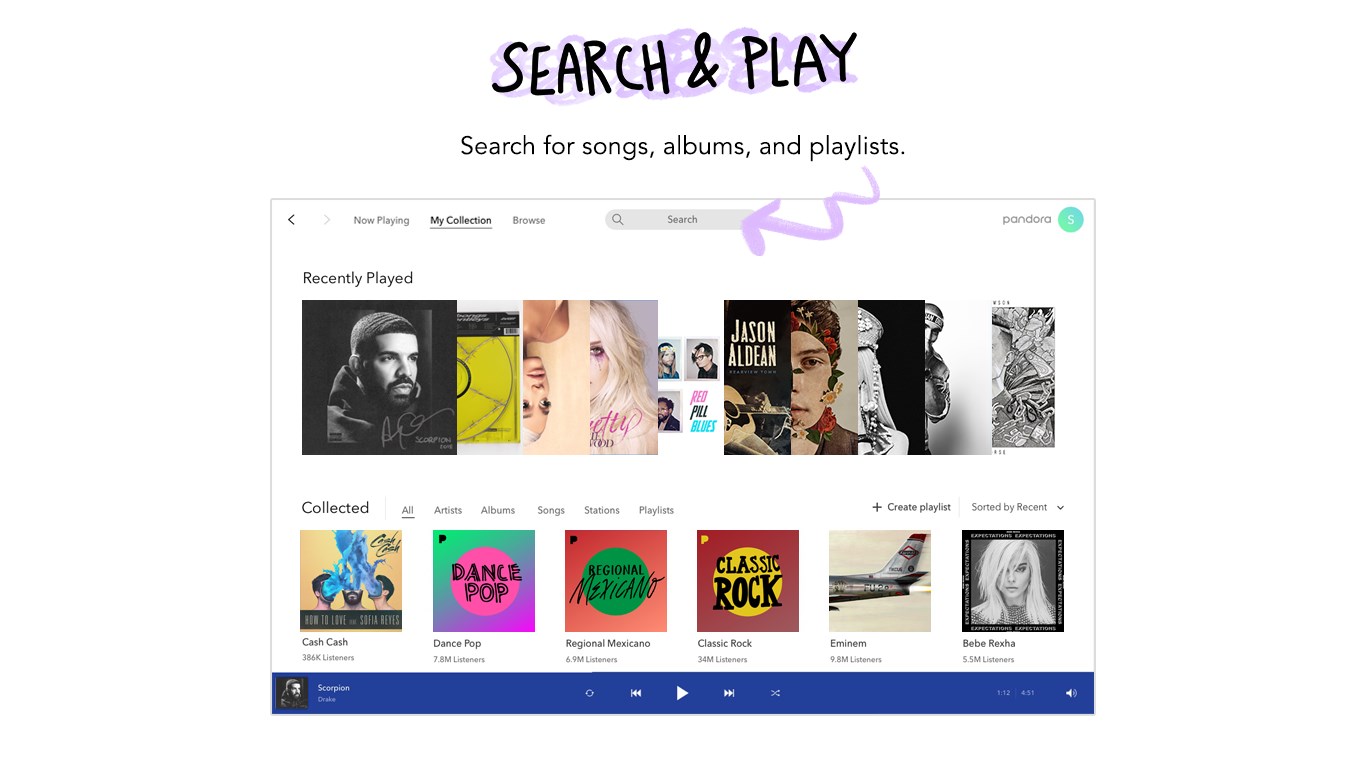
The app features a clean, modern interface that resembles a well-organized music library—think of it as a neatly arranged vinyl collection, but on your screen. Navigating through stations, playlists, and settings is straightforward, with logical icons and minimal clutter. Its responsiveness is noteworthy; transitions are swift, and control adjustments like skipping tracks or thumbs-up/down are instant. The learning curve is gentle, even for newcomers, making Pandora a friendly companion rather than a daunting music tool.
What Sets Pandora Apart?
Compared to other music apps, Pandora's unique strength lies in its rhythmic pattern assessment and tolerance for latency. Its ability to assess rhythm pattern variety allows it to craft stations that truly match your groove—whether you're into complex jazz rhythms or danceable pop beats. Plus, the app's latency tolerance ensures that even if your internet connection is slightly inconsistent, your listening experience remains uninterrupted. This focus on rhythm adaptation and seamless streaming gives Pandora a distinctive edge, making it ideal for users who value both musical variety and stability.
Final Recommendation
If you're searching for a music app that intelligently adapts to your taste and offers a stable, high-quality listening experience, Pandora for Windows is a solid choice. It's particularly suitable for those who appreciate listening to curated stations that evolve with their mood and preference. For casual listeners or busy professionals who want reliable background music without fuss, Pandora is highly recommended. That said, if you're looking for a platform with a vast catalog and more social sharing features, exploring other options might also be worthwhile.
Overall, Pandora for Windows combines thoughtful design with advanced personalization, making it a top-tier option for personalized music enjoyment right on your desktop. It's like having a dedicated radio station tailored just for you—consistent, adaptive, and enjoyable.
Pros
- User-Friendly Interface
- Wide Music Library
- Personalized Recommendations
- Multiple Streaming Options
- Offline Listening (Premium Feature)
Cons
- Limited Song Skips
- Ads in Free Version
- Sound Quality Variability
- Limited Customization options
- Offline Download Restrictions










