
- Category Productivity
- Developer Parallels International GmbH
- Available on PC
- OS Windows 10 version 0.0 or higher
- Keyboard Integrated Keyboard
- Mouse Integrated Mouse
- languages French, English, Chinese (Simplified), Chinese (Traditional Chinese), Czech, German, Italian, Japanese, Korean, Polish, Portuguese, Russian, Spanish (EU)
Parallels Toolbox for Windows: Your All-in-One Productivity Sidekick
Imagine having a Swiss Army knife tailored for your Windows workflow—compact, versatile, and ready to tackle a variety of daily tasks efficiently. That's exactly what Parallels Toolbox for Windows aims to deliver, streamlining your digital life with a suite of useful tools designed to boost productivity without the clutter.
Developers and Core Highlights
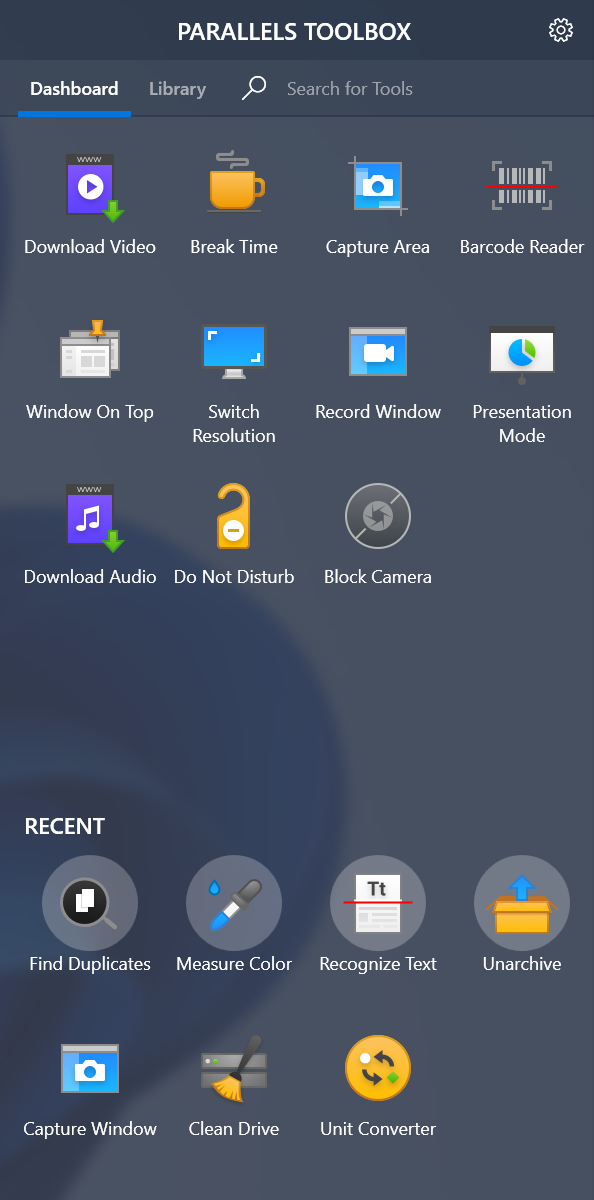
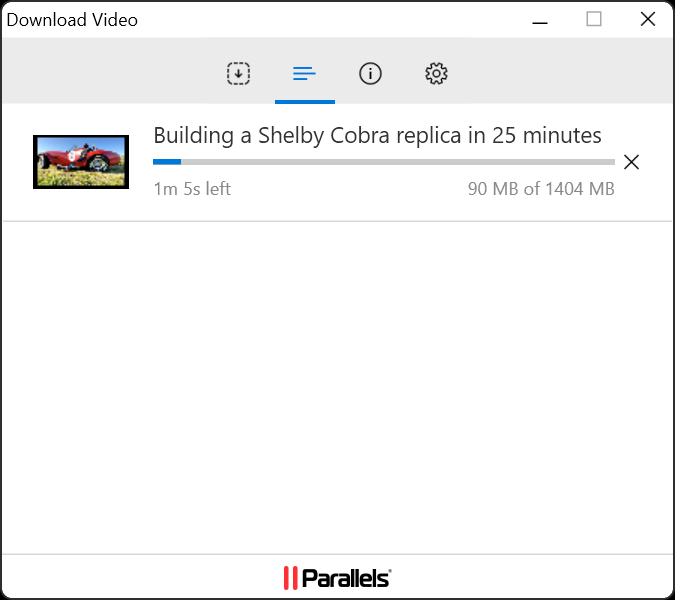
Developed by Parallels International GmbH and published by Corel Corporation, Parallels Toolbox is crafted behind the scenes to simplify common computing chores. Its main features include a one-click interface to capture screenshots and record screen activities, quick access to system cleaning utilities, and a set of multimedia tools like video compression and audio recording. These functionalities are intended to save time, minimize distractions, and enhance overall workflow efficiency.
Targeted at busy professionals, students, and anyone who wants to optimize their daily digital interactions, this app provides an approachable yet powerful toolkit to handle routine tasks seamlessly.
A Fun and Practical Introduction: Your Digital Swiss Army Knife
Ever wish you had a handy assistant tucked into your desktop, ready to perform simple yet time-consuming tasks? Think of Parallels Toolbox as that reliable helper — with a cheerful interface and straightforward commands, it transforms tedious chores into quick clicks. Whether you're preparing a presentation, tidying up your storage, or capturing gameplay moments, this app promises to make your Windows experience smoother and more enjoyable.
Streamlining Screen Capture and Recording: Capture and Record Made Easy
One of the standout features is its intuitive screen capturing and recording tools. Unlike traditional methods that involve multiple settings and third-party apps, Parallels Toolbox offers one-click functionalities. With simple options, users can instantly take full-screen shots, specific regions, or even record their desktop or webcam activity without fuss. The process is fluid—click, capture, save—and it feels just as natural as talking to a colleague across the desk. The seamless integration reduces cognitive load, allowing you to focus on your content rather than grappling with complex software settings.
Its recording feature is particularly useful for creating walkthroughs or tutorials—imagine explaining your latest project to a remote team effortlessly, with the app handling the technicalities behind the scenes.
Smart System Maintenance: Keep Your PC Running Smoothly
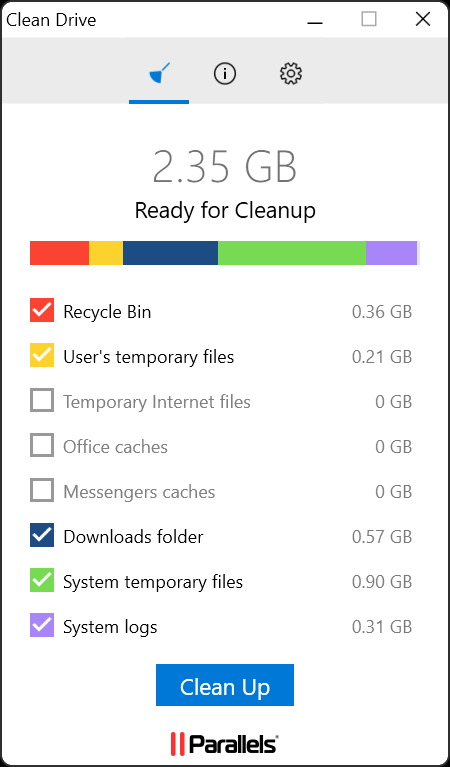
The app's utility for system cleanup and management stands out as a real time-saver. Tasks such as freeing up disk space, shutting down unnecessary background processes, or enabling silent modes can be performed effortlessly. The interface is made to feel approachable, with clear icons and minimal options—think of it as a dashboard of your car that's designed for quick, effective adjustments rather than overwhelming dials. This minimizes effort and helps prevent mistakes, especially for users who aren't tech-savvy but still want to keep their machines optimized.
Unique Workflow Integration and User Experience
What truly sets Parallels Toolbox apart from similar productivity suites is its laser focus on reducing cognitive load through streamlined workflows. While many tools bundle complex features into cluttered interfaces, Parallels emphasizes task simplicity and rapid execution. Its well-organized, intuitive design acts like a well-oiled assembly line—each tool integrating smoothly with another, avoiding the “feature fatigue” prevalent in many comprehensive apps. For example, quickly switching between screen capture, file compression, and system cleaning becomes as effortless as flipping through stations on a radio.
The app's minimalistic interface and single-window design make it approachable for new users, yet powerful enough for seasoned professionals. The immediate accessibility of essential tools helps users stay focused, instead of wasting time navigating menus or settings—akin to having a reliable, always-ready toolkit within arm's reach.
Final Verdict: Practical, Efficient, and Easy to Use
Overall, Parallels Toolbox for Windows earns a solid recommendation for those seeking a straightforward, integrated set of utilities that improve workflow efficiency. Its standout feature—the one-click capture and recording tools—addresses common pain points with a simple yet effective approach. If your goal is to minimize the mental clutter of managing multiple specialized apps and instead focus on your core tasks, this toolbox can be a valuable addition.
Our advice? Try it out if you need quick access to essential utilities without hassle. It's especially beneficial for users who want to keep their system optimized and their work organized without spending hours learning complex software. For those who appreciate a clean, coherent interface and a focus on task efficiency, Parallels Toolbox is definitely worth a look as an unobtrusive productivity companion.
Pros
- User-Friendly Interface
- Wide Range of Built-in Tools
- Time-Saving Automation
- Lightweight and Minimal System Impact
- Regular Updates and Improvements
Cons
- Limited Customization Options
- Occasional Stability Issues on Older Systems
- In-App Notifications and Ads
- Limited Free Trial for Some Features
- Potential for Overlap with Existing Software











