
- Category Productivity
- Developer Avinash Parashar
- Available on PC
- OS Windows 10 version 17763.0 or higher
- Keyboard Integrated Keyboard
- Mouse Integrated Mouse
- Memory 2 GB
- languages English (United States)
Streamlining Your Printing Workflow: An Honest Look at PDF Printer Utility Desktop for Windows
If you often find yourself juggling multiple PDFs and printing tasks, finding a tool that simplifies and accelerates this process can be a game-changer. PDF Printer Utility Desktop for Windows, developed by Avinash Parashar, promises to serve as a reliable companion in managing PDF printing efficiently—think of it as your digital backstage pass to smoother document workflows.
About the App: Who's Behind the Curtain?
Created by Avinash Parashar and published under Devloper.Avinash, this application targets users who require an enhanced, more flexible approach to PDF printing on Windows. Whether you're an office worker, a student, or someone managing a high volume of documents, this tool aims to optimize your productivity. Its main appeal lies in offering a straightforward yet robust platform for handling PDF print jobs with ease.
Key Features That Stand Out
1. One-Click PDF Printing from Any Application
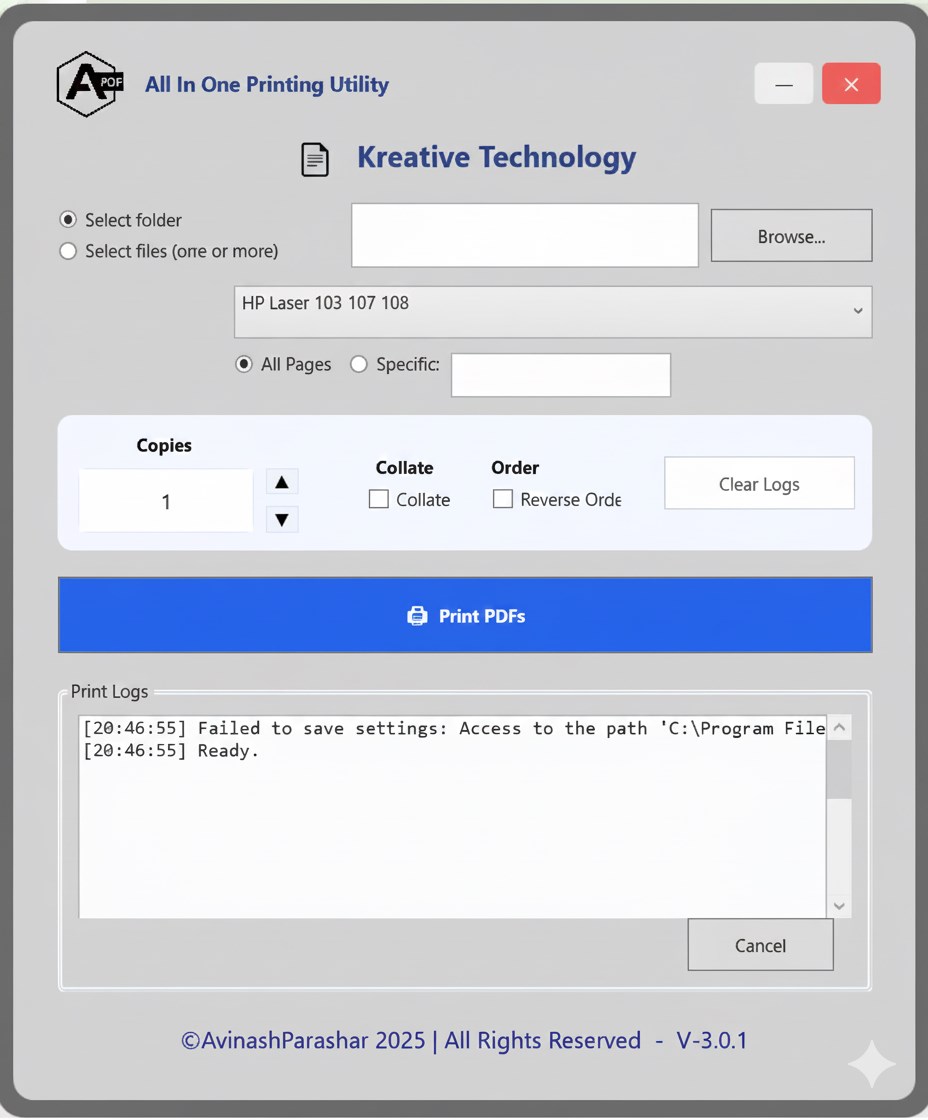
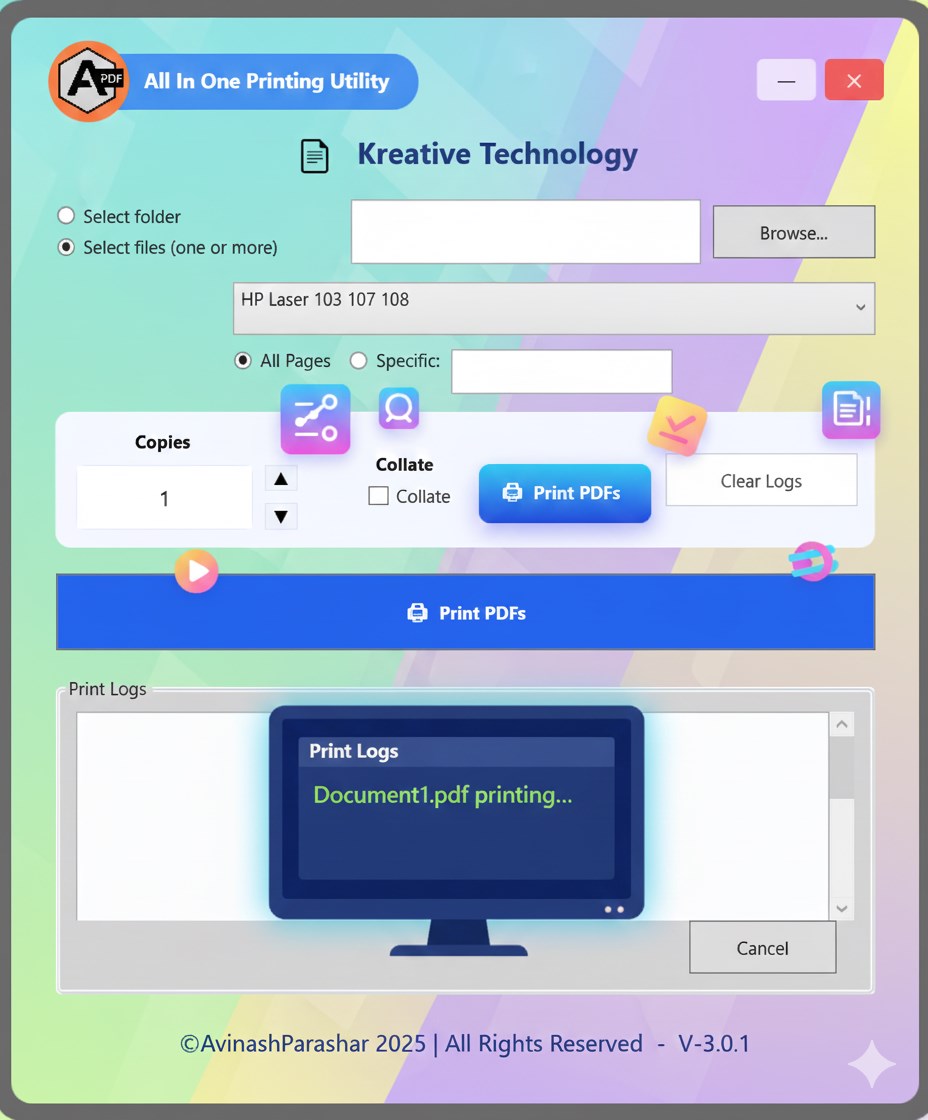
The app acts like a universal print bridge—allowing users to send any document to print directly as a PDF with just a single click. This streamlines the process, especially when compared to traditional print dialogs that can become cluttered and time-consuming.
2. Customizable Print Settings at Your Fingertips
Adjust print quality, paper size, orientation, and scaling preferences effortlessly within the app. This flexibility means less fiddling with printer settings and more focus on your actual work—imagine having a personal print concierge who arranges everything just as you like it.
3. Efficient Batch and Queue Management
The utility excels at handling multiple print jobs seamlessly. Batch printing and queuing features reduce cognitive load during busy hours, offering a clear overview and control of ongoing tasks—like having a conductor managing an orchestra without missing a beat.
User Experience: Design, Ease, and Flow
The interface of PDF Printer Utility Desktop is designed with simplicity in mind. Its clean layout feels approachable even for first-time users, avoiding overwhelming menus or complex controls. The workflow is intuitive, allowing quick access to core functionalities—much like flipping a switch or turning a key to start your car. Navigation is smooth, with minimal lag, ensuring that your print tasks are processed without frustrating delays. The learning curve is shallow; most users can get up to speed within minutes, turning what could be a cumbersome process into a seamless experience.
Differentiators: What Sets It Apart?
While many PDF and print management tools exist, this app's distinctive edge lies in its workflow integration and cognitive simplicity. Unlike feature-heavy competitors that risk overloading users with options, PDF Printer Utility focuses on reducing cognitive load. It emphasizes quick, frequent tasks—like instant PDF conversion and printing—thereby matching the needs of users who value efficiency over complexity. Its streamlined approach directly contributes to minimizing mental effort, making it easier to incorporate into daily routines. Additionally, its straightforward design means that it complements existing productivity tools without creating bottlenecks or requiring significant adjustments.
Conclusion: Is It Worth Your Time?
Considering its ease of use, focus on workflow enhancement, and flexibility, PDF Printer Utility Desktop is recommended for users seeking reliable, time-saving PDF printing solutions. It's particularly suitable for office environments, students, or anyone handling large volumes of documents who appreciate a no-nonsense, efficient tool. While it may lack some of the advanced features of larger PDF suites, its core functions are sharp and targeted—delivering exactly what you need with minimal fuss. If your workflow involves frequent PDF printing or conversions and you value clarity and speed, this utility is indeed a trustworthy companion. Give it a try—it could become your new best friend in managing those endless docs.
Pros
- Easy PDF printing with a user-friendly interface
- Supports multiple paper sizes and orientations
- High-quality output with lossless PDF rendering
- Lightweight and resource-efficient
- Compatible with various Windows applications
Cons
- Limited editing options within the app
- Occasional issues with incompatible file formats
- Lack of advanced security features for sensitive documents
- Minor glitches with batch printing in some Windows versions
- No cloud storage integration











