

- Category Business
- Available on PC, Mobile, Surface Hub, HoloLens
- OS Windows 10 version 17763.0 or higher
- Keyboard Integrated Keyboard
- Mouse Integrated Mouse
- languages English (United States)
Introducing Phone Call Pro for Windows: Your Seamless Calling Companion
Phone Call Pro for Windows is a dedicated application designed to streamline your call management experience, enabling effortless voice and video calls directly from your desktop. Developed by GMT Software, this app aims to bridge the gap between your phone and PC, fostering a more integrated communication workflow.
What's in the Box? Key Features at a Glance
The app's core strengths lie in its ability to facilitate smooth calls, enhance collaboration, and simplify device connectivity. Its standout features include straightforward call management, robust integration with your contacts, and multi-device synchronization, making it a versatile tool for both personal and professional use. Designed with user-friendliness in mind, it caters to busy professionals, remote teams, and anyone seeking a more organized approach to their phone communications.
A Vibrant Entry Point into Your Communication World
Imagine this: You're sitting at your workspace, juggling multiple projects, when suddenly a call from your colleague pops up on your screen. Phone Call Pro for Windows transforms this fleeting moment into a seamless exchange, turning your desktop into a hub of connectivity. Its intuitive interface means less fumbling around and more focusing on what truly matters—your conversations and collaborations. The app's design feels like an extension of your workflow, making communication effortless without demanding a steep learning curve.
Crystal Clear Calls & Efficient Management
One of the key features that sets Phone Call Pro apart is its reliable call quality. When you're engaging in a vital business discussion or catching up with friends, clarity matters. This app minimizes lag and echo, ensuring your voice comes through crisply, much like a trusted intercom system that's always within arm's reach. The call management interface is clean and accessible, allowing you to quickly answer, decline, or transfer calls without hunting through complicated menus. For those accustomed to switching between devices, this app's ability to handle calls seamlessly across your phone and PC is particularly appealing, reducing interruptions and keeping your communication smooth.
Collaborative Features That Promote Team Synergy
Where Phone Call Pro truly shines is in its collaboration capabilities. Unlike traditional calling apps, it offers integrated task management and chat features that work hand-in-hand with your calls. Imagine starting a call and instantly sharing notes, files, or even collaborating on a shared task list without switching applications. This level of integrated workflow is particularly useful in remote work scenarios, where maintaining context and continuity is crucial. The app's ability to facilitate quick group conversations and synchronize tasks across devices adds a layer of productivity that many competitors lack.
User Experience: Simple, Smooth, and Friendly
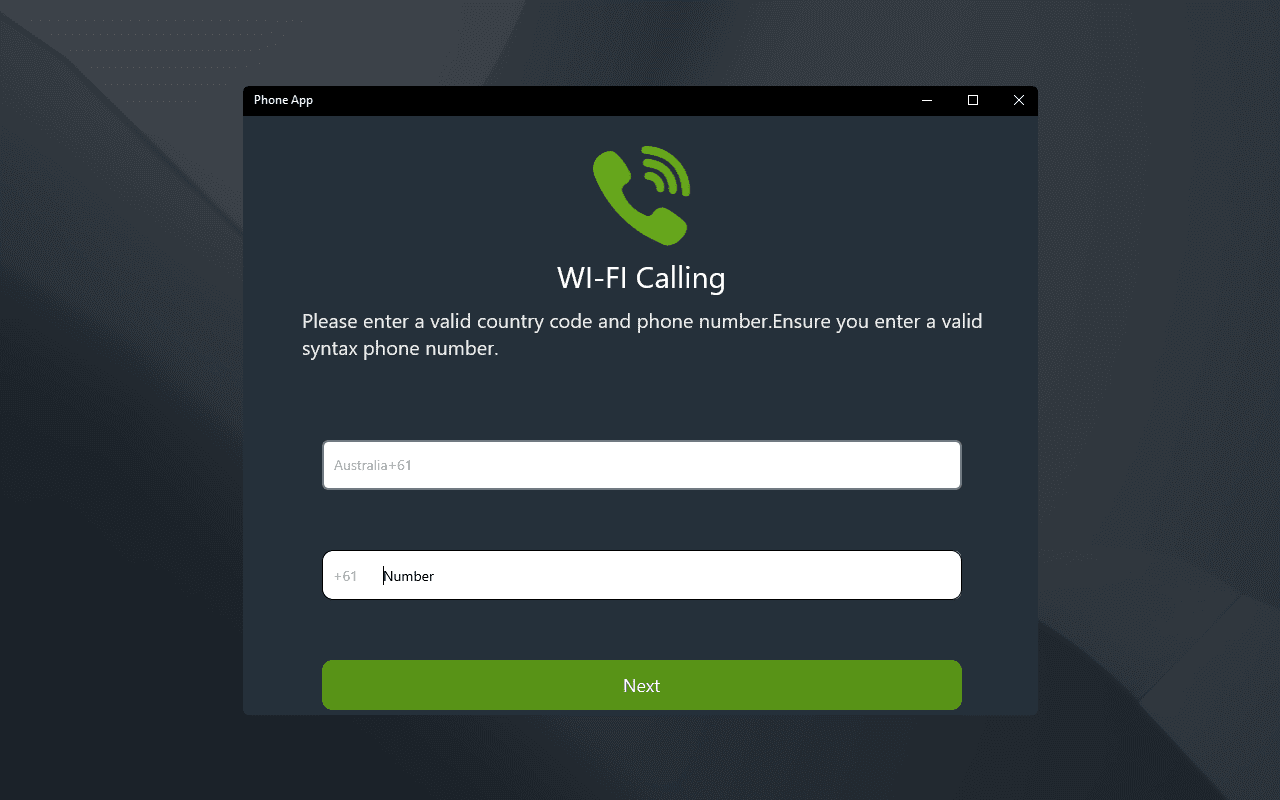
Using Phone Call Pro for Windows feels like chatting with a friendly, efficient assistant. Its interface is modern but straightforward, with well-organized menus and minimal clutter. Navigation is intuitive, and responses are swift, making the learning curve shallow for new users. Even if you're not tech-savvy, you'll find it easy to set up and start making calls within minutes. The fluidity of operation ensures that your attention remains on your conversation, not on deciphering how the app works. This thoughtful design makes it an accessible choice for users of varying technical backgrounds.
How Does It Stand Out Among Business Communication Tools?
Compared to other productivity and communication applications, Phone Call Pro's unique edge lies in its focus on integrated, device-agnostic calling combined with collaborative task features. While many apps offer calling or messaging separately, this app combines both seamlessly, promoting not just communication but also teamwork. Its multi-device synchronization ensures your calls and tasks stay connected as you switch between phone and PC, providing continuity that's vital for dynamic work environments. This integrated approach results in a more unified and efficient communication ecosystem, making it a compelling choice for teams seeking to bring their calling and collaboration into one platform.
Final Thoughts & Recommendations
In summary, Phone Call Pro for Windows is a thoughtfully designed application that offers more than just voice calling—it's a mini collaboration hub right on your desktop. Its standout features, particularly the cross-device synchronization and integrated task management, provide real practical value for professionals and remote teams. If you're looking for an app that simplifies your communication workflow without sacrificing quality, this could very well be a tool worth exploring.
While it excels in certain areas, users should consider their specific needs, especially if their primary requirement is advanced conferencing features or extensive integrations. For most casual to professional users who prioritize straightforward, reliable calls combined with easy collaboration, Phone Call Pro is definitely worth a try.
Pros
- Intuitive User Interface
- High Call Quality
- Multiple Call Features
- Cross-Platform Compatibility
- Good Customer Support
Cons
- Limited Free Features
- Occasional Connectivity Drops
- Heavy Battery Usage
- Interface Customization Limited
- Inconsistent Notification Alerts











