
- Category Photo & video
- Developer NCH Software
- Available on PC
- OS Windows 10 version 15063.0 or higher
- Keyboard Integrated Keyboard
- Mouse Integrated Mouse
- Memory 4 GB
- languages English (United States)
PhotoPad for Windows: A User-Friendly Photo Editing Companion
PhotoPad for Windows, developed by NCH Software, positions itself as an accessible yet versatile photo editing tool, aiming to cater to both casual users and budding photographers seeking quick and decent edits without the steep learning curve.
Meet the Creators Behind the Magic
NCH Software, a reputable developer renowned for a suite of multimedia utilities, brings their experience into PhotoPad, ensuring a balance of simplicity and functionality that appeals to a broad user base.
Core Features That Shine
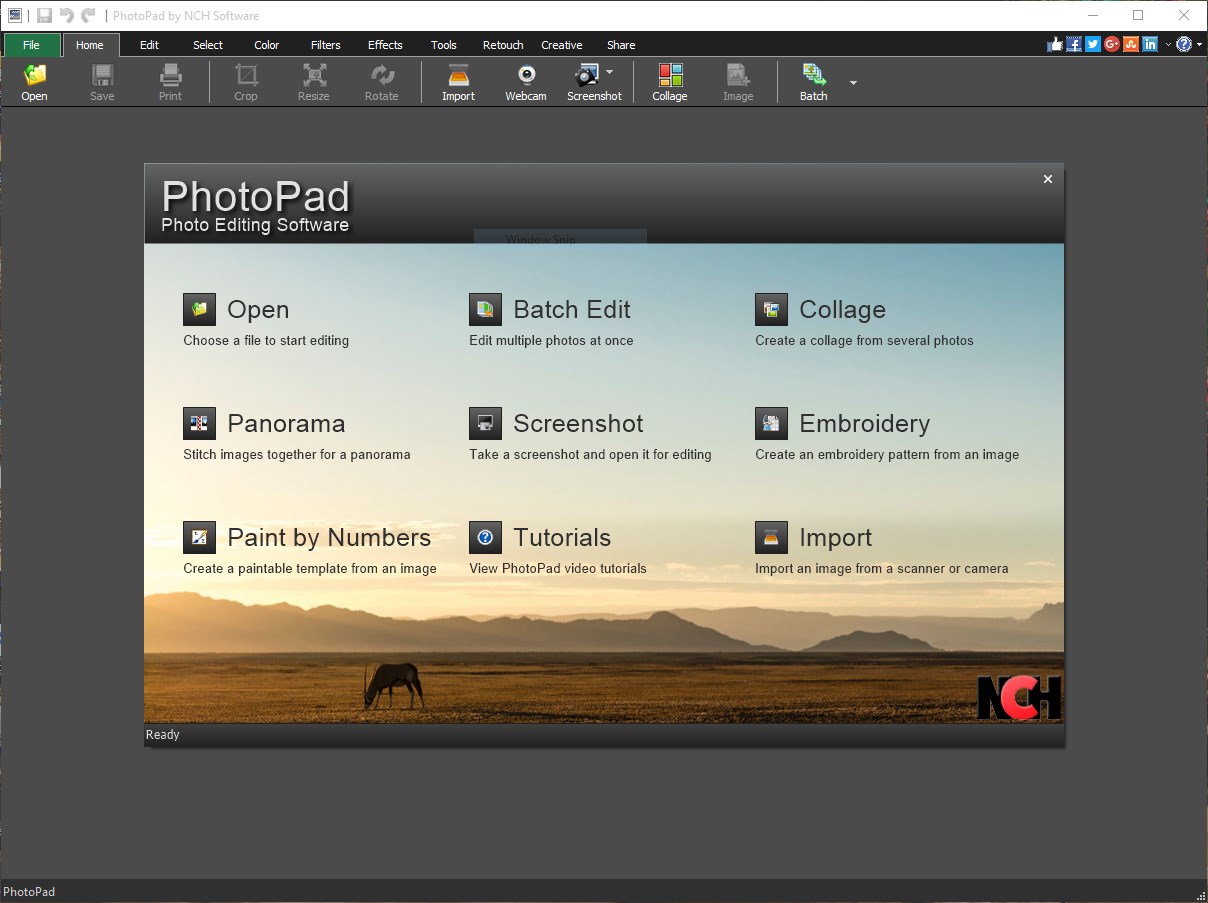
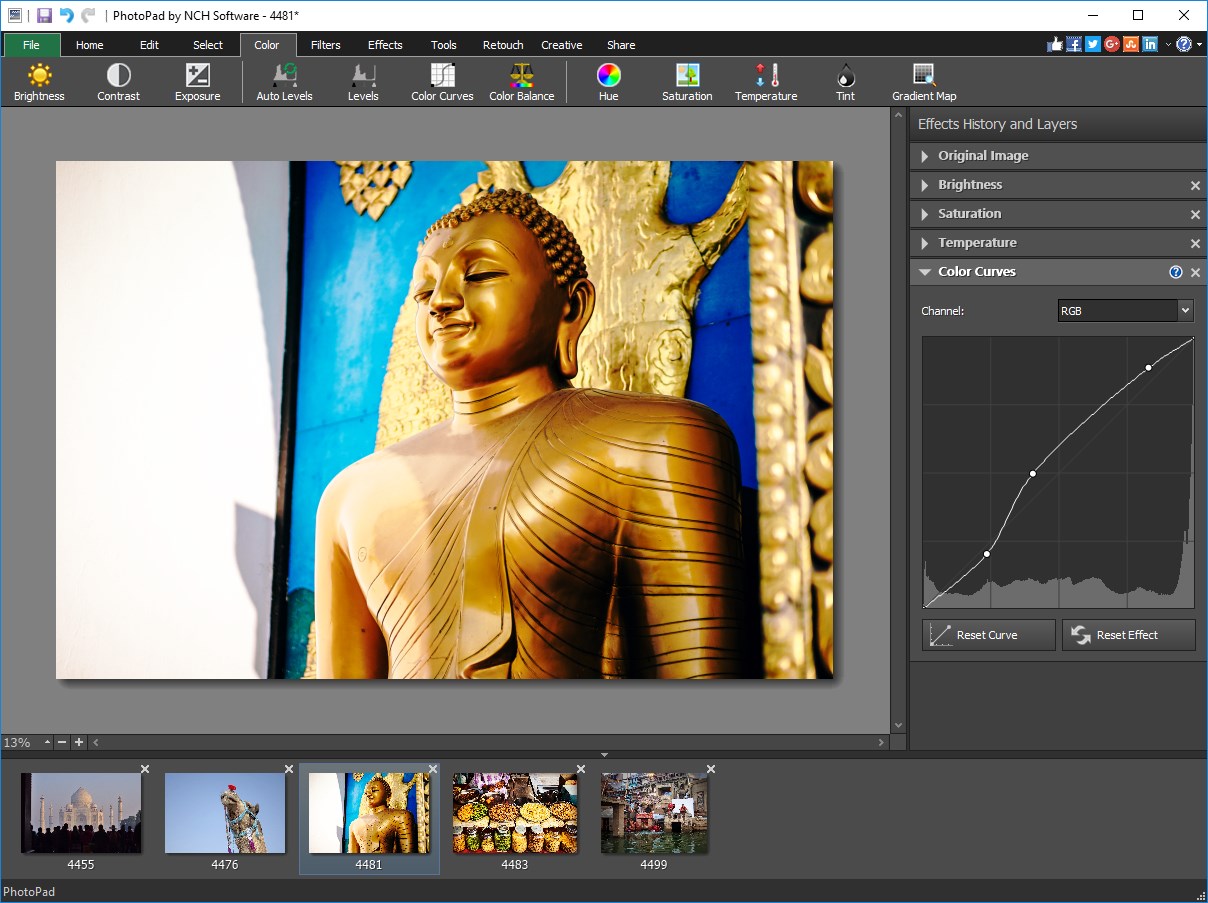
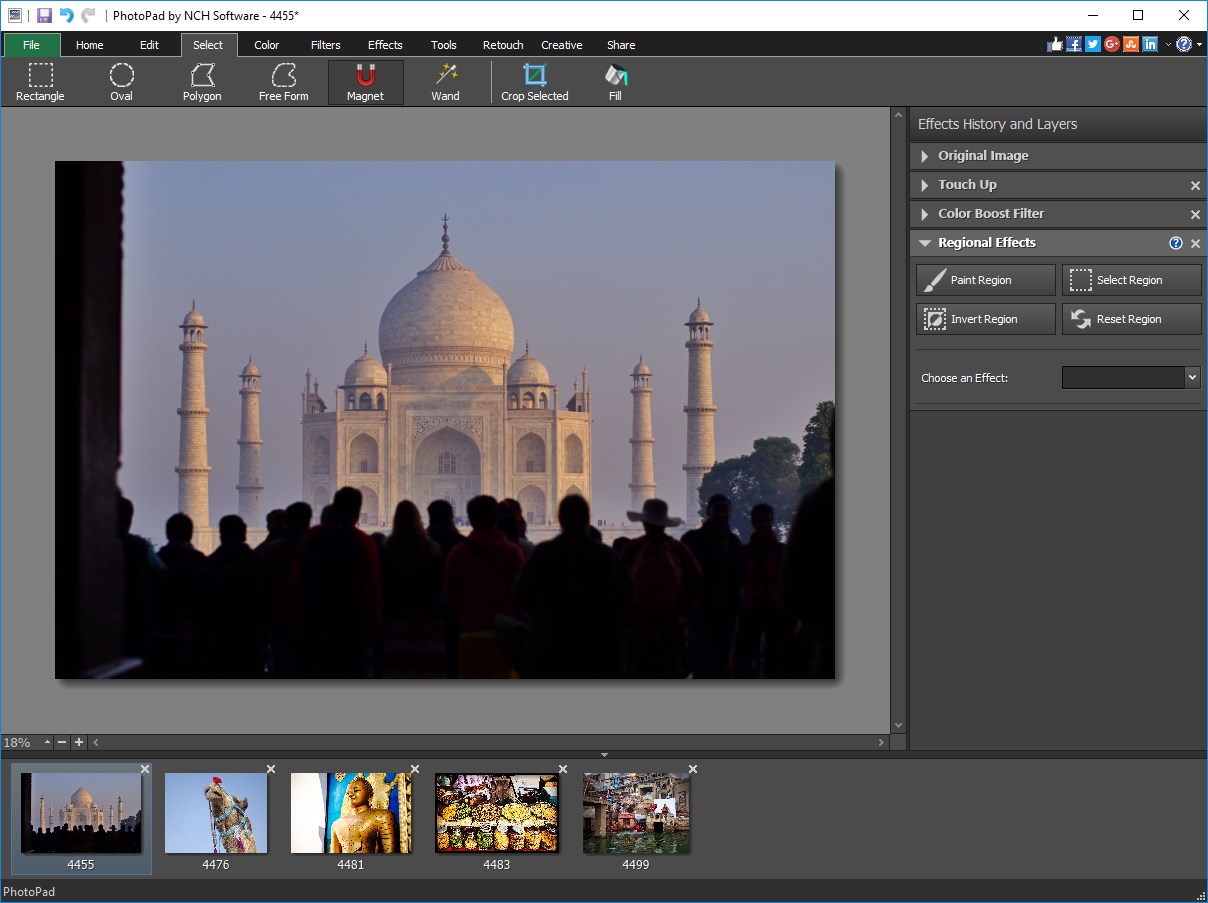
- Intuitive interface with a design that feels like flipping through a digital photo album, making navigation straightforward for newcomers.
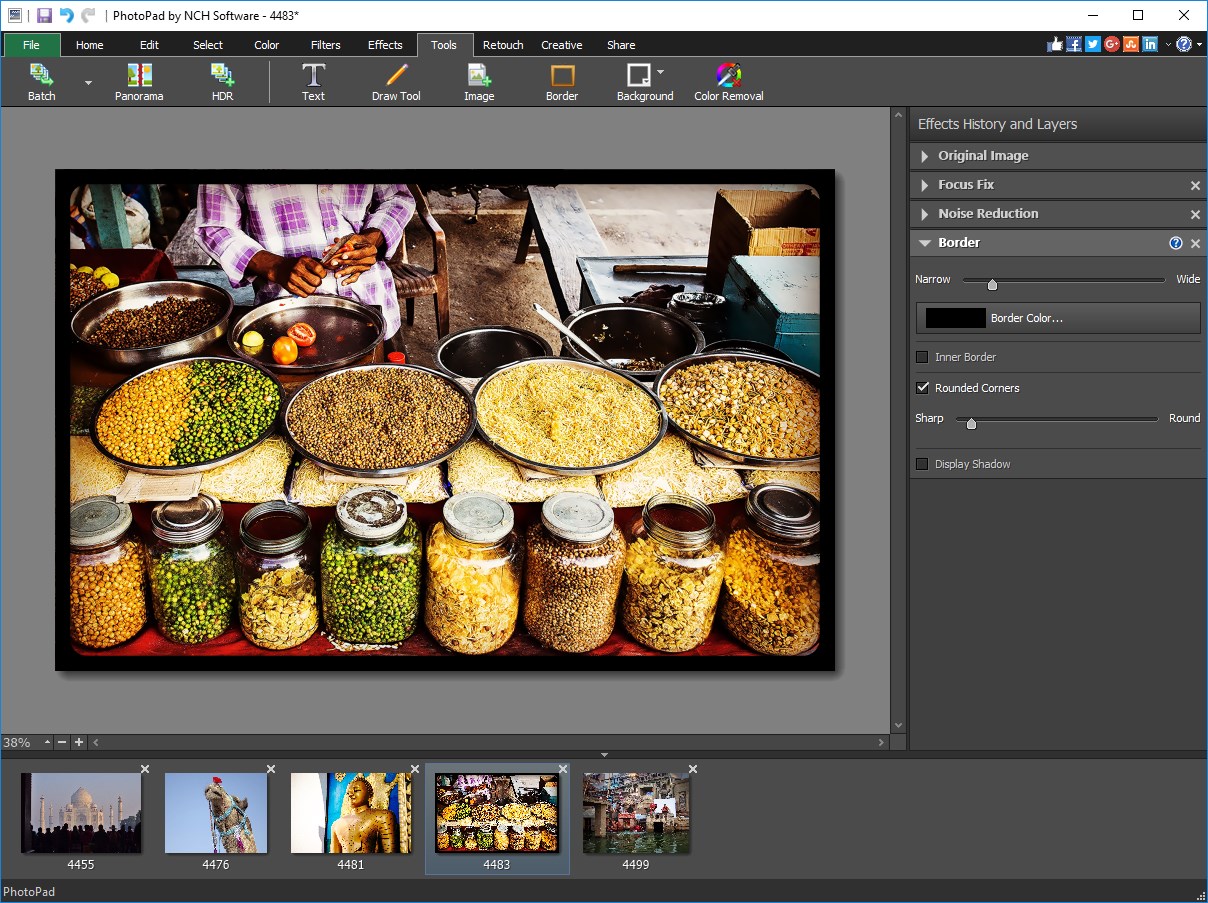
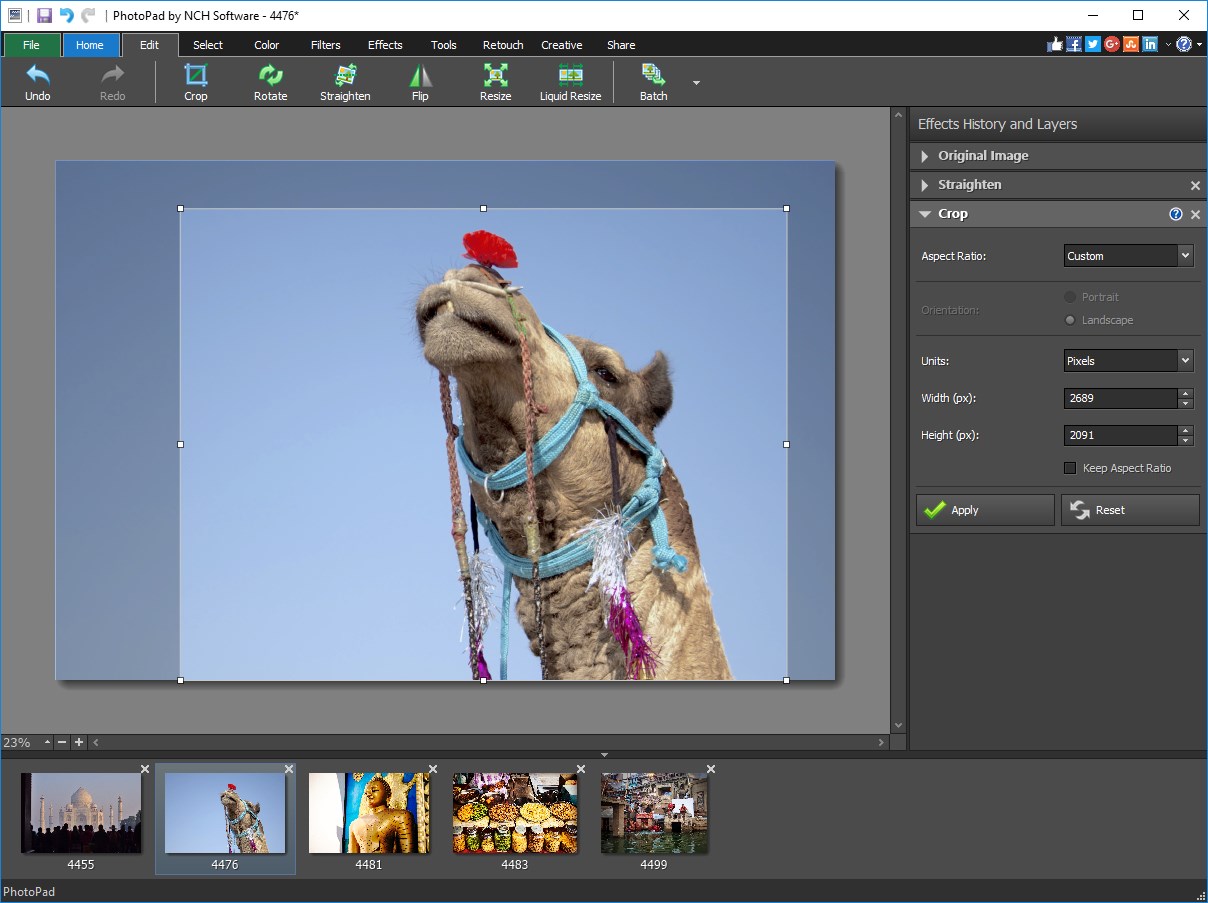
- Comprehensive editing toolkit, including cropping, rotation, color adjustments, and filters, offering enough flexibility for casual enhancements.
- Batch processing capabilities, allowing users to apply identical edits to multiple photos simultaneously—a real time-saver.
- Support for various file formats, ensuring compatibility with most digital images you might encounter.
Vivid Impressions: The Soft Glow of PhotoPad
Imagine stepping into a cozy digital workshop where your photos are raw gems waiting to be polished—a place where your creative instincts can flourish without drowning in complex menus. PhotoPad embodies this spirit, making photo editing feel more like a fun pastime than a daunting technical task. Its straightforward layout is akin to a familiar workspace, where every tool is accessible and logically arranged, inviting users to experiment freely.
Photo Editing: From Drab to Fab in a Few Clicks
PhotoPad's editing core is like a reliable Swiss Army knife—diverse yet easy to wield. The basic tools, such as cropping and rotating, are as effortless as turning a dial; you simply select and adjust. Color corrections, including brightness, contrast, and saturation, are presented with sliders that respond smoothly, making fine-tuning as natural as adjusting a pair of sunglasses for perfect clarity. The filters and effects add creative flair, allowing users to evoke moods or themes—from vintage fades to striking black-and-white contrasts. The batch processing feature elevates your workflow—say, you want to give every picture from a family gathering a warm, sunny hue; now it's possible with just a few clicks, transforming hours of repetitive editing into moments of joy.
Design, Performance, and User Journey
The interface of PhotoPad is styled like a friendly garden: clean, colorful, and inviting. It doesn't overwhelm with clutter, which means even first-timers can start editing within minutes. Operation is impressively smooth; zooming, applying effects, and saving are lag-free, reflecting a well-optimized program that feels responsive. The learning curve is shallow—users can master the basic functions in no time, while more advanced features are accessible for those itching to experiment further. This thoughtful design makes it an excellent choice for users who want effective results without the fuss of complex software.
Standing Out in the Crowd
Compared to other photo editors like Adobe Photoshop Elements or GIMP, PhotoPad's stand-out feature is its focus on simplicity paired with powerful batch processing. While most apps excel at either professional-grade edits or quick fixes, PhotoPad hits a sweet spot—offering enough tools for genuine enhancement, yet prioritizing ease of use. Its straightforward user interface and seamless performance make it especially appealing for casual users who want decent results without a steep learning curve. Moreover, its support for multiple formats and fast processing ensures that it remains a practical, no-nonsense tool in your digital toolbox.
Should You Give It a Try?
Overall, I'd recommend PhotoPad for anyone seeking an accessible yet capable photo editor—particularly if you value simplicity and efficiency. While it might not replace high-end editors for advanced professionals, it fits perfectly for everyday photo tweaks, quick batches, or those just starting out. If you're looking for a friendly bridge into digital photo editing without getting lost in layers and complex terminology, PhotoPad is a strong candidate.
Pros
- Intuitive user interface
- Wide range of editing tools
- Supports multiple image formats
- Lightweight and fast performance
- Free with optional upgrades
Cons
- Limited advanced editing features
- No built-in support for RAW images
- Basic interface customization options
- Occasional stability issues with large files
- Lack of cloud storage integration











