

- Category Education
- Developer DC Codes
- Available on PC
- OS Windows 10 version 14393.0 or higher
- languages English (United States)
Unlocking Precision Control: An Introduction to PID Simulator for Windows
If you're venturing into the world of automated control systems or simply curious about how refined temperature or speed regulation works, PID Simulator for Windows offers a hands-on approach to understanding Proportional-Integral-Derivative (PID) control with engaging visual feedback. Designed to demystify the often complex PID tuning process, this app transforms abstract control theory into an interactive experience that's both educational and practical.
Meet the Makers: DC Codes and ETCO
Developed by DC Codes and published by ETCO, PID Simulator for Windows is a collaborative effort aimed at learners, educators, and budding engineers. These developers bring together expertise in software engineering and control systems, ensuring that the app combines technical accuracy with user-centric design, making advanced concepts accessible without requiring a heavy prerequisites background.
Core Features That (Almost) Make PID Tuning Fun
1. Real-Time PID Parameter Adjustments
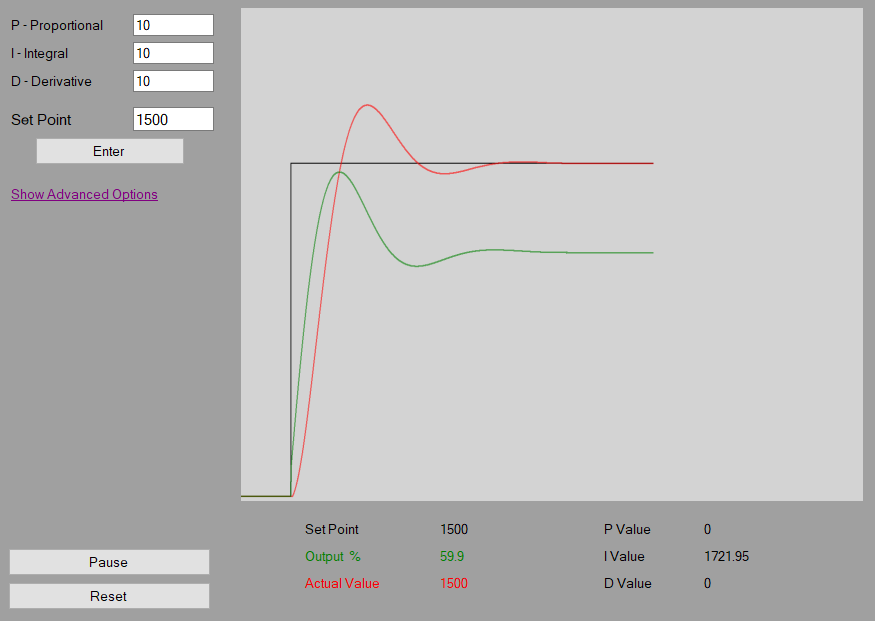
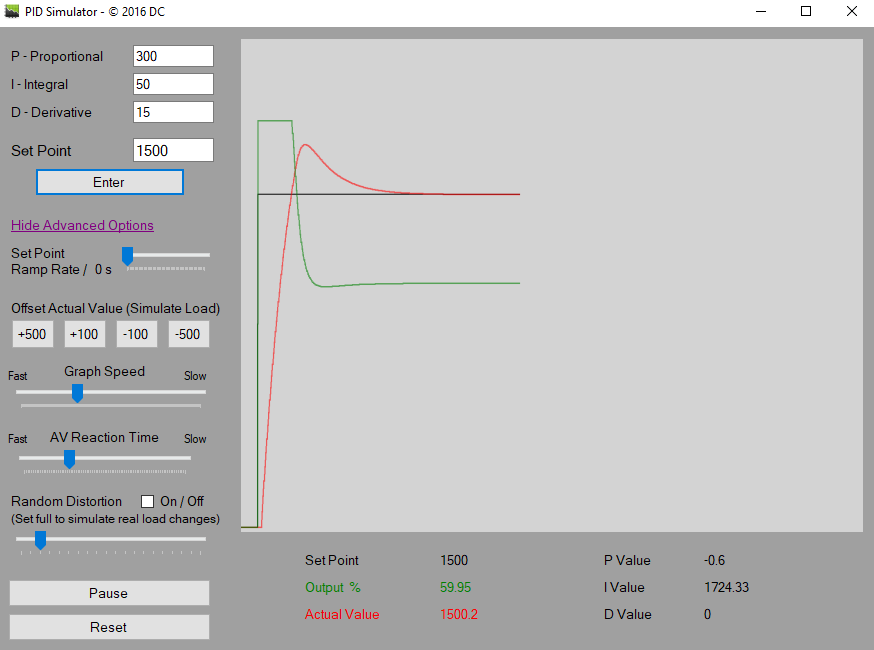
One of the standout features is the intuitive interface that allows users to tweak PID parameters on the fly. Imagine adjusting the dials of a vintage radio — turning knobs gradually until the sound perfectly aligns; here, you can directly see how your changes affect system stability and response. This immediate feedback loop is instrumental in understanding the delicate balance between proportional, integral, and derivative actions, making PID tuning less of a mystery and more of a tangible skill.
2. Dynamic Response Visualization
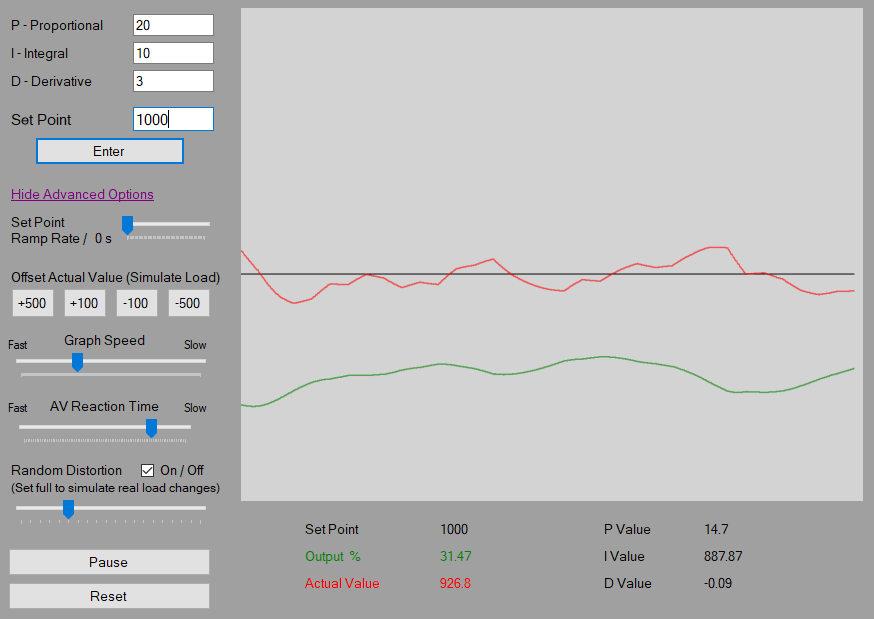
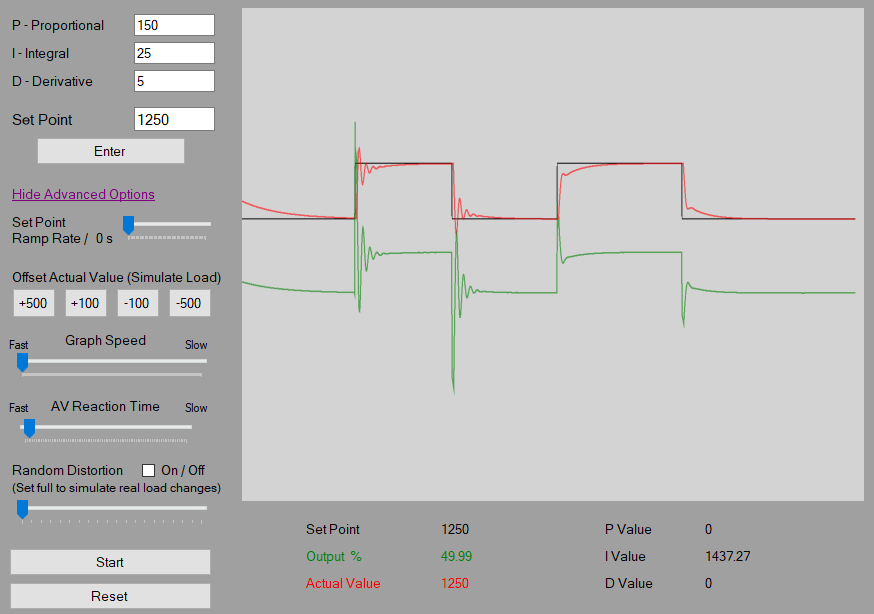
The app excels at translating complex control responses into clear, animated graphs. Once you set your PID parameters, you can watch the system's response curve evolve in real-time. This feature not only aids in grasping how different parameters influence system stability—such as overshoot or oscillations—but also serves as a visual sandbox for experimenting with various control strategies. It's akin to watching a tiny city's traffic flow react to changing signals, all within your digital control panel.
3. Customizable System Models
Beyond generic simulations, PID Simulator allows users to select or define specific system models, representing different process dynamics. Whether simulating a temperature furnace or a motor speed controller, this flexibility helps users tailor the learning experience to real-world scenarios they might encounter in industry. It's like having a set of miniature laboratories at your fingertips—each with its own behaviors waiting to be mastered.
Design, Usability, and the Learning Curve
The user interface adopts a clean, organized layout reminiscent of a well-arranged control panel — straightforward buttons, clear labels, and visually appealing graphs. Navigation is smooth, with no noticeable lag when adjusting parameters or switching between system models, making the app feel responsive and engaging. For newcomers, the initial learning curve is gentle: intuitive controls and straightforward explanations guide you through the basics. However, mastering the subtleties of PID tuning still requires experimentation and patience, much like tuning a musical instrument—initially fiddly but ultimately rewarding.
What Sets PID Simulator Apart in the Education Toolbox?
Compared to other control system apps, PID Simulator stands out by emphasizing content accuracy alongside practical interactivity. Unlike some platforms that merely present theory or static examples, this app offers a dynamic environment where users learn by doing, emphasizing the cause-and-effect relationship within control loops. Its focus on personalized learning pathways enables users to experiment with different process models and parameter sets, fostering a deeper understanding of system behavior. This approach bridges the gap between textbook concepts and real-world application, making it ideal for students and hobbyists seeking an immersive educational experience.
Final Thoughts and Recommendations
Overall, PID Simulator for Windows is a solid choice for those eager to grasp the intricacies of PID control without overwhelming complexity. Its highlight—the real-time responsiveness and customizable models—makes learning engaging and directly applicable. I recommend it for engineering students, control system enthusiasts, or anyone wanting a practical introduction to PID tuning principles. While it may not replace comprehensive coursework or professional simulation tools, it serves as an excellent stepping stone for building foundational knowledge in automation and control engineering.
Pros
- Intuitive User Interface
- Accurate Simulation Results
- Customizable Parameters
- Rich Visualizations
- Cross-Platform Compatibility
Cons
- Limited Advanced Features
- Performance Lag in Complex Simulations
- Minimal Documentation
- Requires Windows 10 or later
- Basic Error Handling











