
Frequently Asked Questions
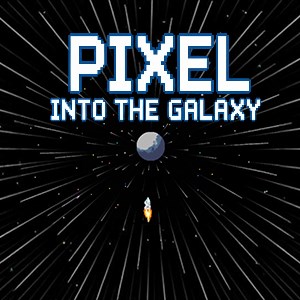
How do I start playing Pixel Into the Galaxy for the first time?
Download and install the app from your app store, then open it and follow the onboarding tutorial to learn basic controls and gameplay.
What are the core controls for running and jumping in the game?
Use the on-screen joystick to navigate your explorer and tap the jump button to avoid obstacles and progress through levels.
How can I access different levels or worlds in the game?
Complete levels to unlock new stages, which are displayed on the map screen. Tap a level icon to start your adventure.
Are there power-ups or special abilities in the game?
Yes, power-ups appear during gameplay and can be collected to enhance speed, jump height, or provide shields. Collect them to assist your progress.
What settings options are available to customize my gameplay experience?
Go to Settings > Gameplay to adjust controls, sound, notifications, or display options to enhance your experience.
Is there an option to purchase in-game currency or upgrades?
Yes, you can buy in-game coins and upgrades through the store. Visit Settings > Store to explore available options.
How do I subscribe or unlock premium features?
Navigate to Settings > Account > Subscription to view and subscribe to premium plans offering additional content and benefits.
What are the available payment methods for in-app purchases?
Payments can be made via credit/debit cards, app store payment options, or other supported methods depending on your device.
Can I get a refund for my in-app purchase if I'm unhappy?
Refund policies depend on your app store's policies. Contact customer support through app store support for assistance.
What should I do if the game crashes or it is not responding?
Try restarting the app or device. If the issue persists, update to the latest version or contact support via Settings > Support.
You May Like

Cuphead
for Windows
4.7
Cuphead & The Delicious Last Course
for Windows
4.7
Celeste
for Windows
4.6
Ultimate Chicken Horse
for Windows
4.4
Level Devil: Troll Platformer
for Windows
4
Planet of Lana II
for Windows
3.8
Crash Bandicoot™ N. Sane Trilogy
for Windows
3
Egging On
for Windows
2.6
BEAR ESCAPE MISSION (WINDOWS)
for Windows
0
Metal Shoot (Windows)
for Windows
0
Stellar Docks (Windows)
for Windows
0
Penguin Flight (Windows)
for Windows
0