
Frequently Asked Questions
How do I start a new game of Pool Billiard Championship?
Open the app, select 'Play' from the main menu, choose your game mode, and follow the in-game instructions to begin playing.
How can I adjust the cue stick direction during gameplay?
Rotate the cue stick by dragging around the white ball or use the right scroll lever for fine-tuning; tap the ball-shaped button to rotate manually.
What are the different game modes available?
The app offers single-player practice mode, multiplayer online matches, and stage challenges with various difficulty settings.
How can I unlock or customize different cue sticks?
Go to the 'Customization' section in the main menu, then select 'Cue Styles' to choose or upgrade cue shapes and abilities.
How do I challenge stage modes or special levels?
Select 'Stage Mode' from the main menu, pick your stage, and follow the prompts to start the challenge with specific settings.
How do I use items during stage play to overcome challenges?
Tap the item icons during gameplay to activate items; you can unlock items through progress or purchase in the store.
Is the app free to download, and are there in-app purchases?
Yes, the app is free to download; additional items, cue styles, and stages can be purchased via in-app transactions under 'Store.'
Can I subscribe for premium features or remove ads?
Yes, go to 'Settings > Account > Subscription' to view and subscribe for premium content and ad removal options.
What should I do if the game crashes or freezes?
Try restarting the app, ensuring your device is updated, or reinstall the game. Contact support via 'Help' in settings if issues persist.
How do I switch the app language to my preferred language?
Navigate to 'Settings > Language' and select from 16 supported languages to change the app's language.
You May Like

eFootball™
for Windows
4.7
Top Eleven Be a Soccer Manager
for Windows
4.6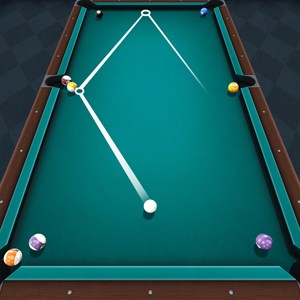
Pool Billiard Championship
for Windows
4.5
Golf Rival - Multiplayer Game
for Windows
4.4
Descenders Next (Game Preview)
for Windows
4.2
Shredders
for Windows
4
ESPN
for Windows
3.9
Galaxy Bowling
for Windows
3.3
Race Monitor
for Windows
3.2
MyWhoosh HD
for Windows
3.2
Cricket 24: The Official Game Of The Ashes
for Windows
3.2
REMATCH
for Windows
3.2