



- Category Entertainment
- Developer Kakao Corp
- Available on PC
- OS Windows 10 version 0.0 or higher
- languages Arabic, Armenian, Azerbaijani (Arabic) (Azerbaijan), Belarusian, Bulgarian, Catalan, Chinese (Simplified), Chinese (Traditional Chinese), Chinese (Traditional) (Hong Kong), Czech, Dutch, English, French, German, Greek, Hebrew, Hungarian, Indonesian, Italian, Japanese, Korean, Kurdish, Persian/Farsi, Polish, Portuguese, Russian, Serbian, Spanish, Swedish, Tajik (Cyrillic), Thai, Ukrainian, Uzbek (Latin), Korean , Turkish
PotPlayer for Windows: A Robust Media Player with a Personal Touch
PotPlayer for Windows, developed by Kakao Corp., stands out as a versatile media playback application that offers a comprehensive viewing experience tailored to both casual users and media enthusiasts. With its advanced features and user-centric design, it aims to redefine how we consume video and audio content on desktop.
Basic Information: Who's Behind the Curtain?
In a world flooded with media players, PotPlayer positions itself as a reliable yet feature-rich solution. Created by Kakao Corp., a well-established tech enterprise known for its diverse digital products, this app combines technical robustness with user-friendly interfaces. Its primary strengths include extensive format support, customizable playback options, and optimized performance, making it a go-to choice for those seeking a seamless viewing experience. The target audience mainly encompasses movie aficionados, streaming fans, and power users who desire more control over their media consumption—ranging from everyday viewing to professional media management.
A Dive into the Experience: Why PotPlayer Stands Out
Intuitive Interface and Customization Galore
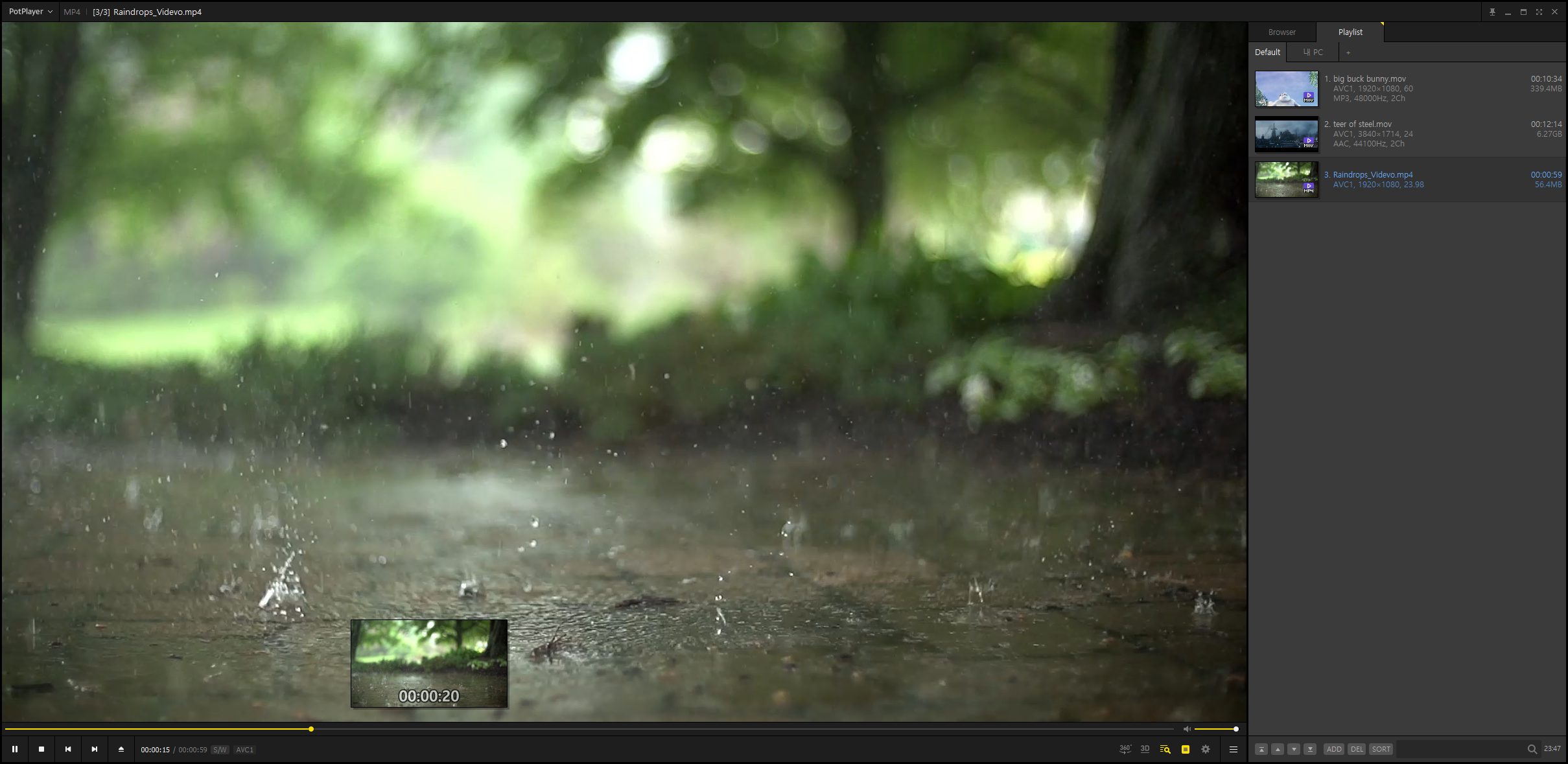
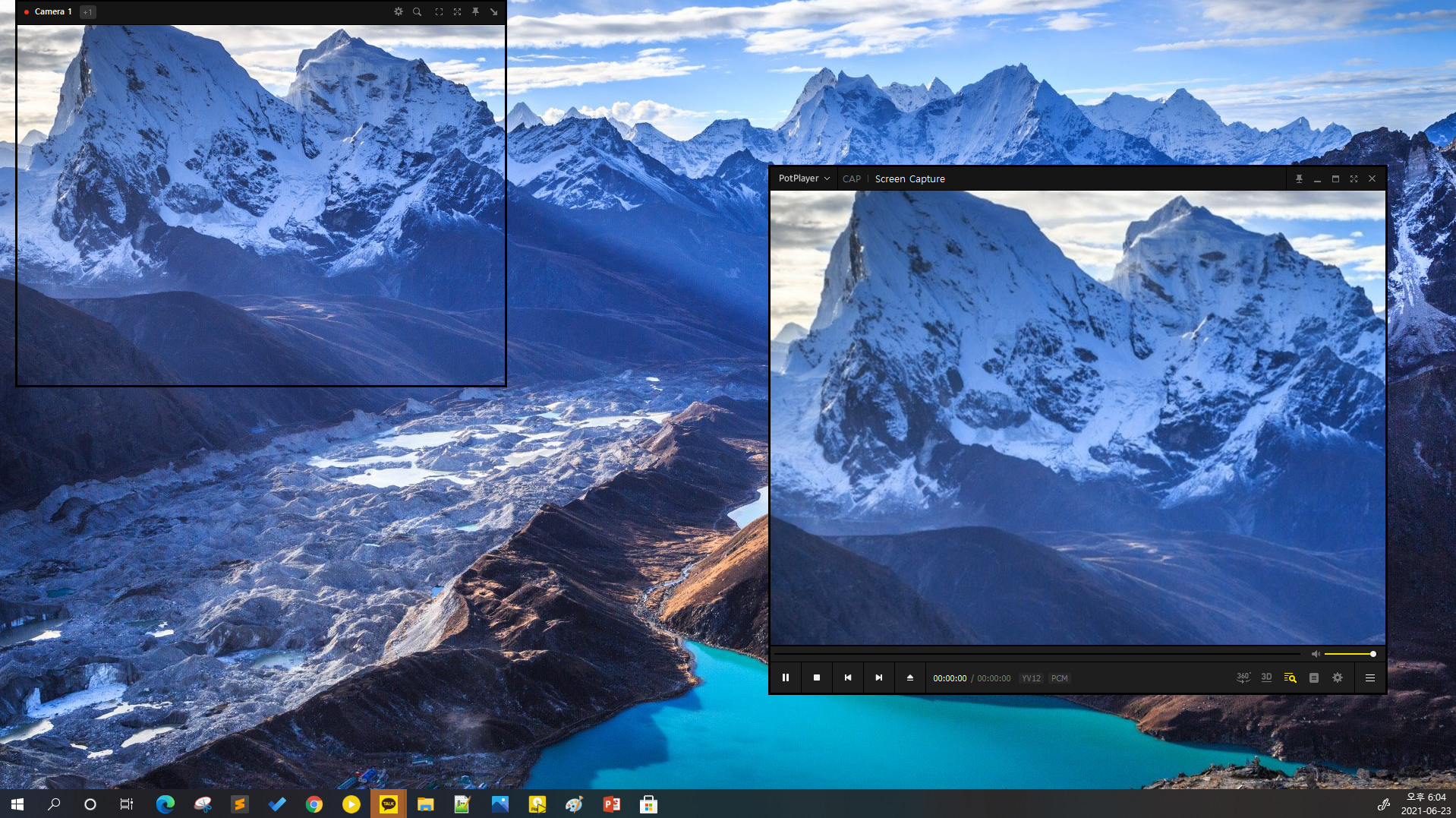
Imagine stepping into your living room and finding a media player that feels just right—buttons are logically placed, themes are adjustable, and there's an impressive level of personalization. PotPlayer's interface strikes that balance between simplicity and depth. It employs a sleek, classic design that doesn't overwhelm, while offering ample options for customizing layout, skins, and hotkeys. Navigating through media files is like flipping through a well-organized library—everything is where you'd expect, yet highly adaptable to your preferences.
Performance and Compatibility: Smooth as Silk
When it comes to playback, PotPlayer excels. Its optimized engine ensures videos start instantly, with minimal buffering even for high-definition content. Supporting a wide array of video and audio formats—something like a media chameleon—it handles MKV, MP4, AVI, FLV, MP3, AAC, and more without fuss. Streaming high-res videos or playing complex multi-channel audio feels as effortless as a glide on ice, indicating excellent responsiveness. The app's hardware acceleration and subtitle management features further enhance the user experience, making it ideal for students, professionals, or anyone who demands quality and reliability.
Advanced Features: Power User's Playground
The real magic lies in PotPlayer's cutting-edge functionalities. It offers extensive control over playback settings—think equalizers, video filters, and frame-by-frame stepping—empowering users to fine-tune their viewing. What's particularly distinctive is its intelligent algorithm for content discovery and personalized recommendations; it suggests new media based on your viewing habits, and does so with a relevance that feels surprisingly tailored. Unlike many competitors that rely on broad content tags, PotPlayer's recommendation system dives deeper into your preferences, making suggestions feel thoughtful rather than generic.
Unique Selling Points: Why Choose PotPlayer?
While most media players focus on the basics, PotPlayer shines with its ability to personalize streaming and playback experiences. Its standout feature is the combination of robust format support with intelligent, personalized content discovery, making it a tool that adapts to your habits and preferences. This dual focus ensures your viewing is both smooth and relevant—a rare gem in a sea of one-size-fits-all players.
Conclusion and Recommendations
All in all, PotPlayer for Windows is a commendable choice for users who seek a media player that is both powerful and adaptable. Its intuitive interface, exceptional performance, and sophisticated personalization features set it apart from many peers. For media enthusiasts, digital creators, or anyone eager for a customizable viewing experience, PotPlayer is worth trying out. While it may have a slight learning curve for newcomers given its extensive options, its depth ultimately rewards those willing to explore. For anyone prioritizing format compatibility and personalized content suggestions, I recommend giving PotPlayer a shot—it could very well become your new media companion.
Pros
- Lightweight and fast performance
- Extensive format support
- Highly customizable interface
- Advanced playback features
- Rich subtitle options
Cons
- Steep learning curve for new users
- Occasional stability issues with certain video files
- Limited official support and documentation
- Inclusion of optional bundled software during installation
- UI design could be more modern










