
- Category Business
- Developer Microsoft Corporation
- Available on PC
- OS Windows 10 version 17763.0 or higher
- Keyboard Integrated Keyboard
- Mouse Integrated Mouse
- Memory 1 GB
- languages English (United States)
Empowering Data Reporting with Power BI Report Builder for Windows
Microsoft's Power BI Report Builder for Windows is a professional tool designed to streamline the creation and management of pixel-perfect reports, making data visualization accessible and efficient for business users and developers alike.
About the Application
Power BI Report Builder is a dedicated reporting solution from Microsoft, developed by the Microsoft Corporation itself. It focuses on enabling users to design detailed, paginated reports that can be easily shared within organizational workflows.
- Key Features Highlights: Custom report layouts, seamless integration with Power BI service, robust data source connectivity, and enhanced scheduling capabilities.
- Target Audience: Business analysts, data professionals, report developers, and enterprise users seeking precise, printable reports alongside their dashboards.
Bright Beginnings: Why This Tool Stands Out
Imagine having a Swiss Army knife for data reporting—Power BI Report Builder feels just that for data aficionados. Whether you're creating financial summaries, operational reports, or customer analytics, this tool offers precision and flexibility, like a master craftsman shaping reports that perfectly fit your needs. Its intuitive interface and reliable performance mean you won't be lost in a maze of complicated features—just straightforward, powerful report creation.
Core Features: Powering Your Reports
Pixel-Perfect Report Design
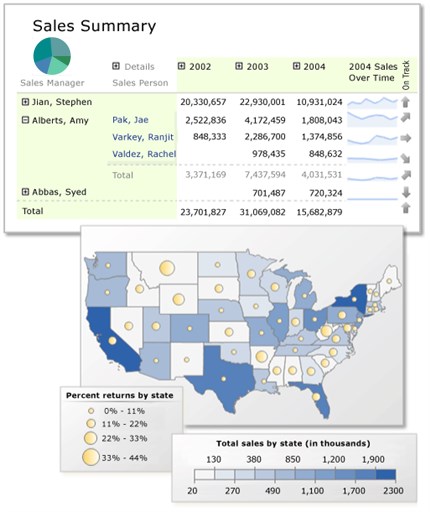
The crown jewel of Power BI Report Builder is its focus on paginated report creation. The tool offers a rich drag-and-drop interface allowing users to craft reports with meticulous control over layout, fonts, images, and data placement. Think of it as designing a professional magazine layout—every element is adjustable for crisp, print-ready presentation. The ability to generate detailed reports that fit exact pagination requirements makes it ideal for comprehensive business documentation.
Robust Data Connectivity & Scheduling
Seamless connectivity to a broad spectrum of data sources—SQL Server, Oracle, SharePoint, and more—is a standout feature. This versatility ensures that no matter how your data is stored, Power BI Report Builder can bring it into your reports. Coupled with intelligent scheduling—automatic report refreshes, subscription-based delivery—it transforms reporting from a manual chore into a managed, automated process. Imagine waking up to freshly baked reports in your inbox, ready for action.
User Experience & Workflow
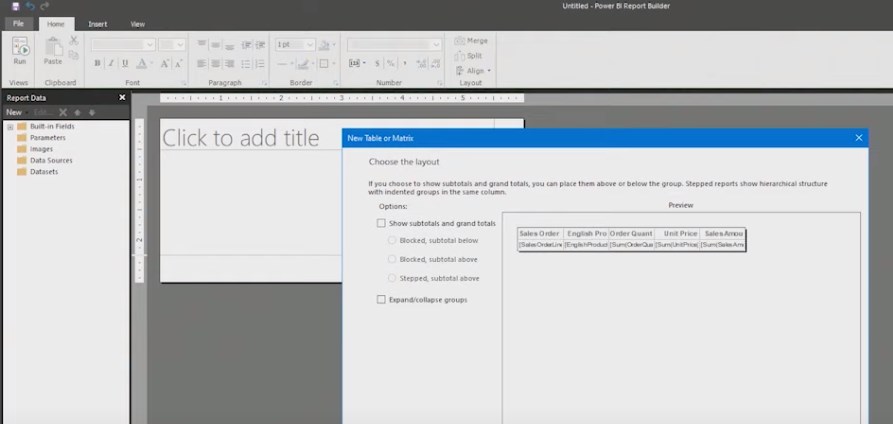
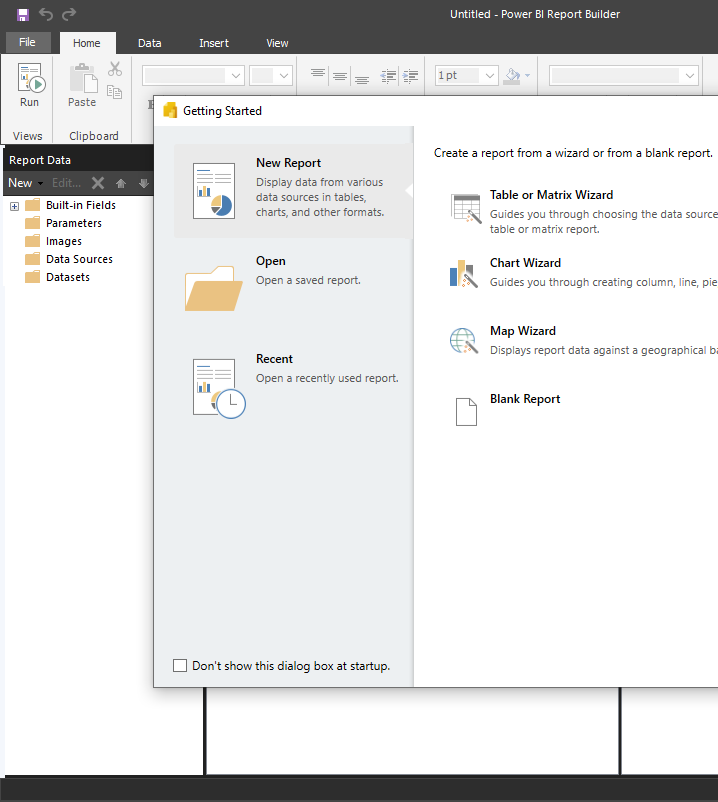
The interface is clean yet functional, akin to a well-organized workspace—everything you need is clearly accessible without clutter. The learning curve is moderate; users familiar with report design will adapt quickly, while newcomers benefit from Microsoft's comprehensive documentation and templates. The performance is smooth, with minimal lag during report creation, making the process feel fluid rather than frustrating. The ability to preview reports in real-time helps ensure your output matches expectations before final delivery.
Distinctive Advantages & Differentiation
While many BI tools emphasize dashboard interactivity and collaborative data exploration, Power BI Report Builder shines with its focus on highly formatted, paginated reports designed for print and formal distribution. Its unique strength lies in the combination of detailed layout control and robust data integration, making it ideal for regulatory reports, invoices, or detailed summaries.
Compared to typical Business Intelligence tools that emphasize self-service analytics or ad-hoc reporting, Power BI Report Builder's emphasis on precise, print-ready, paginated reports sets it apart. Its integration with Power BI Service facilitates collaboration through shared data sources and scheduled reports, enhancing teamwork, akin to a well-coordinated newsroom working on the same story from multiple angles.
Final Recommendation and Usage Suggestions
I recommend Power BI Report Builder especially for organizations or individuals who require static, finely formatted reports—think financial statements, compliance documentation, or detailed operational summaries. Its robustness and integration capabilities make it suitable for enterprise environments, while its intuitive interface lowers the barrier for medium-sized teams.
For best results, invest some time mastering its reporting layouts and data connectivity options. While it excels at creating static, print-ready reports, those seeking interactive dashboards might prefer other Power BI tools. Nonetheless, for anyone needing professional, pixel-perfect reports with granular control, Power BI Report Builder is a reliable, feature-rich choice worth exploring.
Pros
- Seamless integration with Power BI Service
- User-friendly report design interface
- Rich data visualization options
- Supports complex data queries with SQL
- Free to download and use
Cons
- Limited customization options compared to other BI tools
- Steep learning curve for complex reports
- Performance issues with large datasets
- Limited export options compared to competitors
- Requires Microsoft Power BI environment for full functionality











