

- Category Developer tools
- Available on PC
- OS Windows 10 version 17763.0 or higher
- Keyboard Integrated Keyboard
- Memory 1 GB
- Mouse Not specified
- languages English (United States)
PowerShell for Windows: Empowering Windows Power Users
PowerShell for Windows, developed by Microsoft Corporation, is a versatile command-line shell and scripting environment designed to streamline system administration and automation tasks on Windows platforms. With its robust set of features, it aims to elevate IT professionals and power users to new heights of productivity, all within a familiar and integrated interface.
Who's It For? Aiding the Tech-Savvy in Their Daily Routine
This application targets system administrators, developers, and tech enthusiasts who seek advanced control and automation capabilities over their Windows ecosystem. Whether you're managing multiple servers, automating routine tasks, or scripting complex workflows, PowerShell for Windows serves as a vital toolkit to make these tasks more efficient and manageable.
Unpacking the Power: Core Features That Make a Difference
Streamlined Command-Line Experience with Advanced Scripting
The heart of PowerShell for Windows lies in its powerful scripting environment. Unlike traditional command prompts, it offers a rich scripting language that supports complex logic, functions, and error handling. This allows users to craft personalized scripts for automating repetitive tasks, managing system configurations, or integrating with other services seamlessly. Its compatibility with .NET framework further extends its capabilities, enabling sophisticated operations with ease.
Integrated System Management and Automation Tools
PowerShell excels in system management. The application provides an extensive library of cmdlets—predefined commands—that cover everything from file manipulation to network configuration. For example, a user can quickly generate detailed reports on system health or automate user account provisioning across multiple machines, all from within a unified environment. The ability to script and run these commands in sequence simplifies complex administrative procedures that would otherwise require tedious manual effort.
User Interface & Overall Experience
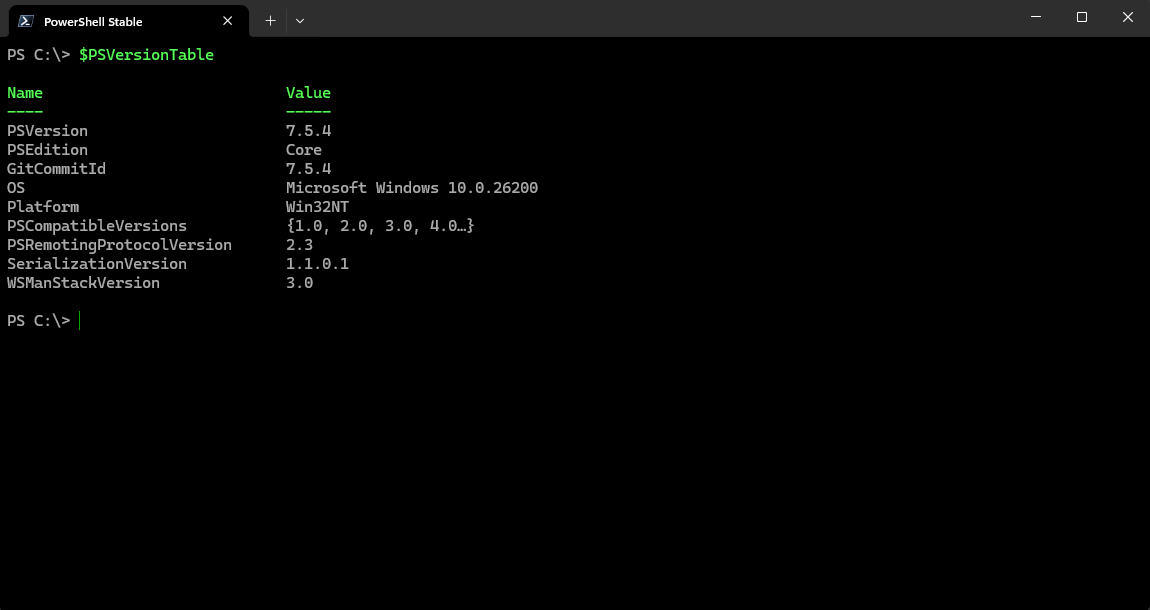
The interface adopts a clean and functional design, offering the familiar look of a modern terminal window. Its operation is smooth and responsive, with commands executing swiftly and feedback appearing in real time. While the learning curve may seem steep for absolute beginners, the combination of syntax highlighting, command auto-completion, and documentation accessibility makes it accessible for motivated users eager to learn. For users transitioning from graphical tools, initial setup might require some patience, but the payoff is a much faster, more flexible workflow once accustomed.
What Sets It Apart from Similar Tools?
Compared with other developer or system administration tools, PowerShell for Windows stands out owing to its deep integration with Windows OS and the breadth of its command library. Its most distinctive feature is the ability to leverage the full power of the .NET framework, enabling complex scripting solutions that many other command-line tools can't match. Additionally, the recent enhancements in its cross-platform support and cloud integration features give it a competitive edge, making it more than just a Windows-centric tool—it's a versatile automation platform.
Recommendation & Usage Tips
Overall, PowerShell for Windows is highly recommended for users who need to automate, manage, or develop on the Windows platform. While beginners might want to start with some basic tutorials before diving into advanced scripting, seasoned professionals will find the environment intuitive and powerful. For best results, combine PowerShell with community scripts and modules available online to extend its functionality further. Whether you're orchestrating complex workflows or simply automating routine tasks, this app provides an essential toolkit for any Windows power user.
Pros
- PowerShell offers powerful scripting capabilities
- Deep integration with Windows OS
- Supports cross-platform compatibility
- Extensive cmdlet library
- Active community and Microsoft support
Cons
- Steep learning curve for beginners
- Limited graphical user interface
- Some cmdlets require administrator privileges
- Inconsistent error messages
- Performance may degrade with very large scripts










