

- Category Productivity
- Developer Canyua Software Technology Co., Ltd.
- Available on PC, Mobile, Surface Hub, HoloLens
- OS Windows 10 version 16299.0 or higher
- languages English (United States)
Introducing Publisher: Simplified Publishing for Windows Users
Publisher by Canyua Software Technology Co., Ltd. is a streamlined Windows application designed to make creating professional-looking publications easier and more accessible for a broad range of users—from small business owners to enthusiasts. With its user-friendly interface and targeted tools, it aims to bridge the gap between complex desktop publishing and intuitive workflow management.
Core Features that Make a Difference
Seamless Template Integration and Customization
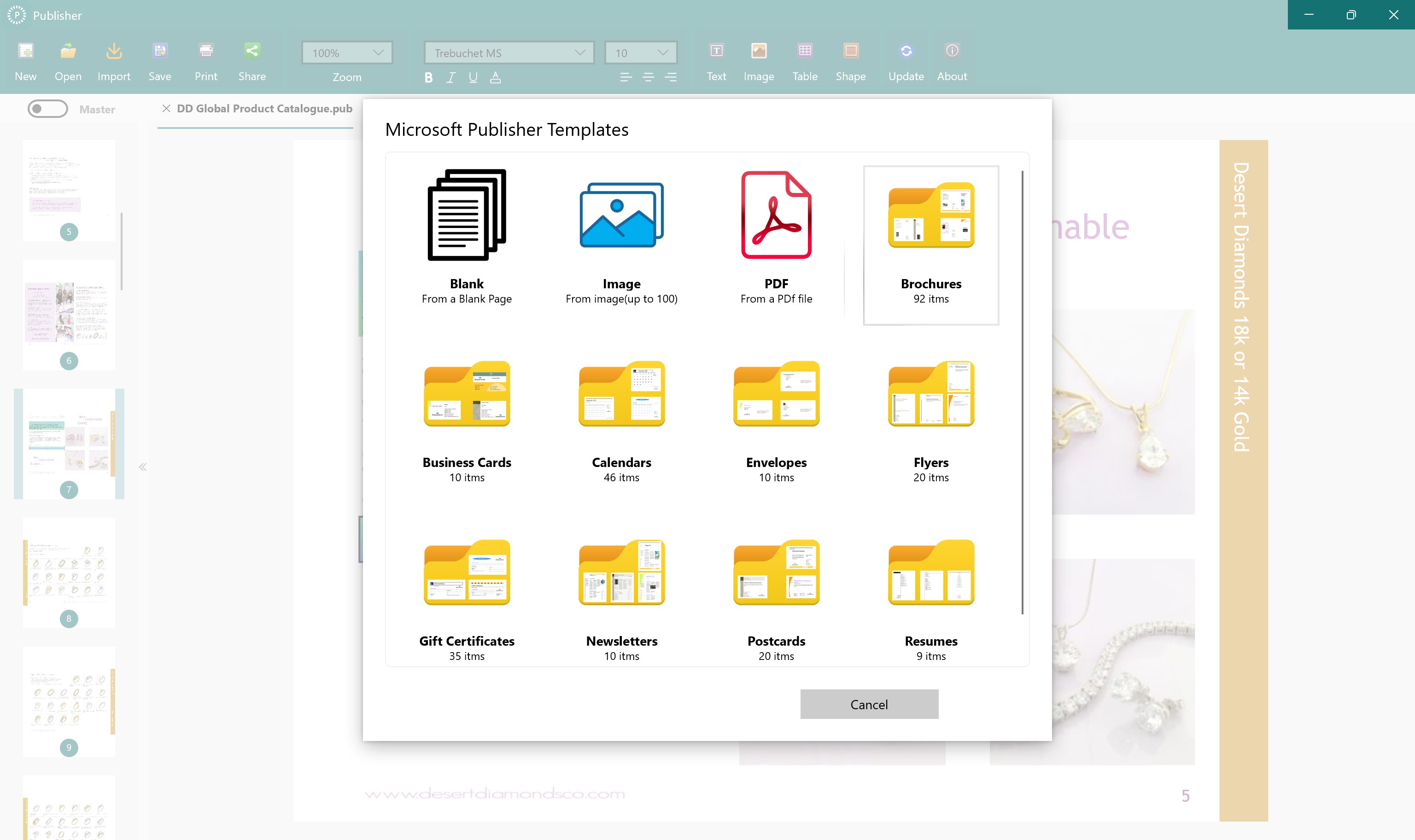
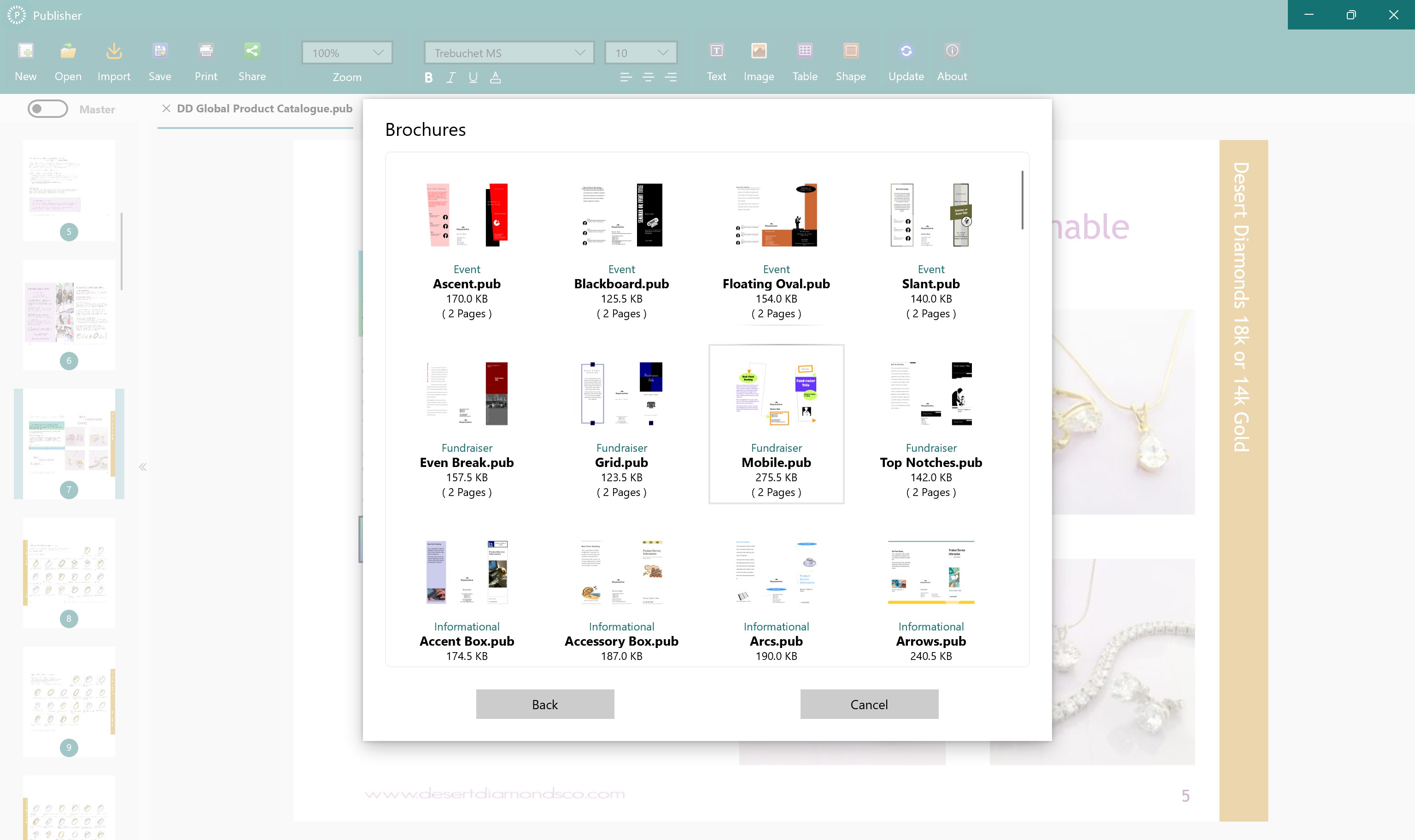
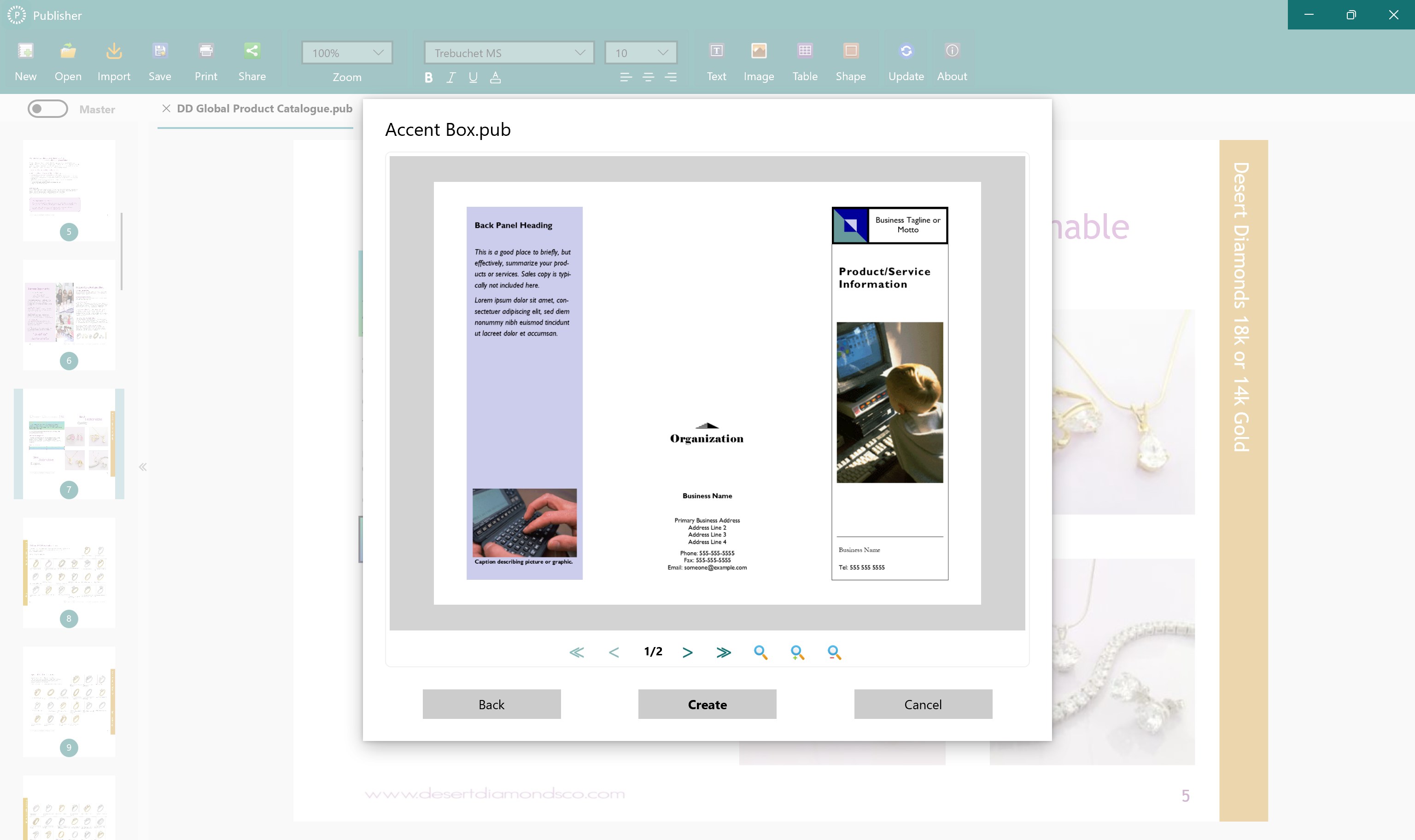
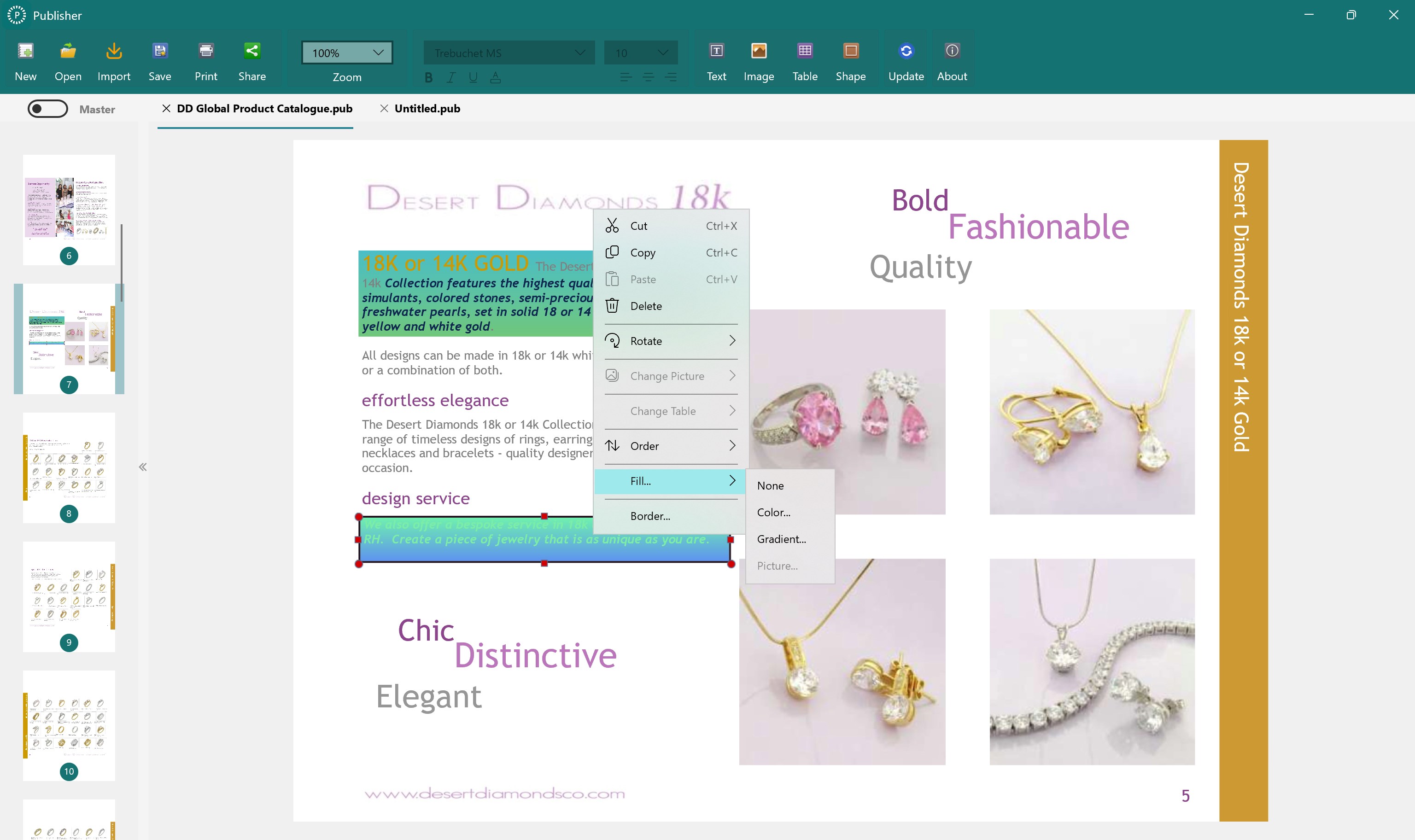
One of Publisher's standout features is its extensive library of professionally designed templates. Whether you're crafting a newsletter, brochure, or invitation, the app allows quick customization while maintaining a polished appearance. The template system simplifies the design process, saving users time and effort, especially those less experienced in graphic design.
Intuitive Drag-and-Drop Editing with Focused Workflow
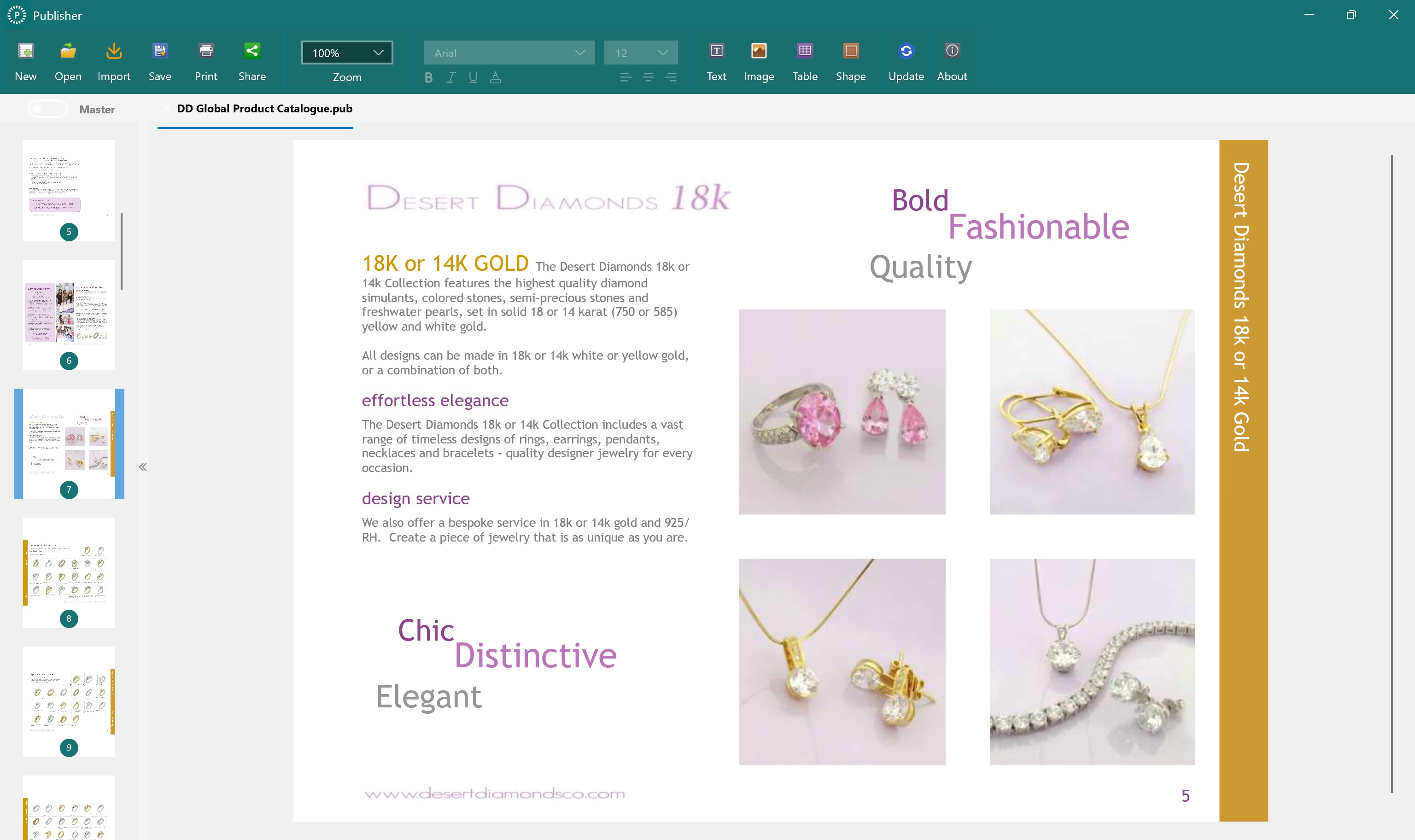
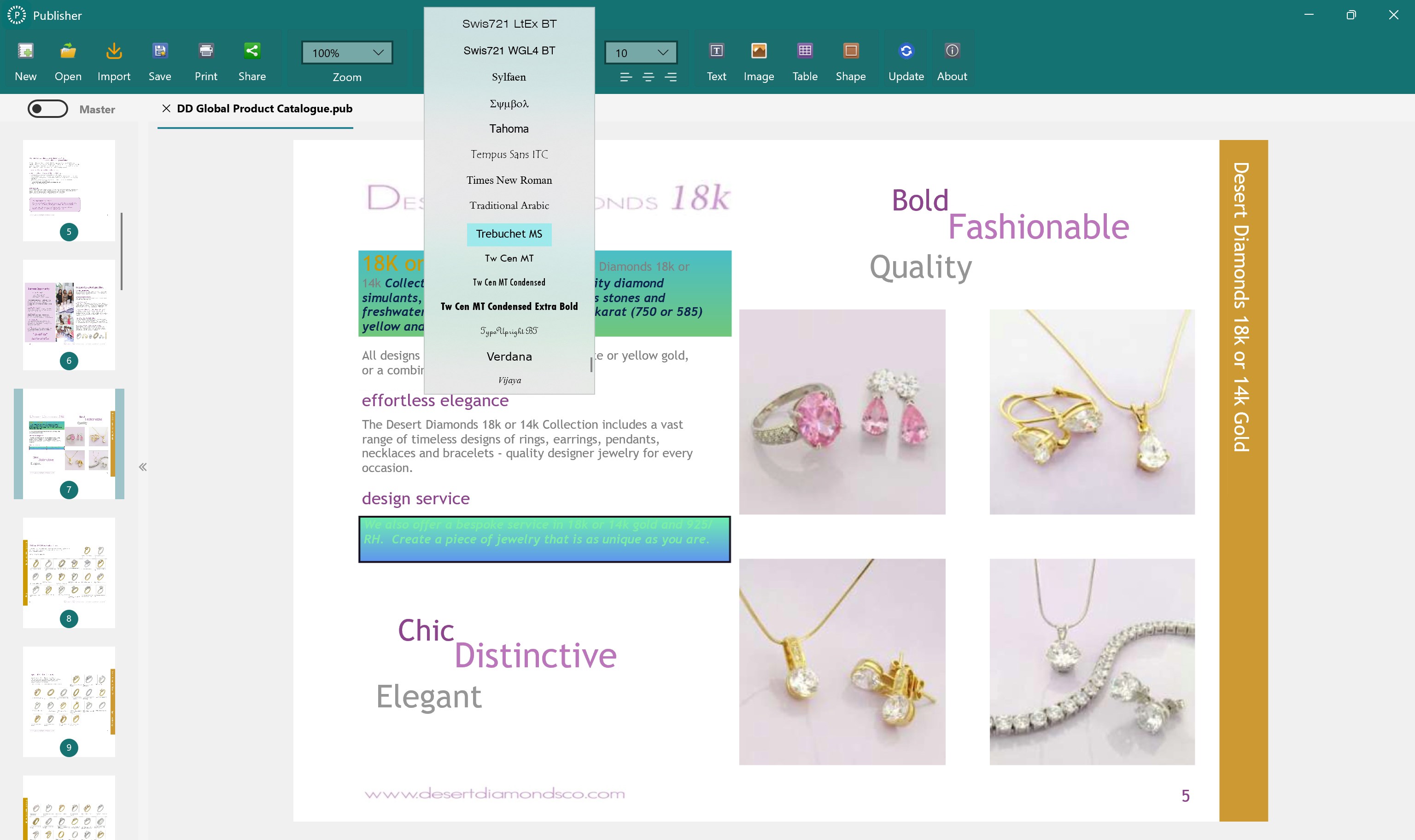
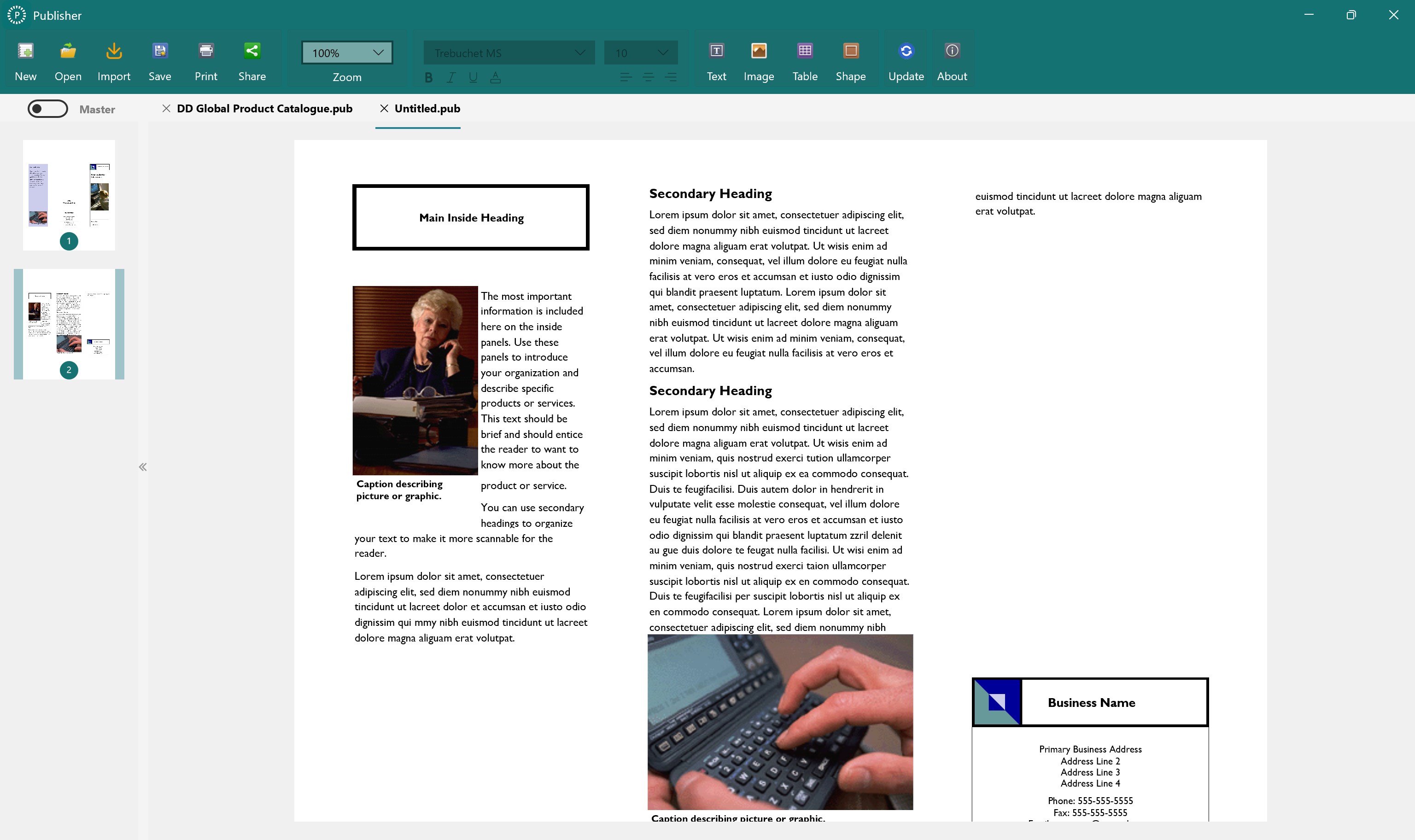
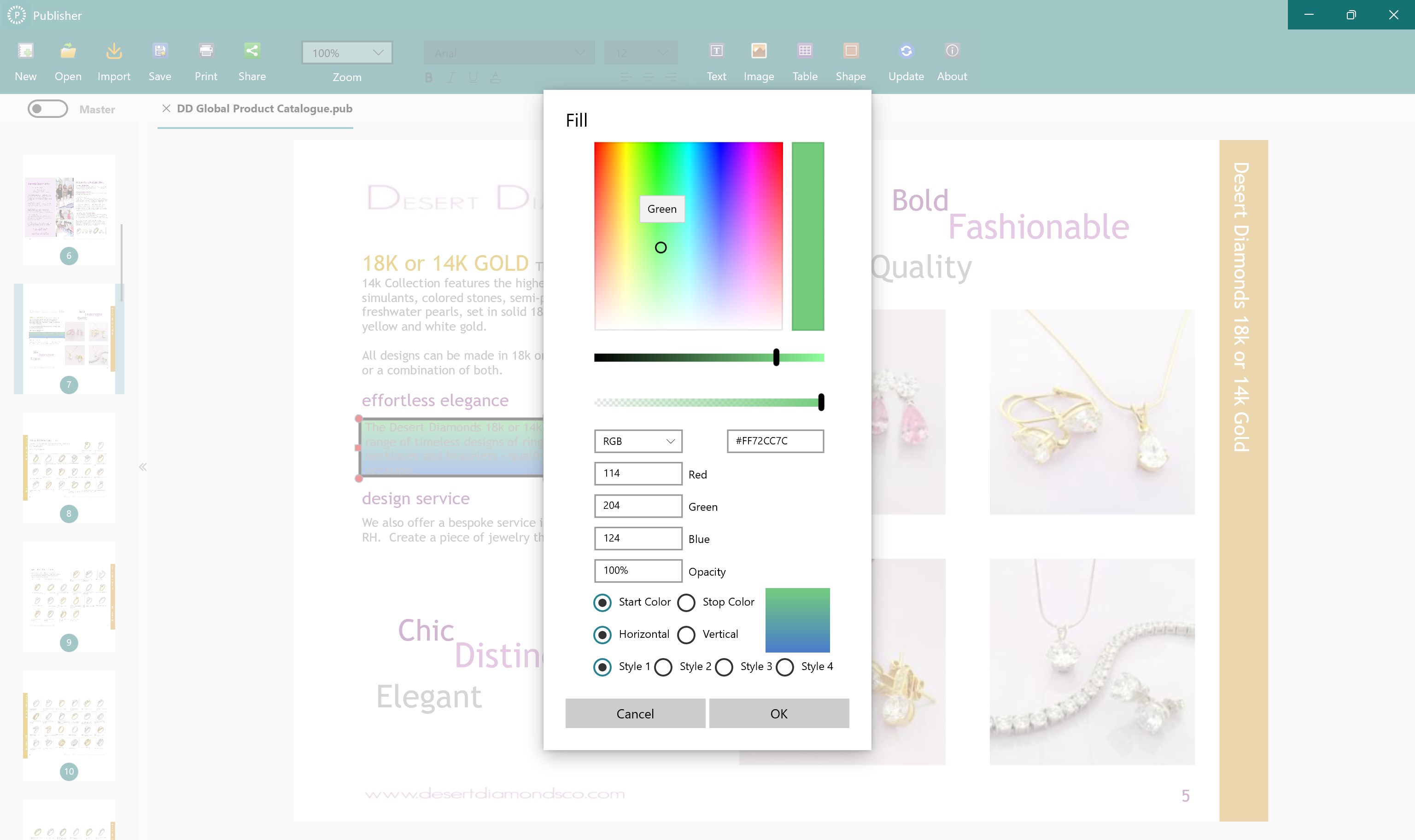
The application emphasizes ease of use through a drag-and-drop interface. You can effortlessly add images, text blocks, and other elements, rearranging your layout with visual clarity. This focus on straightforward interaction reduces cognitive load, enabling users to concentrate on content rather than complex editing tools. Its streamlined workflow integration inspires creativity without overwhelming the user, setting it apart from feature-heavy alternatives.
Optimized Export and Sharing Options
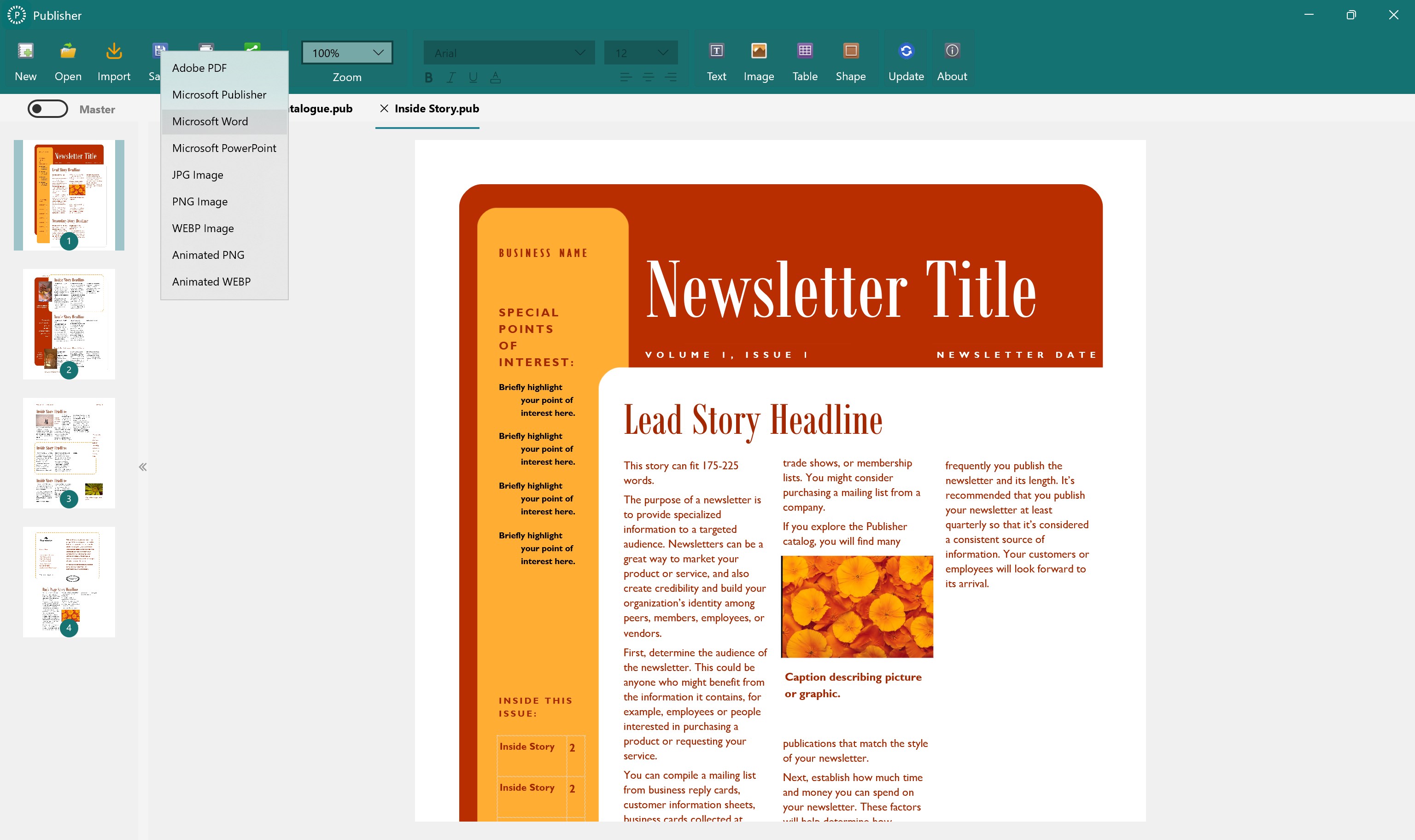
Publisher enables quick exporting in various formats, including PDF and high-resolution image files, suitable for both digital distribution and print. Sharing options are integrated seamlessly, allowing users to publish directly or save files for external use, enhancing productivity for small teams or individual users aiming for quick turnaround times.
Design, Usability, and User Experience
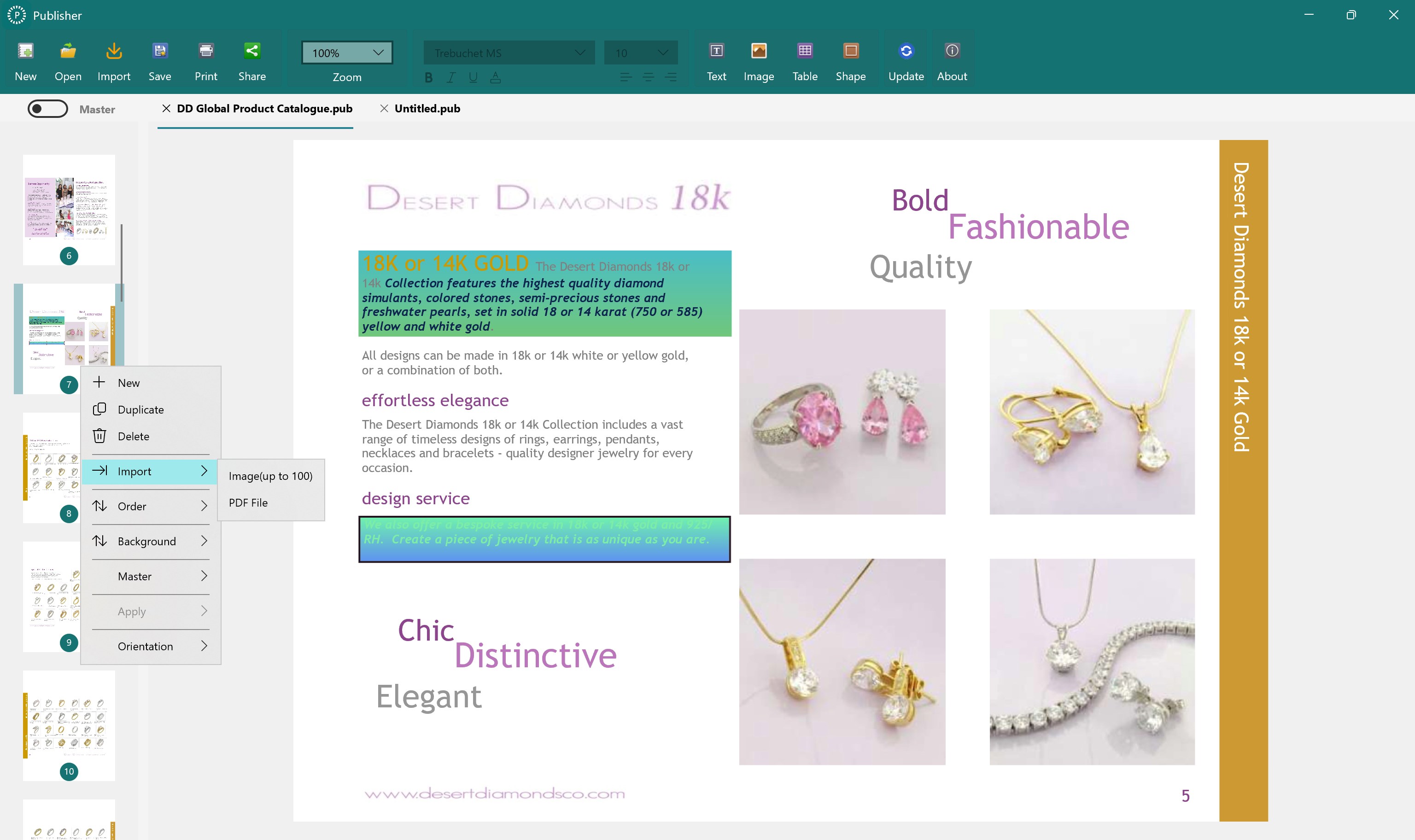
From the moment you open Publisher, the interface greets you with a clean, ribbon-like layout reminiscent of familiar Office applications. The visual design is modern and uncluttered, making navigation feel natural rather than intimidating. The learning curve is gentle; users can quickly pick up basic tasks within minutes while exploring more advanced features at their own pace. The application's responsiveness ensures smooth operation, even with more complex documents, providing a satisfying user experience akin to flipping through an effortlessly organized workspace.
Distinctive Advantages Over Competitors
Unlike more feature-heavy publishing tools, Publisher emphasizes workflow efficiency by minimizing unnecessary complexity. For example, its template-centric approach acts like a well-organized toolbox, reducing the cognitive effort involved in design decisions. Its core strength lies in balancing feature set and usability, effectively reducing mental strain typical of cluttered professional tools. This focus on clarity and speed makes it especially appealing for users who value results without sacrificing ease of use.
Final Recommendation and Usage Suggestions
Overall, Microsoft Publisher from Canyua delivers a well-balanced publishing experience, especially suited for users who need quick, professional results without a steep learning curve. It excels in template customization, seamless editing, and efficient output management. For small businesses, educators, or hobbyists seeking a straightforward yet capable publishing solution, this app presents a compelling option.
Given its strengths, I recommend Publisher for users who prioritize workflow efficiency and ease of use over overly complex feature sets. It's particularly ideal when you need to produce polished materials without investing substantial time in mastering complicated software. However, if your needs extend to highly specialized publishing tasks or detailed graphic design, additional tools might be necessary. Overall, Publisher stands out as a practical, user-friendly publishing assistant—worth considering as your go-to desktop publishing tool on Windows.
Pros
- Intuitive user interface
- Comprehensive template library
- Seamless integration with Microsoft Office
- Regular updates and improvements
- Excellent printing and export options
Cons
- Limited advanced editing features
- Performance issues with large files
- Steep learning curve for new users
- Limited compatibility with non-Microsoft formats
- Occasional synchronization delays with cloud services











