
- Category Developer tools
- Developer Python Software Foundation
- Available on PC
- OS Windows 10 version 19044.0 or higher
- Keyboard Integrated Keyboard
- languages English (United States)
Streamlined Python Management Made Easy
The Python Install Manager for Windows is a thoughtfully designed tool aimed at simplifying the often complex task of installing, managing, and updating Python environments on Windows systems. It acts as a user-friendly bridge for both beginners and seasoned developers to handle Python versions with ease, minimizing command-line fuss and technical barriers.
A Closer Look at the Developer & Core Features
Developed by the Python Software Foundation
As the official steward of the Python language, the Python Software Foundation brings its commitment to quality and openness into this application, ensuring reliability and compatibility. This tool reflects the Foundation's mission to promote and facilitate Python usage across diverse platforms.
Major Highlights
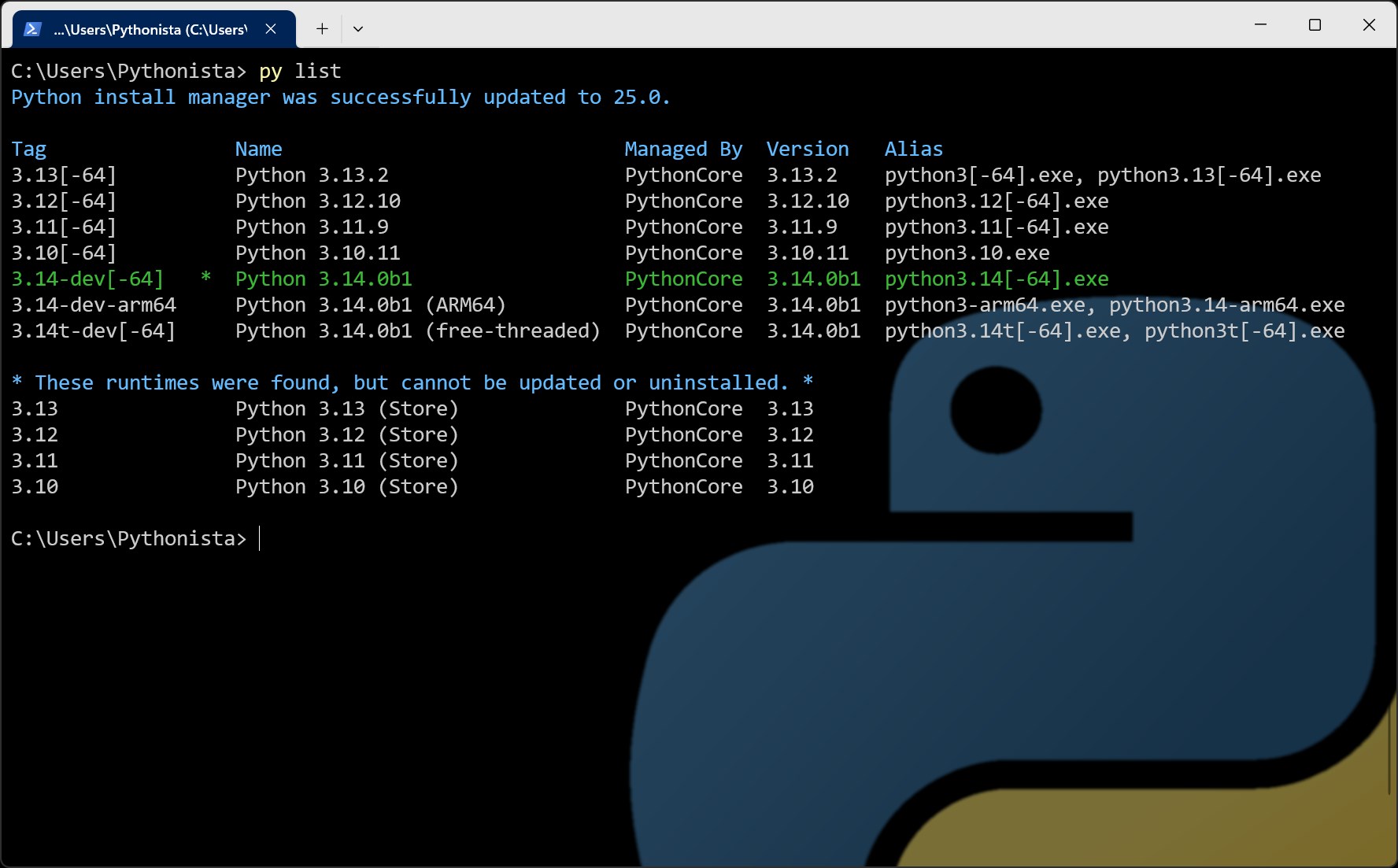
- Centralized Python Version Management: Easily install, switch between, and remove multiple Python versions without digging through manual downloads or environment Variables.
- Seamless Integration with Windows: Designed specifically for Windows users, it offers intuitive GUI controls that mimic familiar system operations, making setup less intimidating for newcomers.
- Automated Updates & Maintenance: Keeps all Python versions up-to-date with minimal user intervention, reducing security risks and compatibility issues.
- Package Handling & Virtual Environments: Provides straightforward tools to create and manage virtual environments and install packages, boosting developer productivity.
The target audience primarily includes data scientists, educators, students, and developers who frequently juggle different Python versions or want a hassle-free Python environment setup.
Engaging the User: A Friendly Walkthrough
Imagine standing in front of a bustling control panel, each button representing a different Python version—intimidating, right? But with this Python Install Manager, launching your preferred version feels more like flipping switches on a sleek dashboard than wrestling with command prompts. It transforms a potentially daunting task into a smooth, almost enjoyable experience—like upgrading your home's smart system with just a tap or a click.
Intuitive Interface and User Experience
The application sports a clean, modern interface that is remarkably easy to navigate. Menus are logically organized, and essential functions—such as installing or switching Python versions—are just a click away, making the learning curve surprisingly gentle. For users unfamiliar with command-line tools, the visual design acts as a friendly guide, reducing friction and boosting confidence.
Functionality That Works Behind the Scenes
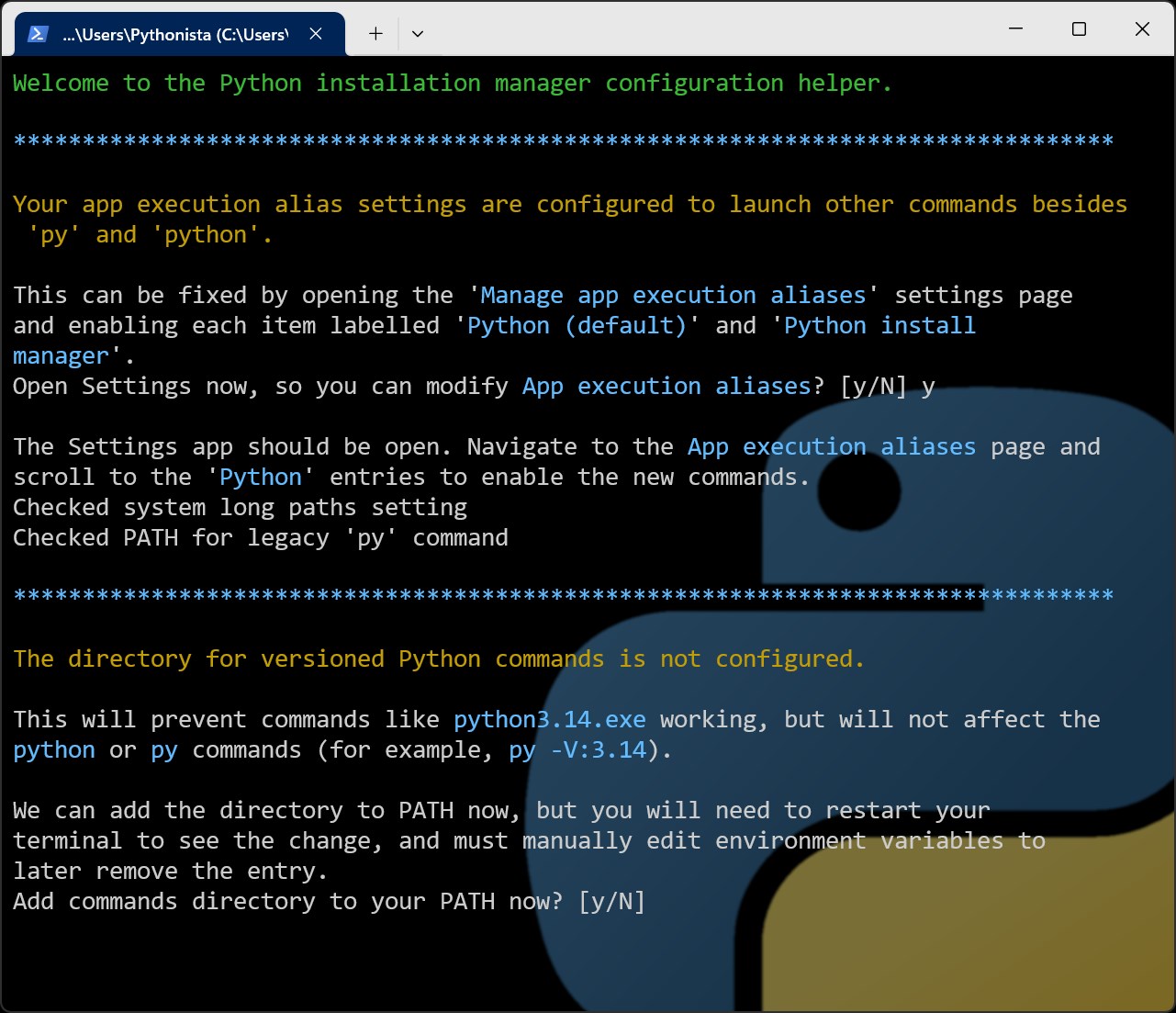
Core features like version management are backed by robust automation. When installing a new Python release, the app handles all dependencies, properly configuring path variables and ensuring no conflicts arise—saving users from hours of potential troubleshooting. Switching versions is as simple as selecting a dropdown menu, much like choosing a playlist, with instant effect and no need to reboot or reconfigure manually.
Uniqueness & Differentiation
What makes this tool really stand out among similar Python managers is its tight integration with Windows and the foundation's commitment to reliability. Unlike some third-party solutions that might feel clunky or patchy in performance, this application offers a seamless, stable experience evidenced by its consistent updates and support. Its focus on simplifying virtual environment creation and package management further elevates it—think of it as having a dedicated assistant that stays on top of your Python needs without you having to think twice.
Final Thoughts & Recommendations
Overall, the Python Install Manager for Windows earns a solid recommendation for anyone looking to streamline their Python setup. Whether you're a newcomer wary of command-line intricacies or an experienced developer managing multiple projects, this tool offers tangible benefits. Its standout features—particularly the effortless version switching and automated maintenance—set it apart from less polished counterparts. For those interested in a reliable, user-friendly management experience that minimizes setup headaches, this app is definitely worth a try.
Pros
- User-friendly interface
- Easy package management
- Multiple Python versions support
- Integrated environment setup
- Official Microsoft support
Cons
- Limited customization options
- Slow update process
- Occasional compatibility issues with existing Python environments
- Limited error feedback
- No option for custom installation paths easily











