

- Category Productivity
- Developer Matthias Duyck
- Available on PC, Mobile, Surface Hub, HoloLens
- OS Windows 10 version 18362.0 or higher
- Keyboard Integrated Keyboard
- Mouse Integrated Mouse
- languages English (United States)
Streamlining Your Scanning Tasks: An In-Depth Look at QR Code Scanner for Windows
If you're frequently dealing with QR codes—whether for business check-ins, product information, or utility links—having a reliable, fast, and user-friendly scanner app is essential. QR Code Scanner for Windows, developed by Matthias Duyck, promises to turn your Windows device into a handy QR code reader, simplifying such interactions with a few taps. But does it live up to its claims? Let's explore this application thoroughly to see how it can fit into your workflow.
Compact yet Powerful: The Core Highlights
Designed with simplicity and efficiency in mind, QR Code Scanner for Windows offers several notable features:
- Quick, No-Fuss QR Code Detection: The app leverages the webcam or local images to swiftly identify QR codes, reducing wait times and frustrations.
- Versatile Format Support: Beyond standard QR codes, it can recognize various barcodes, broadening its usability for different scanning needs.
- Clean, Minimalist Interface: Its intuitive UI makes it accessible for users of all tech levels, emphasizing ease of use over cluttered complexity.
- Lightweight and Efficient Operation: The application runs smoothly without demanding significant system resources, fitting seamlessly into daily workflows.
This concise feature set caters especially well to users seeking an uncomplicated, reliable QR scanning tool, avoiding unnecessary bells and whistles that could complicate the experience.
Evolution of Experience: From Interface to Use
Design & User Interface
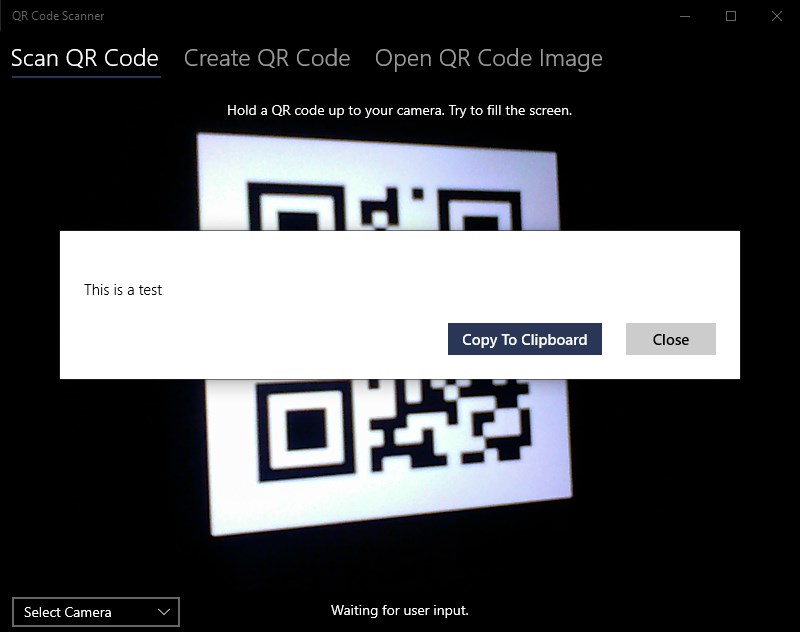
The app sports a straightforward, modern design reminiscent of a clean scanner. Upon opening, users are greeted with a large, central viewfinder, optimized for quick alignment with QR codes. The minimalistic approach reduces cognitive load, making it obvious where to focus your attention—much like a well-lit, clutter-free workspace that encourages productivity.
Operation & Performance
Starting a scan is as simple as clicking a button and pointing your webcam or loading an image from your drive. The recognition process is impressively fast; QR codes are decoded almost instantaneously—think of it as having a knowledgeable assistant glancing at your QR code and giving an answer before you even blink. The app performs reliably in various lighting conditions, ensuring consistent results whether you're in a brightly lit office or a dim café corner. Its smooth operation minimizes lag, making it efficient even during back-to-back scans, which is a boon for busy workflows.
Learning Curve & User Experience
One of the app's most attractive traits is its gentle learning curve. Clinically simple, it requires no prior technical expertise. You don't need to read lengthy instructions—just open, point, and scan. This straightforward approach makes it ideal for quick tasks or users who prefer an uncomplicated experience, akin to using a familiar, well-designed gadget that “just works.”
Unique Strengths in the Productivity Ecosystem
While many QR code scanners exist, what sets QR Code Scanner for Windows apart lies in its focus on workflow efficiency and reduced cognitive strain. Unlike feature-heavy apps packed with options that may overwhelm an occasional user, this app emphasizes easy integration into your daily processes. Its simple interface and rapid recognition help cut down the time spent decoding codes, freeing you to focus on core tasks. Moreover, its minimal feature set reduces mental clutter—no need to navigate through numerous menus or settings, which can be a drain when you're just trying to get a quick scan done.
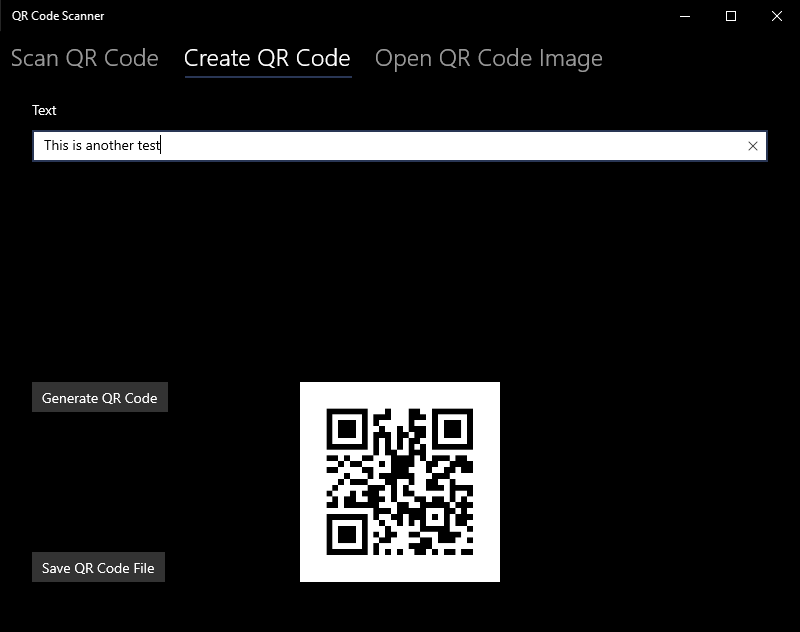
Furthermore, the app's ability to quickly process both webcam feeds and static images means it adapts seamlessly to varied scenarios—be it a retail setting, inventory management, or personal use. This flexibility ensures high efficiency in different workflows without the need for juggling multiple tools or complicating procedures.
Final Verdict & Recommendations
In summary, QR Code Scanner for Windows stands out as an effective, user-centric tool for quick QR and barcode scans. Its emphasis on simplicity, speed, and integration into daily routines makes it a valuable addition—even more so for users who want dependable performance without the complexity of larger scanning suites.
We recommend this application particularly for those who need to perform frequent scans in a fast-paced environment and prefer a straightforward, no-fuss solution. It's suitable for both personal and professional contexts, provided that advanced features or extensive customization are not primary concerns. Overall, this app is a solid choice for enhancing workflow efficiency with minimal cognitive effort—like having a trusty sidekick ready at your fingertip whenever a QR code appears.
Pros
- Fast and Accurate Scanning
- User-Friendly Interface
- Supports Multiple Barcode Types
- Offline Functionality
- Lightweight and Quick to Install
Cons
- Limited Editing Features
- Occasional Scanning Failures in Poor Lighting
- Ads Interruption in Free Version
- Basic Functionality Without Advanced Options
- Temporary Compatibility Issues with New Android/iOS Versions











