

- Category Business
- Developer DefinedBytes
- Available on PC, Mobile, Surface Hub, HoloLens
- OS Windows 10 version 17763.0 or higher
- languages English (United States)
Introducing Quick Gantt Chart for Windows: Your Visual Planning Companion
Quick Gantt Chart for Windows, developed by DefinedBytes, is a sleek and efficient tool designed to simplify project scheduling and task management through intuitive Gantt charts. Whether you're coordinating a small team or managing complex projects, this app aims to make visual planning accessible and straightforward, all within your Windows environment.
Meet the Minds Behind the Tool
The application is crafted by DefinedBytes, a developer team dedicated to creating user-friendly and productivity-focused software solutions. Their emphasis on clarity and functionality is evident in Quick Gantt Chart's streamlined design and feature set.
Main Features That Make It Stand Out
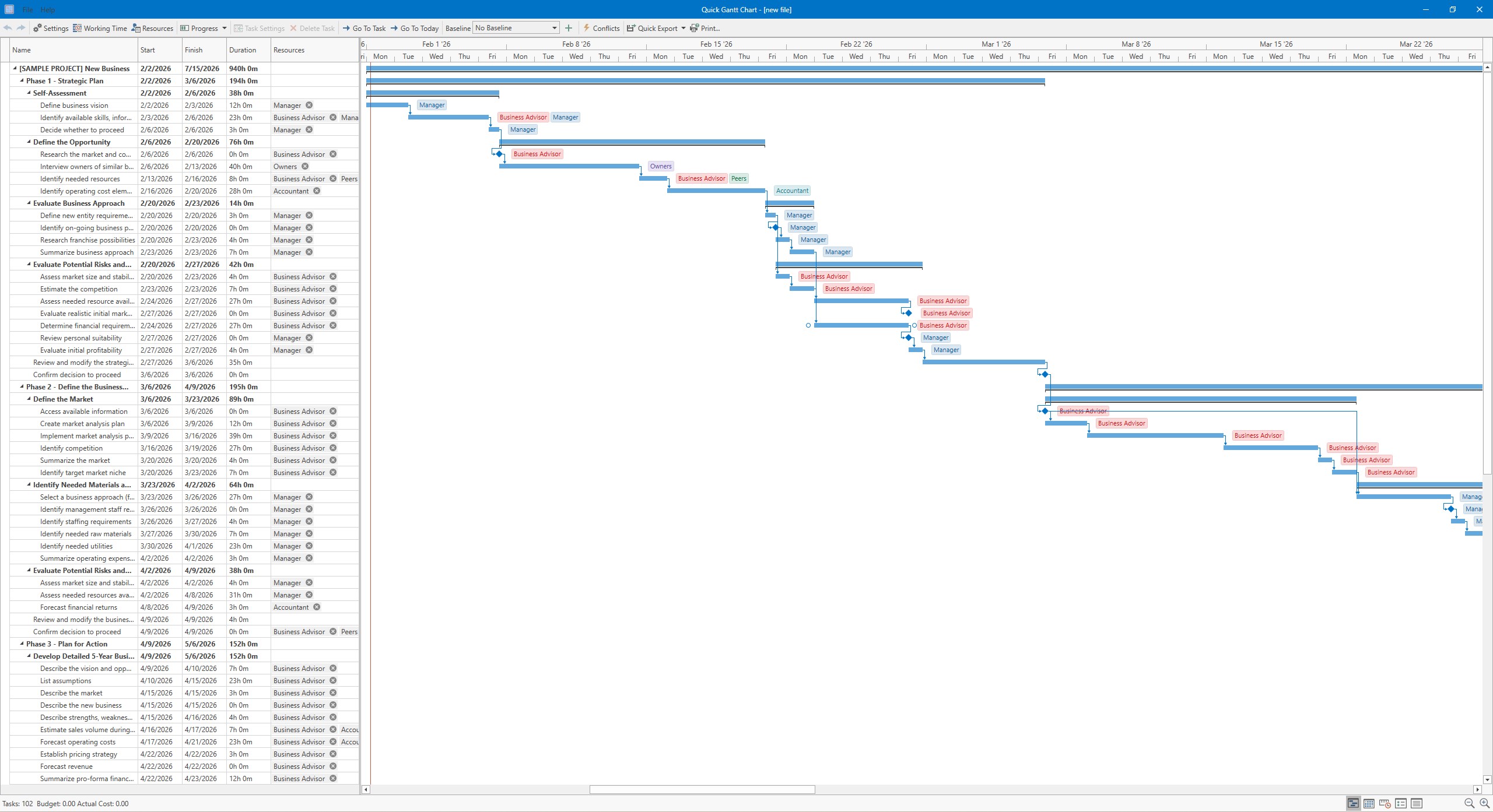
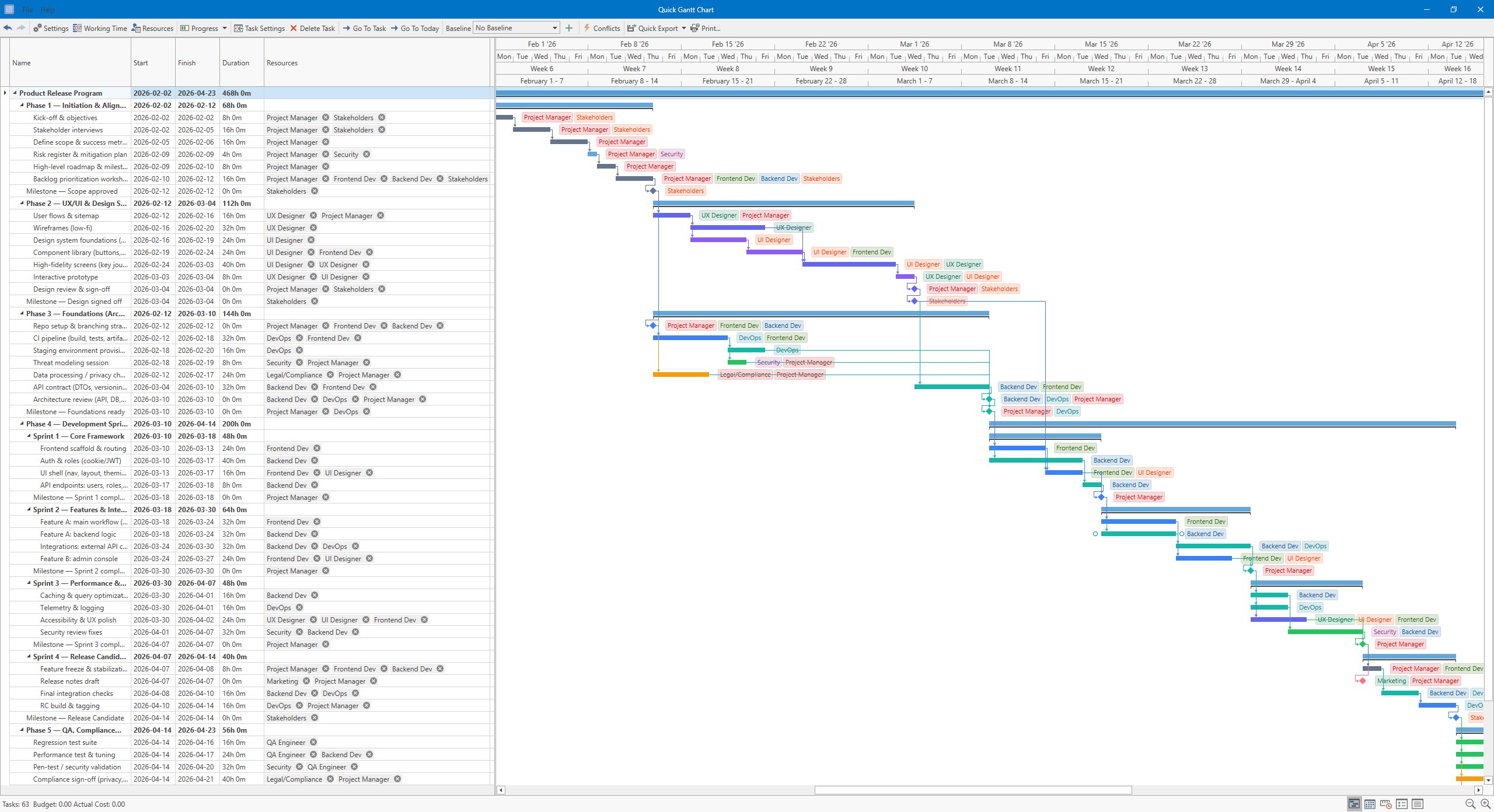
- Intuitive Gantt Chart Creation: Easily plot out tasks, deadlines, dependencies, and milestones with drag-and-drop simplicity.
- Collaborative Work Features: Share projects with team members, assign tasks, and track progress collaboratively within the app.
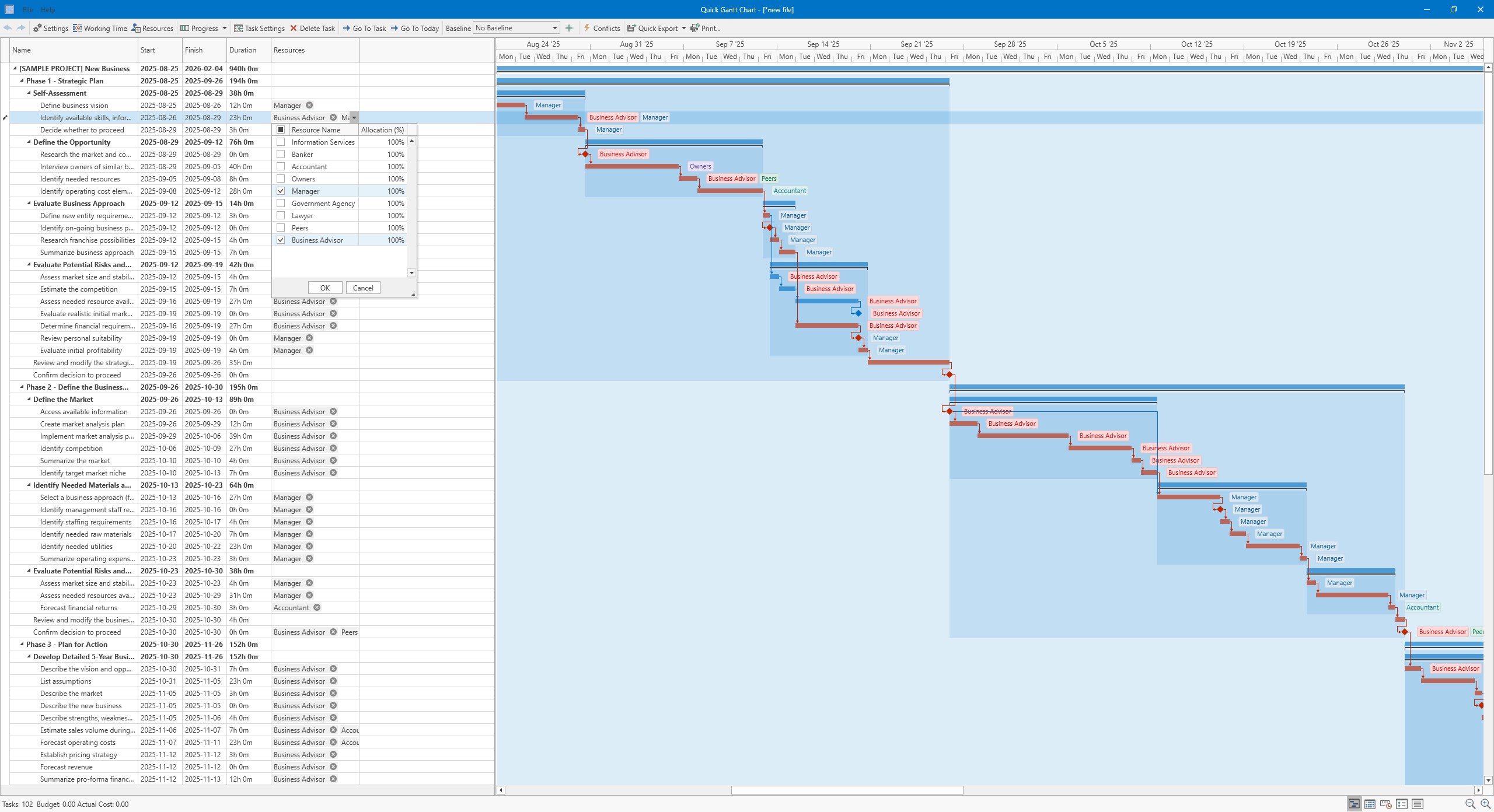
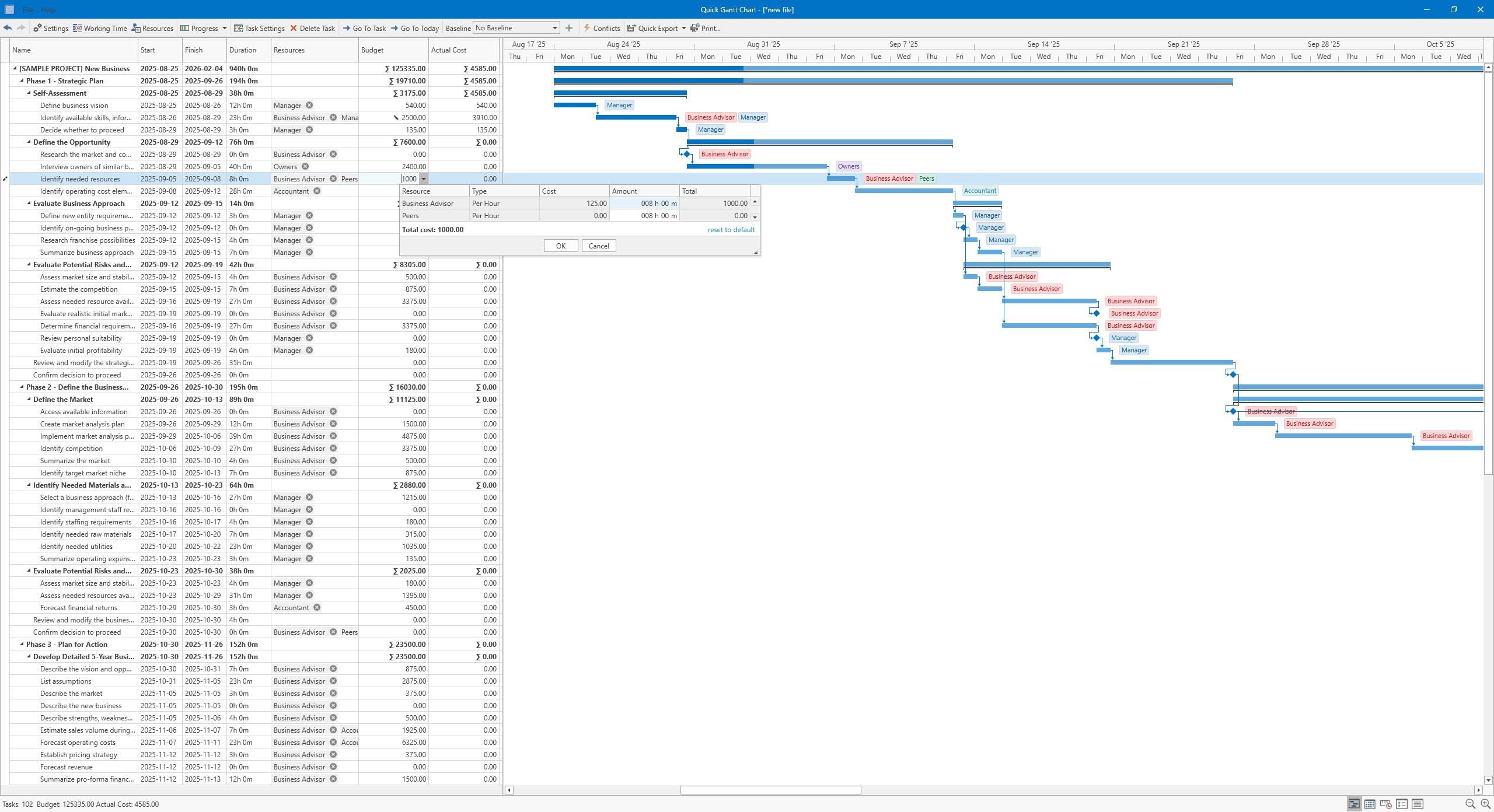
- Task and Resource Management: Assign resources, set priorities, and view workload distributions to optimize project execution.
- Seamless Integration and Export Options: Export charts to PDF, images, or integrate with other productivity tools for versatile sharing.
Design and User Experience: How Does It Feel to Use?
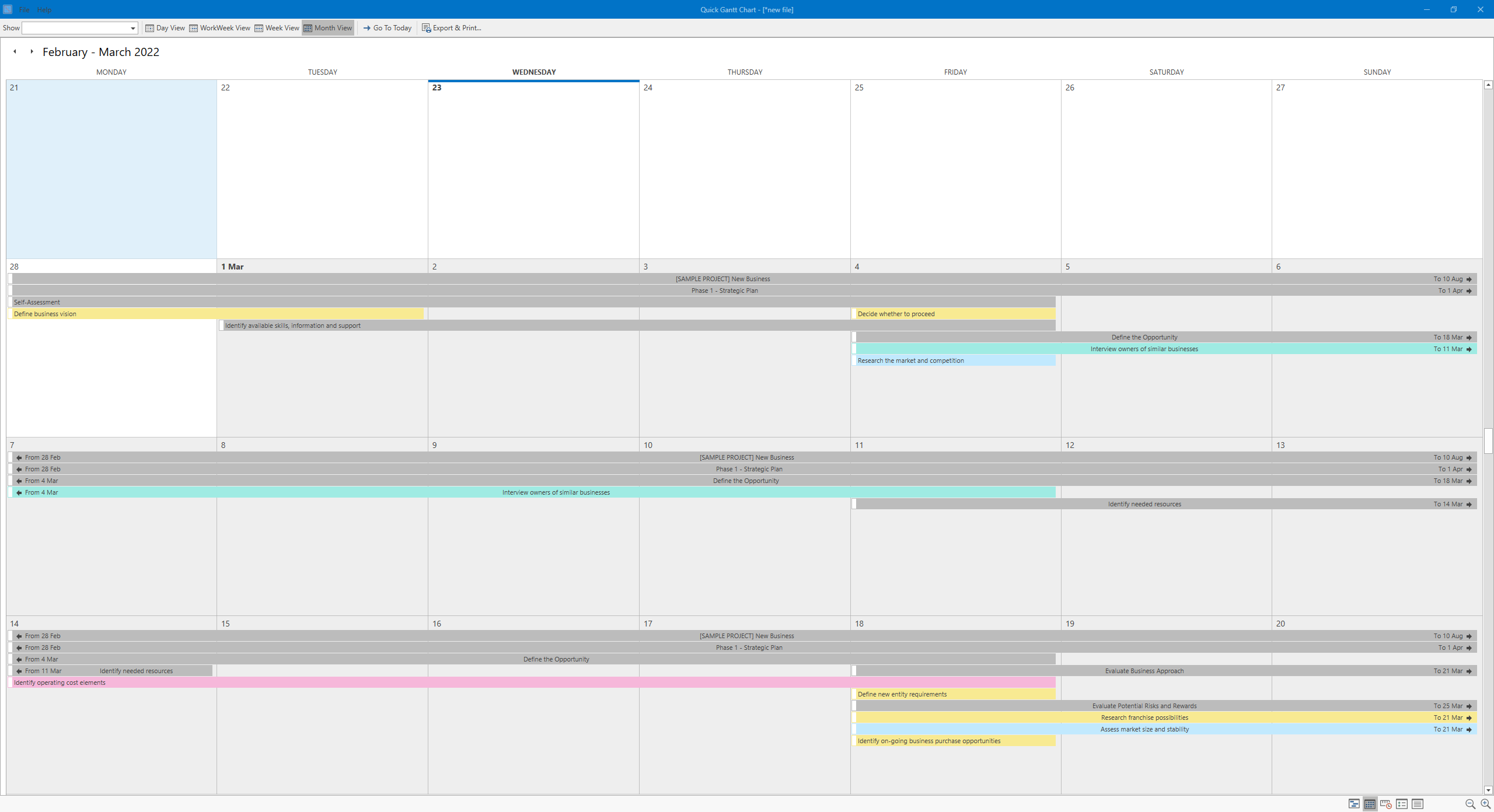
From the moment you launch Quick Gantt Chart, it's akin to opening a neatly organized workspace—clean, colorful, and inviting. The interface adopts a modern design, with a clear layout that guides your eye naturally from project overview to detailed task breakdowns. Navigating between different views is fluid, akin to flipping through well-labeled folders on your desk.
Creating a new project or task feels as effortless as dragging colorful sticky notes onto a digital whiteboard. The learning curve is gentle—new users can pick up the basics within minutes, while advanced users will find enough depth to build complex timelines. Smoothness during interactions ensures your planning isn't bogged down by lag or confusion, promoting a satisfying workflow.
The Unique Edge: Collaboration and Task Management
Compared to many standalone Gantt chart tools, Quick Gantt Chart distinguishes itself through its integrated collaborative work features. Unlike traditional apps that require external file sharing or convoluted integrations, this app allows real-time sharing and editing, making team coordination feel more like a community project rather than a solo task. Imagine a team gathered around a shared digital project board, each member adding notes, adjusting timelines, and updating statuses seamlessly—this is the collaboration experience Quick Gantt Chart strives to deliver.
Its task management capabilities are also noteworthy. The app doesn't just let you draw timelines; it contextualizes your project by linking dependencies and providing visual cues about workload, helping prevent bottlenecks before they appear. This depth makes it more than just a scheduling tool—it becomes a hub for strategic project execution.
Would I Recommend It? Who Should Use This?
For project managers, team leads, or any professional who appreciates visual clarity in planning, Quick Gantt Chart offers a reliable, user-friendly option. Its focus on collaborative features and clear interface makes it especially suitable for small to medium-sized teams looking to coordinate effectively without drowning in complexity.
While it may lack some of the advanced resource management features found in high-end enterprise solutions, its simplicity and integration capabilities make it a strong contender for everyday project management needs. If you're seeking a straightforward, visually appealing Gantt chart tool that encourages teamwork and keeps your planning transparent, this app is worth trying out.
Overall, Quick Gantt Chart for Windows is a well-designed, practical tool. It strikes a balance between simplicity and functionality, making project planning less of a chore and more of an engaging activity. I recommend giving it a shot, especially if collaborative scheduling is a top priority for your team or organization.
Pros
- Intuitive User Interface
- Smooth Gantt Chart Visualization
- Real-time Collaboration
- Customizable Task Dependencies
- Cloud Sync and Accessibility
Cons
- Limited Export Options
- Performance Slowdowns with Large Projects
- Basic Task Customization
- Limited Offline Functionality
- Learning Curve for Advanced Features










