
- Category Photo & video
- Developer Xiaoya Lab.
- Available on PC
- OS Windows 10 version 17763.0 or higher
- languages English (United States)
Introducing Real HEIC to JPG Converter for Windows
If you're dealing with a jumble of image formats and want a straightforward, reliable solution to convert HEIC files to the more universally compatible JPG format, then Real HEIC to JPG Converter for Windows by Xiaoya Lab is worth your attention. Designed with simplicity and efficiency in mind, this app aims to make image format conversions a seamless part of your digital workflow.
What Makes This App Stand Out?
Developed by Xiaoya Lab, a team committed to crafting user-friendly utilities, this converter emphasizes fast, accurate conversions with a clean, accessible interface. Its main strengths include ultra-fast processing speed, batch conversion capabilities, and preservation of image quality, making it ideal for photographers, designers, or anyone who regularly manages HEIC images from iOS devices.
The App's Core Features
Lightning-Fast Batch Conversion
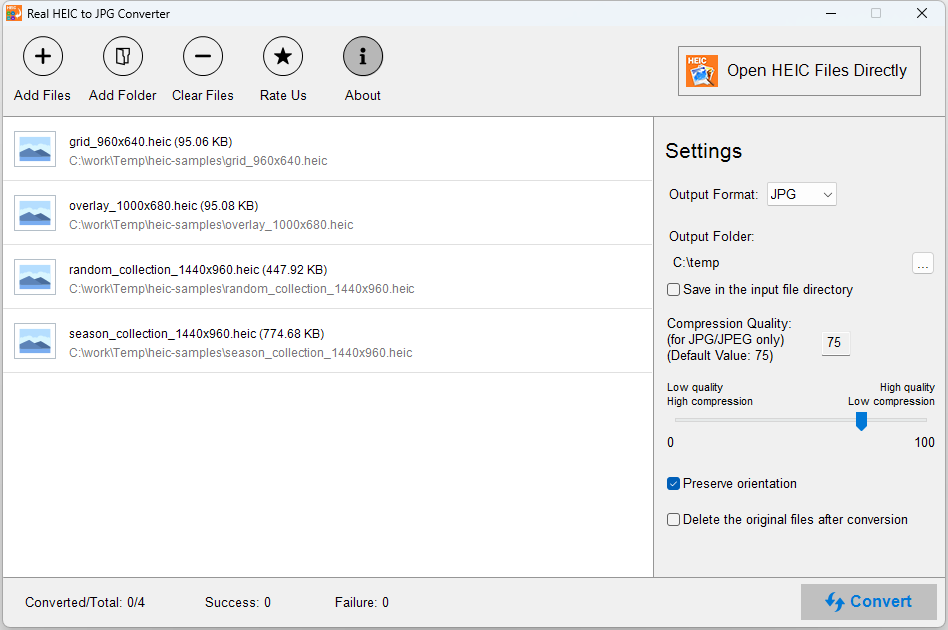
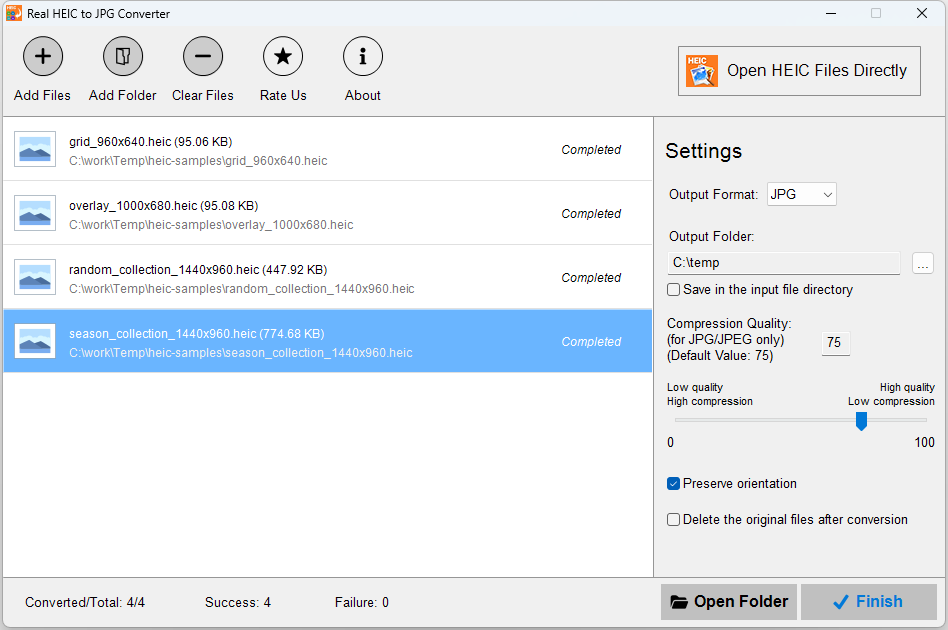
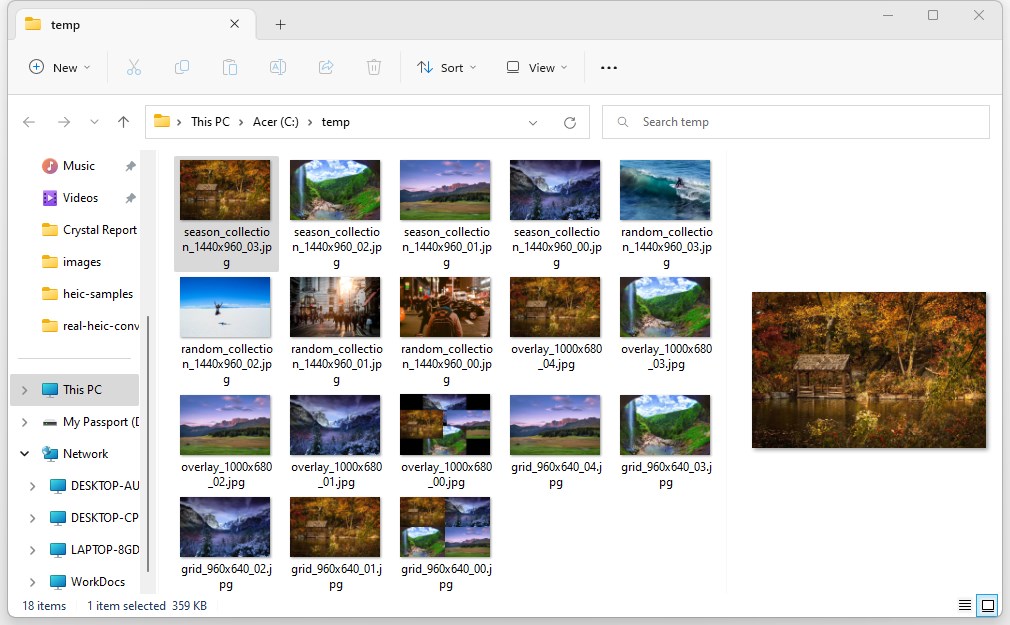
One of the most noticeable benefits of Real HEIC to JPG Converter is its ability to process multiple images simultaneously. Whether you have five photos or fifty, the app handles batch conversions smoothly without lagging. Imagine dragging a folder of your latest iPhone shots into a single window and watching in real-time as all HEIC images are converted to JPG—fast and fuss-free. This feature saves precious time, especially when dealing with large image libraries.
High-Quality Image Output with Preservation of Details
Many converters compromise quality for speed, but this app strikes a delicate balance. It ensures that the conversion maintains the original resolution and details, so your images look just as crisp as the original HEIC files. Think of it as packing a suitcase carefully—nothing gets squeezed or lost in translation, so your converted images are ready for professional printing or editing without any disappointments.
Simple and Intuitive User Interface
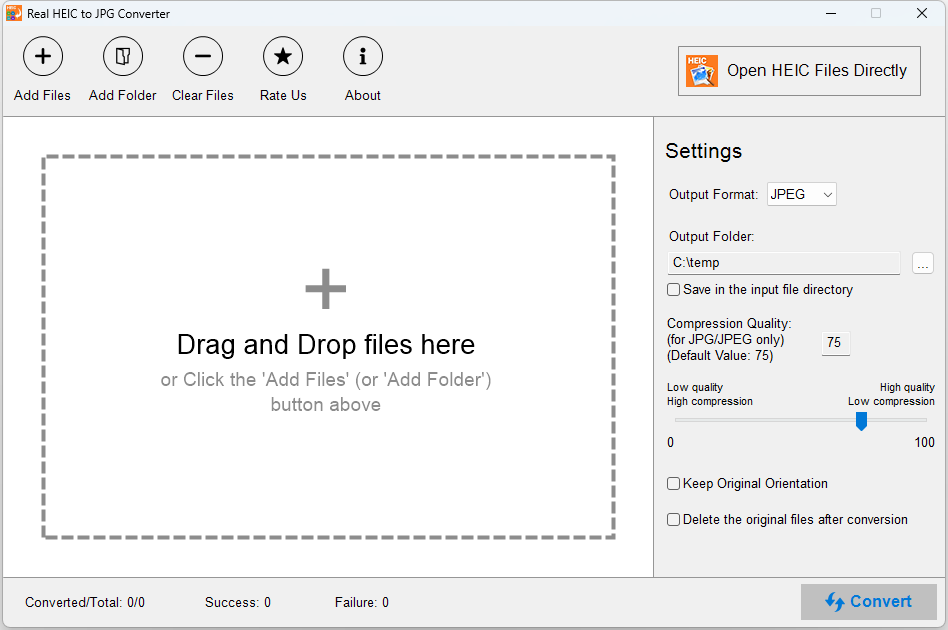
From the moment you open the application, it feels like stepping into a cozy and organized workspace. The interface employs a minimalist design with clear buttons and an easy-to-navigate layout, making conversion tasks approachable even for beginners. Users report that the learning curve is minimal—just drag, drop, select output folder, and click convert. It's akin to having a friendly assistant guiding you through a straightforward process.
User Experience and Unique Selling Points
Compared to other photo and video tools on the market, Real HEIC to JPG Converter shines with its dedicated focus on HEIC to JPG conversion. While many multi-purpose media suites include this feature as an afterthought, this app hones in on doing it exceptionally well. Its ability to batch process multiple images while maintaining quality sets it apart from more generic converters, which often falter with large files or produce inconsistent results. Additionally, its lightweight design means it doesn't burden your system—no unnecessary bloat, just efficient conversion.
In terms of user experience, the app's smooth operation and straightforward design translate into less frustration and more productivity. The quick processing times are especially important when working under deadlines or managing large photo collections. Moreover, the app doesn't bombard you with ads or confusing settings, keeping the process transparent and focused.
Final Recommendation
If you frequently work with HEIC images from iOS devices and need a reliable, quick solution to convert them to JPG, this app deserves serious consideration. Its elegant simplicity, combined with efficient batch processing and high-quality output, makes it a practical tool for casual users and professionals alike. While it's not packed with unnecessary bells and whistles, its targeted functionality ensures it performs its core task excellently.
We recommend giving Real HEIC to JPG Converter for Windows a try, especially if you value a clean user interface and robust performance in handling large image libraries. It's a straightforward companion for your photo management toolkit—trustworthy and effortless.
Pros
- Fast and Accurate Conversion
- Batch Processing Support
- User-Friendly Interface
- No File Size Restrictions
- Supports Windows Integration
Cons
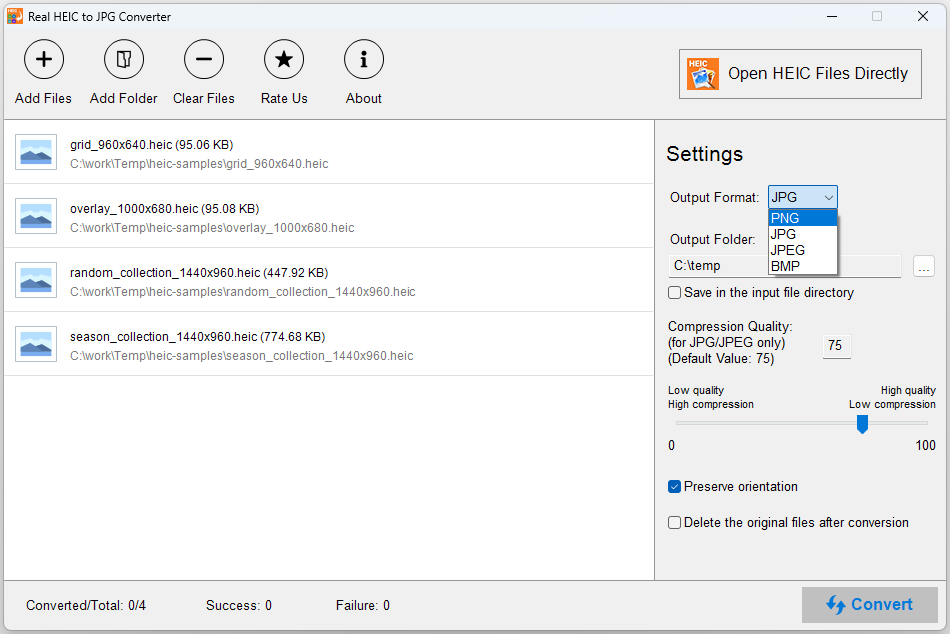
- Limited Format Options
- No Advanced Editing Features
- Occasional Compatibility Issues
- Lack of Cloud Backup Options
- Limited Customization Settings











