

- Category Photo & video
- Available on PC, Mobile, Surface Hub, HoloLens
- OS Windows 10 version 19041.0 or higher
- languages Chinese (Simplified), Chinese (Traditional), Chinese (Traditional, Hong Kong SAR), Danish, Dutch, English (United Kingdom), English (United States), Finnish, French, French (Canada), German, Hungarian, Icelandic, Indonesian, Italian, Japanese, Korean, Korean , Norwegian (Bokmål), Polish , Portuguese (Brazil), Portuguese (Portugal), Russian, Spanish (Argentina), Spanish (Chile), Spanish (Latin America), Spanish (Mexico), Spanish (Paraguay), Spanish (Spain), Spanish (Uruguay), Swedish, Thai, Turkish
Introducing Samsung Gallery for Windows: A Modern Take on Photo Organization and Management
Samsung Gallery for Windows is a sleek, feature-rich application that elevates your photo and video management experience, blending seamless organization with intelligent AI features tailored for Samsung device users.
Main Features That Shine
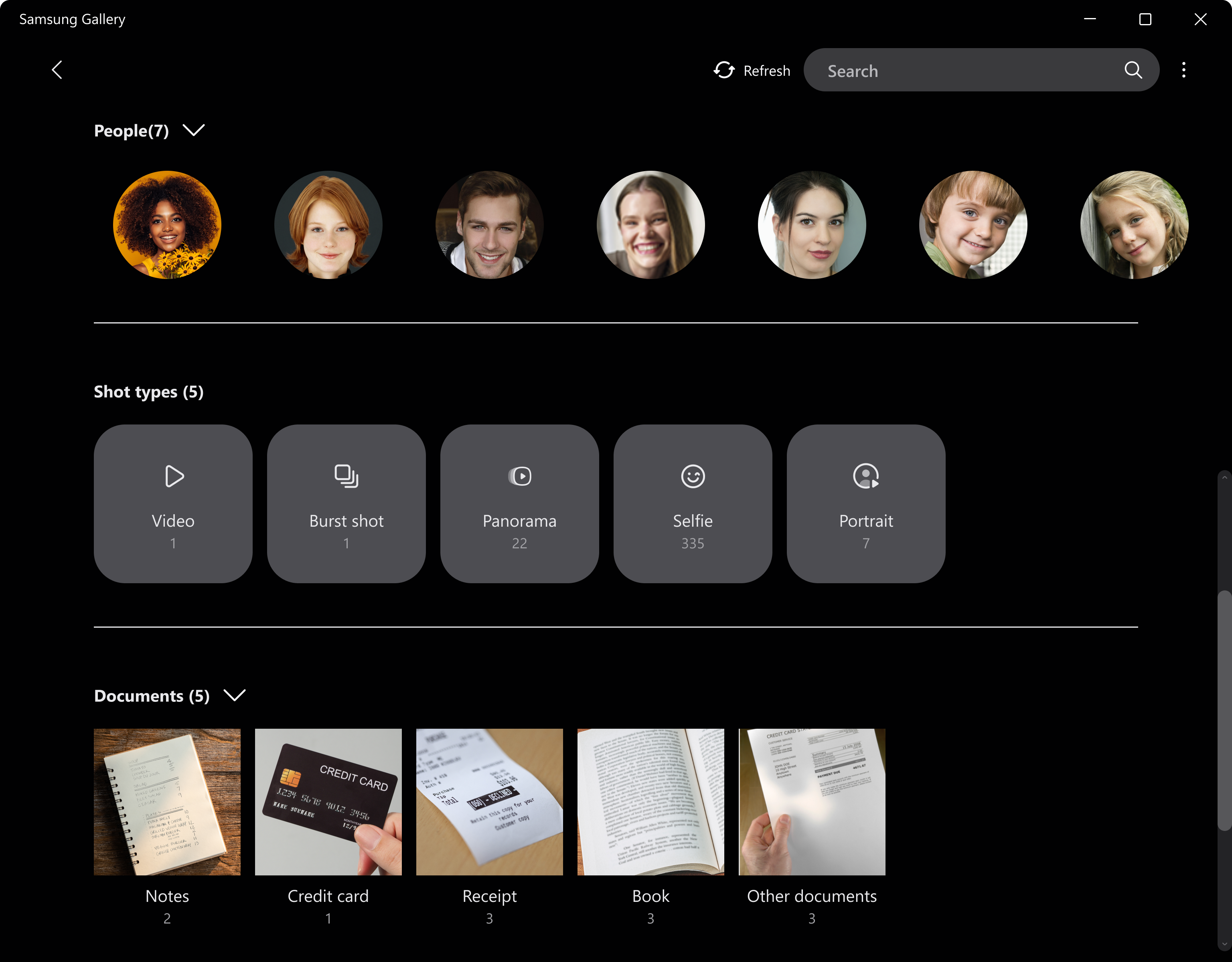
- Smart Content Recognition & Categorization: Uses advanced AI to automatically identify, categorize, and tag photos and videos, making retrieval effortless.
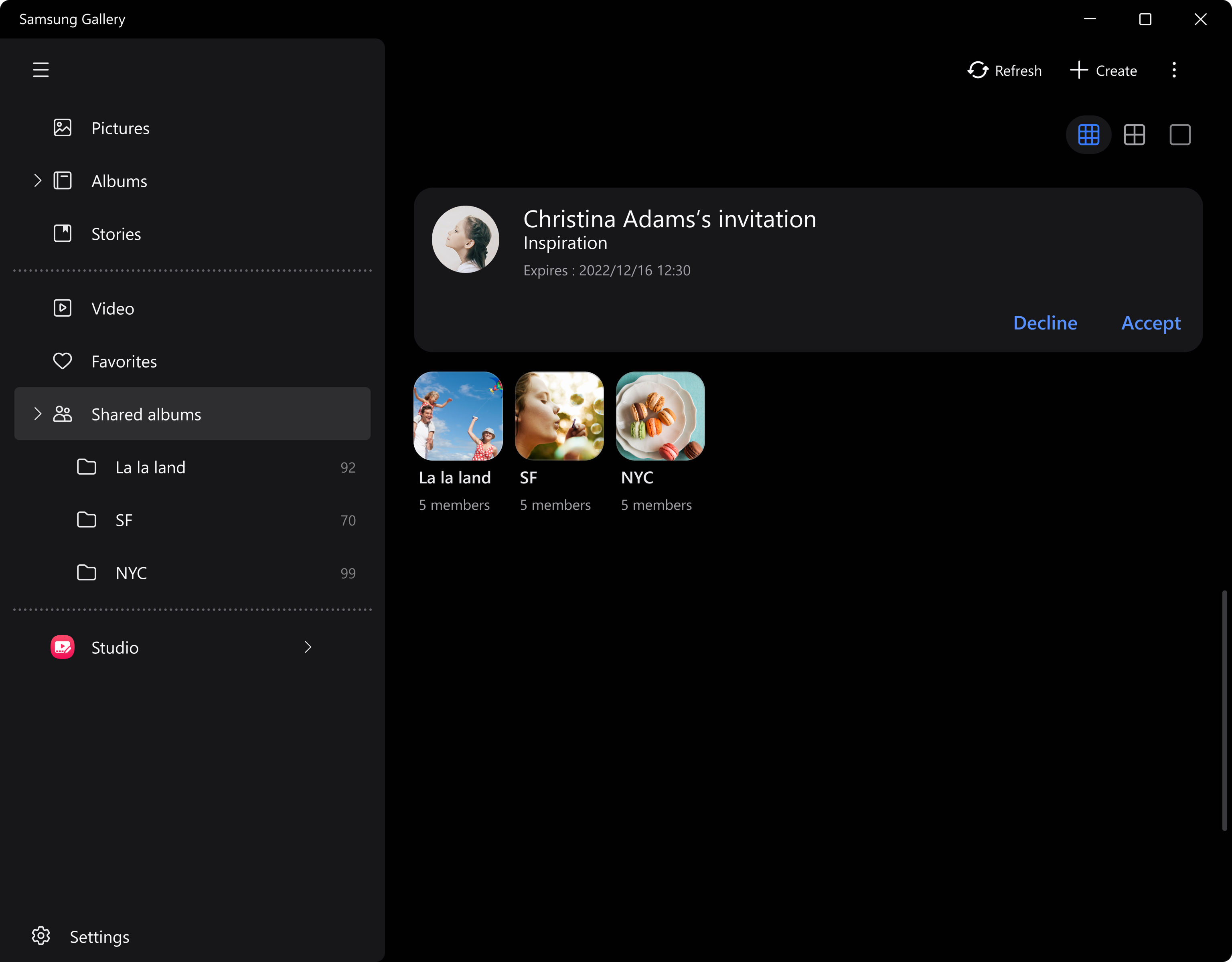
- Cross-Device Sync & Cloud Backup: Syncs seamlessly with Samsung Cloud and other cloud services, ensuring your memories are safe across devices.
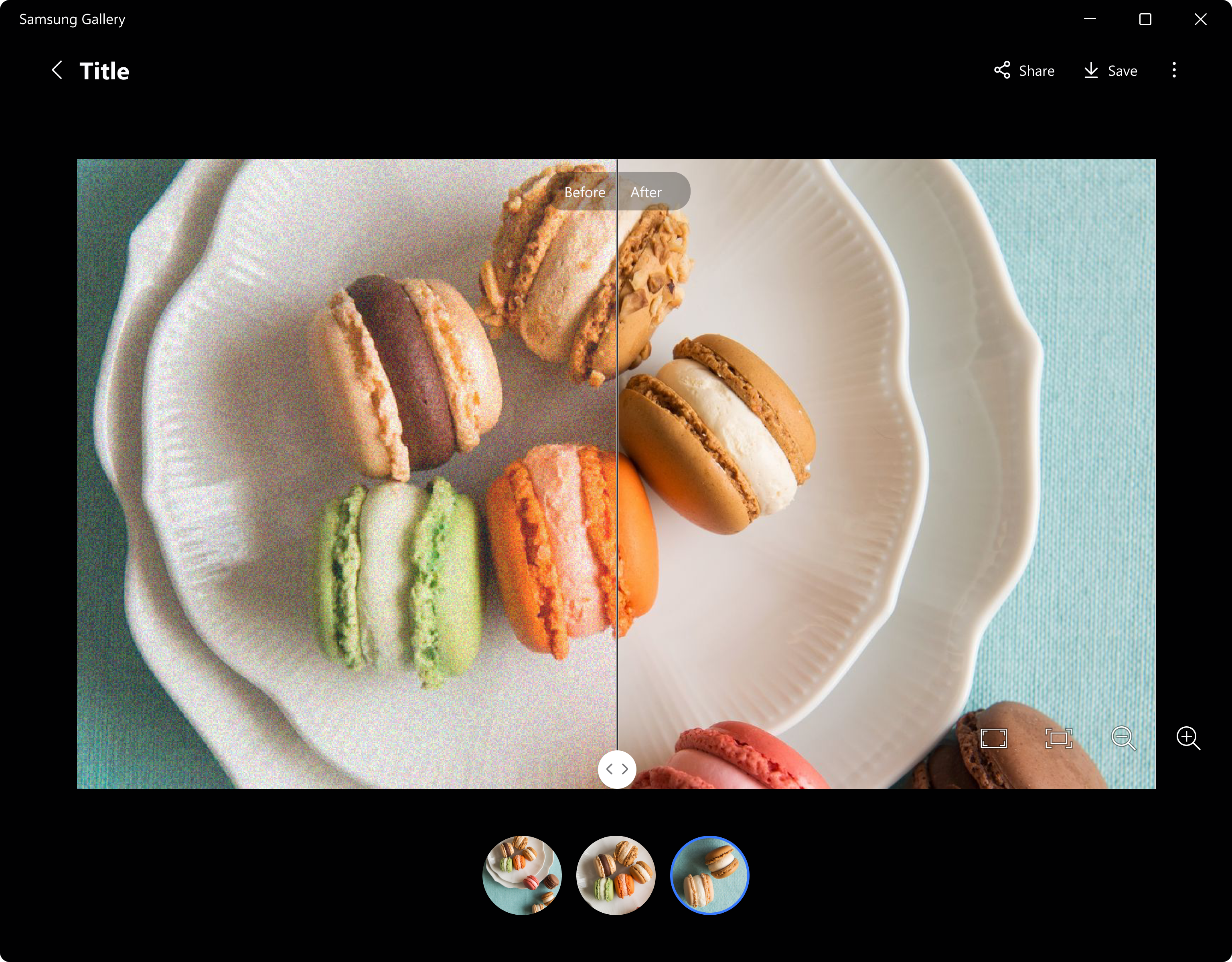
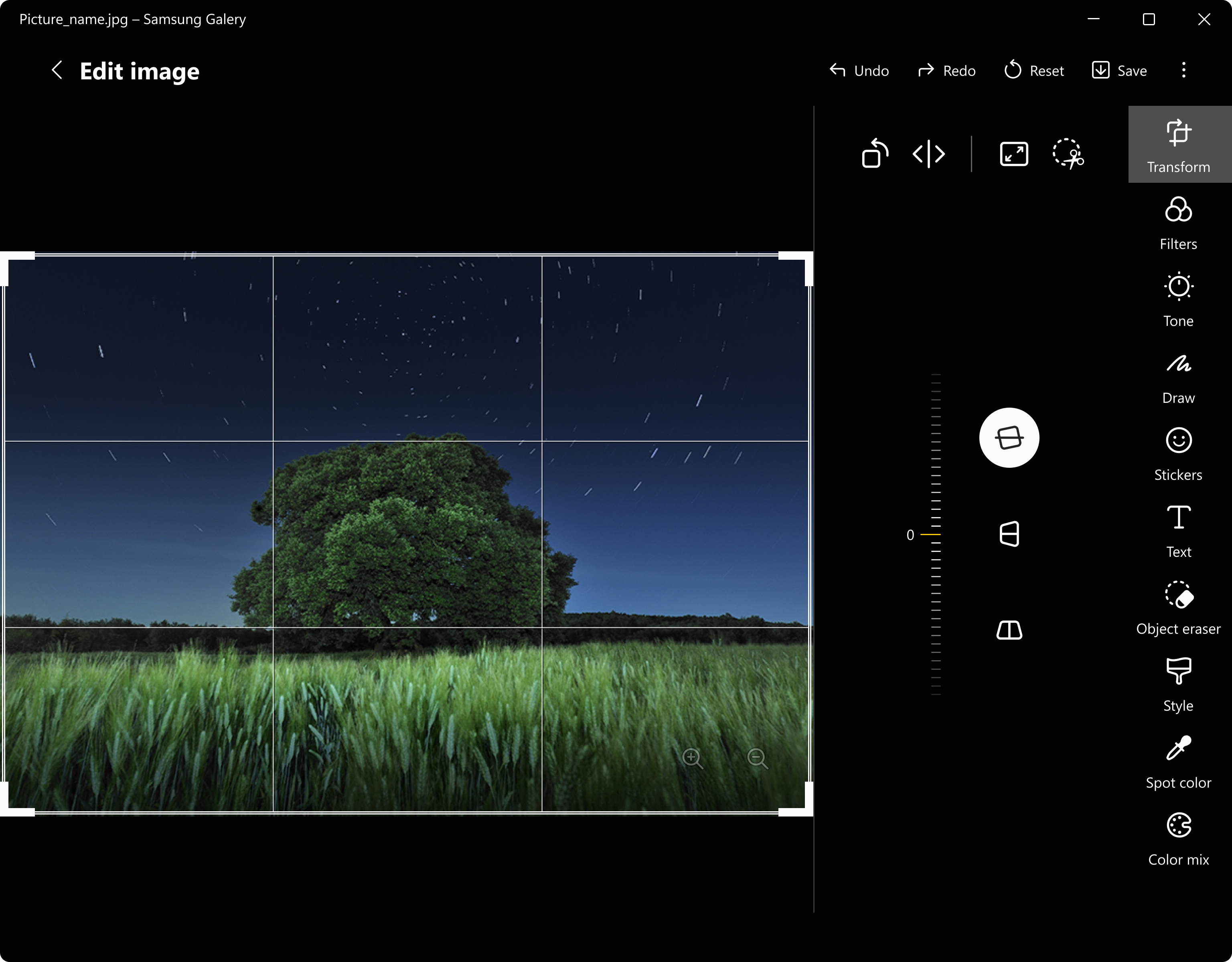
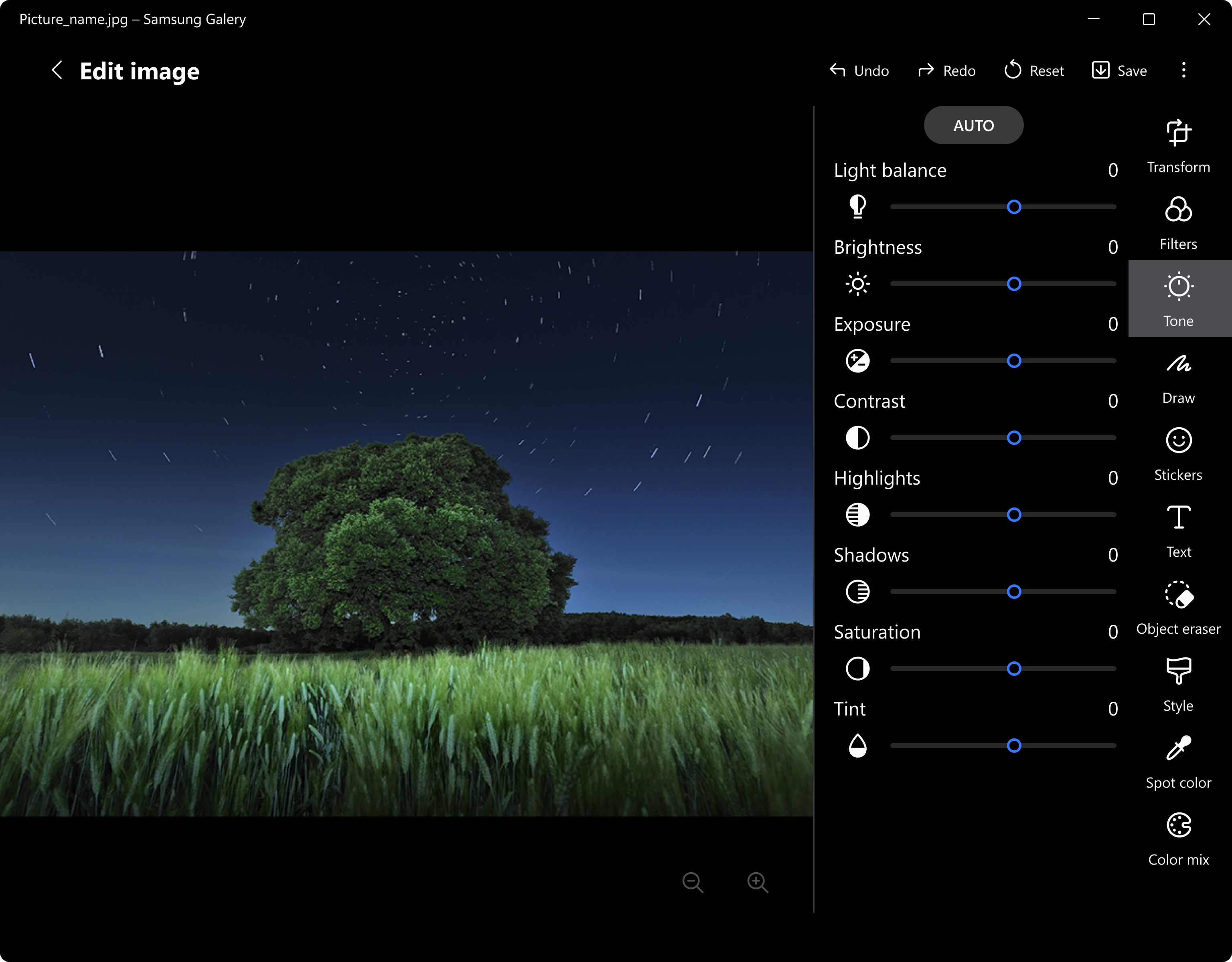
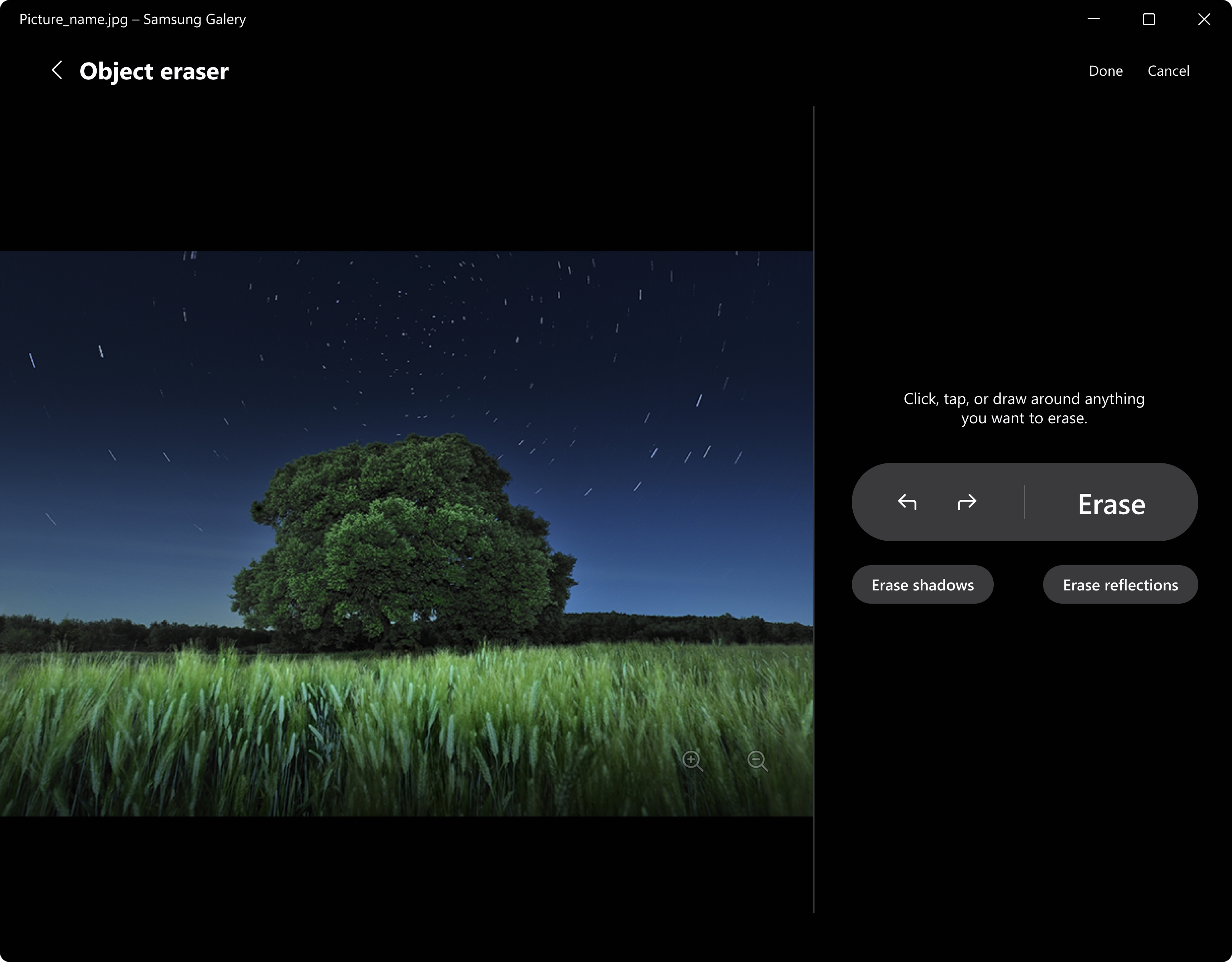
- Intuitive Editing Tools: Offers built-in editing capabilities like cropping, filters, and adjustments, so you can enhance your memories without switching apps.
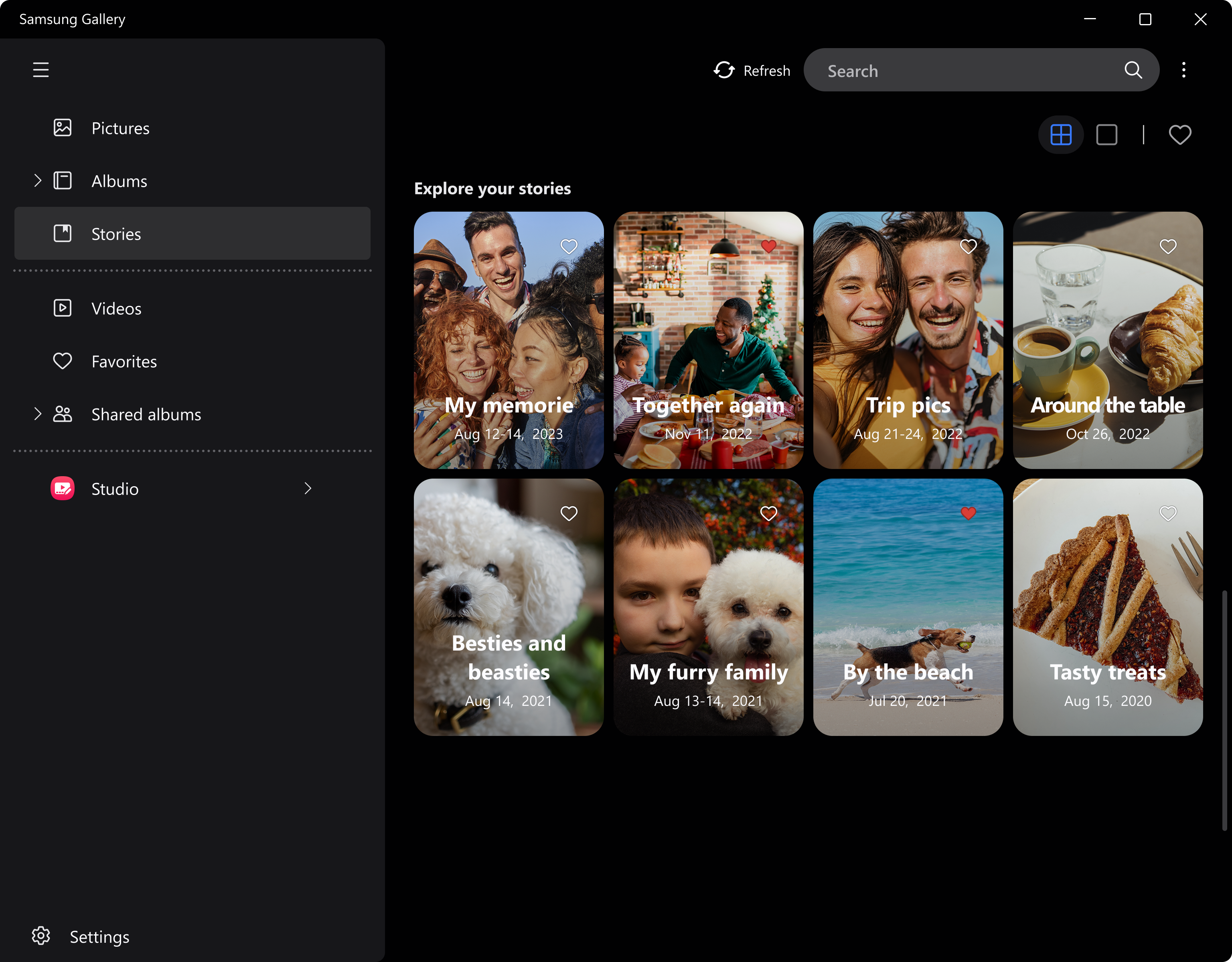
- Personalized Recommendations & Memories: Creates curated albums and nostalgic "Memories" based on your behavior, time, and location.
An Inviting Introduction to Your Digital Photo Album
Imagine opening a photo app that feels like stepping into a well-organized photo gallery curated by a meticulous curator—welcome to Samsung Gallery for Windows. Designed with simplicity and intelligence at its core, this app not only keeps your digital memories neatly stored but also adds a touch of magic through AI-powered features. Whether you're browsing through thousands of images or hunting for that one perfect shot, Samsung Gallery makes the process engaging, effortless, and—dare I say—enjoyable. It's like having a personal assistant who's always eager to help you relive your favorite moments.
Core Functionality Deep Dive
Smart Recognition and Categorization: Your Personal Memory Curator
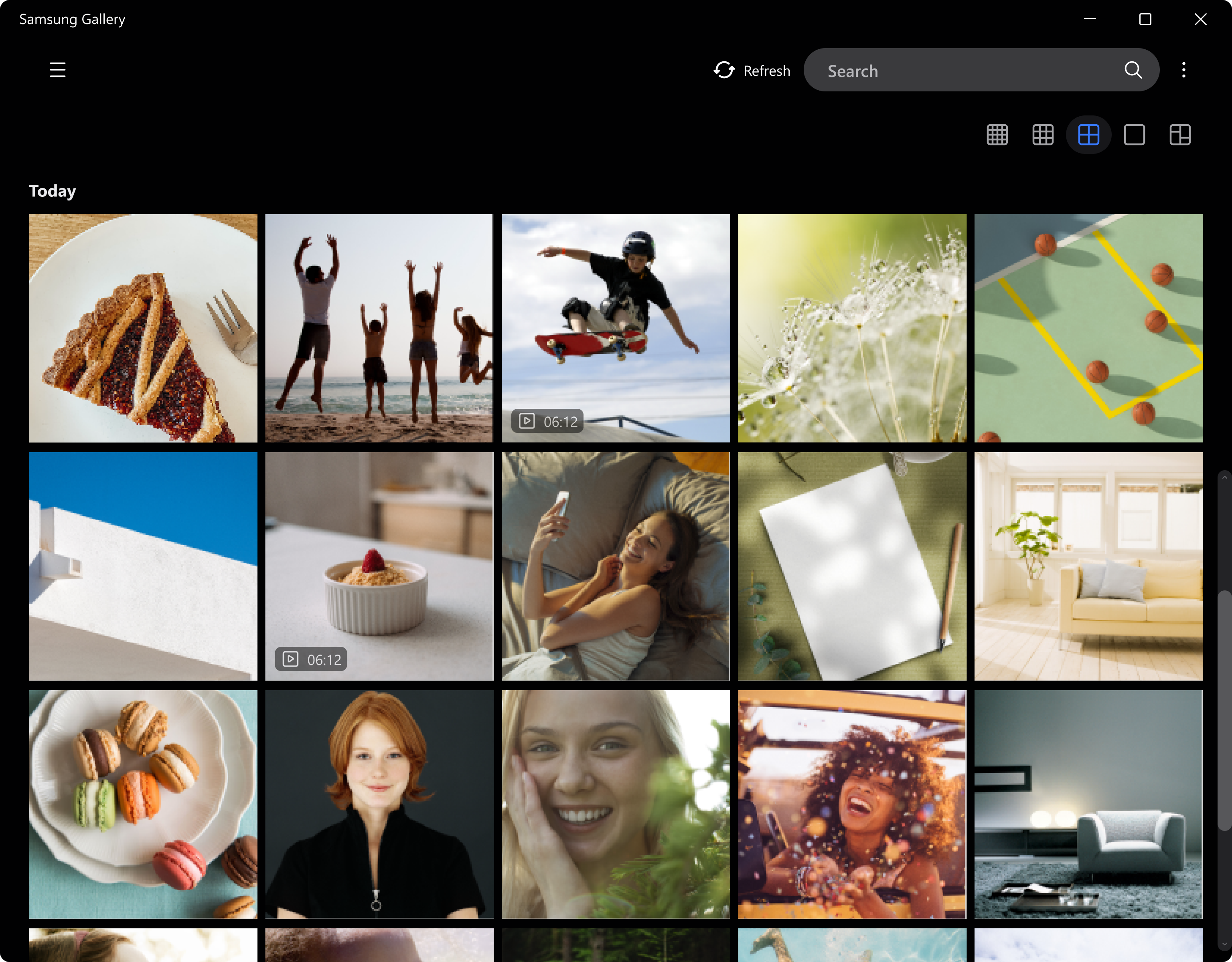
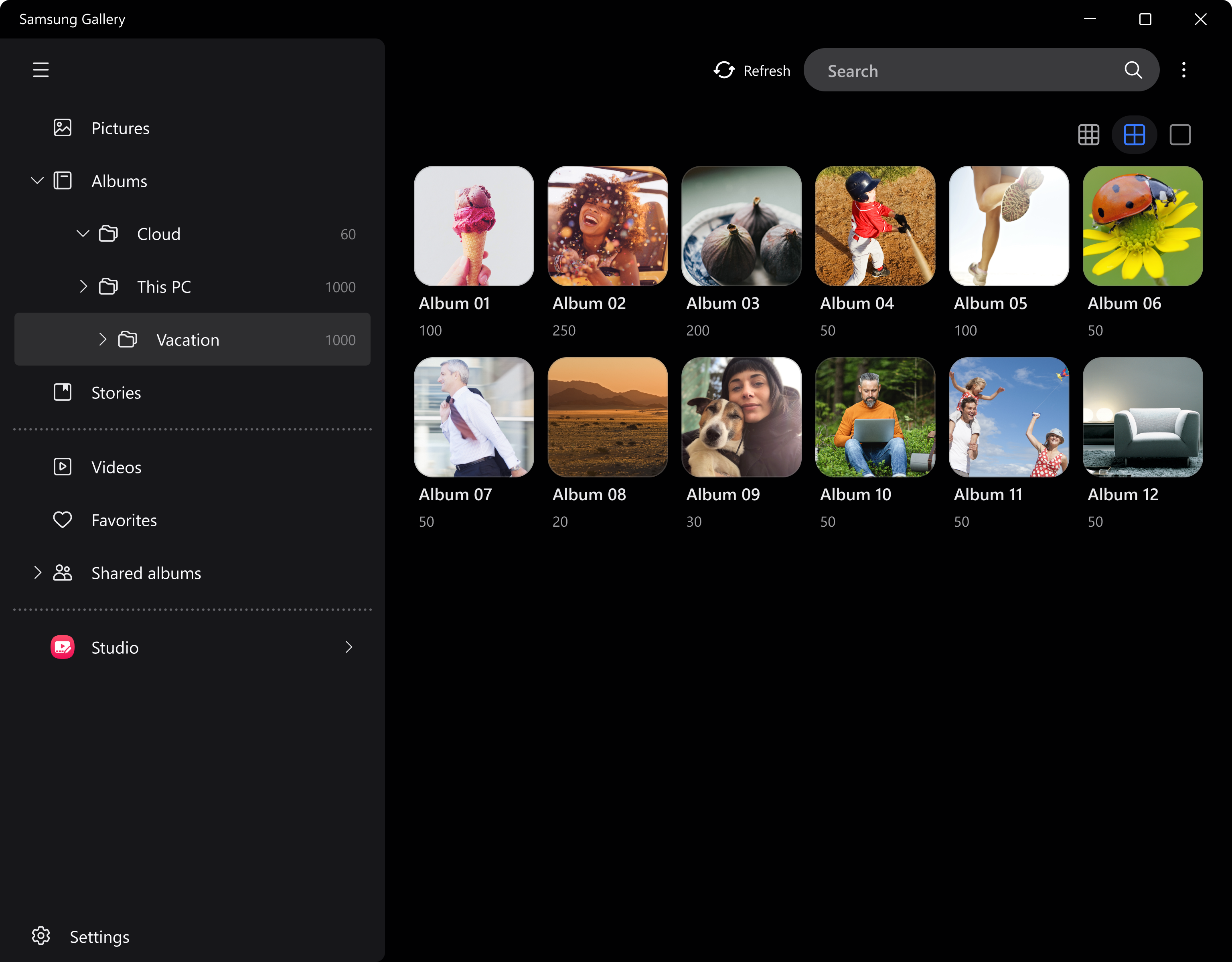
The standout feature of Samsung Gallery is its ability to automatically recognize and categorize your photos. Using sophisticated AI algorithms, the app scans your library to identify faces, locations, objects, and even scene types. Want to find all photos taken at the beach last summer? Just search "beach" or "vacation," and the app pulls up those moments instantly. This is akin to having an intelligent organizer that sorts and labels your memories behind the scenes, saving you hours of manual tagging. Additionally, this feature ensures your gallery remains clutter-free and easily navigable, transforming chaos into order.
Cross-Device Sync & Cloud Backup: Safeguarding Your Memories
Samsung Gallery for Windows acts as a bridge connecting your Samsung smartphones, tablets, and Windows PC. The effortless sync functionality ensures that every new photo or video captured on your mobile device appears instantly on your PC, ready for viewing or editing. The cloud backup options provide added security; even if your device is lost or damaged, your memories are safe and accessible from anywhere. This seamless integration echoes the experience of having a digital photo album that lives in the cloud—accessible, secure, and always updated.
Built-in Editing and Personalization
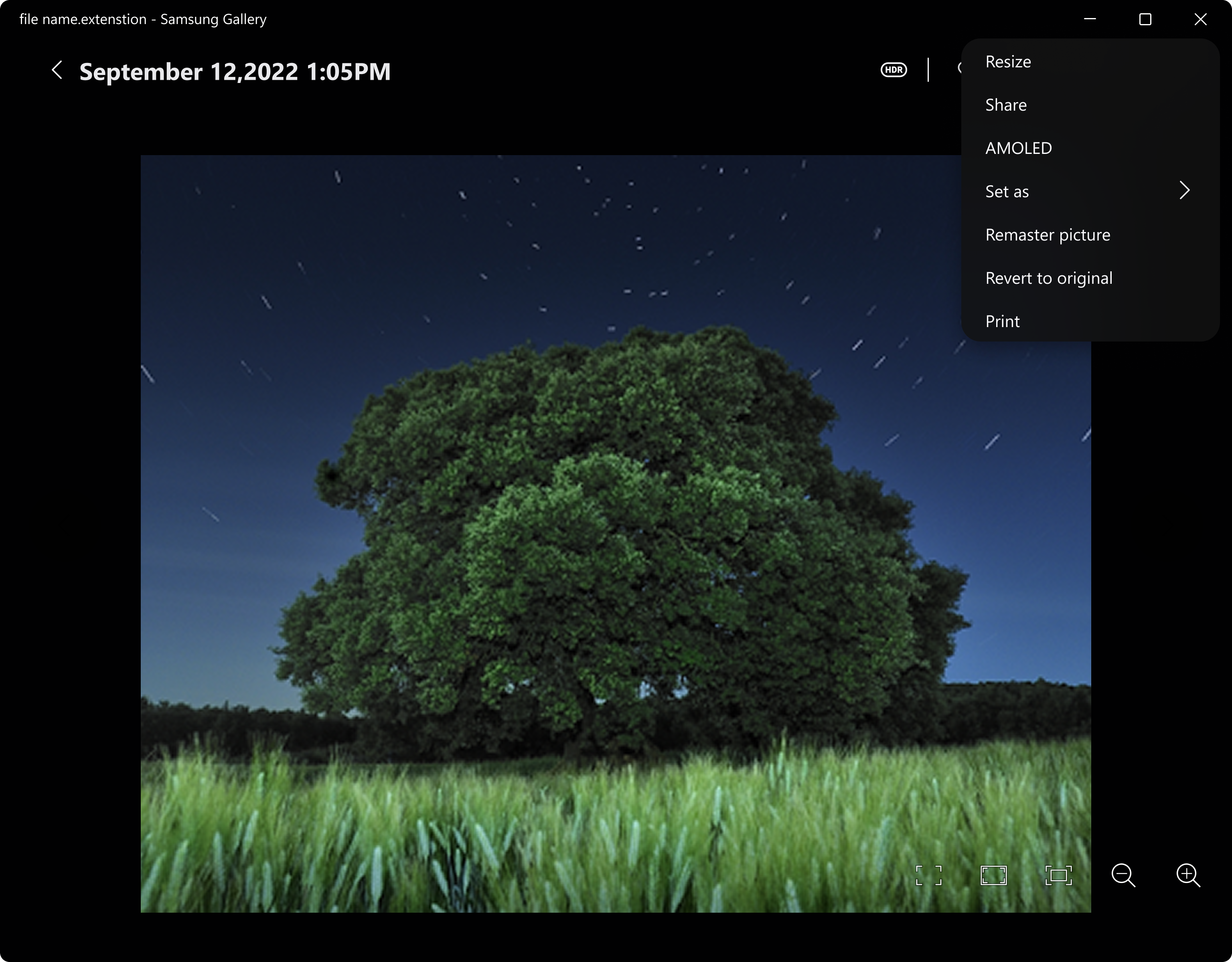
Once you've found that perfect shot, why not give it a quick touch-up? Samsung Gallery includes a variety of editing tools—cropping, rotating, applying filters, and adjusting brightness—turning simple photos into polished images. The interface is clean and intuitive, so even beginners find it easy to enhance their visuals without a steep learning curve. Moreover, the app generates personalized albums and "Memories," offering you nostalgic slideshows and curated collections based on your habits, making every day feel like a walk down memory lane.
Design, Performance, and User Experience
The app sports a modern, minimalistic interface that resembles a well-organized digital photo frame—clean lines, easy navigation, and a pleasing color palette. It's like browsing through a beautifully curated museum where every photo has its place. The app runs smoothly, with rapid loading times and lag-free interactions, even when managing large libraries. Its learning curve is gentle—users can start discovering features immediately, while those interested in exploring advanced functionalities will find in-app guidance and tips helpful. Overall, Samsung Gallery for Windows delivers a fluid, user-friendly experience that feels both professional and personal.
What Sets It Apart? The Unique Advantages
Compared to other photo management apps like Google Photos or Adobe Lightroom, Samsung Gallery for Windows focuses heavily on intuitive AI recognition and seamless ecosystem integration. Its ability to automatically categorize content based on contextual cues, combined with the cross-device synchronization specifically optimized for Samsung devices, makes it particularly attractive for Samsung users. The app's "Memories" feature, which intelligently curates nostalgic collections, adds a personal touch that distinguishes it from more generic photo apps.
Final Thoughts and Recommendations
All considered, Samsung Gallery for Windows is a compelling choice for Samsung device owners seeking a cohesive, intelligent solution for photo and video management. It excels in automation and integration, making it easier to organize and revisit your memories without hassle. I would recommend this app primarily for users already invested in the Samsung ecosystem, but its features also make it a worthwhile consideration for anyone looking for an efficient, user-friendly photo organizer. If you're after a solution that combines smart AI curation with seamless syncing, this app deserves a spot in your digital toolkit.
Pros
- Intuitive user interface
- Seamless integration with Samsung devices
- Robust photo organization features
- Built-in editing tools
- Cloud backup support
Cons
- Occasional app lag or freezing
- Limited advanced editing options
- Inconsistent sync accuracy
- Requires a Samsung account for full features
- Limited customization options











